How to Choose a Print on Demand Supplier: Judge Them on What Live Stores Keep Running
 By Assaf ShalinOctober 8, 2026
Roundups rank print on demand suppliers by catalogue size, integration count and feature checklists. The question that decides your store is narrower: which suppliers do live, selling stores keep running months after launch, once real customers have started complaining about delivery times and colour?
That is the only signal that survives contact with customers. A supplier with 1,000 products and a slick dashboard can still lose you a third of your first season to refunds. A supplier that hundreds of working stores have left installed through a Q4 has been tested by people with money on the line.
This guide gives you the persistence data first, then four checks you can run yourself before you list a single product.
Which print on demand apps live stores actually run
Across the Shopify stores Koala tracks, four print on demand and personalisation apps dominate. Printful appears on 11,693 of them, Printify on 7,304, Customily Product Personalizer on 6,686 and Gelato on 2,578.
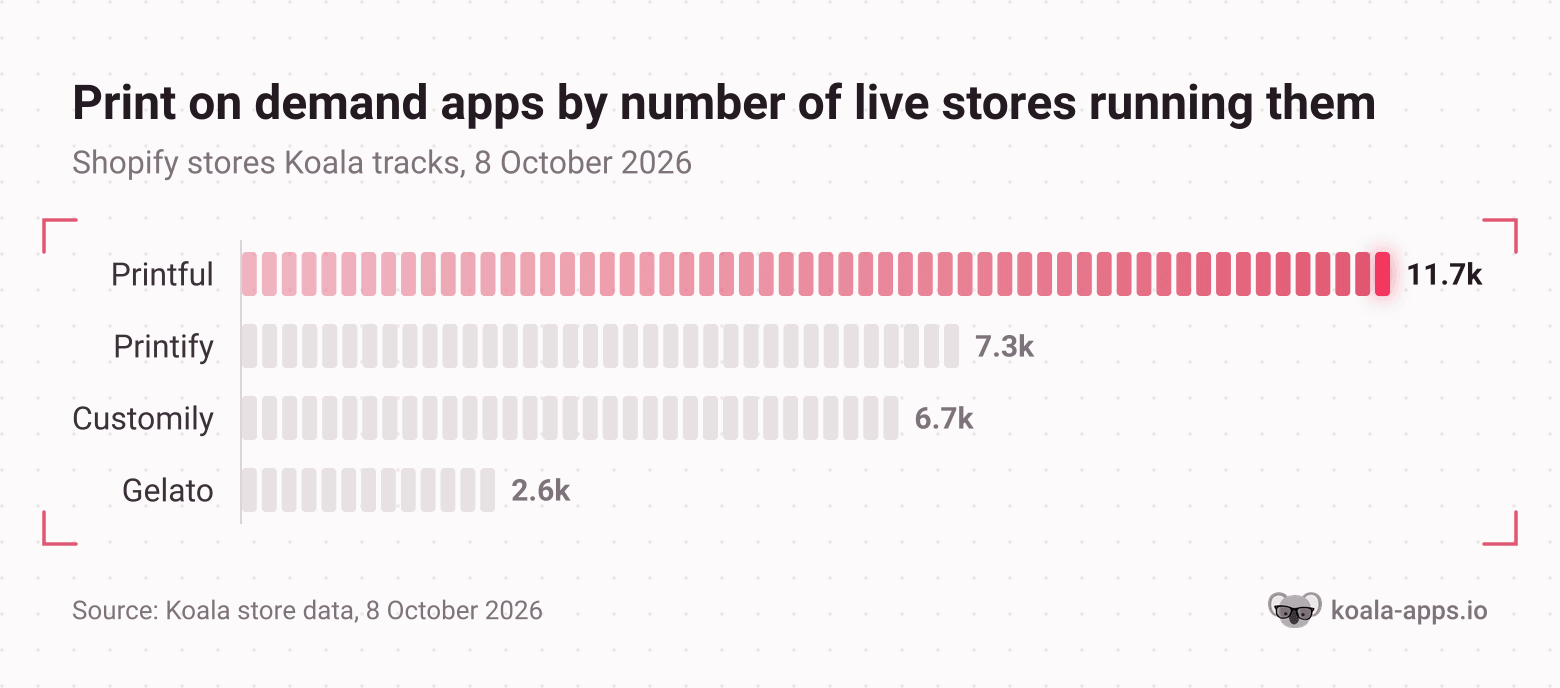
Two things make that ranking useful, and one caveat makes it honest.
The useful parts first. The order has held every single day since Koala started counting: Printful first and Printify second on all 42 days measured, with Customily third on 38 of them. A ranking that stable is describing a settled market rather than a weekly fashion. And Printful sits on roughly 60% more stores than Printify, which is a gap wide enough to mean something even after you allow for the stores that install an app and abandon it.
The caveat: this covers the Shopify stores Koala tracks, which is a large sample and not every Shopify store in existence. It also measures persistence in live stores rather than print quality. A store keeping an app installed tells you the integration works and the seller has not rage-quit the relationship. It does not tell you their customers love the hoodies. Use the ranking to build a shortlist of three, then test those three yourself with the four checks below.
Check 1: production and shipping timelines, measured rather than quoted
Turnaround is the pain sellers raise most often before launch, and it is the one most people get wrong because they read a single published number and treat it as a promise.
Shopify's own print on demand guidance states that most orders are printed in 2 to 7 business days, and adds that production and shipping times depend on your provider and where your customer lives. Shipping sits on top of that. So a quoted "3 day turnaround" and a real order-to-doorstep time of eleven days are both true statements about the same supplier.
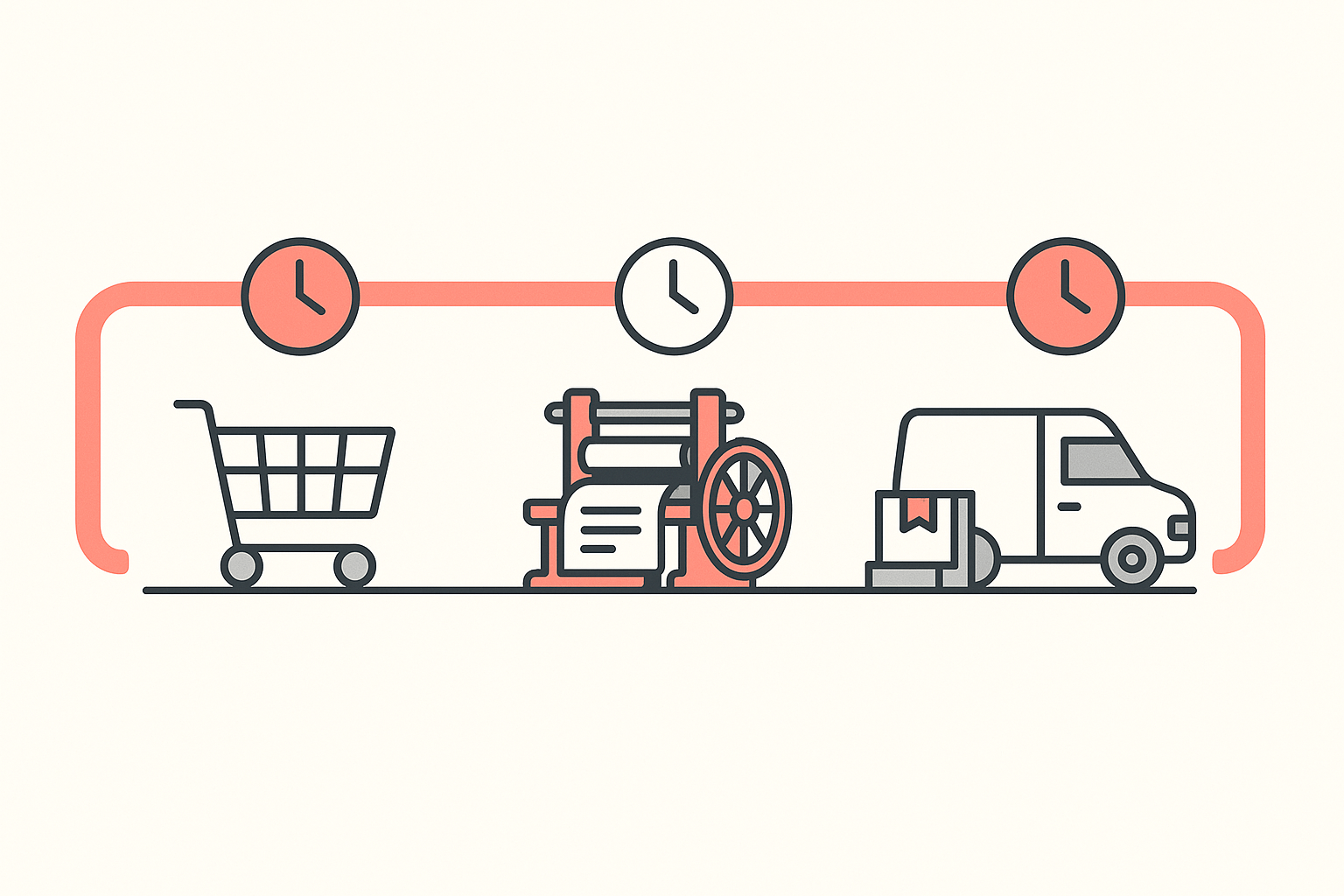
The published averages are worth reading for what they reveal about variance. Shopify's roundup of print on demand companies cites Printful's claim that 50% of orders are ready in less than three days. Read that carefully: half of orders ready in under three days means half are not, and your angry customer will come from the slower half.
Production method sets the floor, and it differs more than most sellers expect. Printify's production guide puts direct-to-garment printing at two to three minutes a shirt, plus 15 to 30 minutes of pretreatment per batch for dark cotton, while screen printing needs two to five hours of setup before the first shirt moves. Most print on demand providers running DTG or DTF carry a 48 to 72 hour production time.
What to ask, and what to test:
- Ask for the production window and the shipping window as two separate numbers, per product, in writing. One blended figure hides where delays come from.
- Ask which facility will fulfil orders to your main customer country. A global catalogue means nothing if your buyers are in the UK and the printer is not.
- Test it by ordering a sample to a real address in your main market and timing it from checkout to doorstep yourself. That measured number is your delivery promise. Everything else is marketing copy.
- Re-test in October. Peak season is where turnaround quietly doubles, and the sellers who find out in December find out from refund requests.
One seller on r/printondemand describes the failure state plainly: print issues, purchases lost in transit, and delays in prints, all from a free platform with excellent support. Good support does not fix a slow printer.
Check 2: print quality, proven by a sample you paid for
Shopify's print on demand FAQ gives the instruction directly: always test your products before selling them, to make sure quality meets your standards and colours print correctly. Almost nobody does it, and colour accuracy is where the complaints concentrate.

Order the sample yourself, from your own store, paying full freight. A supplier-discounted sample tells you what their best work looks like. A normal order tells you what your customer gets.
Then judge it against five things, in this order:
- Colour against your design file on a calibrated screen. Photograph the sample in daylight next to your laptop showing the artwork. Shifts in coral, teal and navy are the usual offenders.
- Print edges under magnification. Look for cracked ink, visible pixellation and a rough transfer border. Pixellation here is a file problem, covered below.
- The blank itself. Weight, seams, neck tag and whether the size matches the published size chart. The blank is 80% of what the customer feels.
- A wash test. Three machine washes at the temperature printed on the care label. Cracking and fading after three washes is a refund machine.
- The packaging and the sender name. Check what the customer sees on the box, because that is your brand arriving at their door.
Resolution is the one quality failure entirely within your control. Printify's DPI guide sets the rule at 300 DPI at 100% of the physical print size, with pixel width calculated as print inches multiplied by 300. A full-chest t-shirt print at 15 by 18 inches needs a 4,500 by 5,400 pixel file. Changing the DPI number in a file's metadata does nothing to a low-resolution image, which is why so many "the print came out blurry" posts are really "the file was always too small" posts.
Build the canvas at the right pixel size before you start designing, and a whole category of supplier complaints disappears.
Check 3: catalogue and personalisation fit
A supplier is a good supplier for the products you are actually selling. The catalogue-size number in a comparison table is close to meaningless on its own.
Shopify's own profiles of the big three draw the distinction cleanly: Printful handles production in-house for more control over the brand, Printify offers the widest flexibility with a catalogue of over 1,000 products, and Gelato runs 140+ production facilities worldwide so orders can print locally.
Those are genuinely different businesses, and they suit different stores:
| If your store is... | What to weigh most |
|---|---|
| Apparel-led, one country | Blank quality and consistency on the three or four garments you will sell repeatedly |
| Wide catalogue, many SKUs | Catalogue depth and how many of your planned products come from one facility |
| Selling internationally | Local production near your buyers, so shipping time does not swallow the margin |
| Personalisation-led | Whether the app lets the buyer configure the product on your product page |
That last row is why Customily Product Personalizer sits third in the Koala ranking despite not being a printer. Personalised products are a different sale: the buyer builds the item, which lifts perceived value and makes the listing hard to copy. If your plan is custom names, dates or pet portraits, a personalisation layer is a separate decision from your fulfilment partner, and you will likely run both.
Check that your three to five launch products all exist at one supplier before you commit. Splitting a single customer order across two suppliers means two parcels, two tracking numbers and two chances for one of them to go wrong.
Check 4: margin after platform cost, not after base cost
Most supplier comparisons stop at the base cost per item. Your store pays a monthly bill as well, and that bill is what turns a healthy-looking per-unit margin into a loss at low volume.
Shopify's US pricing page, checked on 8 October 2026, lists Basic at $29 a month, Grow at $79 and Advanced at $299 on the default billing toggle. Price the whole stack, not the shirt.
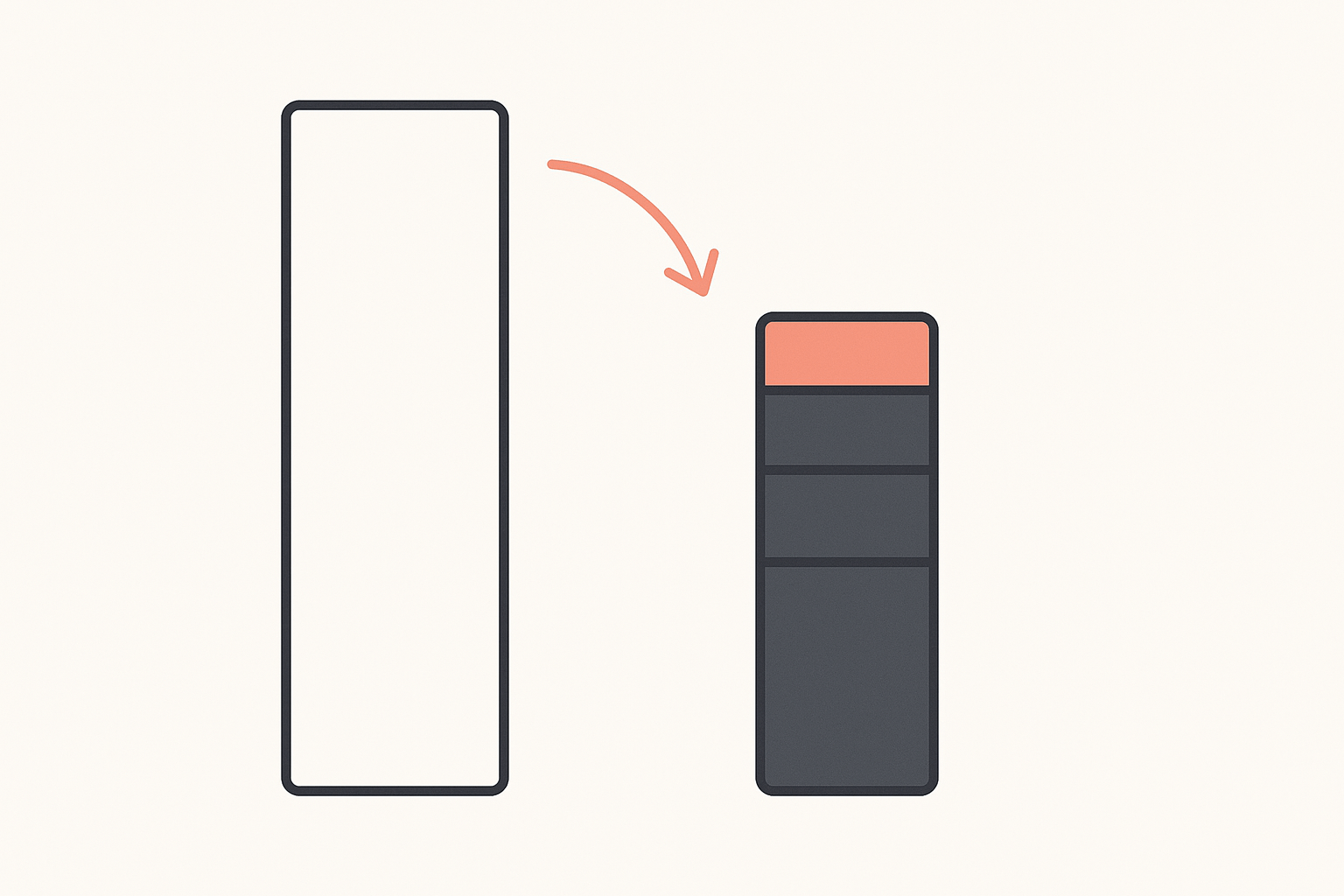
Printify's own break-even guide works a useful example: a Comfort Colors 1717 tee at $34 retail against $18 of variable cost, which breaks even at seven units a month once $104 of monthly fixed costs are included. A heavier Lane Seven hoodie at $55 retail breaks even at five units.
Run the same arithmetic on your own numbers before you choose:
- Retail price, minus supplier base cost, minus shipping charged to you, minus payment processing. That is your gross margin per unit.
- Divide your monthly fixed costs, starting with the Shopify subscription, by that gross margin. That is how many units you sell before you earn anything.
- If step two lands above about ten units for a product you have never sold, either your retail price is too low or the supplier's base cost is too high for this blank.
A supplier whose base cost is a dollar higher but whose misprint rate is half as high is the cheaper supplier. Reprints and refunds come out of the same margin, and nobody puts them in the comparison table.
Shortcut the whole thing: see what works in your niche
Everything above is faster when you start from suppliers that are already working for stores like yours, in your category, selling your kind of product.
You can read that directly. Open a Shopify store in your niche with Koala Inspector and the app detector lists every app that store has installed, grouped by what each one does, so the print on demand app they run is right there. The same store view shows the theme and the products they are pushing hardest, which tells you which blanks and price points are paying their rent.
Do that across six or eight stores in your category and your shortlist stops being a guess. If five of them run the same supplier, that supplier has survived five different sets of customers. The app detector is free and costs no tokens, so this is an afternoon of research rather than a subscription.
See which print on demand app a store actually runs
Install Koala Inspector, open any Shopify store in your niche, and read every app it has installed grouped by job, plus its theme and its best-selling products. The app detector is free and costs no tokens.
A one-week sequence
- Day 1. Inspect six to eight live stores in your category and record which print on demand app each one runs. Cross-check against the persistence ranking above and cut your list to three.
- Day 2. Request the print file specs, the production window, the shipping window to your main market and the misprint policy from all three, in writing.
- Day 3. Build your artwork at 300 DPI for the exact print area, then order one paid sample of your lead product from each supplier, to your own address.
- Days 4 to 9. Time each delivery. Do nothing else while you wait.
- Day 10. Judge the samples on colour, print edges, blank quality and packaging. Wash one of each three times.
- Day 11. Run the margin arithmetic on the winner and set your retail price from the measured numbers rather than the quoted ones.
That is eleven days and roughly the cost of three t-shirts to replace guesswork with evidence. Compared with a season of refunds from the wrong supplier, it is the cheapest research you will do.
What sellers say about Koala Inspector
Verified reviews from the Chrome Web Store.
“Super simple to use and gives tons of detail of other stores. It helped me learn how to improve my store.”
 Jessica Walker
“Awesome customer support. Insights into store AOV, products, traffic and campaign tracking is extremely helpful!”
 Gabe Abramovich
“Invaluable for competitive insights, Koala Inspector is easy to navigate and helps stay ahead in the Shopify marketplace.”
 Merico Monaldo
Keep reading
- Print on demand product research covers the step before this one: deciding what to sell by reading the stores already selling it.
- Printify POD explained walks through how one of the two biggest platforms actually works, end to end.
- Printify and Etsy, novice to expert is the marketplace route if you would rather not run a Shopify subscription yet.
- How to vet a dropshipping supplier applies the same evidence-first logic to classic dropshipping, where the risks are different.
- How much Shopify apps cost is the other half of the monthly bill you priced in check 4.
Choosing a print on demand supplier: FAQ
What sellers ask before they commit to a fulfilment partner.
Is print on demand profitable?+
Yes, at modest numbers and with a long ramp. Printify's own profitability guide puts the print on demand industry at $13.1 billion in 2026, projected to reach $57.5 billion by 2033, and sets typical seller margins at 30% to 50%. Its earnings bands are the more useful figure: new sellers in their first six months earn $0 to $100+ a month, stores at six to eighteen months earn $1,000 to $3,000+, and sellers past eighteen months earn $10,000 to $80,000+. Profit comes from the gap between your retail price and the full stack of base cost, shipping, transaction fees and your Shopify subscription, so the supplier you pick sets your ceiling before you sell anything.
Did your supplier already have all the documents you needed?+
Treat documentation as something you request in writing rather than something you inherit. Four items cover most of it: the print file specification for every blank you plan to sell, the stated production window separate from the shipping window, the written policy for misprints and damaged items, and the material or care information you need for your product listings. Shopify's print on demand guidance notes that production and shipping times depend on the provider and the customer's location, which means a generic published average is not a document about your product. Ask for each item per product, not per supplier.
Do you use supplier videos, AI, or something else for product media?+
Most print on demand suppliers generate mockups from your uploaded design, and those mockups are fine for a first listing. They are also the same images every other seller using that blank has, so they do nothing for your listing's distinctiveness. Photograph the sample you ordered. One real photo of the garment you actually received, in daylight, next to the mockup set, outperforms a gallery of generated renders and doubles as your colour reference when a later batch drifts.
How do you handle supplier spreadsheets when updating your store?+
Print on demand mostly removes this problem, which is one of its quieter advantages over classic dropshipping. The supplier app sits inside Shopify, creates the product, pushes price and variant changes, and writes fulfilment and tracking back to the order, so there is no CSV to clean. The spreadsheet work reappears when you run two suppliers for the same catalogue and have to reconcile base costs by variant. If you reach that point, keep one source of truth per SKU with the supplier name on the row, and reprice from that sheet rather than from either supplier's dashboard.
Is Speedbee a good supplier?+
There is no public track record to judge it on. Sellers asked exactly this question on r/dropship and r/dropshipping and received no substantive answers either time, which is the honest state of the evidence. Run the same test you would run on any unknown name: check whether live, selling stores in your category are running it, order a paid sample and time it from checkout to doorstep, and get the misprint policy in writing before you list. A supplier nobody can describe is a supplier you have to measure yourself.
Where does your supplier order info actually live?+
In two places, and they are not the same record. Your Shopify order holds the customer, the payment and the tracking number the supplier app writes back. The supplier's own dashboard holds the production status, the print file used, the fulfilment facility and the base cost you were charged. Refunds and misprint claims are settled against the second record, so export your supplier order history on a schedule rather than trusting it to stay available, and reconcile the base costs against your Shopify payouts monthly.
Sources
- Koala store data, 8 October 2026: print on demand app installs across the Shopify stores Koala tracks, counted daily since 22 June 2026.
- Shopify: print on demand notebooks and print on demand backpacks - the 2 to 7 business day production guidance, the sample-testing instruction, and the supplier profiles for Printful, Printify and Gelato.
- Shopify: best print on demand companies - the selection factors and Printful's published "50% of orders ready in less than three days" figure.
- Shopify: pricing - Basic, Grow and Advanced monthly prices on the default billing toggle, checked 8 October 2026.
- Printify: how long it takes to print a shirt - per-method production times and the 48 to 72 hour print on demand production window.
- Printify: what DPI you need for printing - the 300 DPI rule and the pixel-dimension formula.
- Printify: how to calculate your break-even point - the Comfort Colors 1717 and Lane Seven worked examples.
- Printify: is print on demand profitable - market size, margin ranges and seller earnings bands.
- Reddit, r/printondemand: a seller leaving a free POD host over print issues, lost orders and delays.
- Reddit, r/printondemand: sampling an unknown supplier and still asking strangers whether to trust it.
- Reddit, r/printondemand: a growing brand outgrowing its supplier's turnaround and capacity.
- Reddit, r/dropship and r/dropshipping: the two unanswered Speedbee threads.
Written by
Assaf Shalin
Co-founder & Developer, Koala Apps
Assaf Shalin is a co-founder of Koala Apps and one of the developers behind Koala Inspector. He builds the tools that let Shopify sellers see what is actually working in other stores, from installed apps and themes to best-selling products. On the blog he covers the technical side of store research: how competitor research really works, what public store signals can and cannot tell you, and how to turn them into decisions.
Connect on LinkedIn