ClickFunnels Shopify Integration: How to Connect Them (Classic vs 2.0)
 By Ana GelevskaOctober 27, 2026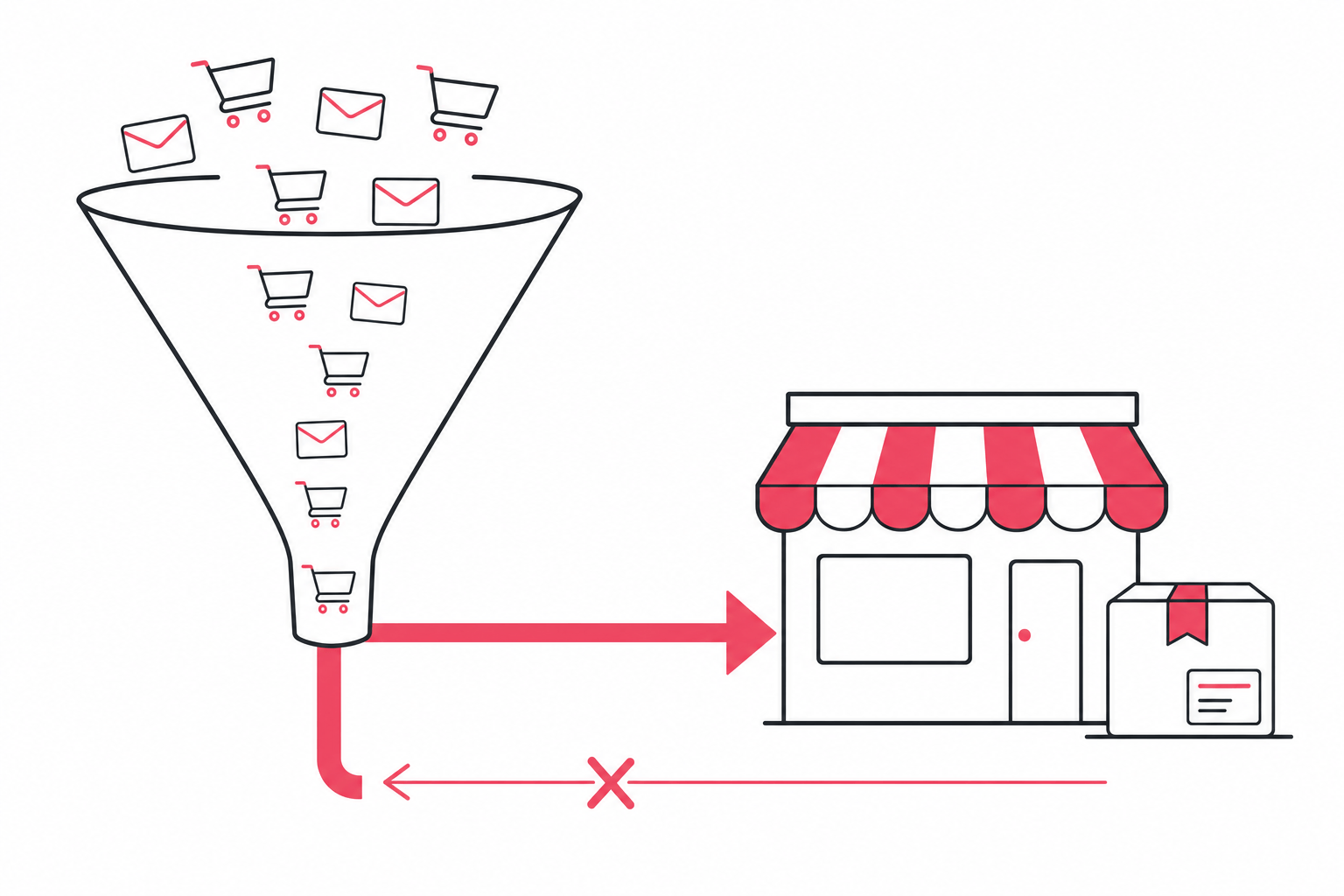
ClickFunnels has one native Shopify integration, and it lives in ClickFunnels Classic. It does a single job: it hands an order placed in your funnel to Shopify so Shopify can ship it. ClickFunnels 2.0, the current product, has no Shopify connector at all, and ClickFunnels' own feature board marks the request for one as not planned.
That is the answer most guides on this keyword bury. The rest of this piece gives you the official Classic setup, the routes that do work for 2.0, and the limits worth reading before you rebuild your front end around a funnel.
What ClickFunnels actually is
ClickFunnels is a funnel and marketing platform. The product page leads on sales funnels, a drag-and-drop editor, Smart Checkout, and A/B testing for funnels and email campaigns. Around that sit a set of apps: Landing Pages, Courses, Community, Store, Email, Automations, Message Hub, Appointments, Opportunities (its CRM), Analytics, Discounts, Payments AI, and an Affiliate Center.
Current pricing, as of October 2026, runs across four plans. Launch is $97 a month, Scale is $197, Optimize is $297, and Dominate is $5,997 billed yearly. Annual billing brings the first three down to $81, $164 and $248 a month. The published limits that bite first are email contacts (10K on Launch, 75K on Scale, 150K on Optimize, 400K on Dominate), brand workspaces (1, 5, 10, 20) and team members (2, 5, 10, 20). Custom domains are capped at 5 on Launch and unlimited above it. ClickFunnels states a 30-day money-back guarantee.
One item on that app list explains a lot about the Shopify question: Store. ClickFunnels now ships its own storefront, with collection pages, a cart, a customizable checkout and post-purchase upsells. The company is building toward keeping commerce inside ClickFunnels rather than wiring itself into someone else's store.
Why connect ClickFunnels to Shopify at all
The two platforms are strong at opposite ends of the same sale.
Shopify owns everything after the buy button: catalogue, variants, inventory, payments, taxes, shipping rates, fulfillment, customer accounts and your order history. ClickFunnels owns the path to it: a dedicated page per offer, an order bump before checkout, a one-time offer after it, email automation behind the opt-in, and A/B tests on all of it.
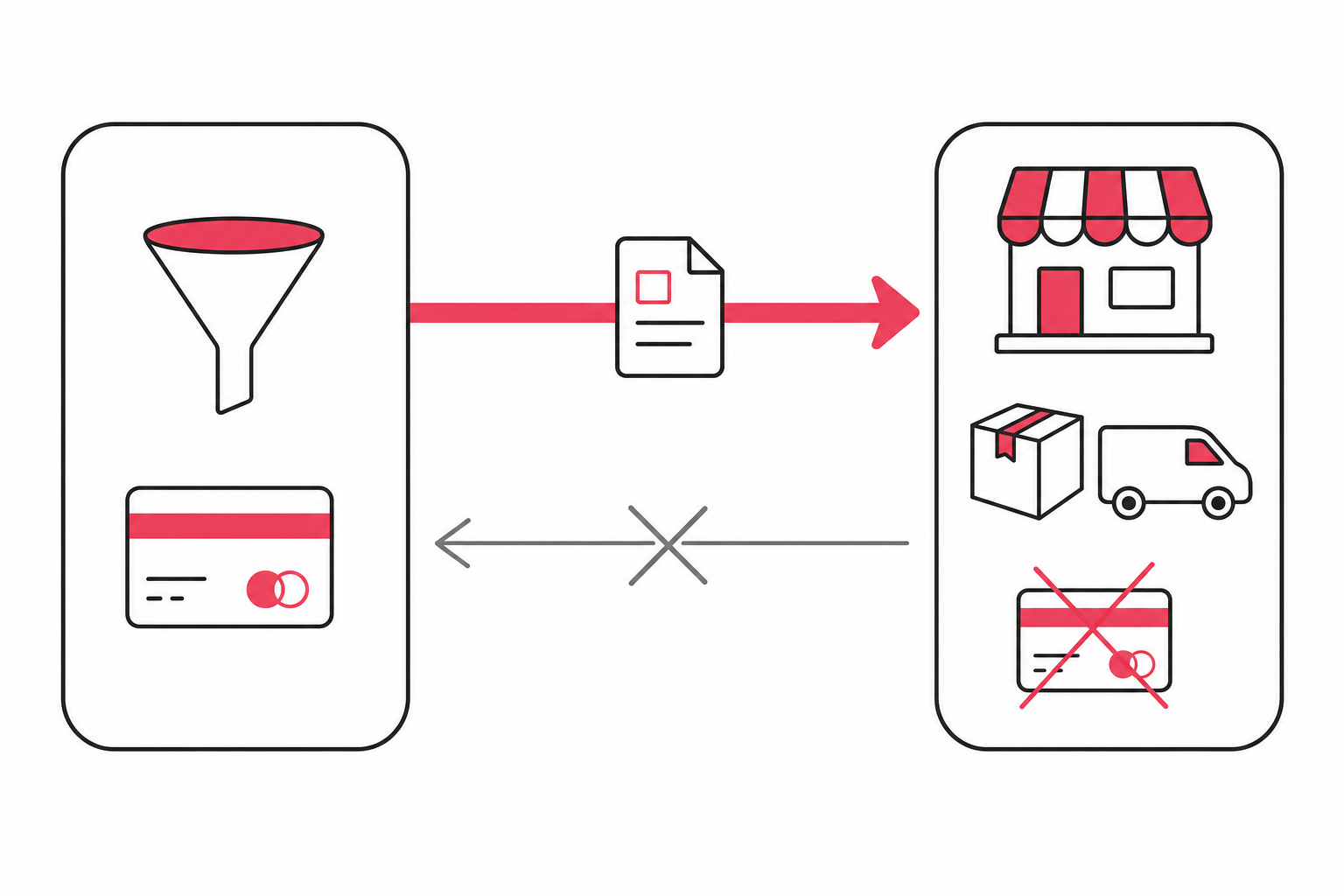
A merchant selling one flagship product to cold paid traffic often wants the ClickFunnels page in front and the Shopify warehouse behind. That is the shape the native connector was built for, and it is worth being precise about how narrow it is.
How to connect ClickFunnels to Shopify, step by step
These are the steps from ClickFunnels' current support article, last updated 20 March 2026. They apply to ClickFunnels Classic.
Step 1: create a custom app in Shopify
- Log in to your Shopify store and click Apps in the sidebar.
- Select App and Sales Channel Settings, then click Develop Apps.
- Click Allow Custom App Development to enable custom apps for the store, then Create an App and give it a name and a developer.
- Click Configure Admin API Scopes and select the required permissions. ClickFunnels says this includes access to products, orders and fulfillment.
- Click Save, then Install App.
- Copy the Admin API access token Shopify generates, along with your store URL, and keep both somewhere safe.
Step 2: add the integration in ClickFunnels
- In ClickFunnels, open your account profile in the top-right corner and choose Account Settings.
- Pick Integrations from the left menu and click Add New Integration.
- Select Shopify from the list.
- Give it an integration nickname, paste the Admin API access token into the access token field, and enter your Shopify store URL.
- Click Add Integration.
Step 3: point a funnel product at a Shopify SKU
- Open the funnel you want to sell through and create or edit a checkout page, such as an order form or a one-time offer page.
- Go to the Products tab and click Add New Product.
- Fill in the payment gateway, product name, price, shipping origin address and payment type.
- In the product's Shipping tab, enable Physical Product.
- Choose Shopify as the shipping or fulfillment method. That enables the SKU field, which is how you map the funnel product to the Shopify one.
- Click Save and Close.
Your Shopify product needs a SKU before any of this works. ClickFunnels is explicit that the product must have a SKU in Shopify, and if it does not, you have to edit it in Shopify first. The other prerequisite people miss sits in step 3: if the shipping toggle will not turn on, add the shipping origin address in the product details.
What the connector will not do
Three documented limits, all of them from ClickFunnels' own help center:
- It does not take payments. The integration sends shipping and order information to Shopify, and the ClickFunnels documentation states plainly that it does not accept payments. The card is charged by the gateway attached to your ClickFunnels product. Shopify receives an order it did not sell.
- Each product goes over separately. ClickFunnels notes that every product ordered in the funnel is sent to Shopify on its own, so a two-item funnel purchase is not guaranteed to land as one tidy Shopify order.
- Keep one Shopify integration per account. ClickFunnels recommends adding only one, because several can cause store identification problems where SKU numbers cannot be selected in funnels. For a second store, its own documentation points you at Zapier.
Nothing in the documentation describes inventory, product data or customer records syncing in either direction. Read it as a one-way order handoff and keep Shopify as your system of record.
ClickFunnels 2.0 and Shopify: the honest position
ClickFunnels 2.0 publishes a list of its current integrations. It is long on email marketing (ActiveCampaign, Klaviyo, GetResponse, ConvertKit, Brevo and more), long on CRM (HubSpot, Keap, Close.io, Freshworks and others), and has exactly one entry under e-commerce and invoicing: Invoice Ninja. Shopify does not appear.
The 2.0 feature board carries a request titled "Shopify Shipping Integration", asking for the ability to send physical product purchases to Shopify for fulfillment. It has 104 votes, and a ClickFunnels product support manager has set its status to not planned.
So if you are starting fresh on a 2.0 plan today, plan your integration around one of the methods below rather than waiting for a native connector.
Alternative ways to connect them
ClickFunnels documents four integration surfaces for 2.0, and describes them as complementary rather than as alternatives to one another.
Zapier is the practical route for most merchants. The ClickFunnels app on Zapier exposes nine triggers, including One-Time Order Paid, Subscription Invoice Paid, Contact Submitted Form and Contact Identified. The Shopify side offers 23 actions, among them Create Order, Create Customer, Create Draft Order, Create Fulfillment and Mark Order as Paid. The obvious build is One-Time Order Paid to Create Order. You own the field mapping, including line items and the shipping address, and you own the edge cases: refunds, partial fulfillment and stock that two systems both think they control.
REST API v2 gives you HTTP endpoints for your ClickFunnels data, authenticated with a team API token or OAuth 2.0. It can record external purchases and manage live orders, including refunds, cancellations and updates. ClickFunnels states that the REST API cannot take a card payment on your own checkout UI, and that there is no first-party ClickFunnels API client library at the moment, so community packages are unmaintained by the vendor.
The Page SDK makes a site or app you host behave like a funnel, using a page token in a meta tag. It is browser-only and cannot run server-side, it is tied to a registered page, and checkout and form submission return a page_not_in_funnel error until that page is placed in a funnel. The page registration API behind it is in closed alpha, so access has to be requested.
Webhooks make ClickFunnels call your own endpoint when something happens, and they are registered through the REST API.
Connector apps for ClickFunnels orders also exist in the Shopify App Store. They can save you the Zapier wiring, and they put a third party between your checkout and your fulfillment, so check the listing's update history and support responsiveness before you route live orders through one.
ClickFunnels vs Shopify: which does what
Running both means paying both. Shopify lists Basic at $39 USD a month, Grow at $105, Advanced at $399 and Plus from $2,300 on monthly billing as of October 2026, and nothing about adding ClickFunnels reduces it.
That is why most Shopify merchants who want funnel-style pages never leave Shopify to get them. Across the Shopify stores Koala tracks, on-Shopify page builders are installed at a scale no external funnel tool approaches: PageFly runs on 66,439 of them, GemPages on 22,556, Replo on 16,897, Shogun on 15,142, EComposer on 11,309 and Zipify Landing Pages on 6,943.
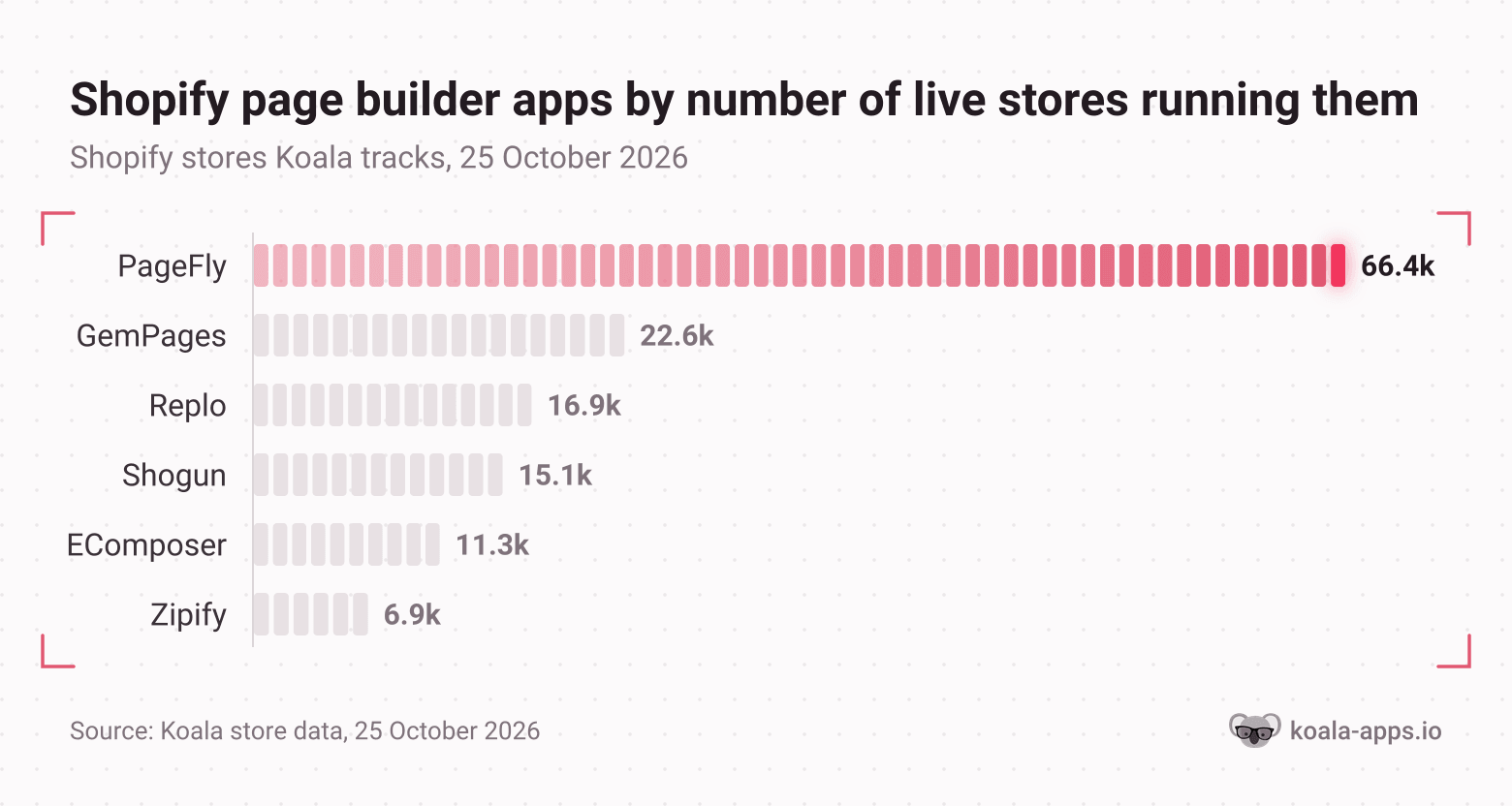
Read that as a signal about checkout rather than about page quality. A builder inside Shopify keeps one checkout, one inventory count and one analytics trail, which is the cheapest version of the whole problem.
ClickFunnels earns its place when the funnel is the business: a course or membership sold alongside physical goods, a single flagship offer running on paid traffic, an affiliate program, or an email and automation layer you want to own outside your store platform. Its Classic connector then lets the physical half fall back to Shopify for shipping.
See what the stores already winning your offer run
Before you rebuild a front end, look at what the stores selling your product have in place. Koala Inspector opens on any Shopify store and reads its stack for free: the active theme, every installed app grouped by type, the product catalogue with likely best sellers, and the store's category and product count. If a competitor is running a page builder, a one-click upsell app or a subscription app, it shows up in the app list.
Two paid screens answer the funnel question more directly. Ad Campaigns (2 tokens) shows the store's Google and Facebook or Instagram ads, which is the offer and the angle their funnel is actually built on. Site Traffic (3 tokens) shows traffic volume, sources, geography and keywords, so you can see whether their money comes from paid social, search or email before you copy the structure.
Our own breakdowns of that research go deeper: the theme, page builder and apps behind a high-converting store, Shopify checkout optimization, and 12 dropshipping marketing strategies for the traffic side of the same problem.
Common questions and troubleshooting
The integration will not connect, and ClickFunnels asks me to verify access details. Check the Shopify product has a SKU, then check you only have one Shopify integration on the account. Both conditions are documented causes.
Can I use my Shopify theme on the funnel page? No. A ClickFunnels funnel page is hosted and styled by ClickFunnels, so the brand match is work you do by hand in its editor.
Will my Shopify discount codes work in the funnel? Not through the connector. ClickFunnels has its own Discounts app, and discounts set in Shopify apply to Shopify's checkout.
Do I still need the Shopify order to be paid? Shopify receives an order that was already charged elsewhere, which means your Shopify payout reports and your ClickFunnels gateway reports are two separate records. Reconcile them monthly rather than trusting either one alone.
Which version should I buy for this? The native connector is documented for ClickFunnels Classic, while Launch, Scale, Optimize and Dominate are listed as current pricing in the ClickFunnels 2.0 help center. If the one-way order handoff is the reason you are buying, confirm with ClickFunnels support which version your plan gives you before you commit.
The short version
The ClickFunnels Shopify integration is real, documented and narrow. In Classic it hands funnel orders to Shopify for shipping, mapped by SKU, without touching payments. In 2.0 you build the same bridge yourself with Zapier, the REST API or a connector app, and ClickFunnels has said a native one is not planned.
That is a fair trade if what you need is the funnel: a page per offer, bumps and upsells around the checkout, email and automation behind it, and A/B testing on the whole path. If that is the layer your store is missing, ClickFunnels is the platform the method above was written for, and its 30-day money-back guarantee makes a real test cheap. Keep Shopify as the system of record underneath it, and keep your eyes on what the stores already selling your product have running.
Written by
Ana Gelevska
eCommerce Content Writer
Ana Gelevska is a content writer with more than five years of experience creating content for eCommerce brands and global clients. She digs into each topic and the people it is for, then turns it into clear, useful articles that Shopify sellers and dropshippers can act on.
Connect on LinkedIn