Shopify Traffic but No Sales? Copy the Stack the Converting Stores Already Run
 By Ana GelevskaSeptember 8, 2026
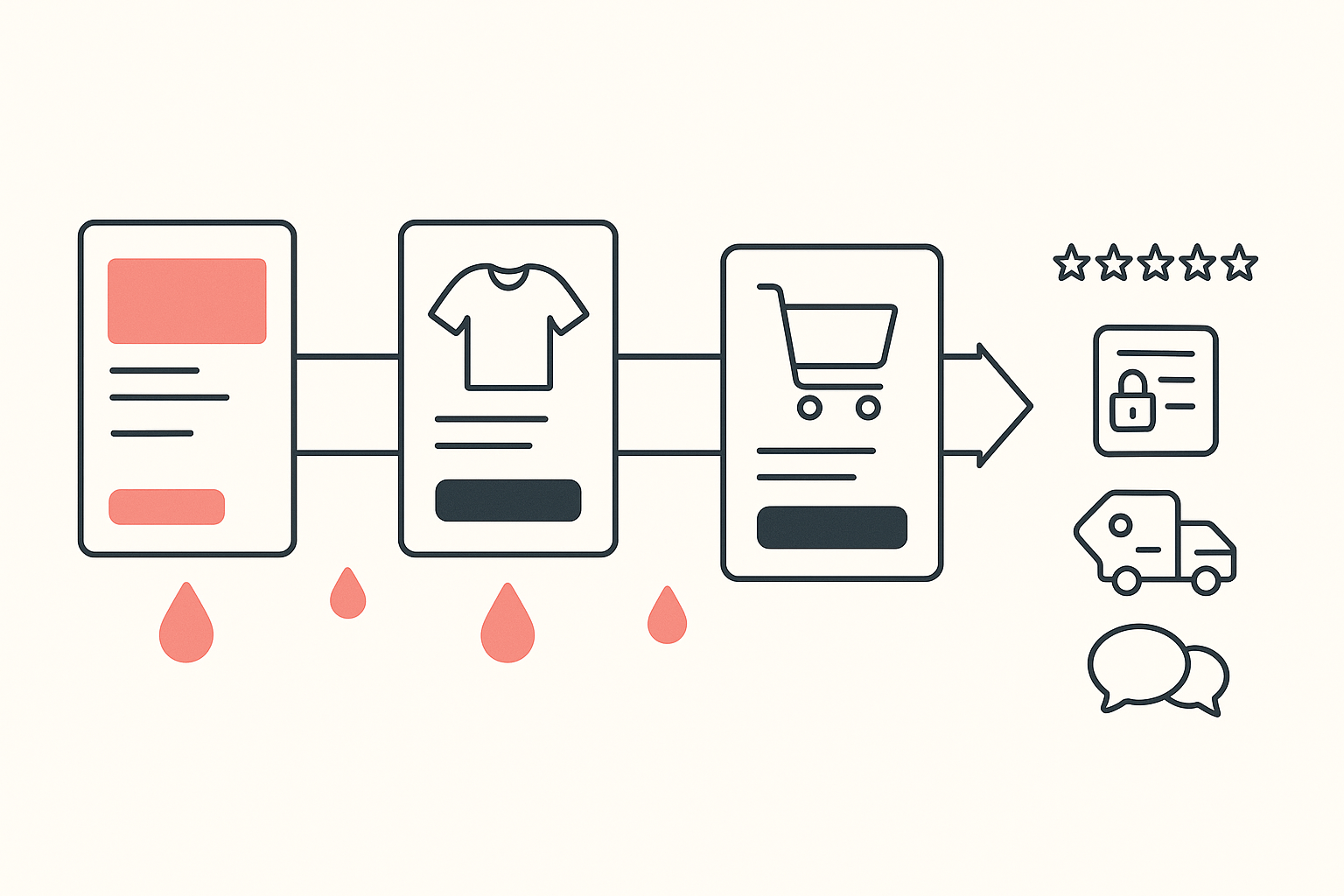
If your Shopify store gets traffic and no sales, the money is leaking in one of four places: the product page fails to earn trust, the checkout adds friction, price or shipping surprises the buyer late, or the landing page does not match the ad that sent them. The stores that convert are not running secret tactics, they are running a recognisable stack of apps to close those four leaks, and you can read any competitor's stack in about a minute.
That last part is the whole reason this piece exists. Advice about conversion is cheap and contradictory. The apps installed on the stores that are already winning your traffic are evidence, and reading them is free.
The situation, in the words merchants actually use
Nobody phrases it as a conversion-rate problem at first. A seller on r/smallbusiness asked, in the title, why they were getting traffic but basically zero sales, then listed what they suspected: the site looks unprofessional, the branding is confusing, the products are too niche, it feels scammy or unfinished. They also named the real blocker, which is that they were too close to the project to see what was wrong.
The numbers version of the same post shows up constantly. A UK golf apparel brand selling into the US reported 1,210 sessions and 9 sales, a conversion rate around 0.74%, with six five-star reviews and 15 creators seeded. A dropshipper posted $400 in ad spend with zero sales, one add to cart and one abandoned checkout. Another described over 100 visits a day, high engagement, and a bottom line of zero.
Those three stores have different products and one shared symptom. Traffic is arriving. Something between the click and the confirmation page is losing it.
What the converting stores run
Koala tracks a large set of live Shopify storefronts and records the apps each one has installed. Reading that set on 6 September 2026 gives you something no listicle can: a ranking of what working stores chose, sorted by how many of them chose it.
Six apps carry the conversion job across the stores Koala tracks. Here is each one, the leak it plugs, and the test for whether you need it.
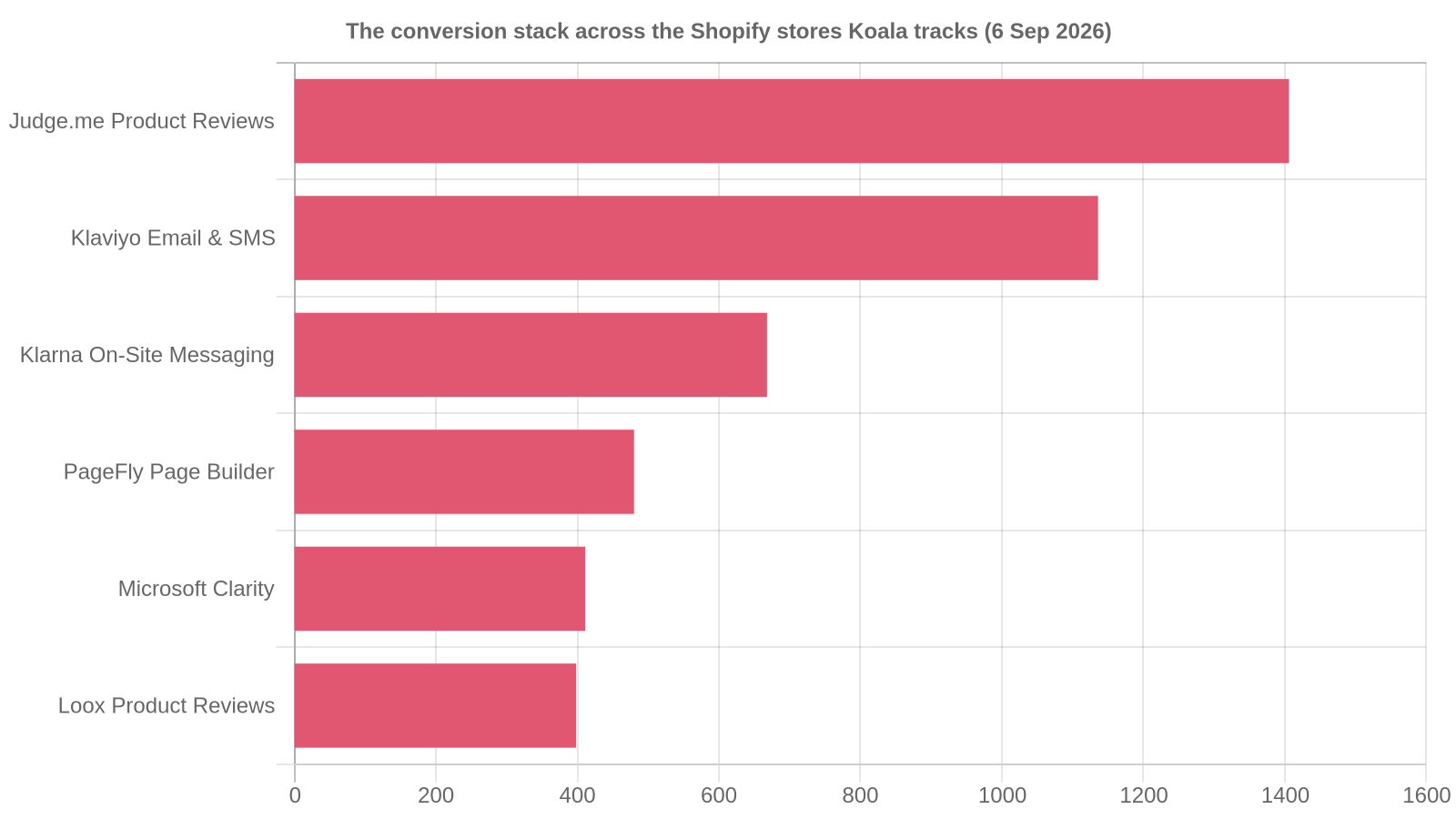
Judge.me Product Reviews, on 1,406 stores
The most-installed app of any kind in the tracked set, with Loox on 398 stores doing the photo-review version of the same job. Both put social proof on the product page, where the buyer is deciding whether you are a real business.
How to tell whether you need it: open your own product page on a phone and scroll. If you reach the shipping information before you see a single customer voice, a first-time visitor has been asked to trust you on your own word alone.
Klaviyo, on 1,136 stores
Email and SMS, and the reason it sits this high is abandoned-cart recovery. Across 50 studies collected by the Baymard Institute, the average documented cart abandonment rate is 70.22%. Seven in ten people who reach your cart leave it, and a store with no recovery flow simply forfeits them.
How to tell whether you need it: check whether an abandoned checkout on your store triggers anything at all. If the answer is no, you are paying for the click twice and collecting on neither.
Klarna On-Site Messaging, on 668 stores
This one is about price framing before the checkout, not payment plumbing. Klarna's own Shopify listing is explicit that the app requires an active Klarna Payments integration and does not add Klarna as a payment method, so it exists purely to tell a shopper on the product page that the price can be split.
How to tell whether you need it: if your average order value is above roughly $70 and your product page shows one number and nothing else, the price is doing all the persuading by itself.
PageFly, on 480 stores
A page builder used to make landing pages that answer the specific ad that sent the visitor. Its listing describes no-code building with 130+ templates and A/B testing.
How to tell whether you need it: click your own ad, then read the first screen it lands on. If the ad promised one product and the page shows your whole catalogue, you are asking a stranger to go shopping when they came to buy one thing.
Microsoft Clarity, on 411 stores
Session recordings and heatmaps, free forever on Microsoft's own description. Install it and you stop theorising about where people drop, because you watch them do it.
How to tell whether you need it: if you cannot name the exact screen where your visitors leave, install this before you buy anything else. Everything below gets faster once you can see the drop.
Two honest caveats. This covers the Shopify stores Koala tracks rather than every store on the platform, so read it as strong directional evidence about what trading stores choose and verify it inside your own category. And adoption is a signal about a job that needs doing, so the specific app matters far less than whether that job is done anywhere on your store.
The four leaks, in the order they usually cost you money
1. Product-page trust
This is the first and biggest, and it is why review apps top the ranking. A visitor from a cold ad has no reason to believe you ship, that the product looks like the photo, or that a refund would ever arrive. Reviews, real photography, a visible returns policy and a contact route that is not a bare form all answer that. The merchant above who worried their store felt "scammy or unfinished" was diagnosing this leak correctly without a name for it.
2. Checkout friction
Forced account creation, a shipping address demanded before a price, a cart page that reloads, an app pop-up covering the buy button on mobile. Every extra screen sheds people. Buy from your own store on a phone, on mobile data, with a card you have not saved, and note each moment you hesitate. That list is your backlog. For the deeper version, read our guide to Shopify checkout optimization.
3. Price and shipping surprise
A cost that appears for the first time at step three of checkout reads as a trick, even when it is fair. Move the shipping rule onto the product page and into the cart in the same words the checkout will use. A free-shipping threshold bar counts. A flat rate stated in the buy box counts. Silence until the payment screen does not.
4. Message match between the ad and the landing page
The leak most often mistaken for a bad product. The ad promised a specific thing to a specific person, and the page delivers a homepage carousel. Copy the headline of your top ad, open the page it points at, and check that the same promise appears above the fold in the same language. Page builders sit on 480 tracked stores because winning stores build a page per offer.
Do this today: read three competitors in ten minutes
Pick three stores that sell what you sell and are clearly converting, the ones outranking you or outspending you on ads. Then read their stacks instead of guessing at them.
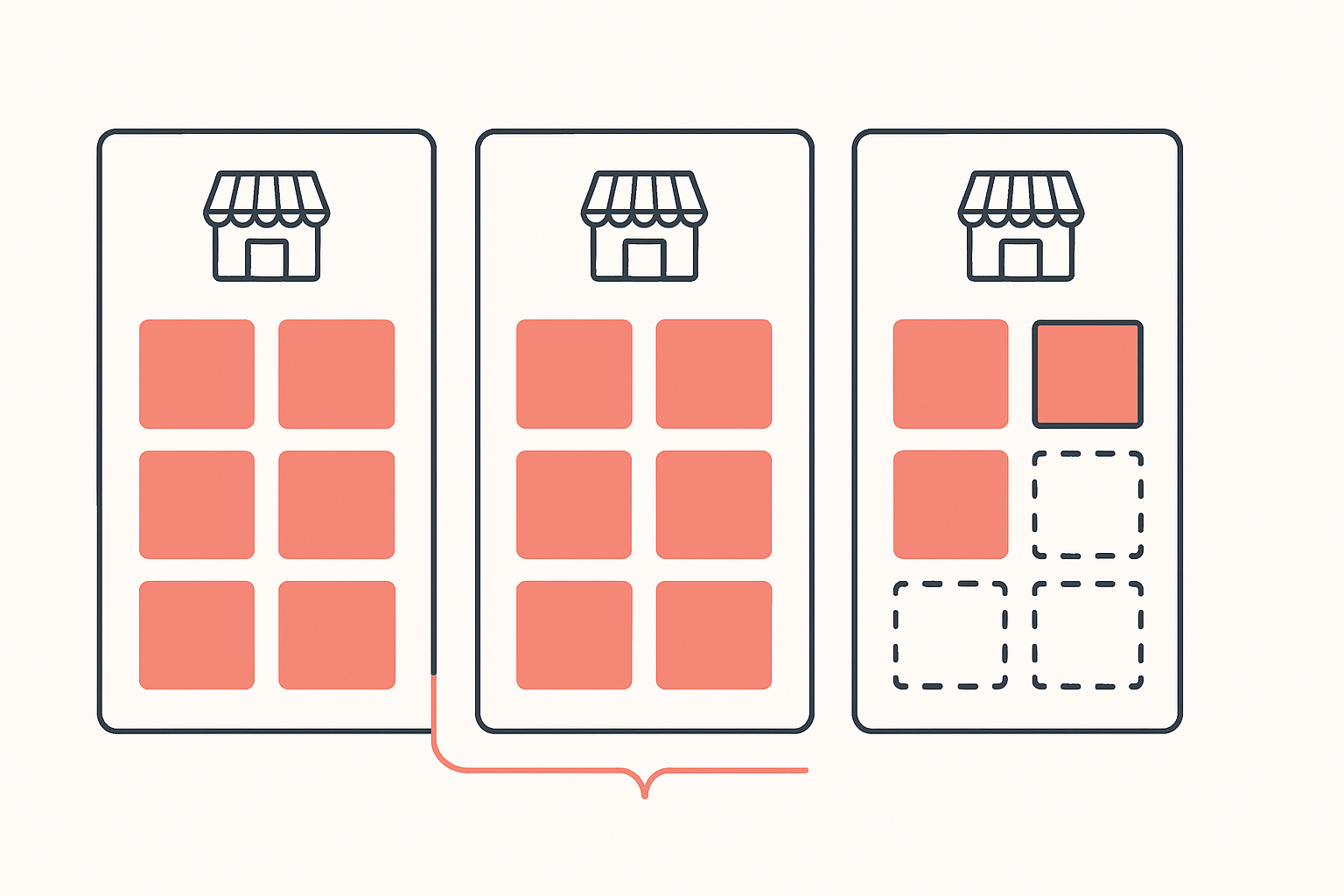
- Open the first competitor in Chrome and click the Koala icon. Koala Inspector is free, and its Shopify app detector names every app the storefront runs, grouped by type, so the reviews widget, the pay-later banner, the page builder, the cart drawer and the upsell tool all appear in one list. The same panel names the active theme and shows the catalogue with a best-sellers filter, so you see what they sell most of as well as what they run.
- Write each stack into its own column. Three columns, one per competitor, app names down the side.
- Circle anything that appears on two of three. Agreement between stores already winning your traffic is the strongest free signal you will get.
- Cross off what you already run. What is left is your shortlist, in priority order, sized to your category instead of to a blog post.
- Then look at where each app appears on the page. A reviews app installed and buried below a long description buys you nothing, so check the placement, not the install.
Install Koala Inspector free and run steps one to five before you touch your theme. App detection, theme detection and product browsing cost zero tokens, so the whole exercise is free, and reading a storefront looks like ordinary traffic to the store owner.
Ten minutes of this beats ten weeks of testing button colours, because you are testing against decisions other merchants already paid to learn. Once you have your shortlist, how much Shopify apps really cost tells you what the stack adds to your monthly bill, and the theme, page builder and apps behind a high-converting store shows what a full read looks like.
What sellers say about Koala Inspector
Verified reviews from the Chrome Web Store.
“Awesome customer support. Insights into store AOV, products, traffic and campaign tracking is extremely helpful!”
 Gabe Abramovich
“Invaluable for competitive insights, Koala Inspector is easy to navigate and helps stay ahead in the Shopify marketplace.”
 Merico Monaldo
“Very easy to use and install. Helps with identifying Shopify stores quickly and saves time by listing best sellers. Also has handy feature of the traffic which I found very valuable.”
 Ali Baloch
What this does not diagnose
An app stack fixes the store. It does nothing about traffic that was never going to buy.
If your visitors come from a broad interest audience, a viral post, a giveaway or a cheap-clicks campaign, they can behave exactly like buyers in your analytics and still have no purchase intent. Session counts look healthy, time on page looks healthy, revenue stays at zero. Rebuilding your product page ten times will not move it.
The tell is qualification, and you can check it in an afternoon. Look at which sources send the sessions and how those sources differ in add-to-cart rate. A source with traffic and no add-to-carts is a targeting problem. Then go and look at what the competitors who do convert are actually buying: their ad creatives and offers show you which angle and which audience they pay for. Koala Inspector's ad campaigns view shows the Google and Facebook or Instagram ads a store is running, and we walk through the method in how to spy on a competitor's Facebook ads and monitoring a competitor's traffic.
Fix the leaks first, because they are cheap and they compound. Then argue with the traffic.
Traffic but no sales: FAQ
The questions merchants ask while they are diagnosing a store that gets visitors and no orders.
How do you pack Shopify numbers for your accountant each month?+
Export the same four files on the same day every month from your Shopify admin: the orders export for the period, the payouts or finances summary that shows gross sales, refunds, fees and net payout, a refunds and returns list, and your app and plan invoices. Your accountant reconciles the payout total against your bank deposits, so the payout report is the one that saves the most back-and-forth. Keep the exports in a dated folder per month. Conversion work belongs in a different file: track sessions, add-to-carts and orders separately so a soft month is visibly a traffic or a conversion problem rather than an accounting mystery.
Can Shopify spy on sales?+
Nobody outside a store sees its admin dashboard, and Shopify does not publish one merchant's revenue to another. What is readable is what a storefront shows every visitor: the catalogue, prices, variants, the active theme and the installed apps. Koala Inspector reads those public pages, so product lists, apps and themes reflect what the store actually publishes. Its traffic and sales figures are modeled estimates, useful for comparing stores and spotting trends rather than for exact revenue accounting.
Can I use my own domain name with Shopify?+
Yes. You can buy a domain through Shopify or connect one you already own from any registrar, and you can transfer an existing domain in so renewals and DNS live in the same admin. Do this before you spend anything on ads. A shopper who clicks an ad for your brand and lands on a myshopify.com address gets a jolt of doubt at the exact moment you are asking for trust, and that doubt costs orders you already paid for.
Is myshopify.com a trusted website?+
A myshopify.com address is the internal domain Shopify gives every store, so it is genuine Shopify infrastructure rather than a red flag by itself. Shoppers still read it as unfinished, because established brands almost always show their own domain. Treat a live storefront on a bare myshopify.com URL as a trust leak to close today, and judge any individual store the way a careful buyer would: check for reviews on the product page, a real contact route, clear shipping and returns terms, and a checkout on the brand domain.
Can Koala Inspector inspect Shopify shops?+
Yes, reading Shopify storefronts is what it is built for. Open any Shopify store in Chrome and the extension gives you a store overview with the active theme, the category, the product count, the creation date and the localisation settings, plus every installed app grouped by type and the full catalogue with a best-sellers filter. All of that costs zero tokens on the free plan. Deeper reads are token-gated: site traffic is 3 tokens, ad campaigns 2, product trends 2, Find Suppliers 2, CSV export 1, AI Shop Chat 1, and Shop Tracking 15 tokens per store.
Can you make 10k a month on Shopify?+
Yes, and the arithmetic tells you what it takes rather than whether it is possible. At a $60 average order value, $10,000 a month is 167 orders. At a 1% conversion rate that needs about 16,700 sessions a month, and at 2% it needs 8,350. Doubling conversion halves the traffic bill for the same revenue, which is why fixing a leaking product page beats buying more clicks. Work out your own three numbers first: sessions, conversion rate and average order value. The one that is furthest below your category norm is the one to fix.
Sources
- Reddit, r/smallbusiness on traffic with basically zero sales - a merchant listing branding, professionalism and niche as suspects, and naming being too close to the project as the blocker.
- Reddit, r/smallbusiness on a UK golf apparel brand selling into the US - 1,210 sessions against 9 sales, six five-star reviews, 15 creators seeded.
- Reddit, r/dropshipping on $400 of ad spend with no sales - one add to cart and one abandoned checkout across the whole spend.
- Reddit, r/ecommerce on engagement without revenue - over 100 visits a day and a bottom line of zero.
- Reddit, r/ecommerce on the small tweaks that improved conversions - reviews on the product page, payment icons and free shipping named by merchants themselves.
- Baymard Institute, cart abandonment rate statistics - a 70.22% average documented abandonment rate across 50 studies.
- Klarna, On-Site Messaging on the Shopify App Store - the app requires an active Klarna Payments integration and does not itself add Klarna as a payment method.
- PageFly, AI page builder on the Shopify App Store - no-code landing and product pages with 130+ templates and A/B testing.
- Microsoft, Clarity - free-forever heatmaps and session recordings.
- Koala Inspector, Chrome Web Store reviews - the two quoted reviews.
- Koala's own store data, read on 6 September 2026 - Judge.me Product Reviews on 1,406 tracked stores, Klaviyo on 1,136, Klarna On-Site Messaging on 668, PageFly on 480, Microsoft Clarity on 411 and Loox on 398. These figures cover the Shopify stores Koala tracks rather than the whole platform.
Written by
Ana Gelevska
eCommerce Content Writer
Ana Gelevska is a content writer with more than five years of experience creating content for eCommerce brands and global clients. She digs into each topic and the people it is for, then turns it into clear, useful articles that Shopify sellers and dropshippers can act on.
Connect on LinkedIn