Shopify Tech Stack: The 8 Layers, and How to Read Any Store's in One Minute
 By Ana GelevskaOctober 27, 2026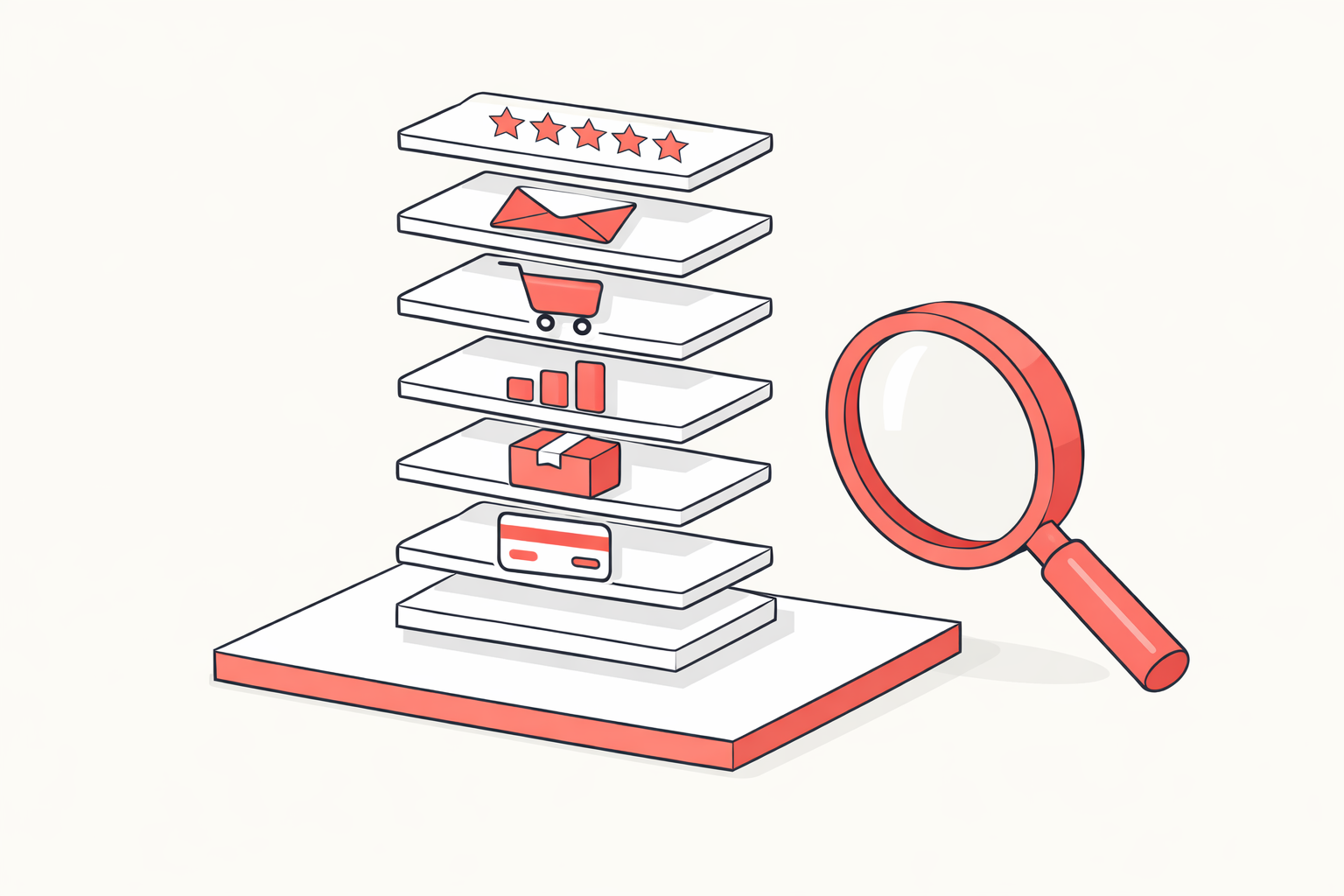
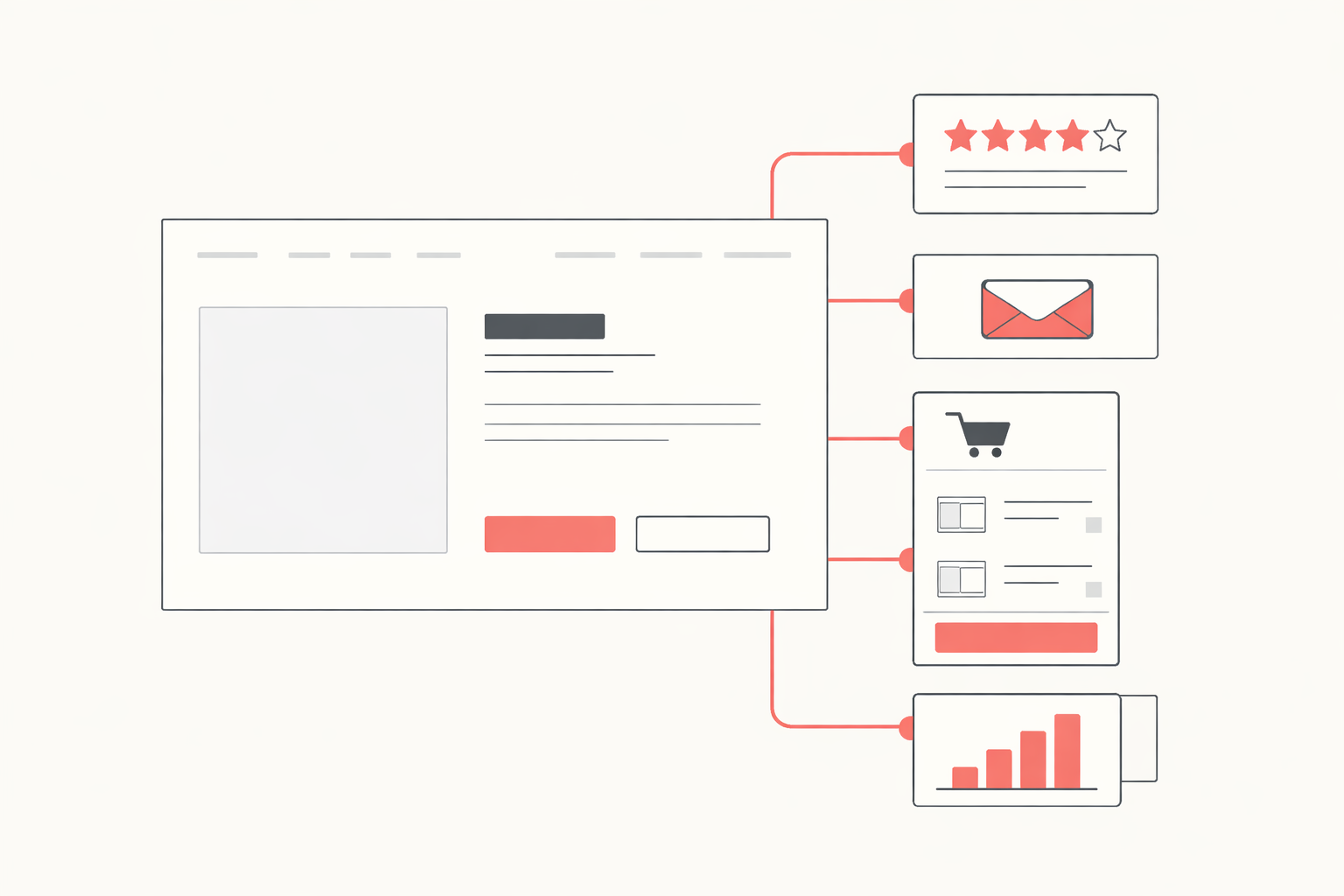
A Shopify tech stack is the set of software a store runs on: the theme it is built on, the apps bolted to it, the payment and fulfilment layers behind the checkout, and the marketing tools that bring buyers back. Most of it is readable from the outside, on any store, without permission.
That last part is the useful bit. Picking apps by reading a listicle is guesswork. Picking them by looking at eight stores already winning your niche is research.
The eight layers, in the order they get built
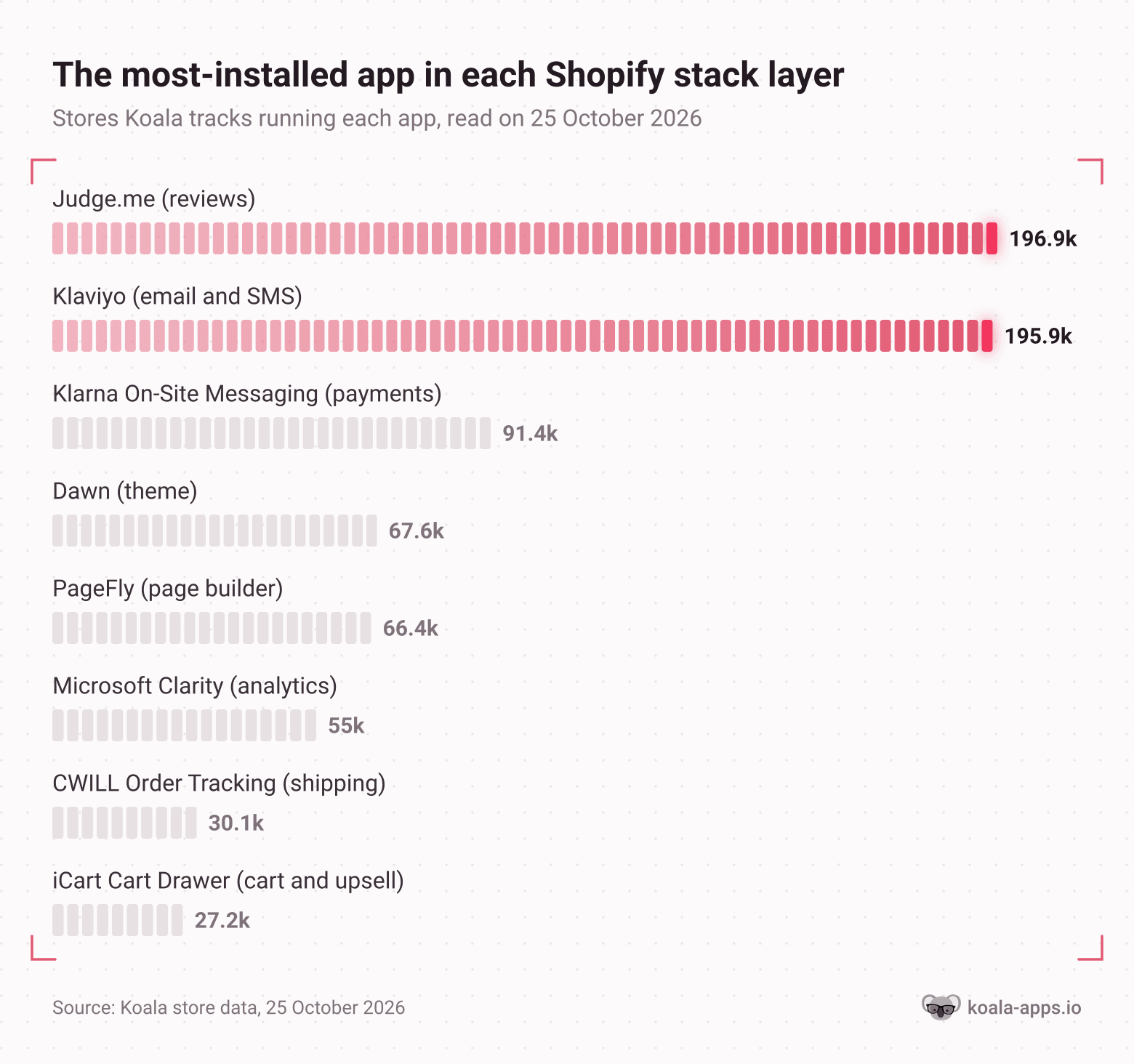
Below is each layer, what it does, and the most common choice in it across the stores Koala tracks. Those install counts are Koala's own data on the stores it tracks, not a figure for every Shopify store, so read them as a strong signal about what works rather than a census.
1. Theme
The theme is the foundation: the templates, the section system, and a large share of the store's mobile speed before a single app is added.
Shopify's free themes dominate. Dawn runs on 67,648 of the stores Koala tracks and Horizon on 19,242, both built by Shopify and both free. Paid themes show up right behind them, with Impulse from Archetype Themes on 23,794 stores at 500 dollars one-time, and Prestige on 23,261.
How to read it on any store: the theme name tells you the foundation and roughly what the build cost. A store on a free theme that looks nothing like the demo spent its money in the layers above.
2. Page builder
A page builder lets a store rebuild product and landing pages section by section, which is how two stores on the same theme look completely different. PageFly leads at 66,439 stores, then GemPages at 22,556, Replo at 16,897 and Shogun at 15,142.
How to read it: a page builder installs like any other app, so it appears in a store's app list. If a product page has a layout the base theme could not produce, check the list for one of those four names.
3. Reviews and social proof
The first conversion layer most stores add. Judge.me is on 196,922 of the stores Koala tracks, making it the single most-installed app in this data. Shopify's own legacy Product Reviews app sits on 81,889, Loox on 51,628 and Yotpo on 17,205.
How to read it: look at a product page for star ratings, photo reviews, or a review carousel, then confirm which app renders it in the store's app list. Loox and Judge.me look different on the page once you have seen a few.
4. Email and SMS
The layer that owns the customer after the first order. Klaviyo is on 195,932 stores in Koala's data, within a rounding error of Judge.me at the top. Mailchimp follows at 49,230, Brevo PushOwl at 35,143 and Omnisend at 27,712.
How to read it: a popup asking for your email on arrival is this layer announcing itself. The app list names which platform is behind it.
5. Cart and upsell
Where average order value gets moved. Slide-out cart drawers, quantity breaks, bundles and post-purchase offers all live here. iCart Cart Drawer leads at 27,199 stores, Kaching Bundles at 25,797, Bundler at 20,840 and Selleasy at 20,396.
How to read it: add something to a cart. A drawer that slides in with a "you might also like" row, a free-shipping progress bar, or a bundle offer is this layer working on you in real time.
6. Analytics
The layer a merchant sees and a shopper does not. Microsoft Clarity is the most common in Koala's data at 54,992 stores, with Triple Whale at 26,853 and Lucky Orange at 14,364. Clarity and Lucky Orange record session replays and heatmaps; Triple Whale is attribution, built for stores spending real money on ads.
How to read it: Triple Whale in a store's app list is a tell that the store is buying traffic at scale, because nobody pays for attribution software without ad spend to attribute.
7. Shipping and tracking
Post-purchase. Order tracking pages, branded tracking emails, and carrier rules. CWILL Order Tracking is on 30,070 stores, 17TRACK on 27,293, Track123 on 15,853 and Shiprocket on 14,770.
How to read it: a "track your order" link in the footer that opens a branded page rather than a carrier site means a tracking app is installed.
8. Payments
The money layer, and the one with a cost most sellers miss. Per Shopify's documentation, third-party transaction fees apply to all transactions processed through third-party and alternate payment gateways, even when Shopify Payments is activated, with PayPal exempt when Shopify Payments is the primary provider. So an alternate gateway charges you twice.
What shows up on the storefront is the messaging around payments rather than the gateway itself: Klarna On-Site Messaging is on 91,359 stores in Koala's data, currency converters like BUCKS on 49,425, and cash-on-delivery form apps like Kwik COD on 16,697.
How to read it: the payment icons under the add-to-cart button, the "4 interest-free payments" line on the product page, and a currency switcher in the header together tell you which markets a store is actually selling into.
The typical stack, in one table
Put the leaders together and you get the stack a mainstream Shopify store is most likely running. Every count is the number of stores Koala tracks with that app or theme installed, read on 25 October 2026.
| Layer | Most common choice | Stores Koala tracks with it |
|---|---|---|
| Theme | Dawn (free, by Shopify) | 67,648 |
| Page builder | PageFly | 66,439 |
| Reviews | Judge.me | 196,922 |
| Email and SMS | Klaviyo | 195,932 |
| Cart and upsell | iCart Cart Drawer | 27,199 |
| Analytics | Microsoft Clarity | 54,992 |
| Shipping and tracking | CWILL Order Tracking | 30,070 |
| Payments messaging | Klarna On-Site Messaging | 91,359 |
Two things stand out. Reviews and email are an order of magnitude more common than anything else, which is a reasonable argument for building those two layers first. And the free default theme beats every paid theme, so a 500 dollar theme is a choice rather than a requirement.
What a bloated stack looks like, and how to tell
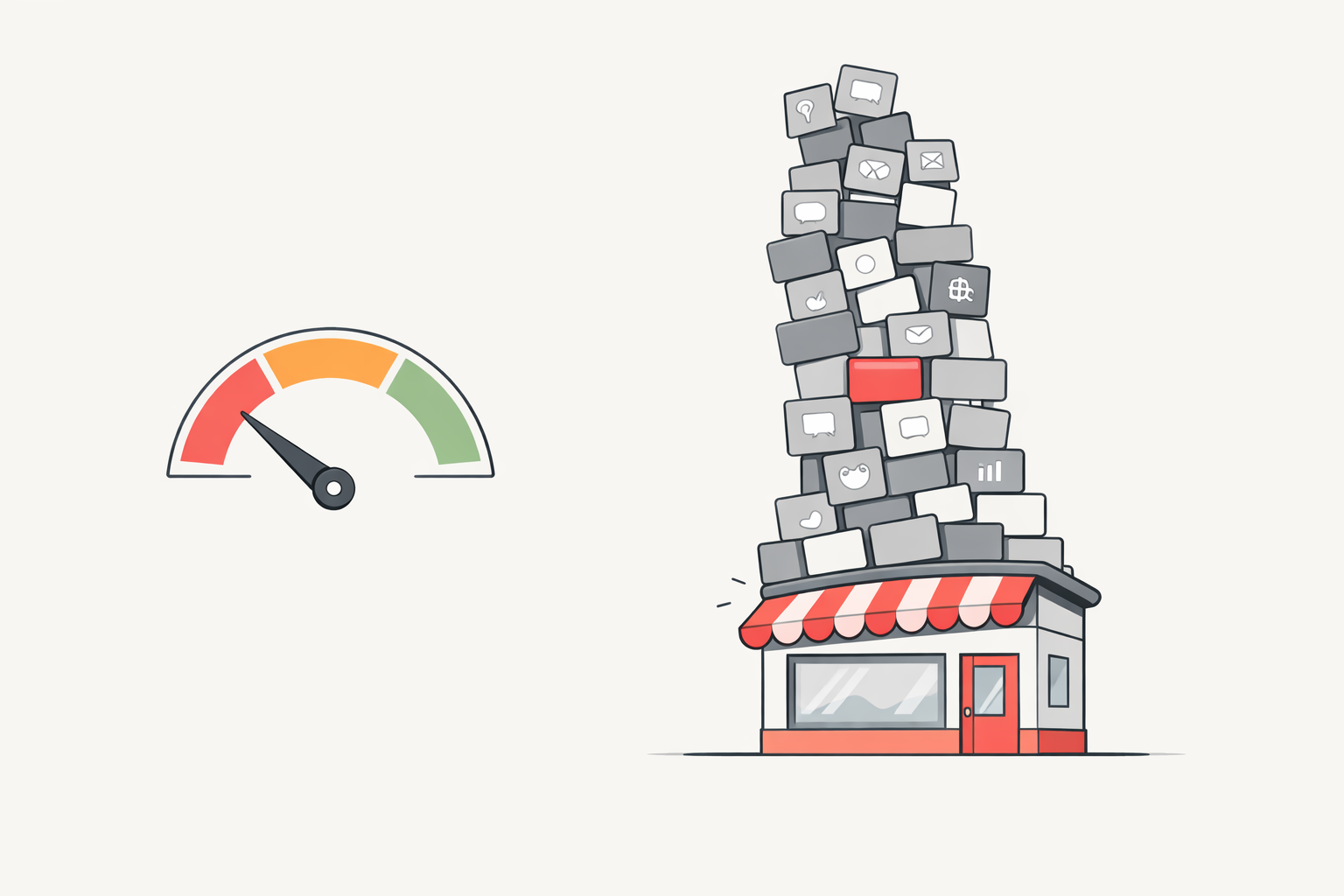
A stack grows one app at a time and nobody notices the weight. One seller who audited 50 random Shopify stores across five niches reported an average of 9.4 paid apps per store, an average mobile load time of 3.2 seconds, and a single store running 23 paid apps at 412 dollars a month. The pattern is familiar enough that merchants ask about it directly: one r/shopify thread asks whether anyone has moved from an app-heavy store to a leaner setup, describing owners who "start simple, then slowly add app after app" until the store is more expensive, harder to manage and slower.
Four checks you can run in about a minute each, on your own store or on a competitor's:
- Count the apps. Past roughly a dozen, every new install needs a revenue argument. Two apps doing the same job is the most common form of waste, usually a popup builder and an email platform that also does popups.
- Load the store on a phone over mobile data, not office wifi. If the product page is still assembling itself after three seconds, the stack is the likely cause.
- Look for apps with no visible output. A chat widget nobody staffs, a countdown timer on an evergreen product, a social feed below the fold. Each one costs money and page weight and returns nothing.
- Check the monthly total against your gross profit. A 400 dollar app bill on a store clearing 3,000 dollars a month in gross profit is 13 percent of the margin going to software.
A lean stack is not a short one. It is one where you can name the revenue each app is responsible for.
The one minute method: read any store's stack
Doing this by hand is slow, and the slowness is the whole problem. Merchants resort to asking strangers: one r/shopify poster posted a competitor's link and asked the sub to identify the theme because they liked the layout and a "stack and save" progress bar. The answer is readable in seconds, and waiting for a forum reply is not research you can run across twenty stores.
Here is the fast version:
- Open the store you want to read, on any public Shopify storefront.
- Click the Koala Inspector icon in Chrome.
- Read the active theme, with a link to it, and the full list of installed apps grouped by type, in one panel.
- Note the catalog size and the likely best-sellers while you are there, so you know whether the stack belongs to a store that is actually selling.
Theme detection, app detection and product research are free in Koala Inspector, with no card required. Everything it reports is modeled from public signals any visitor's browser can already see, so there is nothing to request and nothing for the store owner to notice.
Run that across the five stores beating you in your niche and the pattern falls out fast: the layer all five have that you are missing is your next install, and the app only one of them runs is probably not the reason they are winning.
For the detection side of this, the app detector names every app a store runs, and the full guide to what a Shopify app detector is and what it can and cannot see covers the edge cases. If you want the theme question on its own, the theme detector answers it in one click. To price a stack before you commit to it, our breakdown of what a Shopify store actually costs per month has the numbers.
Shopify tech stack FAQ
The questions sellers ask most about stacks, domains, payments and the tools for reading them.
Can I use my own domain name with Shopify?+
Yes. Shopify's own documentation says you need a custom domain to change the web address customers see, and that you can use a domain bought from Shopify or one from any third-party domain provider. Buying through Shopify keeps the setup inside the admin; connecting a domain you already own means pointing its DNS records at Shopify. Your myshopify.com address keeps working either way, so the domain layer of your stack is a one-time decision you can make after the store is built.
Can you make 10k a month on Shopify?+
It is possible and it is not typical. 10k a month is margin multiplied by order volume, so the realistic route is a product with enough gross margin to survive paid traffic plus a store that converts the traffic it already gets. Most stores that stall are losing money in two places a tech stack audit finds quickly: app subscriptions that no longer earn their fee, and a slow storefront that drops mobile buyers before the product page loads.
Are Shopify point of sale payments secure?+
Shopify states that it is certified Level 1 PCI DSS compliant and that the compliance extends by default to all stores powered by Shopify, covering the store, its shopping cart and its web hosting. Level 1 is the standard's most demanding tier. Shopify's card readers capture card data at the reader rather than storing it on your device, and Shopify requires two-step authentication on Shopify Payments accounts. The practical risk for a retail seller sits in staff access rather than in the card rail, so set per-staff permissions in the point of sale app.
What is the best Shopify product hunting tool?+
The tool that shows you what is already selling on real stores, rather than a generic trend list. Koala Inspector's product research is free: open any Shopify store and you get the full catalog, the likely best-sellers, prices and variants, with sorting and a favorites list that saves across sessions. Because it runs on the store you are looking at, you are reading demand that a real merchant is already serving instead of guessing from a trend chart.
What is the best free app for Shopify?+
Judge.me is the most-installed app across the stores Koala tracks, on 196,922 of them, and its Shopify App Store listing offers a Forever Free tier with unlimited product and store reviews plus review widgets. Reviews are the layer with the clearest free-tier payoff, because a product page with ratings on it gives a first-time visitor a reason to trust the store. This is Koala's data on the stores it tracks rather than a count for every Shopify store.
How to access Shopify stores?+
A store's public storefront is open to anyone: type the domain, or the myshopify.com subdomain, into a browser. The admin at /admin is private and needs the owner's login, and no research tool reaches it. Everything in this guide is read from the public storefront, which is why you can study any store's theme and app stack without permission, and why a store owner sees nothing but ordinary traffic when you do.
Build your stack from what already works
The eight layers above are the whole map, and the install counts tell you which rung of each ladder a mainstream store stands on. Your competitors' stacks tell you which rung yours should.
Install Koala Inspector free, open the five stores you most want to beat, and write down the theme and the app list for each. An hour of that is worth more than a month of reading app roundups, because you are looking at choices real merchants made with real money behind them.
Written by
Ana Gelevska
eCommerce Content Writer
Ana Gelevska is a content writer with more than five years of experience creating content for eCommerce brands and global clients. She digs into each topic and the people it is for, then turns it into clear, useful articles that Shopify sellers and dropshippers can act on.
Connect on LinkedIn