How I Track a Competitor's Best Sellers on Shopify Every Week
 By Assaf ShalinAugust 25, 2026
Open a competitor's homepage and you learn what the owner wants you to see. Featured rows are a merchandising decision. A "best sellers" collection is often hand-picked and six months stale. So the question that actually matters, which of their products are moving right now, stays hidden behind a storefront that looks the same every day.
The fix is boring and it works: check the same store on a schedule and compare the checks. A product that holds its place week after week is selling. A product that keeps going out of stock and coming back is selling faster than the owner can buy it. Below is the routine I run, what each step costs, and a worked example on two real Shopify stores over two months.
The short answer
A repeat restock is a stronger demand signal than an ad, because the two cost the store different things. An ad tells you a store is spending money to push a product. It says nothing about whether the push is working, and a good share of the ads you see are tests that get killed inside a fortnight. A sell-out tells you the store already bought that inventory with its own cash, sold through it, and is now buying more. That is a decision made after seeing the sales report you cannot see.
To read it you need two snapshots of the same store, taken far enough apart to mean something. One visit gives you a catalog. Two visits give you a direction.
Table of contents
- Why a restock beats an ad you happened to see
- The weekly routine, step by step
- A worked example: two stores, two months
- Turning the signal into a decision
- Five mistakes I made first
- FAQ
Why a restock beats an ad you happened to see
The clearest thing anyone has written about dropshipping product research is a long r/dropship guide that reduces the whole discipline to one distinction: in dropshipping you do not create demand, you only fulfil it, so your only real job is to fulfil existing demand better than the store already doing it. Every technique below is downstream of that. The thing you are hunting for is evidence that someone is selling a product right now and struggling to keep it in stock.
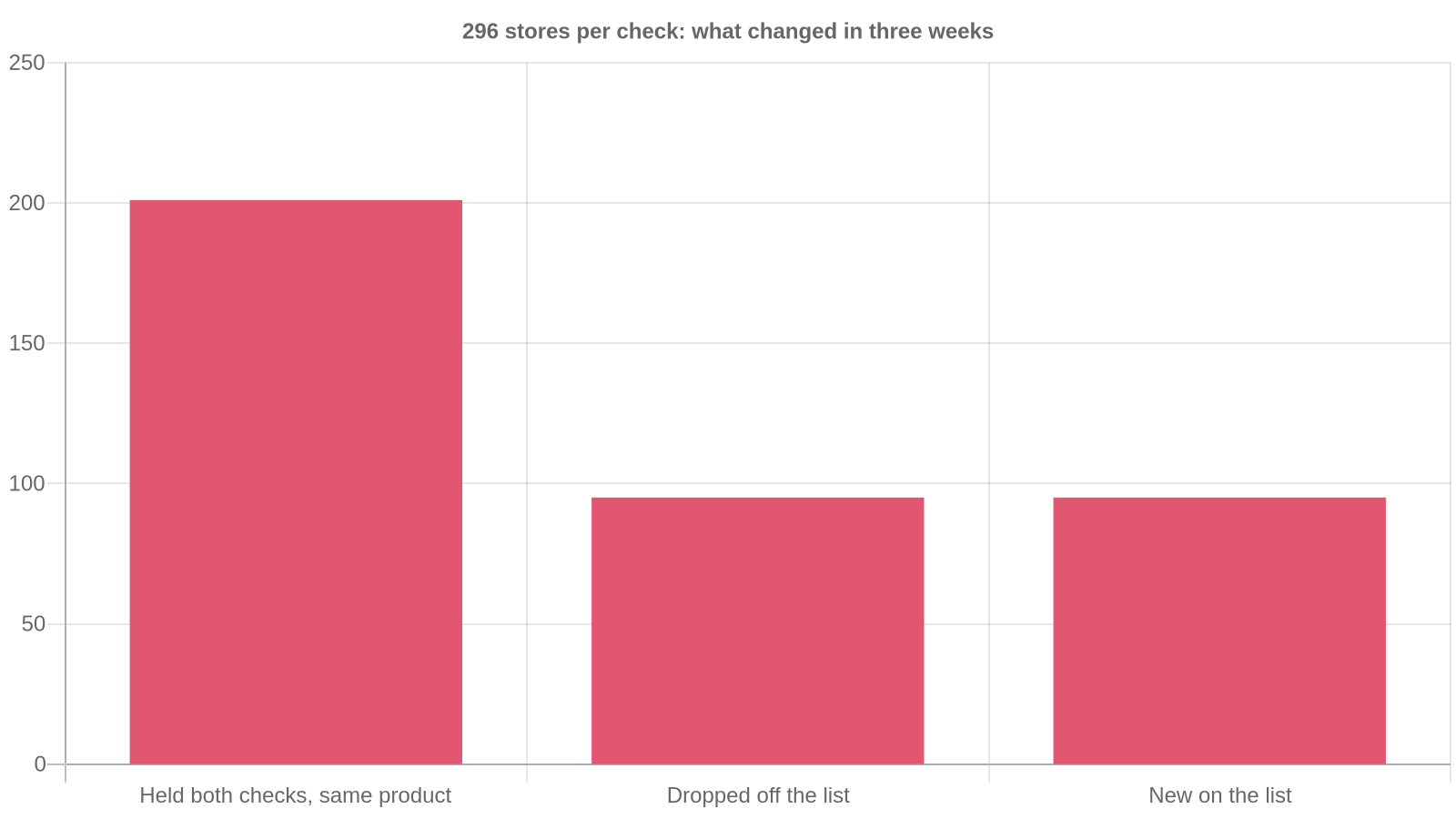
I wanted to know how often that evidence actually holds up, so I pulled our own tracking data. Across the Shopify stores Koala tracks, the trending-product read covered 296 stores on 1 August 2026 and 296 stores again on 24 August 2026. Two hundred and one of those stores appeared on both dates, and every single one of the 201 was still carrying the same product three weeks later. Ninety-five stores fell off the list in that window and 95 new ones took their place.
Widen the window and the split gets sharper. Between 22 June and 24 August 2026 there were 442 distinct store-and-product pairings in that data, and 346 of them held their place across ten or more separate checks. So roughly two products in three are durable over two months, and the remaining third churns hard. Those figures cover the stores Koala tracks rather than all of Shopify, and they are exactly the shape of thing a single visit cannot tell you: a one-off look at any of those 442 products would have looked identical.
The same pattern shows in advertising. Of the 600 stores in Koala's ad-activity data, 573 were running ads on both 1 August and 24 August 2026, with 27 appearing and 27 dropping away. Ad presence is sticky at the store level, which is precisely why it is a weak read at the product level. A store that always advertises will always be advertising something, and you have no way of knowing from the outside whether the thing in front of you is the winner or this week's test.
The weekly routine, step by step
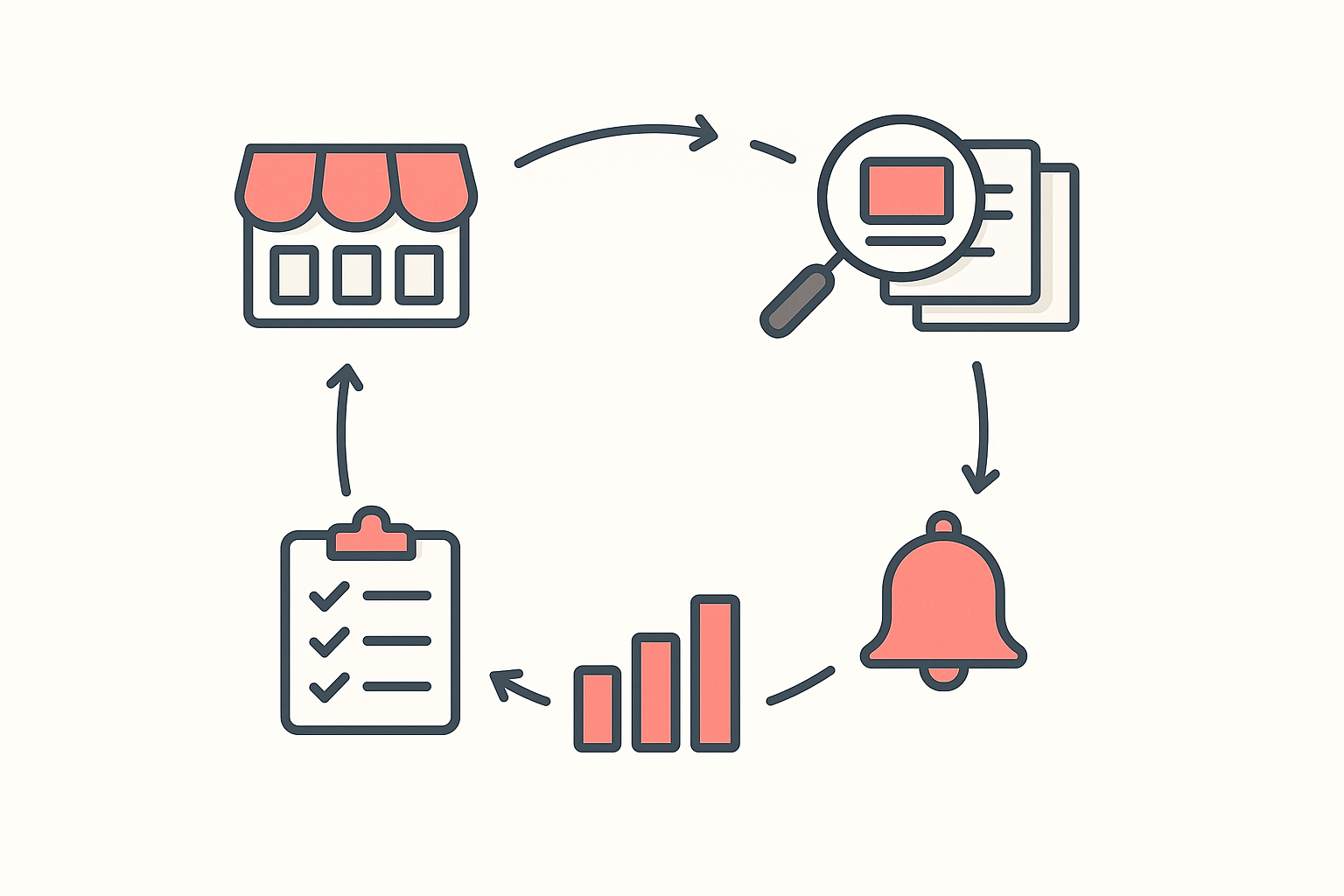
Ten minutes a week per store, once it is set up. I run it on Monday mornings before anything else touches my attention.
1. Pick three to five stores, no more
Choose stores that sell to your customer, at your price point, in your country. A $300 furniture brand tells you nothing useful if you sell $29 accessories. Three stores you read properly beat twenty you skim. If you need help building that shortlist, our guide to finding Shopify stores covers four workflows for it.
2. Read the catalog first, because that part is free
Install Koala Inspector, open the store, and go to the products view. Filter to best sellers and you get a ranked read of the catalog with each product's image, name, price and variations. The stats header gives you the total product count, the high and low of the price range, and the date the store first published a product. Sort by date added and you also see what has landed recently.
None of that costs a token. Product browsing, best sellers, app detection, theme detection, the store overview and your inspection history are all free features, so your first pass over five stores costs nothing at all. Write down the top five products and the price range. That is your baseline.
3. Put the store on Shop Tracking
This is the step that turns a snapshot into a series. Shop Tracking adds a store to ongoing monitoring and costs 15 tokens per store, charged when you add it. Koala re-checks each tracked store and records what changed to a per-shop activity feed: products added or removed, price changes, variant changes, apps added or removed, theme changes, and several more event types. You can switch notifications on or off per store.
Two things to know before you commit. Shop Tracking is the one feature switched off entirely on the Free plan, which gives you 15 tokens a month with no card. Premium is $22 a month with 220 renewing tokens and up to 50 tracked stores, and 15 tokens per store means five stores costs 75 tokens, leaving roughly 145 for traffic checks, ad reads and exports. Token packs stack on top and never expire if a month runs heavy.
4. Read the change feed, not the storefront
Once tracking is on, stop visiting the homepage. Open the shop changes feed instead. A storefront is designed to look consistent, so your eye will slide off the one thing that moved. The feed hands you the delta directly, which is the whole point.
What I mark up each week: products that vanished from the catalog, products that reappeared, price moves on the top five, and any variant changes on a best seller. That last one is quietly the most useful, because a store adding sizes or colours to one product is a store betting on it.
5. Log it somewhere you will actually look
A five-column sheet does the job: date, store, product, what changed, what I think it means. Four weeks in you have a picture nobody else researching that niche has, because they all looked once.
A worked example: two stores, two months
Here is what the two outcomes look like in practice, using two real Shopify stores from our own tracking data over the same period.
thecozylyf.com held. Its lead product, the Cozy Warm Blanket Hoodie, showed up on all 25 checks between 22 June and 24 August 2026. Not one check missed it. That is a product carrying a store for two months and a merchant who has clearly worked out their reorder cadence. If I were selling loungewear I would treat that as validated demand and go looking for the angle they have not covered, a size range, a bundle, a season.
korven.co did not. Its Korven GET-DREAMY Overnight Toning Whip appeared on 16 consecutive checks from 22 June, then stopped on 9 August 2026 and has been absent from every check since. Sixteen checks is a real run, long enough that a single visit in July would have read as a strong winner. The end of the run is the information. Something changed: the product came off the list, and whatever I had planned around it needed rethinking before I placed an order rather than after.
Those two stores looked equally convincing on any given Tuesday in July. The only thing separating them is that I kept checking.
What sellers say about Koala Inspector
Verified reviews from the Chrome Web Store.
“Excellent tool for Shopify research! simple, accurate, and packed with insights. Highly recommend it.”
 Data Analysis
“The service has been great, very responsive and the most comprehensive spying of global markets Ive seen!”
 Adrienne Greenwood
“Super simple to use and gives tons of detail of other stores. It helped me learn how to improve my store.”
 Jessica Walker
Turning the signal into a decision
A restock is evidence, and evidence needs reading. Here is how I grade one.
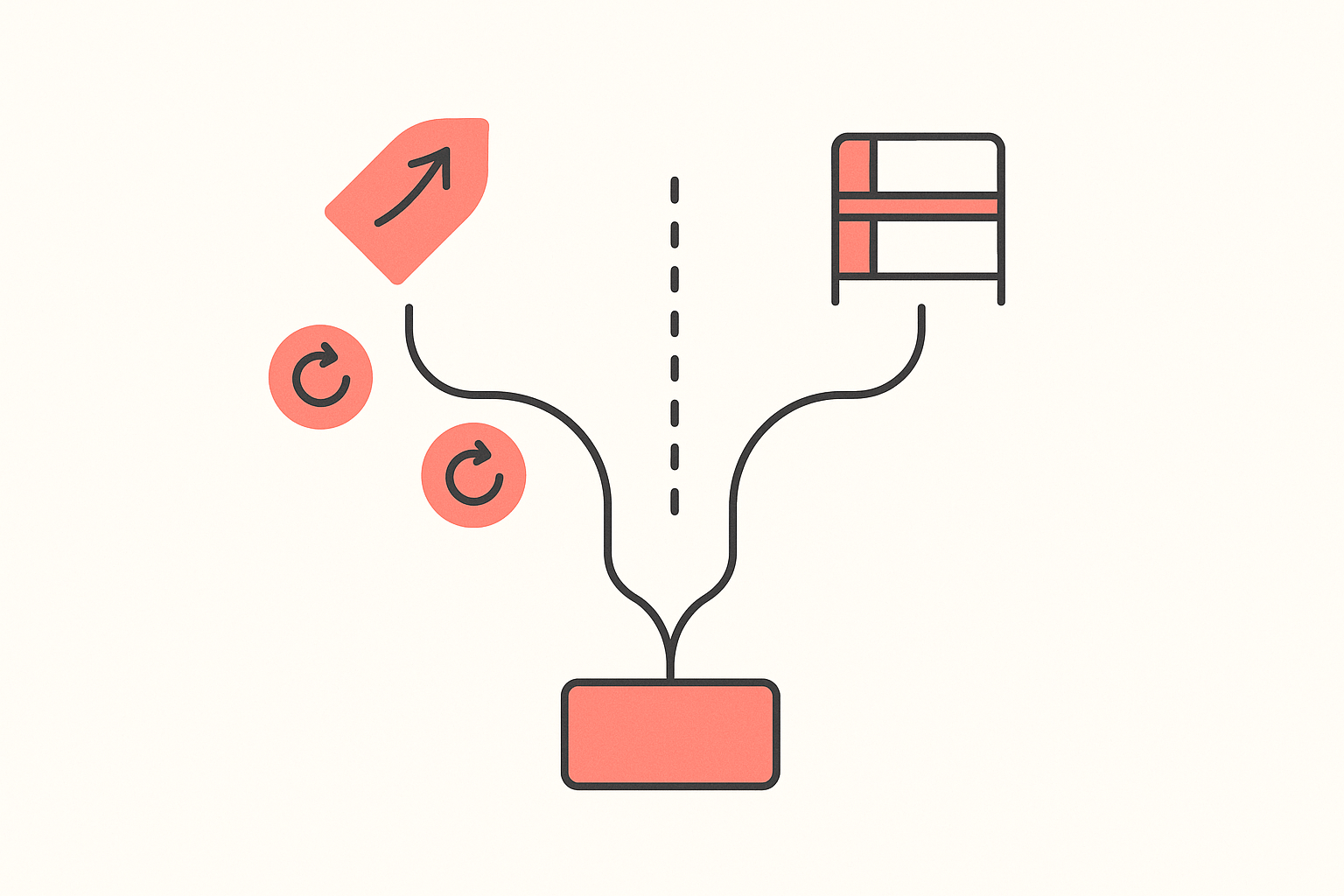
Two or more restocks with the price holding or rising. Real demand. A merchant selling through inventory and raising the price is a merchant with more buyers than stock. Shortlist it.
A restock with the price cut afterwards. Weaker. The sell-through may have come from a discount rather than from want, and the margin you would inherit is thinner than the sales volume suggests.
Repeated short stock-outs on a product that never leaves the catalog. Usually a supply problem, not a demand ceiling, and that is the most interesting case on this list. It means the merchant cannot buy fast enough. If you can source it more reliably, the gap is yours.
One stock-out, then nothing. Could be either. A merchant working from a plain sales average will systematically under-order after a stock-out, because the days at zero stock drag the average down. A seller building inventory tooling put the mechanic well on r/dropshipping: stockouts can make demand look lower than it really is, so a product that was sold out for ten days shows a sell velocity below its real one. So a small, hesitant reorder after a sell-out is often a store underestimating its own winner. Two more checks will tell you which it was.
The decision rule I use: three consecutive checks with the product still present and the price not falling, and I will test it. Fewer than that and I am buying a story.
Five mistakes I made first
Tracking twenty stores. I tracked far too many, read none of the feeds properly, and spent tokens on stores I could not name a month later. Five is the ceiling for one person.
Reading a single check as a verdict. Every one of those 442 store-and-product pairings looked equally solid on the day I first saw it. The 96 that churned only revealed themselves over time.
Treating a competitor's ad as proof. Ad presence is a store-level habit. It is a weak product-level signal for the reason in the data above: the stores advertising in August were mostly the same stores advertising three weeks earlier, whatever they happened to be pushing that day.
Copying the product and ignoring the setup. The apps and theme a store runs sit right beside the catalog in the extension and cost nothing to read, and they explain a lot about why the product converts. In Koala's data the most widely installed app across tracked stores is Judge.me Product Reviews at 2,520 stores, with Klaviyo second at 1,839, which tells you what the stores that keep selling actually spend their effort on: reviews and email.
Forgetting to write it down. The signal lives in the difference between two checks. If check one is in your memory rather than in a sheet, you have one check.
Start with one store this week
Pick the competitor whose products you keep wondering about. Install Koala Inspector, read their catalog and best sellers for free today, then spend 15 tokens to put them on Shop Tracking and let the change feed do the watching. Next Monday you will know something about their business that their homepage will never tell you.
Install Koala Inspector free and track your first store. If you want the wider version of this method across a whole niche rather than one competitor, read how to track Shopify stores that are already scaling, and for the product-selection half of the job, how to find winning products.
Tracking competitor best sellers: FAQ
The questions merchants ask before they start watching a store.
Can I use my own domain name with Shopify?+
Yes. Shopify's domains page gives you two routes for a domain you already own: connect it by pointing the root A record and the www CNAME at Shopify while your current registrar keeps the registration, or transfer the registration into Shopify so renewals and DNS live in one admin. Any Shopify plan lets you connect and manage up to 20 domains or subdomains per store, and Shopify Plus raises that to 1,000. This matters for competitor tracking too: nearly every store you want to watch runs on a custom domain rather than its myshopify.com address, so track the domain shoppers actually land on.
Can Koala Inspector inspect Shopify shops?+
Yes, reading Shopify storefronts is what it is built for. Open any Shopify store with the extension and you get a store overview with the active theme, the store category, the total product count, the creation date and the localization settings, plus every app the store runs and its full catalog with a best-sellers filter, price range and first-published date. All of that costs zero tokens. The deeper reads are token-gated: site traffic is 3 tokens, ad campaigns 2, product trends 2, Find Suppliers 2, CSV export 1, AI Shop Chat 1, and Shop Tracking 15 tokens per store.
Can you actually make money using Shopify?+
Yes, and the stores that do share one habit: they sell into demand that already exists rather than betting on a product they personally like. A long-running r/dropship guide on product research states the rule plainly, that in dropshipping you are fulfilling demand rather than creating it, so the job is to be better at fulfilling it than the competitor already doing it. Money follows margin and repeat demand, so the products worth building a store on are the ones you can watch selling week after week on someone else's storefront before you order any stock.
Can you make 10k a month on Shopify?+
It is an arithmetic question before it is an ambition. At a $40 average order value and a 25% net margin, $10,000 of monthly profit means roughly 1,000 orders a month, or about 33 a day. At a $120 average order value on the same margin it is closer to 11 orders a day. Run that calculation for your own price point first, then judge whether the product you are considering can plausibly do that volume. Watching a competitor's best seller hold its position for two months is a far better input to that judgement than a screenshot of someone's revenue dashboard.
Are Shopify point of sale payments secure?+
Shopify states on its POS features page that all Shopify card readers are PCI compliant and adhere to EMV standards, so customer card data is encrypted in transit. That covers the hardware and the processing path. The parts still on you are the ordinary ones: keep staff PINs and roles tight in the POS app, turn on two-step authentication for the Shopify account itself, and keep your reader firmware current.
Which Shopify preorder app do you use for partial payments and deposits?+
I do not run one on my own store, so I will not pretend to have a favourite. The Shopify App Store has a pre-orders category where the deposit and partial-payment apps sit, and that is the shortlist to start from. The faster way to choose is to find two or three stores already selling on deposits in your category and read their app stacks: Koala Inspector's app detector names every app a Shopify store runs and costs no tokens, so you can see which preorder app the stores taking your customers' money have settled on before you install anything.
Sources
- Reddit, r/dropship on doing product research properly - the fulfil-demand rather than create-demand framing that the whole routine rests on.
- Reddit, r/dropshipping on where Shopify inventory management breaks - a seller's account of how a stock-out understates sell velocity and skews the next reorder.
- Shopify, POS features - the statement that all Shopify card readers are PCI compliant and adhere to EMV standards.
- Shopify, Domains - connecting versus transferring an existing domain, and the 20 domains per store limit rising to 1,000 on Shopify Plus.
- Shopify App Store, pre-orders category - where the deposit and partial-payment apps are listed.
- Koala Inspector, Chrome Web Store reviews - the two quoted reviews.
- Koala's own store data, 22 June to 24 August 2026 - the 296 stores per check, the 201 that held with the same product between 1 and 24 August, the 442 store-and-product pairings with 346 lasting ten or more checks, the 573 of 600 stores advertising on both dates, and the app install counts. These cover the Shopify stores Koala tracks rather than the whole platform.
Written by
Assaf Shalin
Co-founder & Developer, Koala Apps
Assaf Shalin is a co-founder of Koala Apps and one of the developers behind Koala Inspector. He builds the tools that let Shopify sellers see what is actually working in other stores, from installed apps and themes to best-selling products. On the blog he covers the technical side of store research: how competitor research really works, what public store signals can and cannot tell you, and how to turn them into decisions.
Connect on LinkedIn