Competitor Restock Signals: Read What a Shopify Store Changes
 By Assaf ShalinSeptember 9, 2026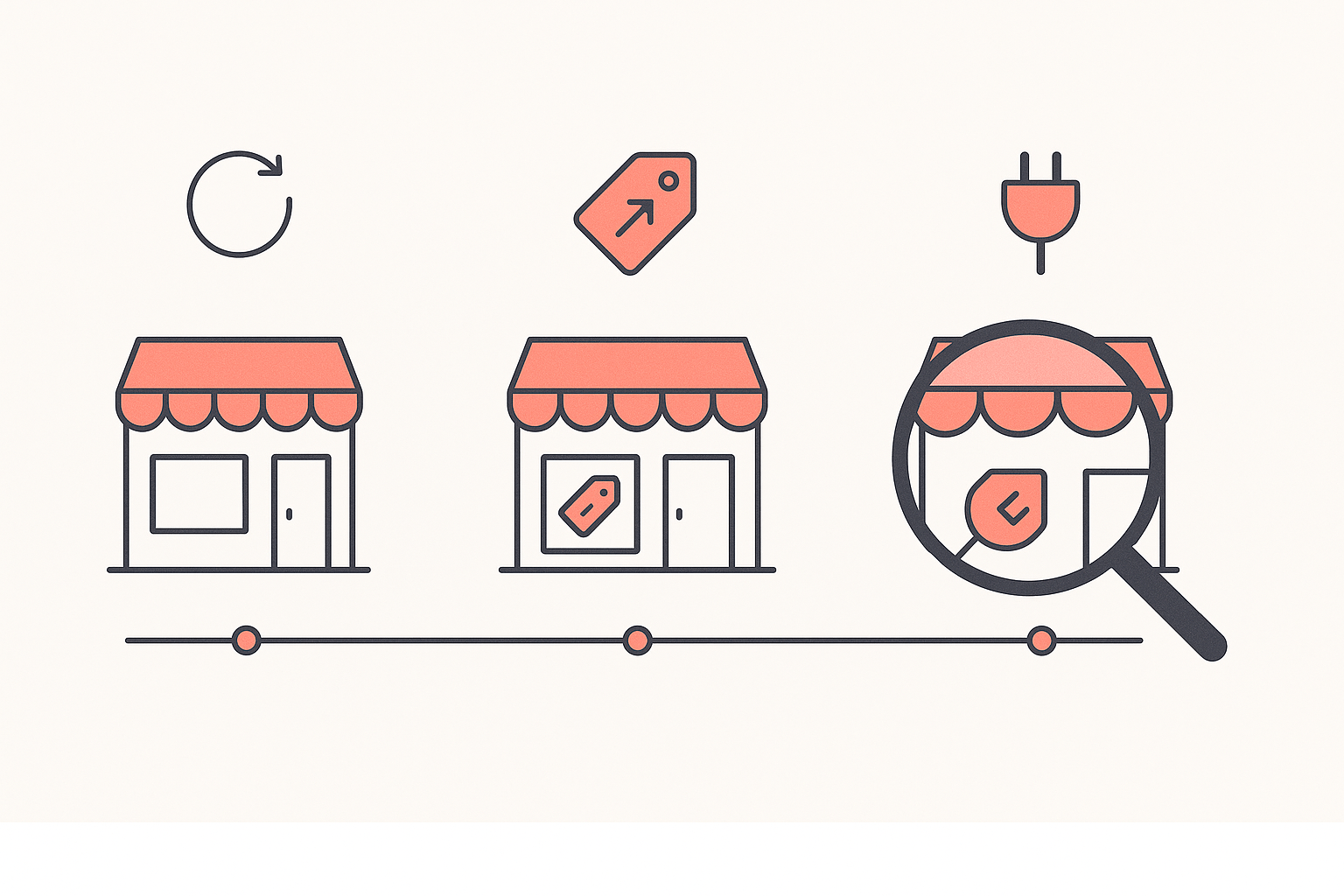
You found a product on a competitor's store and it looks like a winner. The photography is good, the reviews widget is full, the price leaves room for ads. And you have no way to tell whether that product is selling or simply well marketed.
A single visit cannot answer it. A catalog is a static thing: it tells you what a store offers, and it looks identical on the day a product is carrying the business and on the day the owner is quietly writing it off. The answer lives in the differences between two visits.
The short answer
Watch what a store changes. A variant that keeps selling out and coming back, a price that quietly rises, a run of new products landing in one category, a page builder appearing before a push. Those are decisions a merchant made after reading a sales report you cannot see, and they are far harder to fake than a storefront.
Merchants already work this way by hand. A seller on r/dropshipping published their routine for monitoring competitor out-of-stock items to spot winning products, on the reasoning that when a specific size or colour is constantly out of stock it usually means high sales velocity. The reasoning is sound. The part that defeats most people is doing it every week without letting it eat the morning.
Why the storefront itself will mislead you
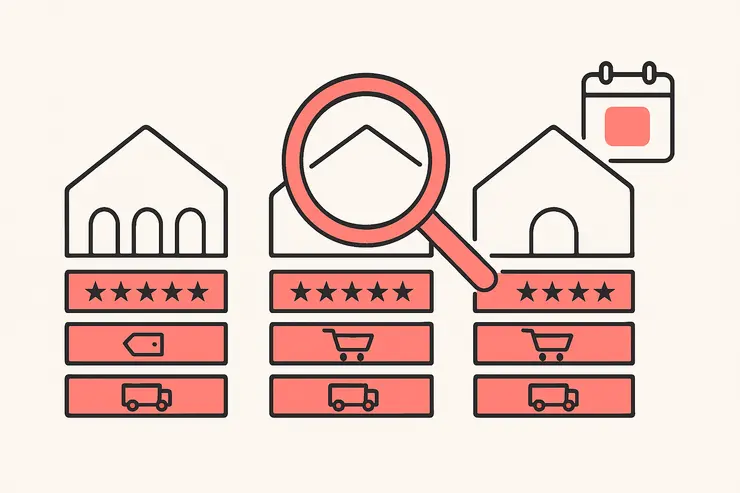
Before the signals, the trap. Shopify gives merchants several ways to order a collection, and two of them make a product look successful without being successful right now. Best selling sorts, in Shopify's own words, "based on the all-time number of orders that include the product". Manual sorting lets the owner drag products anywhere they like, described in the documentation as sorting "based on your own preferences".
So a product sitting at the top of a "Best Sellers" collection may be a hit from eighteen months ago, or the owner's favourite, or a slow mover being pushed harder because it is not moving. The position is a claim. The change log is evidence.
Signal 1: the same variant sells out and comes back
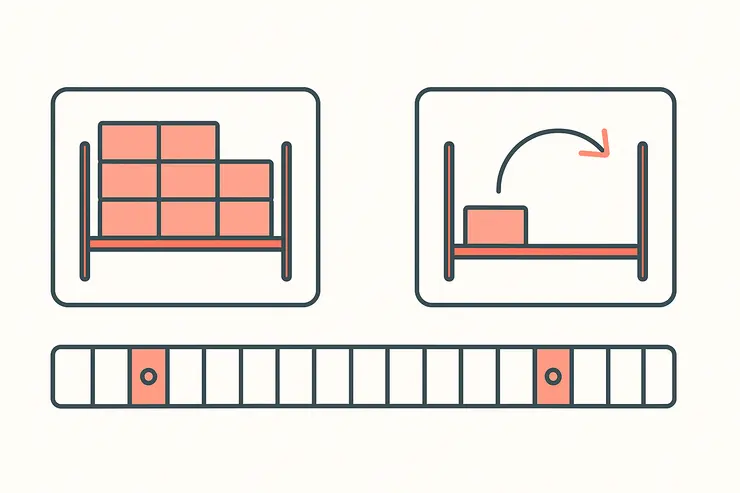
A whole product going out of stock tells you a little. One variant repeatedly going out of stock while its siblings stay available tells you a lot more, because it isolates demand to a specific size, colour or scent. That is the shape of a store selling through its buy quantity faster than it planned to.
What it means. The merchant committed cash to inventory, sold it, and committed again. A reorder is the only competitor signal that costs them money to send.
Where it misleads. A merchant can run out because they under-ordered, not because demand is huge, and small stores under-order constantly. A stock-out can also be a supply problem at the far end, which says nothing about the buyer. Read the second and third restock, never the first. One sell-out is an anecdote; three across six weeks with the product still front and centre is a pattern.
Signal 2: the price moves up and stays up
Price cuts are cheap and mean almost nothing. Anyone can discount. A price increase that survives a month is the interesting event, because a merchant only risks conversion rate on a product they believe will still sell at the higher number.
What it means. Confidence backed by data. It usually follows a period of selling out, and it often precedes a bigger inventory commitment.
The false positive. Landed costs move. A supplier price rise, a freight spike or a tariff change pushes prices up across an entire category at once, and that is a cost story rather than a demand story. Check whether the rise is isolated to one product or spread across the catalog. If two of your three tracked competitors raised the same category in the same fortnight, you are watching costs. If one store raised one product and the others did not, you are watching a winner. Our competitor pricing analysis walkthrough covers how to turn a set of competitor prices into your own number.
Signal 3: new products cluster in one category
Stores add products constantly, and most of those additions are noise. What carries information is clustering: four or five additions inside one category in a short window, especially when the rest of the catalog stays still.
What it means. Someone found something that works and is building around it. A store that sells a hit gel cleanser and then adds a toner, a moisturiser and a two-step bundle inside a month has decided that category is the business now. That is a merchant telling you where their margin is coming from, in the most expensive way available to them.
What it does not prove. A cluster can be a supplier dumping a catalog into the store with one bulk import, which produces the same visible pattern for none of the same reasons. The tell is care: a real expansion gets its own copy, its own images and a place in navigation. A bulk import gets none of those and often lands with the supplier's original titles intact.
Signal 4: a new theme or page builder appears
A store changing its theme has spent real time and usually real money. Themes are stable things, so a change is a deliberate act, and it is nearly always attached to a plan.
Across the Shopify stores Koala tracks, theme choice concentrates hard. On 9 September 2026 the most common themes were Trademark on 516 stores, Dawn on 444 and Horizon on 232, with a long tail of everything else. A store leaving a stock theme for a paid conversion-focused one is a store that has decided design is now the constraint on its revenue.
A page builder appearing is the sharper version of the same signal. PageFly, which the Shopify App Store lists as a drag-and-drop builder for home, product, collection and landing pages with A/B testing and heatmaps built in, ran on 481 of the stores in that same read. Someone installing a landing-page builder is preparing to send paid traffic somewhere specific.
Where it misleads. Theme changes also happen for boring reasons: a security update, a developer handover, a redesign that has been six months in the queue. And a page builder can sit installed and unused for a year. Pair this signal with another one before you act on it. A theme change alone is a maybe. A theme change plus a cluster of additions in one category is a store getting ready to push.
Signal 5: a review or upsell app lands right before a push
Apps are the closest thing to a store's plan written down. The stores Koala tracks run a median of 12 apps each, with an average of 13.4 and a busiest store on 43, so a store's stack is already crowded. Adding to it is a decision, and the decision usually has a date attached.
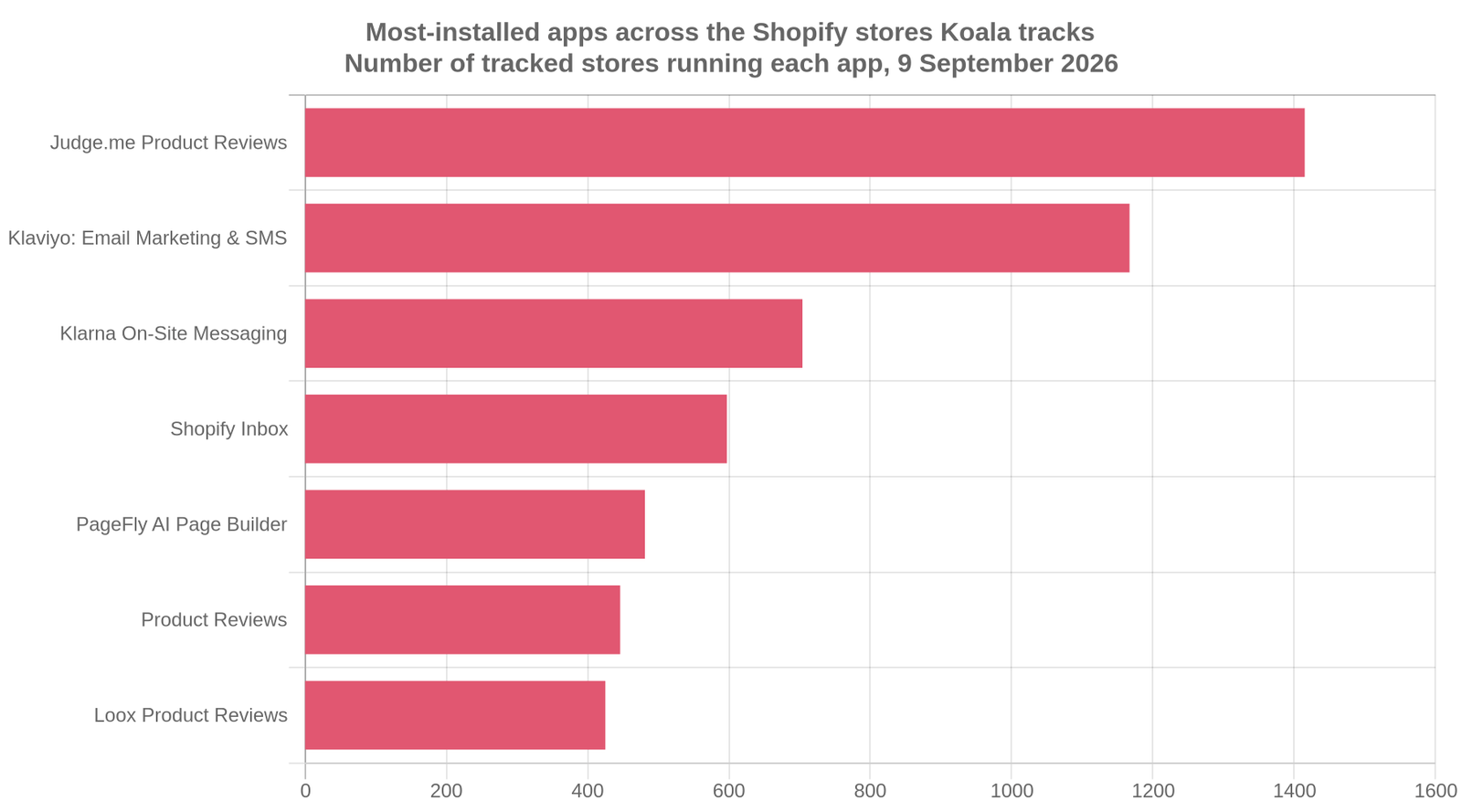
The apps at the top of that list are the ones stores reach for when they are getting serious. Judge.me Product Reviews leads on 1,415 tracked stores, and its App Store listing carries a 5.0 rating from 46,598 reviews, built around automated email and SMS review requests. Klaviyo follows on 1,167, Klarna On-Site Messaging on 704, Shopify Inbox on 597 and Loox Product Reviews on 425. Social proof, email, financing and live chat: the four things a merchant bolts on when they expect volume.
What it means. A review app or an upsell app appearing on a store that did not have one is a store expecting traffic it wants to convert harder. Watch what lands in the fortnight after and you will often find the product it was installed for.
The trap. Apps also appear because a founder read a thread, started a free trial and forgot. Removals are the quieter half of this signal and worth as much: a store dropping three apps in a week is cutting costs, and cutting costs is not the behaviour of a business that just found a winner.
These figures cover the stores Koala tracks rather than every store on Shopify, so read them as a strong sample of active, mid-to-large merchants and not as a global census.
How to do this without checking manually every day
Five stores checked properly once a week is fifteen minutes if you have a record of last week, and an hour of squinting if you do not. The recording is the part to automate.
Koala Inspector's Shop Tracking puts a store under ongoing monitoring and writes what changes to a per-shop activity feed: apps added or removed, theme changes, products added or removed, price changes and variant changes, across more than ten event types in total. Notifications can be switched on or off per shop, so you can run one competitor loud and four quiet.
Two things to be straight about before you rely on it. Plans and token costs here are current as of September 2026. Shop Tracking is the single feature switched off entirely on the Free plan, which otherwise gives you 15 tokens a month with no card and keeps the catalog, best sellers, app detection and theme detection free forever. Tracking costs 15 tokens per store, and Premium is $22 a month with 220 renewing tokens and up to 50 tracked stores. Five stores is 75 tokens, leaving most of the month's allowance for traffic reads, ad checks and exports.
The workflow that follows from that: read the catalog free to pick your targets, then spend tokens on tracking only the stores you would actually change a decision over.
A worked example: three competitors over a month
Pick three stores that sell to your customer, at your price point, in your country. Not the biggest brand in the category, which is playing a different game with a different cost base. Three direct competitors beat ten aspirational ones.
Week one is your baseline, and it will feel like nothing happened. That is correct. A healthy store in a steady month produces a handful of events: a couple of product additions, one or two price adjustments, maybe a variant tweak. Read it, log it, move on. The value of week one is entirely in what it makes week four legible.
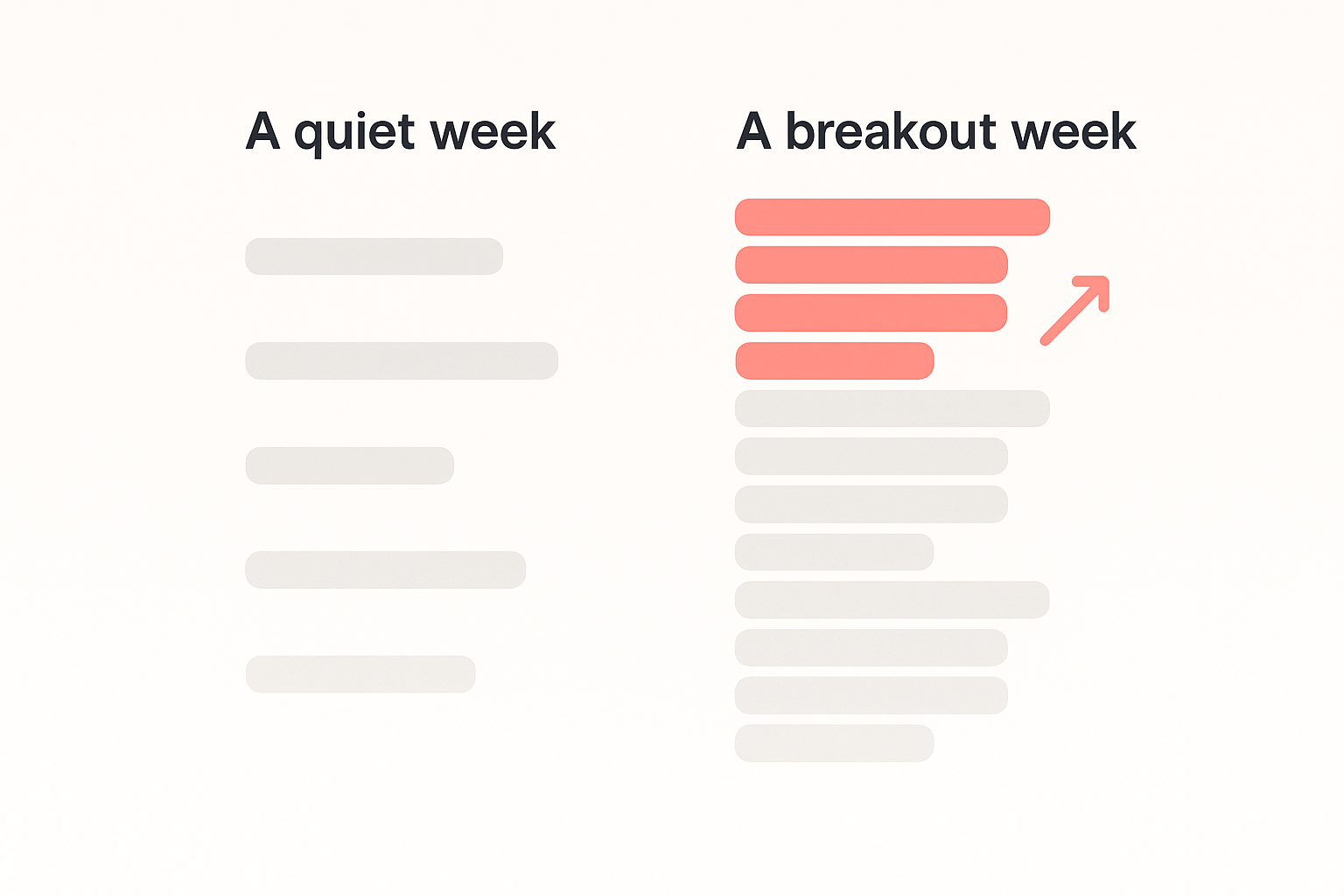
A normal week, across three stores, looks like this. Store A adds two products and drops one. Store B changes nothing at all. Store C nudges a price down by a few percent and leaves it. Nothing here is worth acting on, and the discipline is to not act on it.
A breakout week reads completely differently, and the tell is that the signals stack. Store B, silent for three weeks, suddenly shows a variant on its hero product going out of stock and returning within nine days. The following week the same product's price moves up. The week after, four new products land, all in that product's category, all with proper titles and images. And somewhere in the middle a review app appears in the app list.
No single one of those events would move me. Together they describe a merchant who sold through inventory, tested a higher price, decided the category is working, and is building the conversion furniture to push it. That is a shortlist entry, and it arrived without you having to guess.
The stores that stay quiet are useful too. Three flat weeks from a competitor you rated highly is a reason to reconsider whether the category is as hot as the ad you saw suggested.
What sellers say about Koala Inspector
Verified reviews from the Chrome Web Store.
“Excellent tool for Shopify research! simple, accurate, and packed with insights. Highly recommend it.”
 Data Analysis
“The service has been great, very responsive and the most comprehensive spying of global markets Ive seen!”
 Adrienne Greenwood
“Super simple to use and gives tons of detail of other stores. It helped me learn how to improve my store.”
 Jessica Walker
Read the signal honestly
Change signals are directional. They tell you where to point your testing budget, and they do not promise you a result. A competitor selling through inventory proves demand exists at their price, with their photography, to their audience, in their market. Your version of that product inherits none of those things automatically.
Compare that with the alternative on offer. Curated winning-product lists are everywhere, and they are genuinely well made: Sell The Trend's hand-picked selections, for instance, are manually vetted by ecommerce experts and refreshed daily. Every subscriber sees the same list on the same morning. A change feed on three competitors you chose yourself is a dataset nobody else is reading.
So use it for what it is good at: shortlisting. Three or four products a month that have earned a place on a test list, with a reason attached to each one that you could defend out loud. Then run your own test and let your own numbers decide.
Start tracking one store this week
Pick the competitor whose products you keep second-guessing. Install Koala Inspector free, read their catalog, apps and theme at no cost today, then put them on Shop Tracking and let the feed collect the changes while you get on with selling.
For the weekly routine in more detail, read how to track a competitor's best sellers. For the selection half of the job, the wider guide to finding winning products covers how to judge a candidate once your change feed has surfaced one.
Competitor change tracking: FAQ
What sellers ask before they start watching a store on a schedule.
Can Koala Inspector inspect Shopify shops?+
Yes, reading Shopify storefronts is the whole job. Open any Shopify store with the extension and you get the store overview with its active theme, category, total product count, creation date and localization settings, every app the store runs, and the full catalog with a best-sellers filter, price range and first-published date. All of that is free. The deeper reads cost tokens: site traffic 3, ad campaigns 2, product trends 2, Find Suppliers 2, CSV export 1, AI Shop Chat 1, and Shop Tracking 15 tokens per store.
Can I use my own domain name with Shopify?+
Yes. Shopify's domains documentation says you can use domains bought from Shopify or from any third-party domain provider, and both are managed from the Domains page in the Shopify admin. For competitor tracking the practical point is which address you watch: almost every store worth following has moved onto a custom domain, and its myshopify.com address may redirect or behave differently, so track the domain shoppers actually land on.
Can I use Shopify's ecommerce platform to sell internationally?+
Yes, through Markets. Shopify describes Markets as a way to manage how different customers experience your store based on their location, customer group, retail location or sales channel, with customizations controlling currency, product availability, theme content, domains, languages and taxes. This is also why a competitor's catalog can look different to you than it does to them: a product you cannot see may simply be unavailable in your market rather than delisted, which is worth remembering before you record it as a removal.
Are you ready to upgrade to Shopify Plus?+
Judge it on the ceilings you are hitting rather than on revenue alone. Shopify's Plus page advertises over 10,000 checkouts per minute with unlimited bandwidth and transactions, support for over one million products and variants, dedicated B2B and wholesale tools, and selling across more than 150 countries. If your store is nowhere near a checkout throughput limit, a million-variant catalog or a real wholesale channel, the upgrade buys headroom you are not using. Watching how competitors at your size are set up is a cheaper first move than changing plan.
Are Shopify point of sale payments secure?+
Shopify's POS card readers are PCI compliant and follow EMV standards, so card data is encrypted through the payment path. The exposure that stays yours is operational: tight staff roles and PINs in the POS app, two-step authentication on the Shopify account, and current reader firmware. None of that shows up in a competitor's change feed, so treat POS security as a separate checklist from anything you learn watching other stores.
Anyone have any recommendations for relatively easy-to-learn consignment software that integrates seamlessly with Shopify?+
The Shopify App Store's consignment search is the honest starting shortlist, and I will not name a favourite I have not run. The faster way to choose is to find two or three stores already selling on consignment in your category and read their app stacks. Koala Inspector names every app a Shopify store runs and costs no tokens to do it, so you can see which consignment software the stores handling other people's inventory have actually settled on before you install anything and start learning it.
Sources
- Reddit, how one seller monitors competitor out-of-stock items on Shopify - the repeated-stockout reasoning this post is built on.
- Shopify Help Center, collection sort orders - "Best selling" is all-time order count and "Manual" is the merchant's own preference.
- Shopify App Store, PageFly and Judge.me - what a page builder and a review app actually do once installed.
- Shopify Help Center, Markets - why a competitor's catalog can look different in your country.
- Shopify Plus - the throughput, catalog and B2B ceilings the upgrade is sold on.
- Sell The Trend, hand-picked expert selections - a curated winner list, refreshed daily, shared with every subscriber.
- App, theme and store-count figures are Koala's own, from the stores Koala Inspector tracks, read on 9 September 2026.
Written by
Assaf Shalin
Co-founder & Developer, Koala Apps
Assaf Shalin is a co-founder of Koala Apps and one of the developers behind Koala Inspector. He builds the tools that let Shopify sellers see what is actually working in other stores, from installed apps and themes to best-selling products. On the blog he covers the technical side of store research: how competitor research really works, what public store signals can and cannot tell you, and how to turn them into decisions.
Connect on LinkedIn