Shopify Competitor Pricing Analysis: How to Price Products to Win
 By Ana GelevskaJuly 1, 2026
Most Shopify sellers set a price the same way: take the supplier cost, multiply by two or three, publish, move on. It feels safe because the math is clean. It also quietly leaves money on the table and, worse, walks you straight into fights you cannot win.
Cost-plus markup answers the wrong question. It tells you what covers your costs. It says nothing about what the customer will actually pay, or what the store ranking above you already charges for the same thing. Price is the fastest lever you have to change profit, and you are pulling it blind.
This guide fixes that. You will build a real competitor price set, learn to read a rival's best-sellers and price points, decide whether to sit above or below them, and set up a rhythm to re-check as the market moves. Koala Inspector is the engine that makes it fast: open any Shopify store in your browser and read its best-sellers and prices in seconds.
Why cost-plus markup loses money
Two failures hide inside "cost times three."
First, it can price you too low without you noticing. If your landed cost is $9 and you mark up 3x to $27, that feels healthy. But if three rivals sell the identical product at $34.99 to $39.99, you just handed away $8 to $13 of margin on every order for nothing. Customers were not going to blink at the higher price. You trained them to expect less.
Second, cost-plus hides your true costs, so the "safe" markup is not safe at all. One print-on-demand seller broke down the trap that catches most people: "Sale price minus product cost equals profit" ignores five to seven fees that eat 15% to 25% of the sale price. On a $24.99 t-shirt that looks like $12.99 of profit, the real number lands closer to $1.86 in the worst case once every fee is counted (full breakdown on r/printondemand). If you price off cost alone, you are anchoring to a number that is already wrong.
Cost tells you your floor. Competitors tell you the ceiling and the middle. You need both.
Build a competitor price set
Before you touch your own price, you need a small, honest table of what the market charges. Not a vague sense, a set.
Pick the 4 to 6 stores that genuinely compete with you for the same customer and the same product. Direct competitors selling the near-identical item matter most; adjacent stores selling a pricier or cheaper alternative give you the edges of the range.
For each one, record:
- The product and its listed price
- Any bundle, quantity break, or "was/now" anchor price
- Shipping cost and threshold (a $29.99 product with $8 shipping is a $37.99 product)
- Whether it looks like a best-seller for that store
That last column is the one most people skip, and it is the most important. A rival can list a product at any price. What tells you the price works is whether the product actually sells. That is where reading best-sellers comes in.
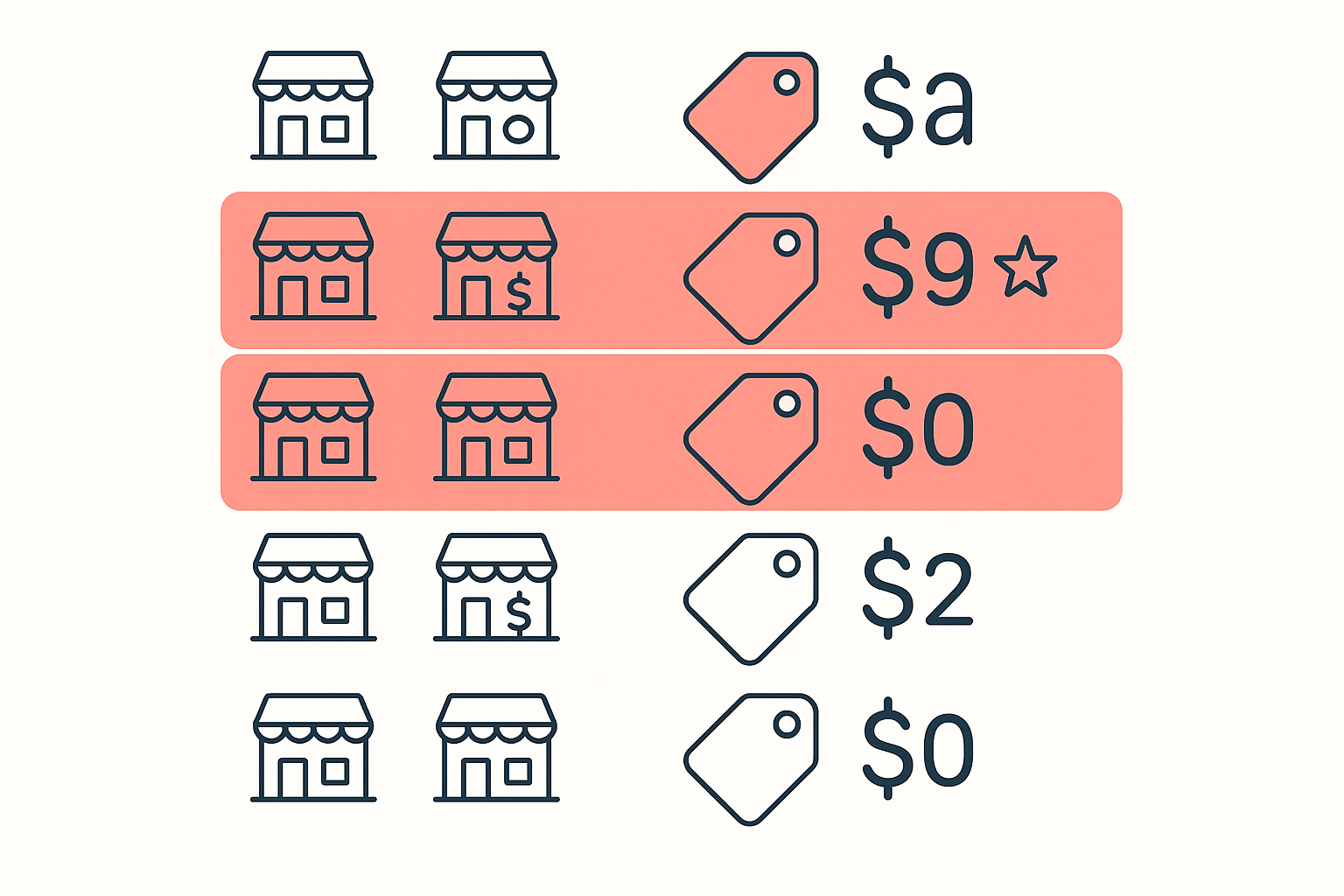
Here is where Koala Inspector turns hours of manual snooping into minutes. Open a competitor's Shopify store with the extension active and the Products screen loads their full catalog. Filter to best-sellers, sort by price, and you see image, name, price, and variations for each item, plus a stats header with the store's price range, high to low. You are reading the exact price points that a store betting its own money has settled on.
Read a rival's best-sellers, not just their prices
A price list without demand behind it is noise. The move is to line up two things a competitor gives away for free: which products are their best-sellers, and what those specific products cost.
When you open a store in Koala Inspector, filter the catalog to likely best-sellers and note the prices on those items specifically. Now you are not asking "what does this store charge?" You are asking "what does this store charge for the things people actually buy?" Those are different questions with different answers, and only the second one guides your pricing.
Watch for the pattern, not the single number:
- A tight cluster of best-sellers in one band (say $34 to $40) tells you the market has found its price. Sitting far outside that band needs a reason.
- A best-seller priced well above the rest is often carrying a bundle or a strong value story. Open it and see what justifies the premium.
- A cheap product buried below the best-sellers is a warning: that price point may not move volume, even though it looks tempting.
You can go further and check whether a store is putting ad money behind a product. In Koala Inspector, a store's Google and Facebook or Instagram ad campaigns are a couple of clicks away. A best-seller with active ads behind it is a price point a competitor is actively defending. That is a strong signal the number is deliberate, not an accident.
Position above or below on value
Once you can see the market's price band, you have three honest choices. All three can be right. Picking one by default (which is what cost-plus does) is the mistake.
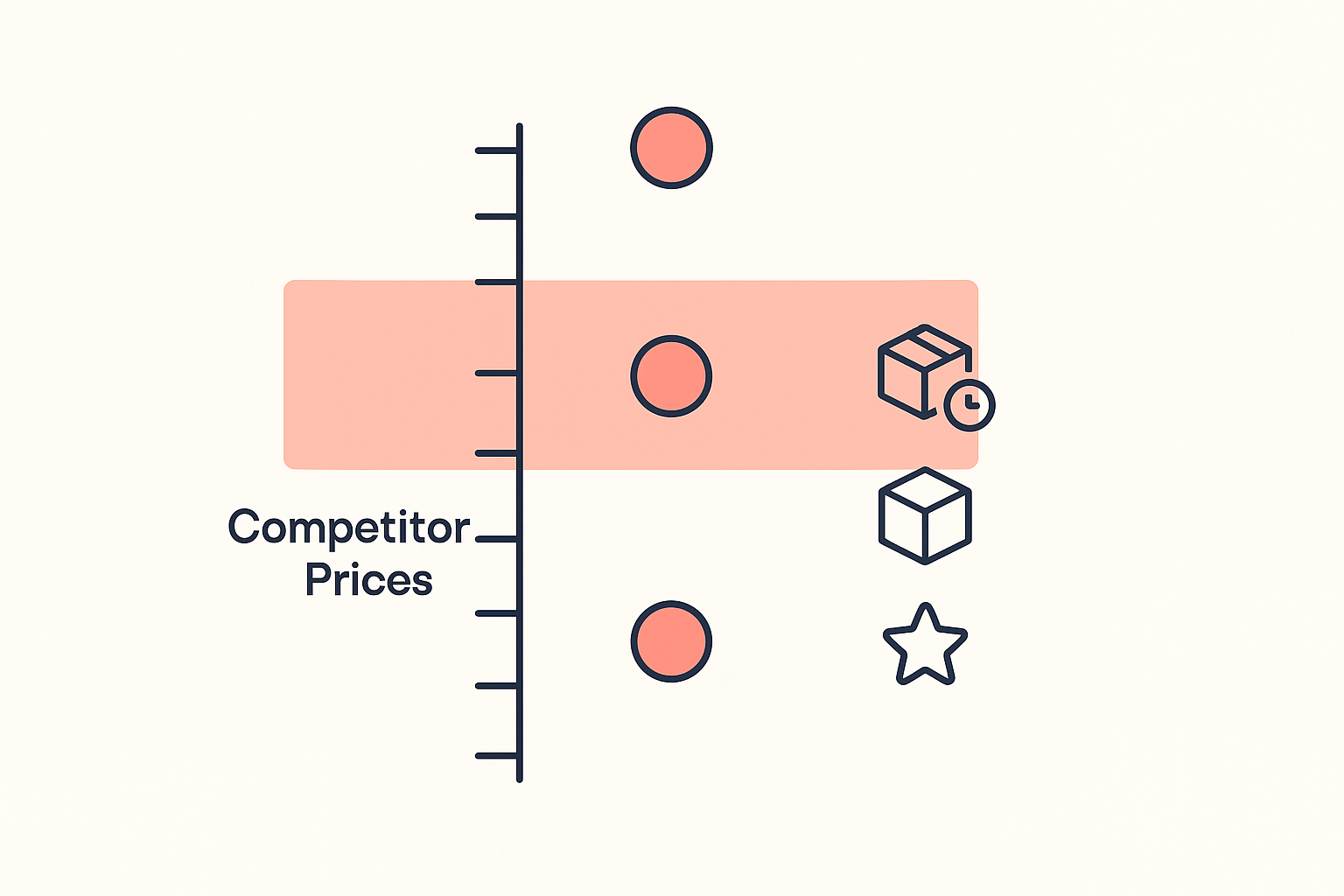
Price below the band when you have a real cost or logistics edge and you want volume. This only works if your margin survives the cut after every fee. Going low with hidden costs is how stores die quietly. One seller documented a product doing $180k that unraveled in six weeks partly because a competitor "entered the market with a 22% lower price point" and they had no room to respond (the post-mortem on r/dropshipping). If you cannot afford to be undercut, do not build a business that depends on being the cheapest.
Price inside the band when your product and offer are genuinely comparable. This is the safe default once you actually know the band. You compete on your store experience, reviews, and shipping speed instead of on price.
Price above the band when you can point to something the cheaper listings cannot: faster shipping, a real bundle, better guarantees, stronger reviews, a cleaner store that does not look scammy. A higher price with a better offer often out-earns a lower price with none. A common, defensible target is a healthy margin rather than the lowest sticker: many sellers treat roughly a 40% profit margin as a sustainable benchmark rather than racing each other to zero (Printify's pricing guide).
One more lever hides in shipping. Free shipping is a pricing decision, not a giveaway. Many stores build the cost into the product price and advertise "free shipping" because shoppers strongly prefer it to an equivalent shipping line at checkout (Spocket on free shipping). When you read a competitor's price, always ask whether shipping is baked in, because that changes the real number you are competing against.
A worked mini-example
Say you are launching an LED sunset projector lamp. Your landed cost is $9.
Cost-plus instinct: $9 times 3 equals a $27 price. Publish and hope.
Competitor pricing analysis instead. You open five competing Shopify stores with Koala Inspector, filter each to best-sellers, and read the price points on the projector lamp specifically. Your price set comes back like this:
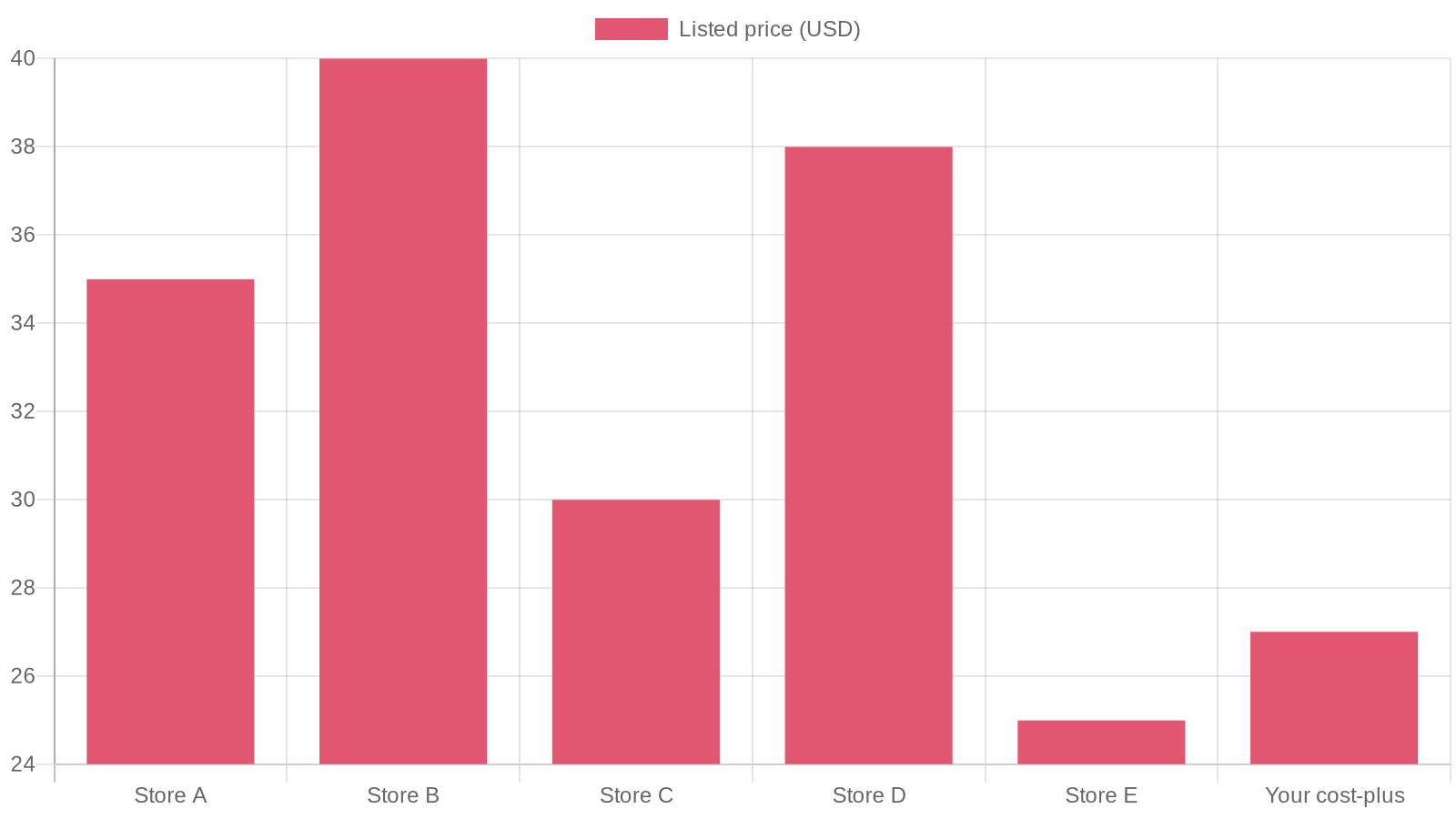
- Store A: $34.99, a best-seller, free shipping, running ads
- Store B: $39.99, a best-seller, sold as a 2-pack bundle
- Store C: $29.99, not a best-seller, $6 shipping (true cost $35.99)
- Store D: $37.99, a best-seller, free shipping
- Store E: $24.99, buried low in the catalog, no visible demand
Read the pattern. The best-sellers cluster tightly between $34.99 and $39.99. The two cheapest listings ($29.99 and $24.99) are not the ones moving volume, and the $29.99 one is really $35.99 once shipping is added. The market's working price for this product is about $35 to $40, not $27.
Your $27 cost-plus price was going to leave $8 to $13 per order on the table while looking suspiciously cheap next to the winners. The smarter play: price at $34.99 with free shipping, matching the proven band, and lead with a stronger bundle or faster shipping to justify nudging toward $37.99 later. Same product, same cost, roughly $8 to $11 more margin on every single sale, taken straight from reading the competition.
Re-check as competitors move
Pricing is not a launch-day task you finish once. Rivals run promos, launch bundles, and cut prices to grab share. The $180k story above is the cautionary tale: the store that got undercut by 22% did not see it coming in time to react.
So build a light rhythm:
- Re-pull your competitor price set on a regular cadence, monthly at minimum, weekly for a hot product.
- Watch for a best-seller changing price, a new bundle, or fresh ads on a product, all of which you can read in Koala Inspector.
- For the handful of rivals that matter most, put them on ongoing monitoring so price changes, new products, and app changes get logged for you instead of you remembering to look. Koala Inspector's Shop Tracking records price changes and more to a per-store activity feed over time.
When a competitor moves, you decide deliberately: hold, match, or lean into a value story that lets you keep your price. What you never want is to find out you were undercut from a slow month of sales.
For the wider playbook around this, pricing sits inside a full Shopify competitor analysis covering products, traffic, and marketing. Pricing is the lever that moves profit fastest.
Price with data, not a guess
Cost-plus markup is a guess dressed up as math. Competitor pricing analysis replaces the guess with what the market has already proven it will pay. Build the price set, read the best-sellers behind it, position on value instead of defaulting low, and re-check as rivals move.
Koala Inspector is the fastest way to do all of it. It is a free Chrome extension: open any Shopify store and read its best-sellers, price points, ad campaigns, and more directly in your browser, then triangulate your own price with confidence.
Install Koala Inspector free and price your next product from real competitor data instead of a multiplier.
Written by
Ana Gelevska
eCommerce Content Writer
Ana Gelevska is a content writer with more than five years of experience creating content for eCommerce brands and global clients. She digs into each topic and the people it is for, then turns it into clear, useful articles that Shopify sellers and dropshippers can act on.
Connect on LinkedIn