Best Shopify Upsell Apps in 2026 (And What Real Stores Install)
 By Koala TeamDecember 17, 2024 · Updated September 4, 2026
Which Shopify upsell app should you install? Pick the surface before you pick the product. If shoppers reach your cart and stall, install a cart drawer app such as iCart or UpCart. If they convert but spend too little, install a post-purchase app such as AfterSell or Upsell.com. If your catalog has natural pairings, install a bundle app such as Kaching Bundles or Bundler. Match the surface to the leak and the shortlist writes itself.
Below: the three surfaces explained, install counts observed across the Shopify stores Koala tracks, and a side-by-side table of free tiers and real starting prices, checked on 4 September 2026.
The three upsell surfaces, and how to pick yours
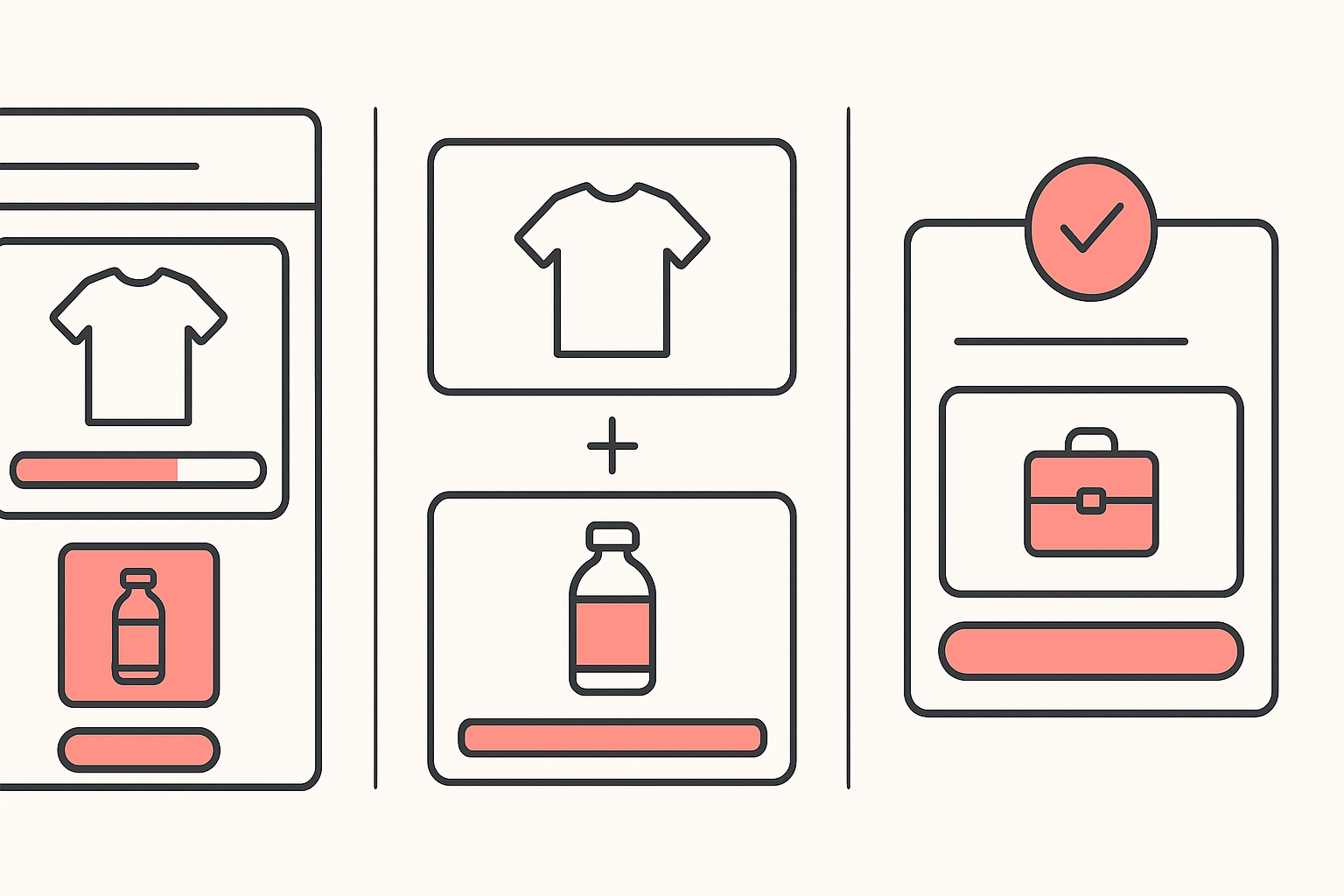
Cart drawer. The offer lives inside the slide-out cart: a related product, a free-shipping progress bar, a volume discount. It reaches every shopper who adds to cart, including the ones who never finish. Choose this when your add-to-cart rate is healthy and your checkout completion is not.
Post-purchase. The offer appears on the order-confirmation screen, after the card has been charged. Nothing about it can cost you the original sale, and the buyer accepts with one tap because the payment method is already on file. Choose this when people buy readily and your order size is the problem.
Bundles. Fixed sets, quantity breaks and buy-more-save-more pricing on the product page. This is the only one of the three that raises the size of the first order rather than adding to it afterwards, so it also lifts the revenue your ads are measured against. Choose this when your catalog has obvious pairings or people buy in multiples.
A store running paid traffic usually ends up with two: a bundle offer to raise the first order, and a post-purchase offer to catch the rest. Running all three at once is where merchants start tripping over their own discounts.
What Shopify stores actually install
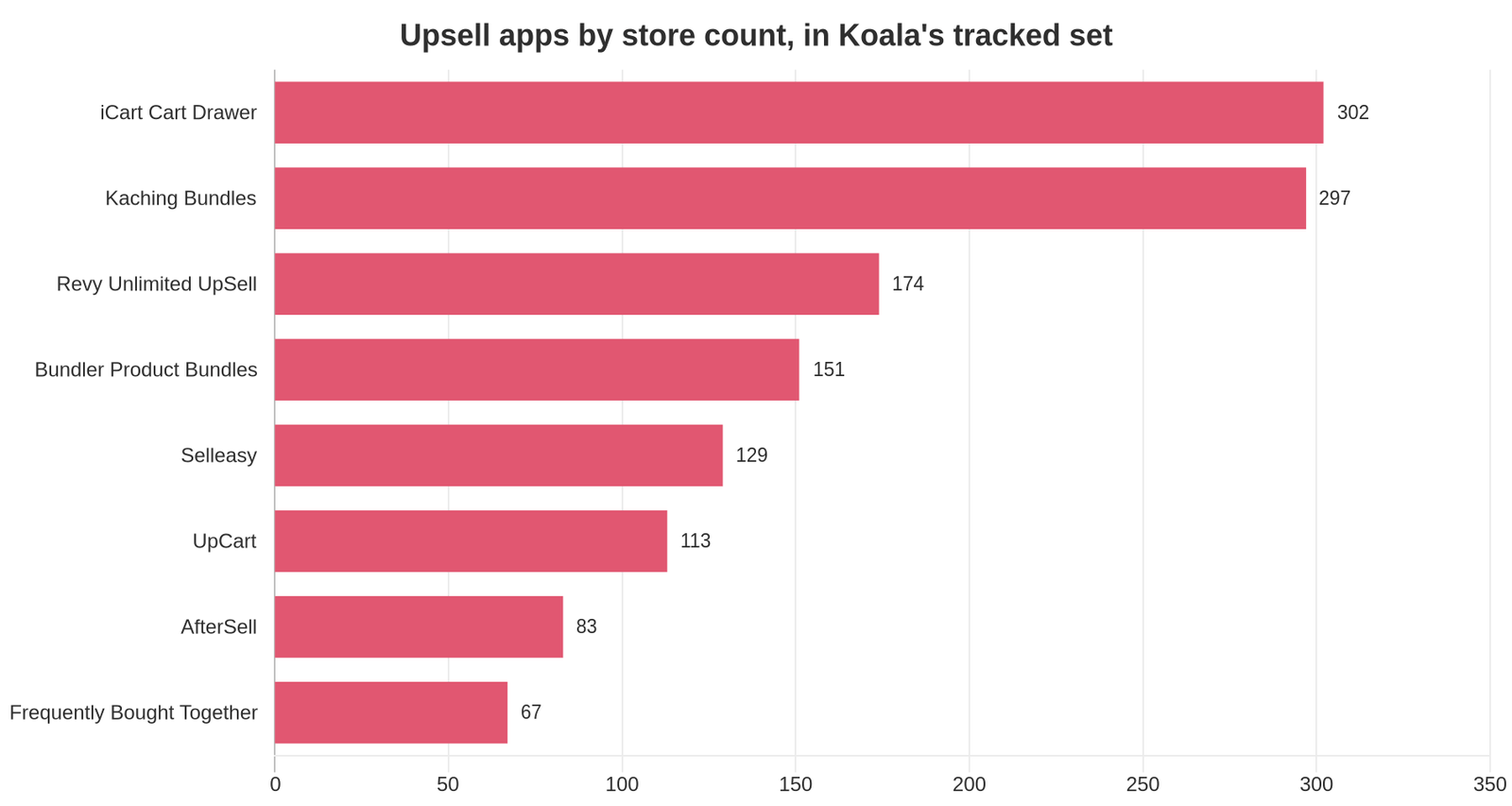
Opinion is cheap in this category, so here is the count. Across the Shopify stores Koala tracks, these are the upsell, cart-drawer and bundle apps observed most often:
| App | Stores in Koala's tracked set | Surface |
|---|---|---|
| iCart Cart Drawer Cart Upsell | 302 | Cart drawer |
| Kaching Bundles App & Upsells | 297 | Bundles |
| Revy Unlimited UpSell Offers | 174 | Upsell and cross-sell |
| Bundler Product Bundles | 151 | Bundles |
| Selleasy (Upsell & Cross Sell) | 129 | Upsell and cross-sell |
| UpCart Cart Drawer Cart Upsell | 113 | Cart drawer |
| AfterSell Post Purchase Upsell | 83 | Post-purchase |
| Frequently Bought Together CBB | 67 | Bundles |
Two patterns stand out. Cart-drawer and bundle apps dominate the top of the list, which tells you where merchants believe the money is. And the two leaders are separated by five stores while the field drops off sharply after fourth place, so the "everyone uses X" version of this category is a story rather than a finding.
Read the numbers as what they are: counts across the stores Koala tracks, not a census of every Shopify store on the internet. They are a strong signal of what working merchants pick, and they skew toward the dropshipping and DTC stores our users research.
The comparison table
Every figure here comes from the app's own Shopify App Store listing, read on 4 September 2026. Prices change, so re-check the listing before you subscribe.
| App | The job it does | Free tier | Paid entry | Rating |
|---|---|---|---|---|
| iCart Cart Drawer Cart Upsell | Replaces the basic cart with a slide cart carrying upsells, progress bars and cart discounts | Free plan available | $9/month (0 to 100 orders) | 4.7 (451) |
| Kaching Bundles App & Upsells | Quantity breaks, gifts and volume discounts on the product page | Free to install, 7-day trial | $14.99/month | 5.0 (5,734) |
| Revy Unlimited UpSell Offers | Manual or AI upsell, upgrade and cross-sell offers across the funnel | Free plan available, 14-day trial | $19.49/month | 4.7 (77) |
| Bundler Product Bundles | Bundle offers with quantity breaks and volume discounts | Free plan available, 7-day trial | $9.99/month | 4.9 (2,644) |
| Selleasy (Upsell & Cross Sell) | Bundling, product add-ons, cart, checkout and post-purchase upsells in one app | Free to install, 30-day trial | $9/month | 4.9 (2,670) |
| UpCart Cart Drawer Cart Upsell | A custom slide cart with full design control, built to cut cart abandonment | Free plan available, 14-day trial | $29.99/month | 4.7 (923) |
| AfterSell Post Purchase Upsell | One-click post-purchase, checkout and thank-you-page offers | Free plan available, 30-day trial | $34.99/month | 4.8 (1,018) |
| Frequently Bought Together CBB | Amazon-style bundle recommendations on the product page | Free plan available, 14-day trial | $14.99/month | 4.9 (1,195) |
| Upsell.com (formerly ReConvert) | Cross-sell and post-purchase upsell funnels with one-click acceptance | Free plan available, 14-day trial | $4.99/month | 4.8 (3,092) |

Want to see apps on any Shopify store?
Download for free and start exploring a whole new ecommerce world!

The nine apps, and who each one suits
iCart Cart Drawer Cart Upsell is the most-installed upsell app in Koala's tracked set. It swaps Shopify's default cart for a slide drawer that carries in-cart recommendations, bundles, a free-shipping progress bar and an urgency timer. Pricing is banded by order volume, which is unusually merchant-friendly at the bottom: as of 4 September 2026 the paid tier starts at $9 a month for the first 100 orders. Suits a store with steady add-to-cart traffic that leaks between cart and checkout.
Kaching Bundles App & Upsells does one job and does it hard: quantity breaks, free gifts and volume discounts on the product page. It carries a 5.0 rating across 5,734 reviews, the strongest social proof in this list by a distance, and it is free to install with a 7-day trial before the $14.99 tier. Suits single-product and hero-product stores where "buy 2, save 20%" is a natural ask.
Revy Unlimited UpSell Offers covers upsells, upgrades and cross-sells with manual or AI-built offers, aimed at merchants who want offer logic rather than one widget. Its review count is small at 77, so weigh the 4.7 rating accordingly. The free plan lets you test it, and paid starts at $19.49 a month after a 14-day trial. Suits a store with enough order volume to run real offer variations.
Bundler Product Bundles builds bundle offers, quantity breaks and volume discounts, with a 4.9 rating across 2,644 reviews and the cheapest bundle entry point here at $9.99 a month. There is a free plan and a 7-day trial. Suits skincare sets, food and drink packs, accessory kits, and anywhere a customer buys three of something.
Selleasy is the broadest app on this list for the money: bundling, product add-ons, related products, cart and checkout offers, and post-purchase upsells, from $9 a month with a 30-day trial and free installation. A 4.9 rating over 2,670 reviews backs it. Suits a merchant who wants to test two or three surfaces before deciding which one earns a dedicated tool.
UpCart Cart Drawer Cart Upsell is the design-led cart drawer, sold on full control of how the cart looks and behaves rather than on offer count. At $29.99 a month it is the most expensive cart option here, with a free plan and a 14-day trial to prove it first. Suits a branded store where the default Shopify cart visibly breaks the design.
AfterSell Post Purchase Upsell is the dedicated post-purchase tool: one-click offers on the confirmation screen, checkout upsells and thank-you-page offers. It is the priciest entry at $34.99 a month, softened by a 30-day trial and a free plan. Suits stores already converting well, where the whole problem is order size.
Frequently Bought Together CBB puts an Amazon-style recommendation block on the product page, built from your store's own purchase history. Free plan, 14-day trial, $14.99 to go paid, 4.9 across 1,195 reviews. Suits catalogs with real transaction depth, because the recommendations improve as the history grows. A new store with 12 products gets thin suggestions.
Upsell.com (formerly ReConvert) is the veteran of the category, with 3,092 reviews behind a 4.8 rating and the lowest paid entry point on this page at $4.99 a month. It covers cross-sell and post-purchase funnels with one-click acceptance. Suits merchants who want a heavily-reviewed default rather than a specialist.
Average order value is the number you control
Merchants stuck at break-even reach for the ad account first, and the complaint underneath it is almost always the same one: low average order value. Cost per acquisition is whatever the auction says it is. Order size is the lever sitting inside your own store.
The arithmetic is unforgiving and worth doing on your own store before you install anything. Say your AOV is $45, product cost is $18, and it costs $25 to acquire the order. You keep $2. Add a post-purchase offer that one buyer in ten accepts, at $20 with an $8 cost, and you have added $1.20 per order with no extra ad spend. That $2 becomes $3.20. The percentage looks absurd because the base was tiny, which is exactly the position break-even stores are in.
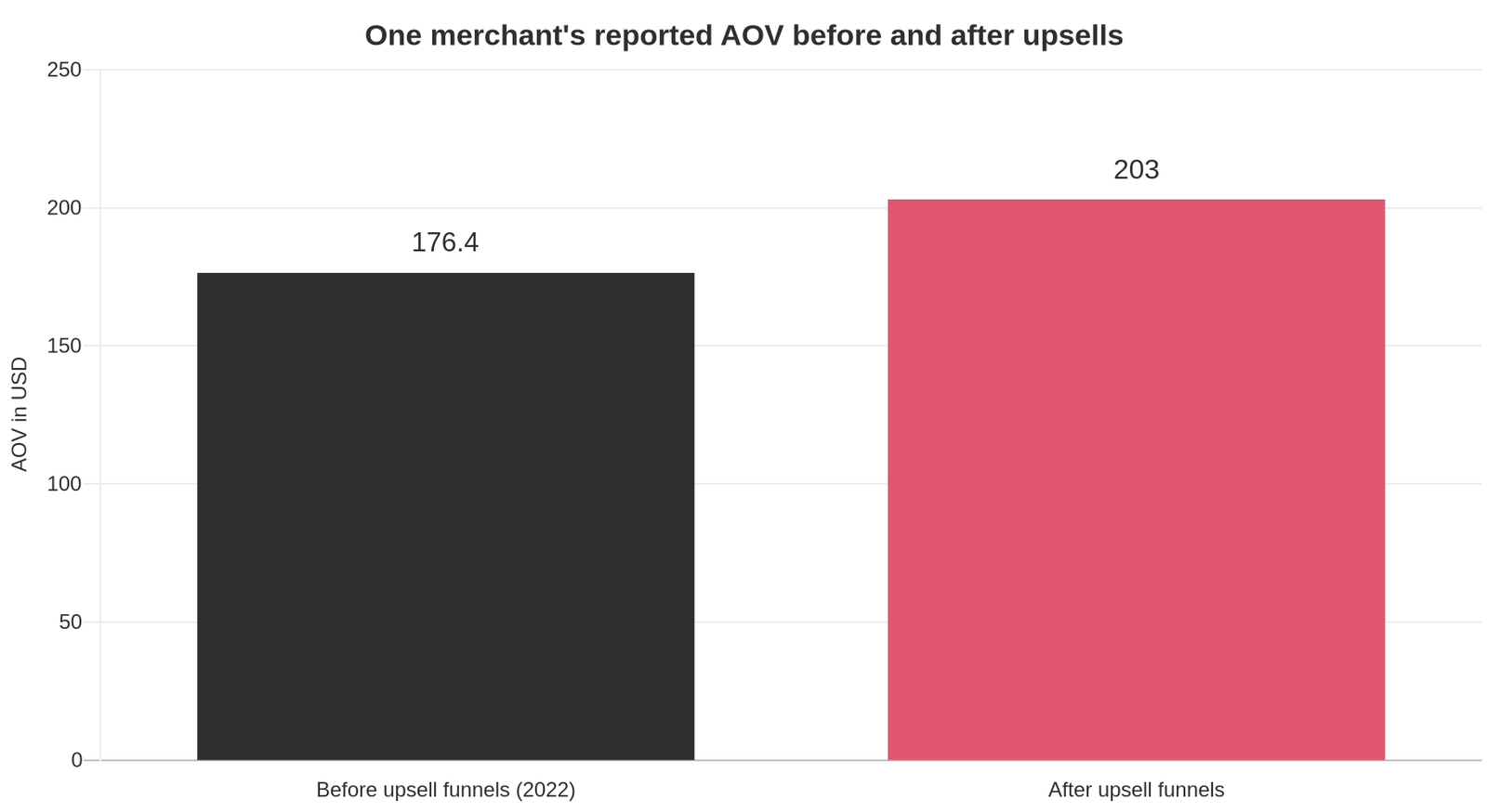
Real numbers back the direction. One merchant documented $8,873.16 in additional sales from upsell funnels, with AOV moving from $176.40 to $203, roughly 15%, after a two to four day setup. The same write-up notes that post-purchase offers can carry a 15 to 20% discount because the sale is already banked, where a pre-purchase discount has to stay tighter to protect margin.
App spend is small against that. In a 2019 merchant breakdown of profitable Shopify plugins, a discounted-upsell app returned $349.56 of extra revenue in one month against $19.99 of subscription cost that month. The tools have changed since; the ratio is the point. Set a target before you install: a $15 app needs to move about $1 a day in extra gross profit to pay for itself, and any of the apps above should clear that inside two weeks or come back off the store.
If the arithmetic is what you are working through, our profit margin calculator and break-even ROAS calculator do the same sums against your own figures.
Check the stack of three stores beating you first
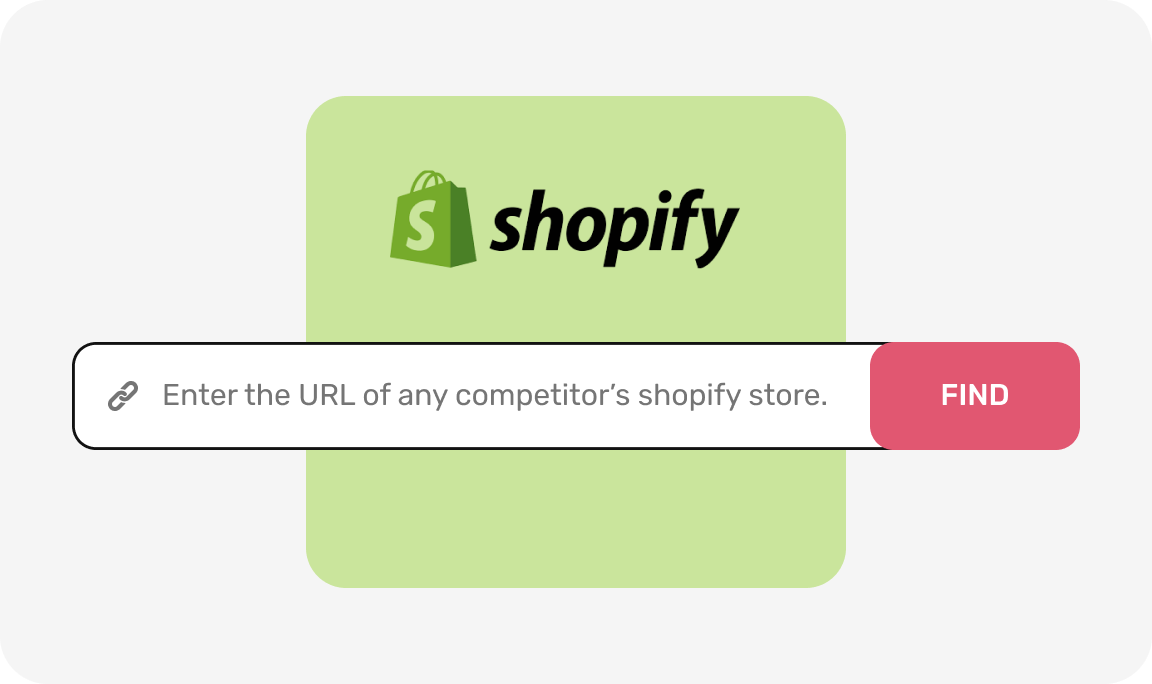
A subscription is a guess until you have seen what already works in your niche. Koala Inspector's Shopify app detector is free, needs no tokens, and names every app installed on any live Shopify storefront, grouped by type.
The check takes about five minutes:
- Search your main keyword and open the top three stores outranking you, or paste a competitor's URL straight into the extension.
- Click Koala Inspector on each and read the app list.
- Note which of the three surfaces above they have covered, and which app they chose.
- Install the one that shows up more than once. Skip the ones nobody in your niche runs.
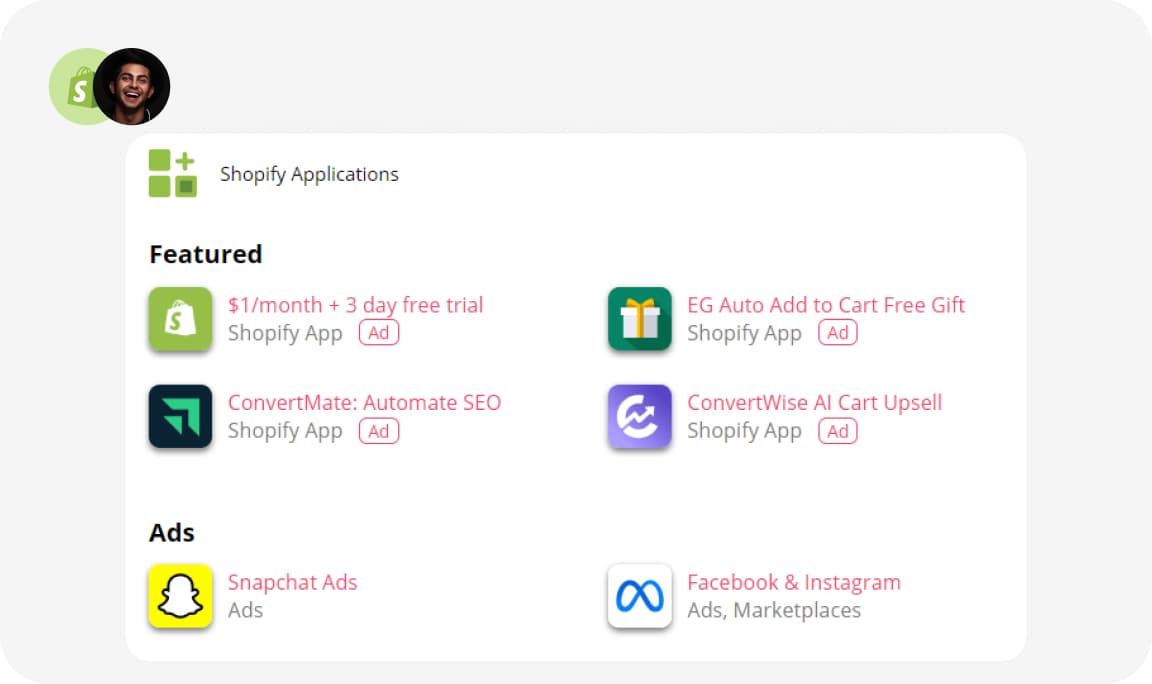
Three stores is enough to separate a category standard from a marketing budget. If all three run a cart drawer and none runs a post-purchase app, that is your niche telling you where the leak is. The extension also shows each store's theme, product catalog and likely best-sellers, so the same visit answers what they sell and how the offer is framed. Install Koala Inspector free and run the check before your next subscription.
How we counted
- Install counts: the number of Shopify stores in Koala's tracked set observed running each app, read on 4 September 2026. This is Koala's own store coverage, weighted toward the dropshipping and DTC stores our users research, so treat it as a strong sample rather than a Shopify-wide census.
- Prices, ratings and review counts: taken from each app's Shopify App Store listing on 4 September 2026, and linked in the table so you can verify them. Paid entry means the cheapest recurring plan; a free plan or free installation is listed separately from a trial.
- Surfaces: assigned from each listing's own description of where its offers appear.
What merchants say about Koala Inspector
Verified reviews from the Chrome Web Store.
“Super simple to use and gives tons of detail of other stores. It helped me learn how to improve my store.”
 Jessica Walker
“Awesome customer support. Insights into store AOV, products, traffic and campaign tracking is extremely helpful!”
 Gabe Abramovich
“Invaluable for competitive insights, Koala Inspector is easy to navigate and helps stay ahead in the Shopify marketplace.”
 Merico Monaldo
Sources for the Shopify platform answers below: PCI compliance, selling internationally, domains and Shopify Plus.
Shopify upsell apps: frequently asked questions
Anyone have any recommendations for relatively easy-to-learn consignment software that integrates seamlessly with Shopify?+
Consignment is a Shopify App Store category of its own, with tools such as ConsignR handling vendor records, commission splits and payouts inside your existing store. Shortlist by payout handling first, since that is the part a spreadsheet cannot cover, then check the free tier before you commit. Because consignment stores tend to run the same small set of tools, opening a competing consignment store with a free app detector and reading its stack is the fastest shortcut there is.
Are Shopify point of sale payments secure?+
Yes. Shopify is certified Level 1 PCI DSS compliant and that compliance extends by default to every store powered by Shopify, in person and online. Card data is handled by Shopify's payment infrastructure rather than sitting in your own systems. Your own responsibility is account hygiene: staff permissions, two-step verification and a locked-down admin.
Are you ready to upgrade to Shopify Plus?+
The signal is volume plus a specific blocker. Plus buys checkout customization, higher API limits, more staff accounts and expansion stores, at a price point aimed at high-volume merchants. If your growth is capped by average order value or conversion rather than by platform limits, a $9 to $35 upsell app moves the same revenue line for a fraction of the money.
Can I use my own domain name with Shopify?+
Yes. Buy a domain through Shopify or connect one you already own from any registrar by pointing its DNS at Shopify, and your myshopify.com address keeps working as a backup. Set the custom domain as primary so every product and collection URL resolves to one canonical host, which matters for SEO and for clean UTM tracking on paid traffic.
Can I use Shopify's ecommerce platform to sell internationally?+
Yes. Shopify Markets is available on any plan and handles local currencies, market-specific pricing, translations and duties from a single admin. For upsells specifically, check that your app converts offer prices into the buyer's currency; a bundle discount priced in dollars next to a euro cart reads as broken and kills the offer.
Can Koala Inspector inspect Shopify shops?+
Yes. Koala Inspector is a free Chrome extension built for exactly that. Open any live Shopify storefront, click the extension, and you get the store's installed apps, its active theme, its product catalog with likely best-sellers, plus traffic and sales estimates and the ads it is running. App and theme detection are free with no tokens, so checking a competitor's upsell stack costs nothing.
Keep going
- How to upsell on Shopify walks through building the offers themselves.
- How much Shopify apps cost puts subscription spend in context across every category.
- High-converting Shopify product pages covers the page a bundle offer sits on.
- Best Shopify apps is the full category index.
Written by
Koala Team
Koala Apps Editorial Team
The Koala Team is the crew behind Koala Inspector. We test tools, track what is selling across Shopify, and turn it into practical roundups and reference guides for store owners and dropshippers.