UUSpy (Now UNISPY): What the Shopify Spy Extension Actually Shows
 By Assaf ShalinJuly 28, 2026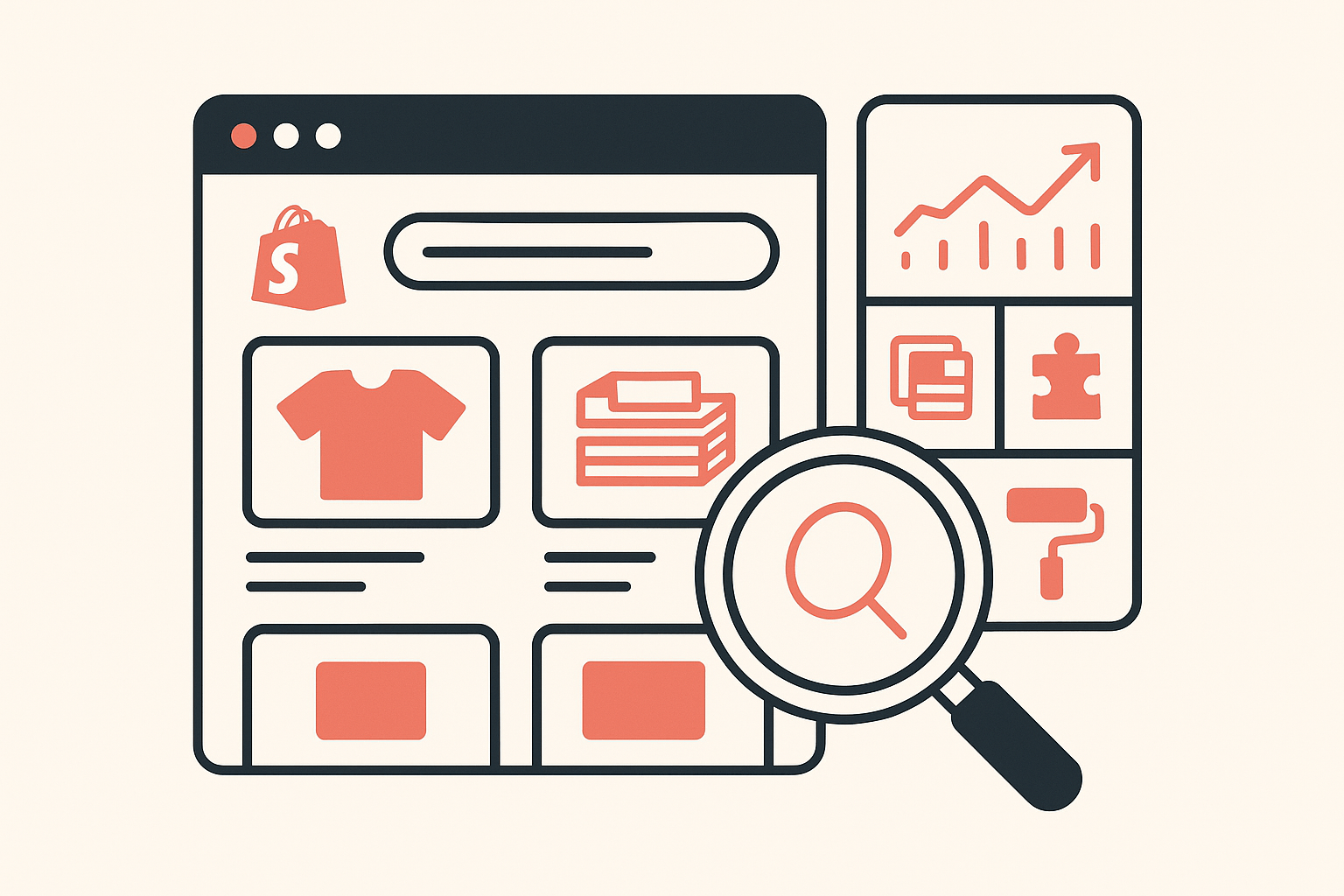
UUSpy is a Chrome extension for researching Shopify stores. It reports estimated sales, best-sellers, new product launches, store details, traffic, ads, and bulk product exports. Search for UUSpy today and the Chrome Web Store listing you land on is published as UNISPY by unispy.io, last updated September 1, 2023.
If you have been sent to UUSpy by a dropshipping video or a tool roundup, this guide saves you the install. Everything below is checked against the live Chrome Web Store listing, not against marketing pages. Where the listing says nothing, this guide says so.
Table of Contents
- UUSpy or UNISPY? Both spellings, one listing
- What UUSpy shows you on a Shopify store
- How sellers actually use it
- Free versus paid: what the listing does and does not say
- Browser and platform support
- The practical limits
- UUSpy vs Koala Inspector
- Frequently asked questions
UUSpy or UNISPY? Both spellings, one listing
People search both spellings, and Google resolves both to the same place. Type either "uuspy" or "unispy" into Google and the first two US results are unispy.io and the Chrome Web Store listing titled UNISPY: Shopify Inspector Sales Tracking Spy, offered by unispy.io.
The older UUSPY branding still shows up on third-party download mirrors. OffiDocs, for example, still carries the extension under its original title, UUSPY Free Shopify alihunter Sale Tracker, offered by uuspy.net, describing a free tool for analyzing competitor stores on Shopify, Shoplazza and Shopline. That mirror points at a Chrome Web Store item that no longer loads a live listing, and the uuspy.net domain no longer resolves at all.
So: if someone tells you to install UUSpy, the thing you will actually end up installing today is UNISPY. The two listings are close cousins in the same "alihunter sale tracker" corner of the market, and the UNISPY overview describes itself in exactly those terms. Treat the UUSpy name as the old label and judge the current listing on its own merits.
What UUSpy shows you on a Shopify store
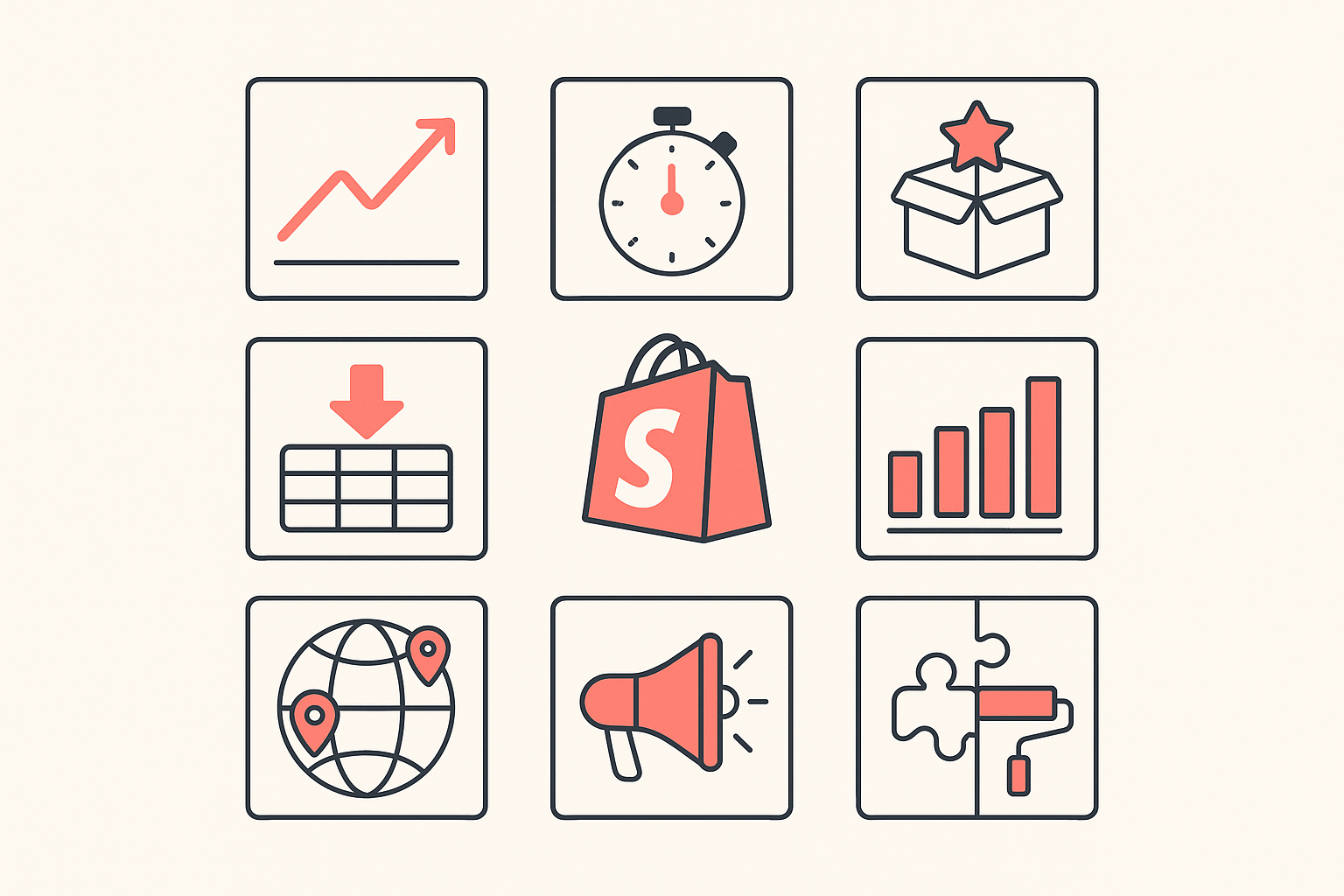
The listing groups its features into nine blocks. Here is what each one claims, in plain terms.
Sales tracking. Sales performance for any Shopify store, with real-time sales trends and best-sellers. Like every extension in this category, those figures are modeled from public signals rather than pulled from a merchant's dashboard, so read them as directional rather than exact. We wrote a longer explainer on how Shopify revenue estimates are calculated if you want the reasoning behind that.
Live sales tracker. A running view of sales as they land on a store, aimed at spotting which product is currently moving.
New product tracker. Flags newly added products so you can see what a competitor just launched.
Product scraper and spy. Bulk export of products and their variations to CSV or XLSX, in a Shopify-compatible or WooCommerce-compatible format, plus product images as a zip. This is the block the listing pushes hardest, and it is aimed squarely at people rebuilding a competitor's catalog in their own store.
Product analysis and statistics. Breakdowns by collection, price range including variants, published date, and groupings by product type, supplier and label.
Store analysis. Store name, theme name, country, language, currency, first and last release date, minimum, maximum and average product price, the social channels the store runs, and totals for products and collections.
Traffic analysis. Traffic sources by geolocation and monthly traffic trends.
Ads. The ads a competitor is running, active and inactive, framed as creative inspiration.
Apps and themes. The listing does claim app and theme detection, described as revealing the apps driving sales in a competitor's store and the theme behind its design.
That last block matters, because app and theme detection is the part most sales-tracker extensions skip entirely. UUSpy claims it. The open question is not whether it is on the feature list, but whether a build frozen since 2023 still recognises the app and theme landscape sellers are looking at in 2026.
How sellers actually use it
A tool like this earns its slot in a product-research routine at three moments.
Validating a product before you commit. You find a product in an ad or a trend feed, open the stores selling it, and look at whether the item shows up in the best-seller position or buried in the catalog. A live sales signal separates a product that a store is genuinely pushing from one it happens to stock.
Reading a competitor's launch rhythm. The new product tracker tells you how often a store adds SKUs. A store shipping new products weekly is testing hard, and its catalog is a running list of what did not stick as much as what did.
Building a catalog fast. The CSV and XLSX export in Shopify-ready format is the reason a lot of people install this class of extension in the first place. It is also the feature to be most careful with. Copying a competitor's catalog wholesale gets you their products without their margins, their supplier terms, or the app stack that converts their traffic.
That third point is where a sales counter stops being enough. Knowing what a store sells is the easy half. Knowing how the store is built, which apps run its upsells, reviews, bundles and email capture, and which theme its checkout flow sits on, is the half that explains why the same product converts for them and not for you.
Free versus paid: what the listing does and does not say
Here is the honest answer: the Chrome Web Store listing publishes no pricing at all. No plan names, no monthly price, no usage caps, no trial terms. The original UUSPY description on the mirrors called the tool free. The current UNISPY listing simply does not address it.
That is not automatically a red flag, since plenty of extensions keep pricing on their own site. It does mean you cannot answer "what does this cost me" before you install and create an account, and you should assume the deeper features sit behind something.
Compare that with what you can check before installing anything from us. Koala Inspector publishes its whole pricing page up front: a free plan with 15 tokens a month and no credit card, and Premium at $22 a month with 220 tokens and tracking for up to 50 stores. App detection, theme detection, store analysis, product browsing and best-sellers cost zero tokens on every plan, including the free one.
Browser and platform support
Browser. Chrome, from the Chrome Web Store. The listing is a Chrome extension at version 2.1.2, 1.26 MiB, published in 13 languages including English, Spanish, French, German, Italian, Swedish, Russian, Arabic, Vietnamese, Chinese, Japanese and Korean. Because it is a standard Chrome item, it will also load in Chromium-based browsers that accept Chrome Web Store extensions, though the listing makes no promises there.
Ecommerce platforms. The current UNISPY listing describes itself as a Shopify store analytics tool throughout, and every feature block is written against "any Shopify store". The wider platform support of Shoplazza and Shopline appears only in the older UUSPY description carried by the download mirrors, not in the live listing. If you are researching a non-Shopify store, do not count on it.
The listing also carries the standard independence notice: UNISPY was developed by the UNSPY Team and is not affiliated with or endorsed by Shopify Inc.
The practical limits
Four things stand out on the listing itself, and all four are checkable in ten seconds before you click add.
It has not shipped an update since September 1, 2023. Version 2.1.2 is the current build. Shopify's app ecosystem, theme releases and storefront conventions have moved on considerably since then, and a detection tool that stops shipping stops keeping up.
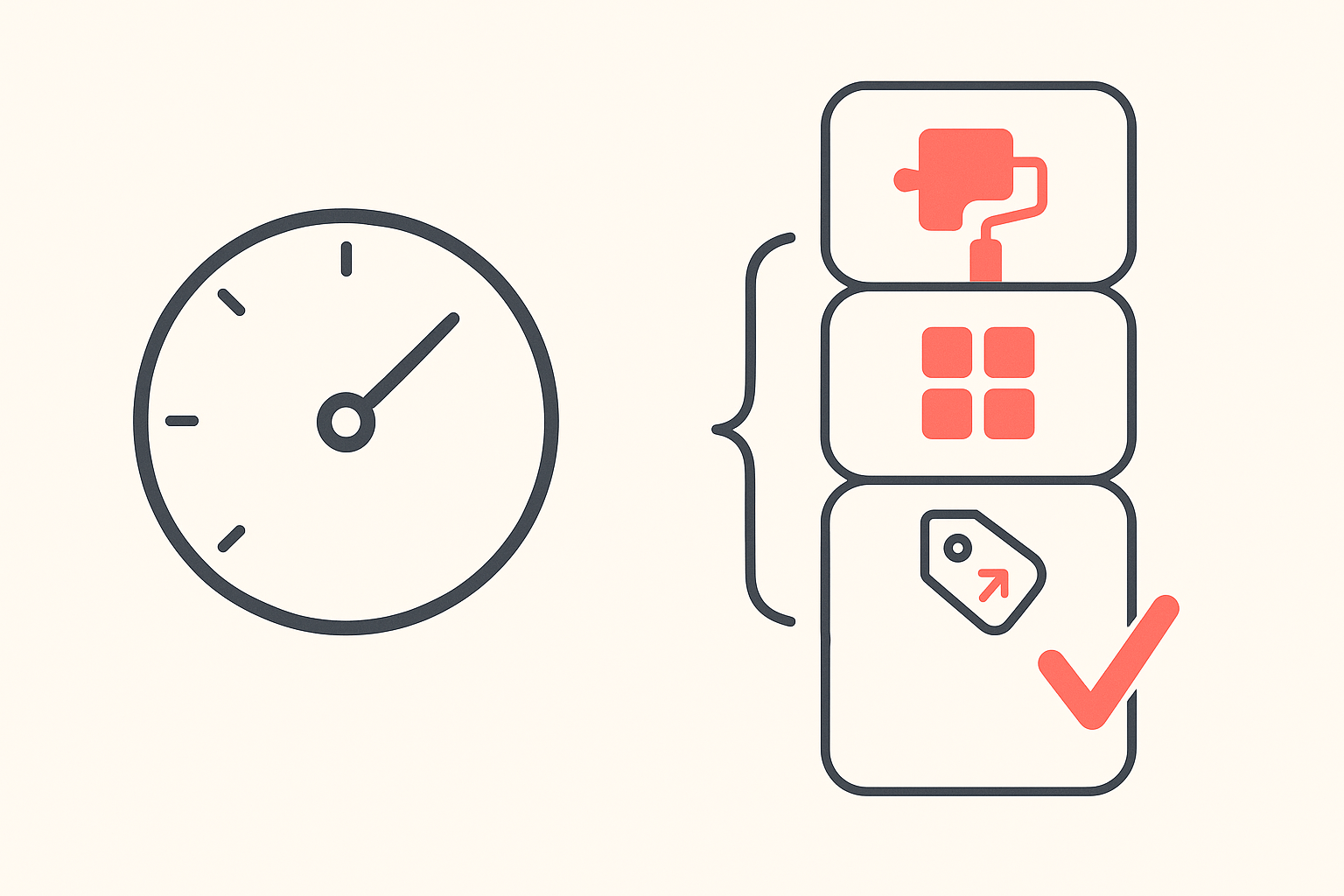
The rating is 1.8 out of 5, from 19 ratings. That is a small sample, so do not read it as a verdict on every feature. It is still the lowest rating in this category by a wide margin. For scale, Koala Inspector sits at 4.7 out of 5 from 741 ratings with 200,000 users, and carries the Chrome Web Store Featured badge.
Install base is 8,000 users. Small for a tool marketed as "#1 Shopify Store alihunter Analysis Tool".
Estimates are estimates. No third-party extension can see a merchant's real numbers. Use sales figures to rank and compare stores, never to quote revenue.
None of that makes the tool useless. It does mean you should not build a research routine on top of a build that stopped moving three years ago.
UUSpy vs Koala Inspector
Both are Chrome extensions, both open on a Shopify store, and both report sales signals. The gap shows up in what happens after the sales counter, and in whether anyone is still maintaining the thing.
| What you need | UUSpy / UNISPY | Koala Inspector |
|---|---|---|
| Sales estimates and best-sellers | Yes | Yes |
| New product tracking | Yes | Yes, with a change log per tracked store |
| Bulk product export | CSV / XLSX / image zip | CSV export |
| Installed app detection | Claimed on the listing | Yes, free, no tokens |
| Active theme detection | Claimed on the listing | Yes, free, with a link to the theme |
| Price change alerts on a competitor | Not listed | Yes, via shop tracking |
| Traffic profile | Yes | Yes, with sources, keywords, demographics and geography |
| Competitor ad campaigns | Yes | Yes, Google and Facebook / Instagram |
| Published pricing before you install | No | Yes, free plan and $22 Premium |
| Last updated | September 1, 2023 | Actively maintained |
| Chrome rating | 1.8 / 5 (19 ratings) | 4.7 / 5 (741 ratings) |
Four rows carry the decision.
The app stack. Open Koala Inspector's Shopify app detector on any store and you get every app it runs, grouped by type, with a link straight to each one in the Shopify App Store. That is the conversion machinery behind a competitor's numbers: the upsell app, the review widget, the bundle builder, the email capture. It costs zero tokens, on the free plan, forever.
The theme. The theme detector names the active theme, including paid and custom ones, and links you to it in the Shopify theme store so you can run the same storefront. Also free.
The catalog. Browse a store's full product list or filter straight to likely best-sellers, with prices, variations, price range and first-published date, then favorite the products you want to come back to. Sort, search, export.
The pricing moves. This is the row nobody else fills. Add a competitor to shop tracking and Koala Inspector logs what changes over time: apps added or removed, a theme switch, new or pulled products, price changes and variant changes, across more than ten event types. A competitor quietly cutting a price or swapping in a new upsell app is a decision you want to see the week it happens, not the quarter after.
If your research stops at "how much is this store selling", almost any tracker will do. If it needs to answer "how is this store built and what did they change last week", that is a different tool.
Install Koala Inspector free and open it on the next competitor store you look at. No card, 15 tokens a month, and the app and theme detection never touch them.
Comparing more of the category first? Our breakdowns of PPSPY and Ali Hunter use the same format, and the Shopify spy tools roundup puts the whole field side by side.
Frequently asked questions
Is UUSpy free? The extension is free to add from the Chrome Web Store, and the listing publishes no prices, no plan names and no usage limits, so you cannot tell from the listing where the free part stops. Koala Inspector publishes its plans openly: a free tier with 15 tokens a month and no card, and Premium at $22 a month.
Is UUSpy safe to install? The UNISPY listing declares that it handles personally identifiable information, and states the developer does not sell your data to third parties, does not transfer it for purposes unrelated to the extension's core function, and does not use it for creditworthiness or lending. Weigh that against the listing's own signals: version 2.1.2 dated September 1, 2023, and a 1.8 out of 5 rating from 19 ratings. Read the privacy section and the reviews on any store listing before you add it.
Does the store owner know when you look at their store? No. A store research extension reads the same public signals any visitor's browser can already see, and nothing notifies the merchant. It also means no extension of this type can reach a store's private Shopify admin, which is why every sales number you see in one is a modeled estimate.
Is UUSpy the same as UNISPY? Searching either spelling lands you on the Chrome Web Store listing published as UNISPY by unispy.io. The old UUSPY title survives on third-party download mirrors, its Chrome Web Store item no longer loads, and the uuspy.net domain no longer resolves. In practice, UUSpy is the old name people still type.
What should I use instead of UUSpy? Koala Inspector, rated 4.7 out of 5 from 741 ratings with 200,000 users. It detects a competitor's installed apps and active theme for free with no card, browses their full catalog and best-sellers, and adds traffic, ad campaigns and ongoing tracking that logs app changes, theme switches, new products and price moves.
Does UUSpy work on WooCommerce or other platforms? The live listing is written entirely around Shopify stores. Broader platform support appears only in the older UUSPY description on download mirrors, not in the current listing, so do not rely on it. Koala Inspector is Shopify-focused too and tells you plainly when a site is not a Shopify store.
A sales number tells you a store is winning. The apps, the theme and the price changes tell you why. Add Koala Inspector to Chrome and check both sides on your next competitor.
Written by
Assaf Shalin
Co-founder & Developer, Koala Apps
Assaf Shalin is a co-founder of Koala Apps and one of the developers behind Koala Inspector. He builds the tools that let Shopify sellers see what is actually working in other stores, from installed apps and themes to best-selling products. On the blog he covers the technical side of store research: how competitor research really works, what public store signals can and cannot tell you, and how to turn them into decisions.
Connect on LinkedIn