Shopify Plugins: The 8 Categories Stores Actually Install
 By Ana GelevskaSeptember 28, 2026 · Updated October 28, 2026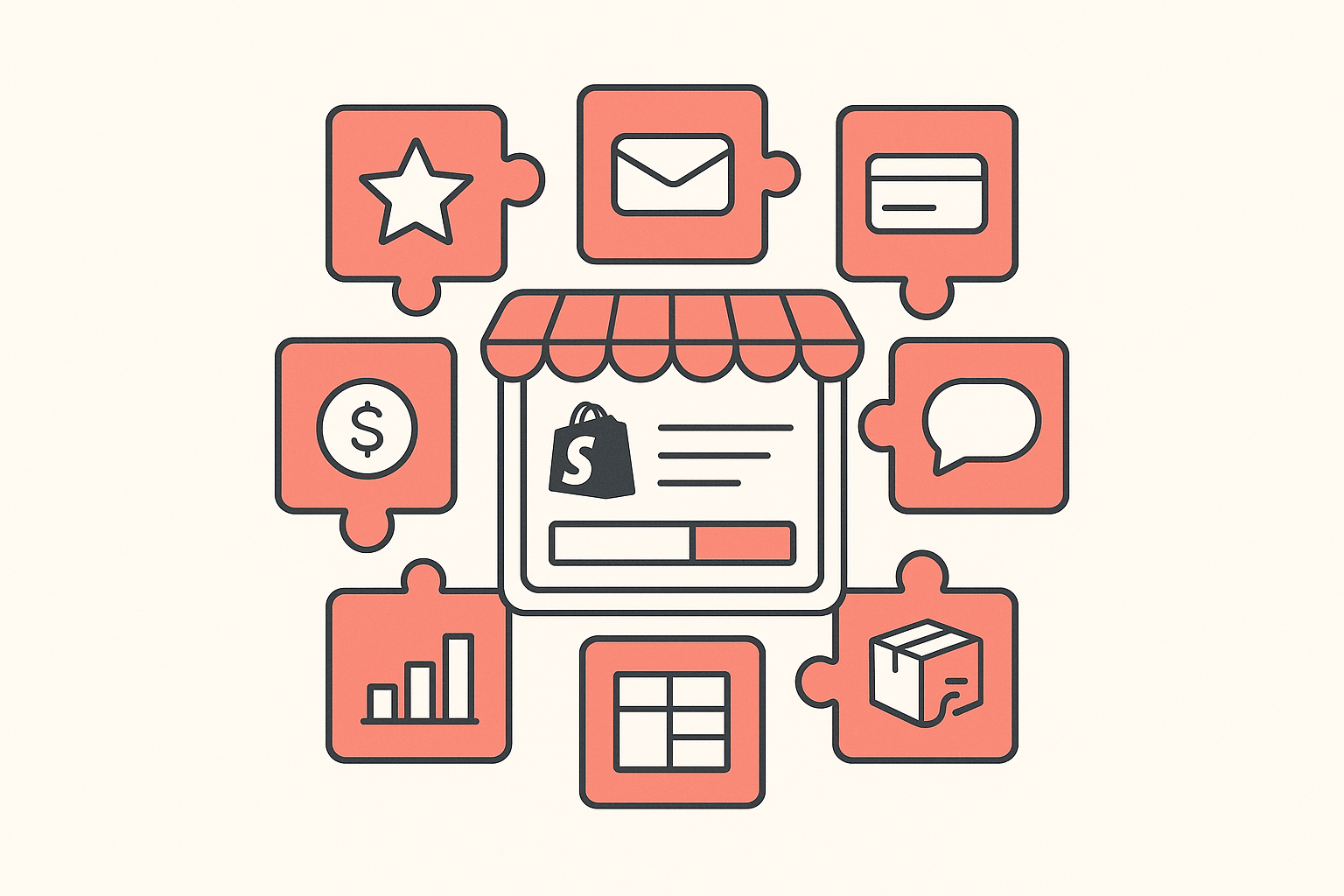
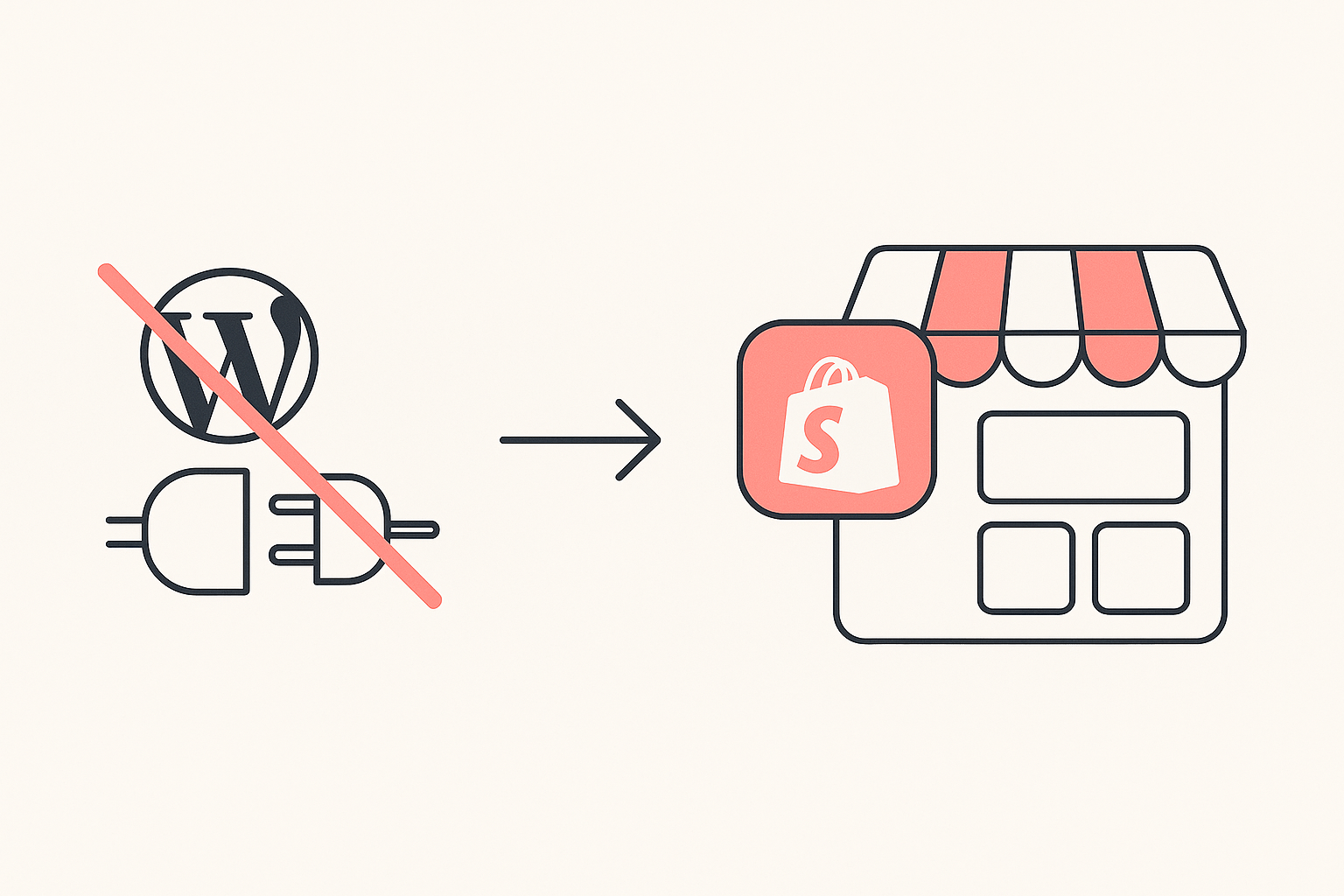
Search for Shopify plugins and you get the Shopify App Store as the first result, which is the platform's way of telling you the word does not exist here. Shopify has no plugin system in the WordPress sense: Shopify's own documentation says you install apps from the Shopify App Store, and that most of them are built by third-party developers rather than by Shopify.
The consequence is practical. Because Shopify apps mostly do their work on the storefront rather than behind a login, the stack a store runs is visible from the outside. You can look at the store that keeps outranking you and read its app list the same way you read its prices.
This guide is the category tour. Eight categories, the leading app in each, and a number beside every one of them: how many of the Shopify stores Koala tracks are running it right now. Those counts come from Koala's own store data, so they describe the stores Koala tracks rather than all of Shopify, and they are a lot more useful than a "best of" list written from the App Store's own featured shelf.
The eight categories at a glance
| Category | Leading app in Koala's data | Tracked stores |
|---|---|---|
| Product reviews | Judge.me Product Reviews App | 1,052 |
| Email and SMS marketing | Klaviyo: Email Marketing & SMS | 751 |
| On-site payment messaging | Klarna On-Site Messaging | 500 |
| Customer chat | Shopify Inbox | 410 |
| Currency and translation | BUCKS Currency Converter PRO++ | 387 |
| Analytics and session insight | Microsoft Clarity: AI Insights | 348 |
| Page building | PageFly AI Page Builder | 346 |
| Order tracking | CWILL Order Tracking | 249 |
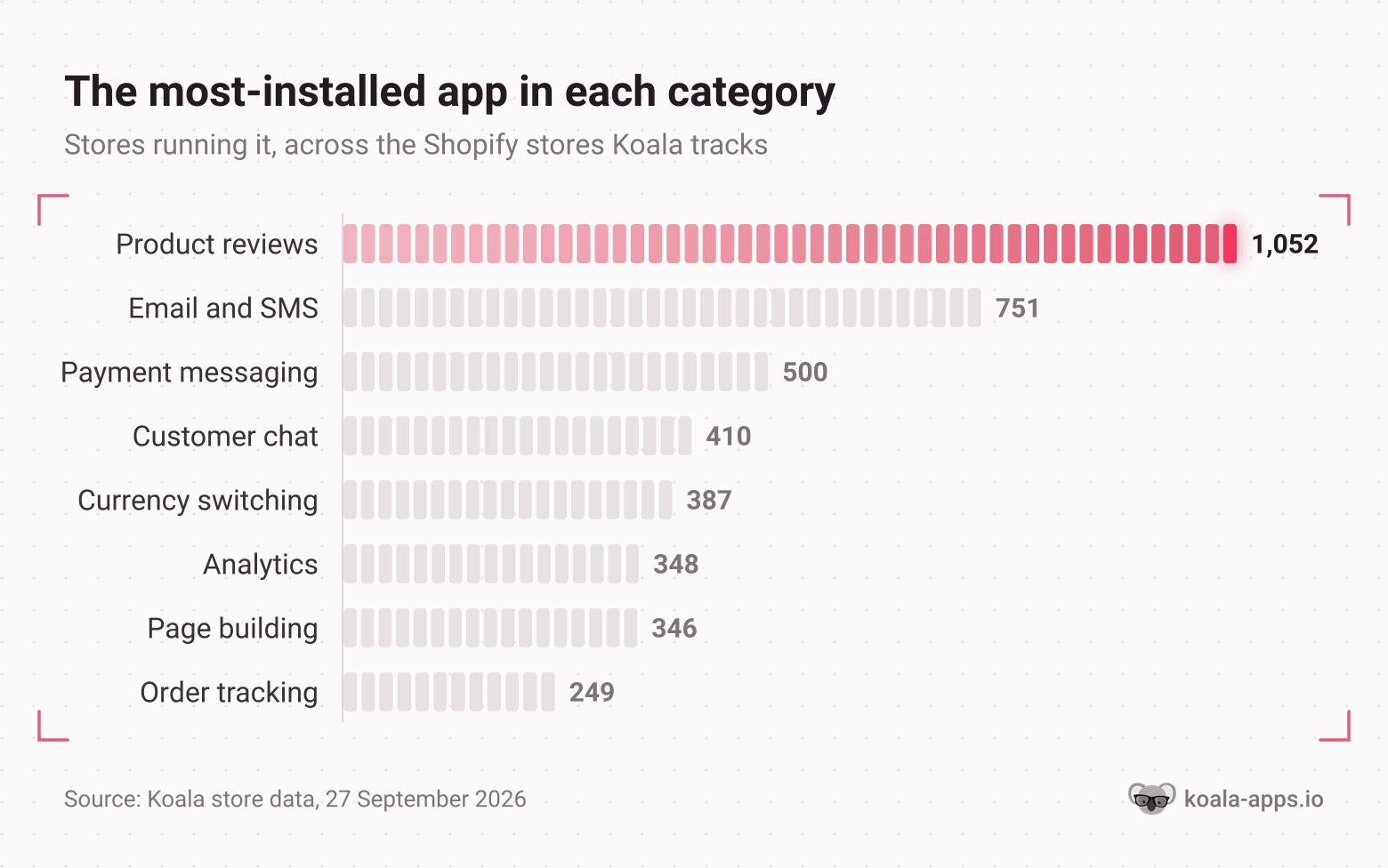
Read the gaps, not just the order. Reviews sit 40% clear of email, and email sits 50% clear of everything below it. Those two categories are where a store's app budget goes before anything else, and both of them exist for the same reason: a product page with no social proof and no way to capture an address is a page that only converts people who already trusted you.
1. Product reviews: 1,052 stores
The most-installed category by a wide margin, and the one to fix first. Judge.me leads on 1,052 tracked stores and carries a 5.0 rating from 47,592 reviews on its App Store listing, with a free plan. Loox is the runner-up at 326 tracked stores, rated 4.9 from 9,690 reviews, and leans on photo and video reviews specifically. A third listing, Shopify's own legacy Product Reviews app, still shows up on 299 stores.
Reviews are the written half of social proof and customer photos are the visual half, which is where Mintt Instafeed sits. It pulls a store's Instagram posts and Reels onto the storefront as a grid or slider and lets shoppers tag through from a post to the product, and it carries a 4.9 rating from 2,248 App Store reviews, a free plan and Shopify's Built for Shopify badge. Australian label Katharina Lou runs it as a section on its Ollyrose Dress page, so a shopper sees the dress on real customers at the moment they are deciding. The free plan includes automatic feed syncing, with unlimited views and no Mintt branding. Product tagging and the Shop Now button are available on the $8/month Pro plan, while tagged-post UGC is included on the Plus plan at $20/month.
What the category is for: turning an unverified claim on a product page into something a stranger will believe. If you sell anything a buyer can get elsewhere, this is the single highest-leverage install on the list. Our best Shopify apps guide goes deeper on which review app suits which catalogue.
2. Email and SMS marketing: 751 stores
Klaviyo is on 751 tracked stores and is free to install, rated 4.7 from 3,329 App Store reviews. It owns this category the way Judge.me owns reviews. Further down Koala's data you also find Shopify Forms on 243 stores, Brevo PushOwl on 130 and Mailchimp on 125.
What the category is for: owning the audience. Paid traffic rents attention, an email list keeps it. The flows that pay for themselves first are abandoned checkout, post-purchase and browse abandonment, in that order.
3. On-site payment messaging: 500 stores
Klarna On-Site Messaging is on 500 tracked stores, and it is free. The app does one thing: it puts "pay in four" style messaging on the product page and in the cart for merchants with an active Klarna account.
What the category is for: shrinking the visible price at the moment of hesitation. It is a conversion lever on higher-ticket carts and does close to nothing on a $19 product, which is why you see it clustered on furniture, electronics and apparel rather than everywhere.
4. Customer chat: 410 stores
Shopify Inbox is on 410 tracked stores, free, rated 4.5 from 5,789 reviews. Being first-party helps: it is already wired into orders and customer records, so a chat can answer "where is my order" without anyone copying an order number between tabs.
What the category is for: catching pre-purchase questions before the visitor leaves to ask nobody. The trap is staffing it. A chat widget nobody answers is worse than no widget, so set expectations in the greeting or set it to collect email instead.
5. Currency and translation: 387 stores
BUCKS Currency Converter PRO++ is on 387 tracked stores, rated 4.9 from 1,253 reviews, with a free plan. Shopify's own App Store groups currency converters under store design alongside SEO, translation and trust badges.
What the category is for: showing a visitor in Sydney a price in Australian dollars. The counts here are a decent signal that a lot of the stores Koala tracks sell internationally, because nobody installs a currency switcher for a single-market catalogue.
6. Analytics and session insight: 348 stores
Microsoft Clarity is on 348 tracked stores and is free outright, rated 4.6 from 2,247 reviews. It records sessions and draws heatmaps, which answers a different question from Shopify's built-in reports: those tell you what happened, session replay tells you where it went wrong. wetracked.io Connect appears on another 128 tracked stores.
What the category is for: watching real people fail at your checkout. Thirty minutes of replay on your worst-converting product page usually finds something no report would have surfaced.
7. Page building: 346 stores
PageFly is on 346 tracked stores, rated 4.9 from 5,895 reviews, with a free plan. Page builders exist because themes are designed for a generic catalogue and your best-selling product deserves a page built around it.
What the category is for: landing pages, custom product pages and campaign pages that the theme editor cannot produce. Use it deliberately, because a heavy builder section on every page is one of the faster ways to lose the speed you spent money on. Our guide to a good Shopify speed score covers what actually moves that number.
8. Order tracking: 249 stores for the leader, 595 across three apps
This category looks small until you add it up. Three separate order-tracking apps sit inside the top sixteen of Koala's data: CWILL on 249 tracked stores, 17TRACK on 196 and Track123 on 150, which is 595 installs between them. Track123 is rated 4.9 from 1,728 reviews and has a free plan.
What the category is for: a branded tracking page on your own domain instead of a carrier site, plus the support tickets you stop receiving. Shopify's App Store files this under orders and shipping with invoices, order printers and shipping labels.
How many apps does a store actually need
Across 300 top Shopify stores in Koala's data with a recorded app count, the median is 10 apps and the average is 11. The middle half of stores run between 6 and 15. The full range runs from zero to 40.
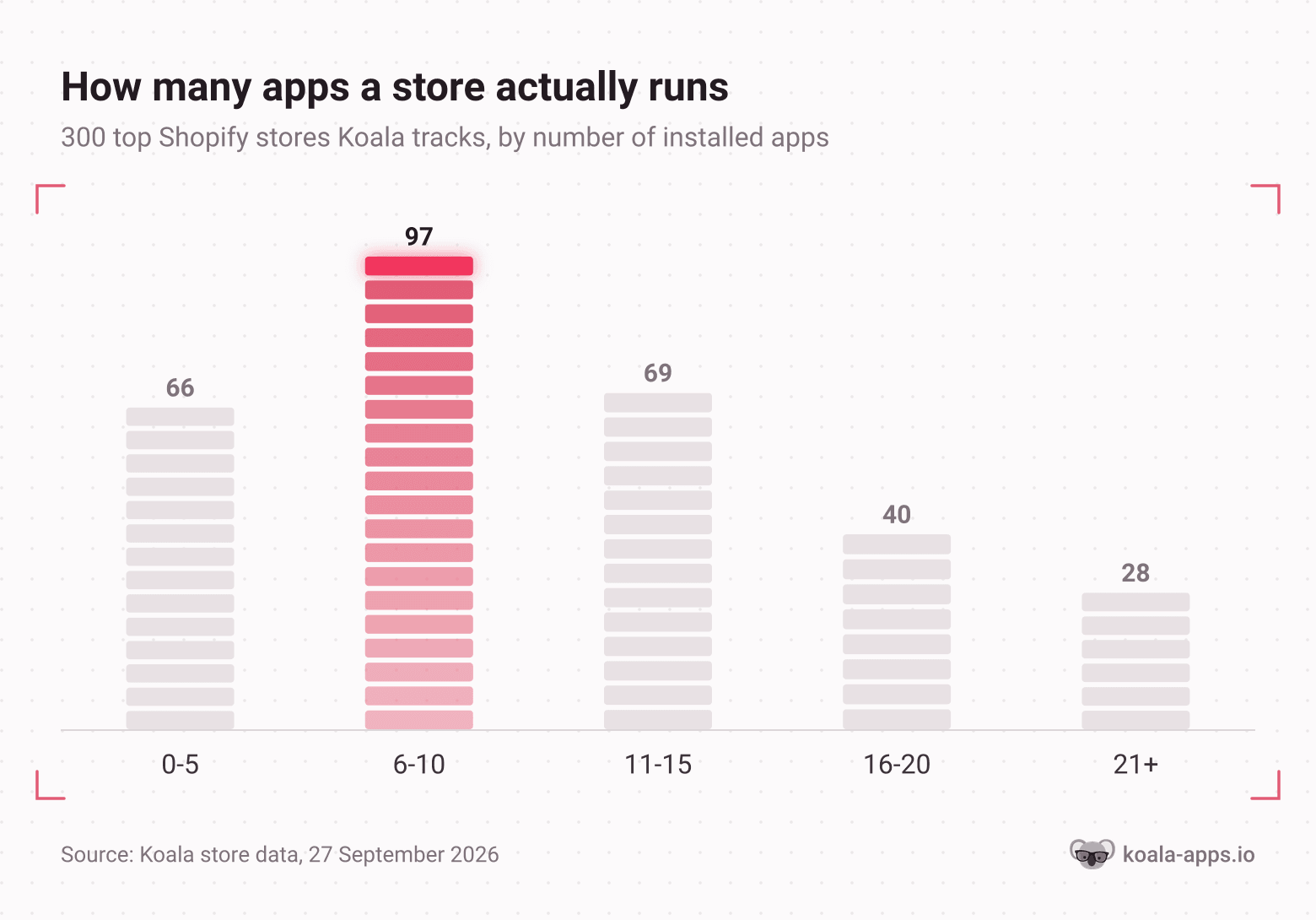
Ninety-seven of the 300 sit in the 6 to 10 band, and that is the honest answer to "how many do I need". Sixty-six stores run five or fewer, which means a lean stack is completely viable at the top end of the market. Twenty-eight run 21 or more, and that tail is where app bills stop being rounding errors.
Three things follow from that shape:
- Ten is a target, not a floor. If you are at four apps and the numbers are fine, you do not have a problem to solve.
- Every app is a recurring bill and a script on your storefront. Two of the three costs are obvious and the third one, page weight, is the one that quietly taxes every visitor.
- Audit by category, not by app. Two apps doing reviews, or an upsell app plus a bundle app plus a cart-drawer app, is the usual way a stack drifts to 25.
The practical version: once a quarter, list your installed apps next to the eight categories above. Anything that does not map to a category you can name a purpose for is a subscription to cancel.
See any competitor's full app list, free
Here is where the terminology point pays off. You cannot read a competitor's dashboard, but you can read their storefront, and their app stack is part of it.
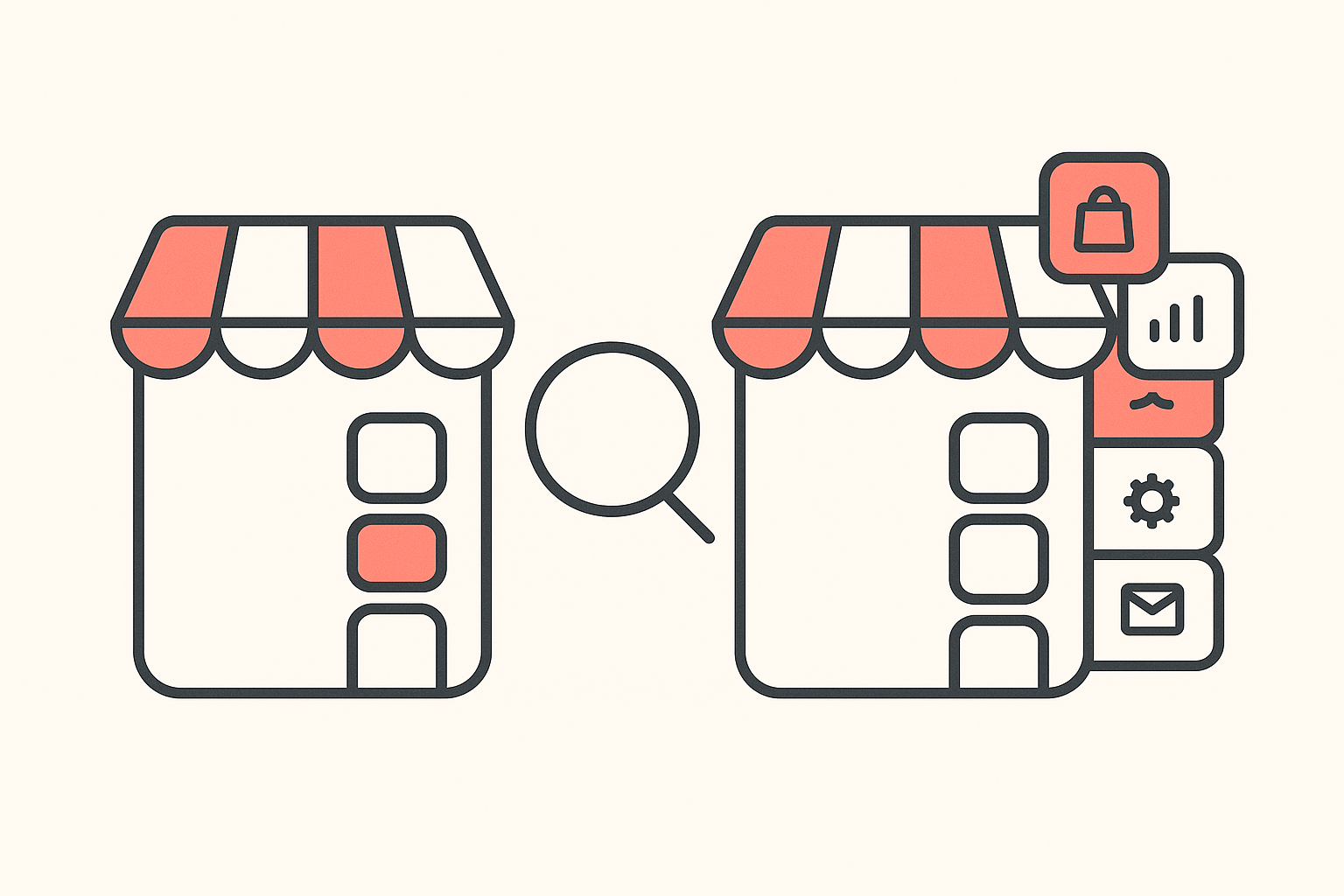
Struggling to work out why the store above you converts better is one of the most common complaints in merchant communities, and it is usually treated as a branding problem. Often it is a stack problem, and a stack is checkable in a minute.
Two ways to do it:
In the browser, on any store. Koala Inspector is a free Chrome extension. Open any Shopify store, click the icon, and the app detector lists every app that store is running, grouped by type, with a link out to each one's App Store listing. It costs nothing and no tokens, and it sits beside the free theme detector, the full product catalogue and the likely best-sellers on the same dashboard.
Without installing anything. Paste a store URL into our free Shopify app detector and get the same list in the browser.
What to do with the answer. Line their categories up against your eight. A gap on their side is an idea you can test this week. A category where they run something and you run nothing is the cheapest hypothesis you will get all month, because somebody already paid to find out it works.
What merchants say about Koala Inspector
Verified reviews from the Chrome Web Store.
“Awesome customer support. Insights into store AOV, products, traffic and campaign tracking is extremely helpful!”
 Gabe Abramovich
“Invaluable for competitive insights, Koala Inspector is easy to navigate and helps stay ahead in the Shopify marketplace.”
 Merico Monaldo
“Very easy to use and install. Helps with identifying Shopify stores quickly and saves time by listing best sellers. Also has handy feature of the traffic which I found very valuable.”
 Ali Baloch
If you want to watch a store over time rather than take one snapshot, Shop Tracking records when a store adds or removes an app, changes theme, adds products or moves prices. That one is a paid feature at 15 tokens per store, with up to 50 stores on Premium. Everything described above it is free forever.
Start with the store that is beating you
You now know the eight categories and roughly how many apps a healthy store runs. The fastest way to turn that into a decision is to stop guessing which ones apply to you and go and look at a store that already sells your product well.
Install Koala Inspector free, open your closest competitor, and read their app list against the table above. The free plan includes 15 tokens a month with no card, and the app detector, theme detector, catalogue and best-seller reads never cost a token. Premium is $22 a month with 220 renewing tokens if you research at volume. Plans and token costs are current as of September 2026; the pricing page carries the live figures.
Three stores, ten minutes, and you will know exactly which category you are missing.
Shopify plugins: FAQ
What merchants ask before they start installing.
How much does Shopify cost?+
Shopify's own pricing page lists Basic at $29 a month, Grow at $79, Advanced at $299 and Plus from $2,300, with card rates starting at 2.9% plus 30 cents on Basic and falling as you move up. Apps sit on top of that and are the part most people underestimate. A store running the eight categories in this guide on paid tiers can easily add $100 to $300 a month, though several of the most-installed apps have genuinely usable free plans, including Judge.me, PageFly, Track123 and Microsoft Clarity, which is free outright.
What is Shopify and how does it work?+
Shopify is a hosted ecommerce platform. You pay a monthly subscription and get a storefront, a checkout, product and inventory management, and payment processing without running any servers yourself. You pick a theme for the look, add products, connect a domain, and Shopify handles hosting, security and the checkout flow. Anything the platform does not do natively comes from an app installed from the Shopify App Store, which is why the app stack is where stores differ from each other.
Can Shopify spy on sales?+
No tool reads another merchant's admin dashboard, and any product claiming to show you a competitor's exact revenue is overselling. What is genuinely visible is the storefront: the apps a store runs, its theme, its full product catalogue, its price points and its likely best-sellers. Koala Inspector reads that public layer and models traffic and sales estimates from signals any visitor's browser can already see. Treat the estimates as direction and scale, and treat the app and product lists as fact, because those are read straight off the storefront.
What Shopify apps or tools do you know?+
Across the Shopify stores Koala tracks, the most-installed apps are Judge.me Product Reviews on 1,052 stores, Klaviyo for email and SMS on 751, Klarna On-Site Messaging on 500, Shopify Inbox for chat on 410, BUCKS Currency Converter PRO++ on 387, Microsoft Clarity for analytics on 348 and PageFly for page building on 346. Order tracking is split across three apps, CWILL on 249, 17TRACK on 196 and Track123 on 150. Loox is the second review app at 326. That is a snapshot of the stores Koala tracks rather than a global Shopify ranking.
Can I use my own domain name with Shopify?+
Yes. Every store gets a myshopify.com URL at signup, and Shopify's own documentation says you can use a custom domain bought from Shopify or from any third-party provider. You connect it from the Domains page in your admin and it becomes the address customers see. You can also change the myshopify.com name itself, but only once, so pick carefully. No app is required for any of this.
How do you use Shopify for beginners, step by step?+
Start the free trial and pick a plan. Choose a theme and set your brand basics. Add three to five products with real photographs, honest descriptions and correct shipping weights. Set up payments and tax, then connect a custom domain. Place a full test order through your own checkout. Only then install apps, and install them one category at a time: reviews first, because an empty product page converts badly, then email capture, then whatever your checkout data says is leaking. Adding ten apps before the first sale is the most common beginner mistake.
Sources
- Shopify Help Center: apps for your Shopify store - Shopify's own terminology, and the note that most apps are built by third-party developers.
- Shopify Help Center: domains - the myshopify.com URL, custom domains from Shopify or a third-party provider, and the one-time rename.
- Shopify pricing - Basic, Grow, Advanced and Plus rates and card fees, September 2026.
- Shopify App Store categories - how the store itself groups apps, including order tracking under orders and shipping and currency converters under store design.
- Shopify App Store listings for ratings, review counts and free-plan availability: Judge.me, Klaviyo, Klarna On-Site Messaging, Shopify Inbox, BUCKS Currency Converter, Microsoft Clarity, PageFly, Loox, 17TRACK, Shopify Forms and Track123.
- Install counts and app-count distribution are Koala's own store data across the Shopify stores Koala tracks, 27 September 2026. They describe that tracked set, not all of Shopify.
- Koala Inspector feature, plan and token details are from the product's current plans and pricing, September 2026.
Written by
Ana Gelevska
eCommerce Content Writer
Ana Gelevska is a content writer with more than five years of experience creating content for eCommerce brands and global clients. She digs into each topic and the people it is for, then turns it into clear, useful articles that Shopify sellers and dropshippers can act on.
Connect on LinkedIn