Dawn Shopify Theme Review
 By Ana GelevskaJune 6, 2025 · Updated June 4, 2026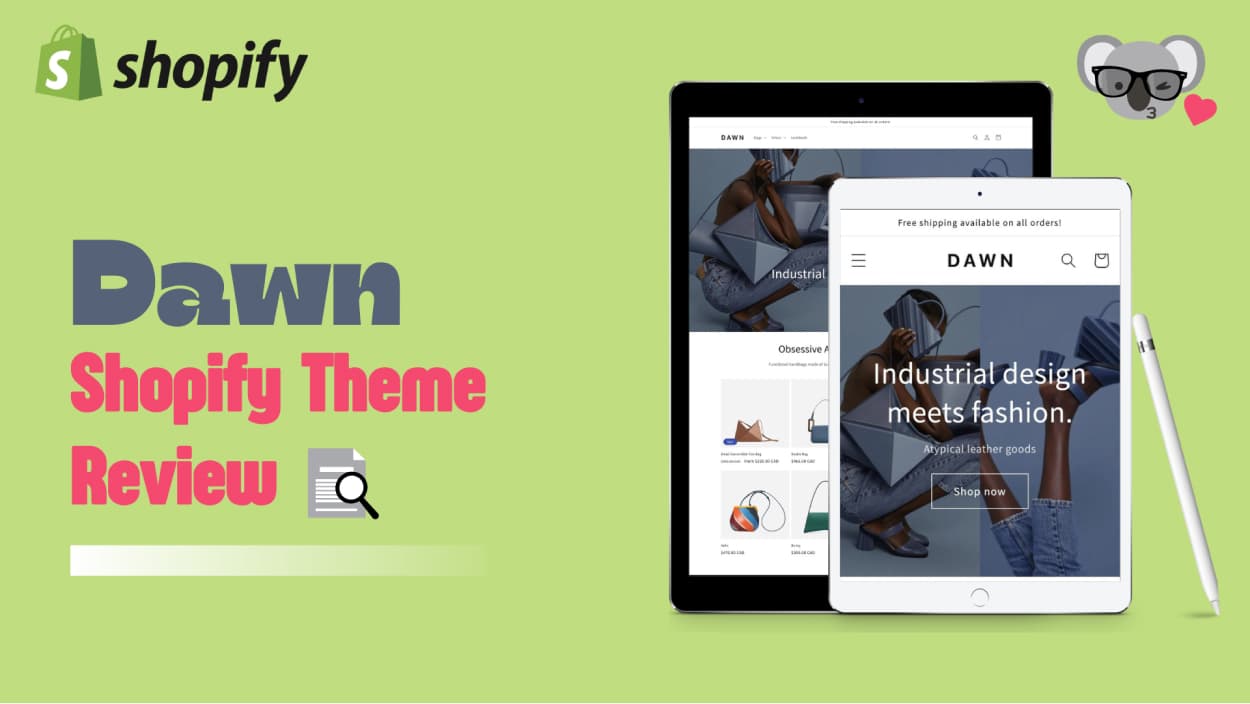
Dawn Theme Overview
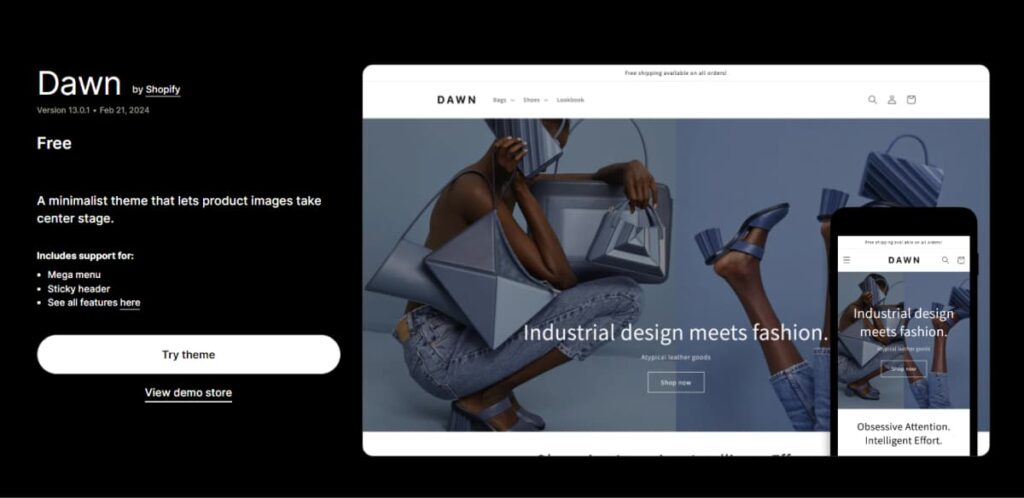 Dawn is Shopify's default free theme and the one most new stores start with. It has a clean, minimal layout, ships with every Shopify account, and gets updated regularly. Because it's the default, Shopify tends to roll out Online Store 2.0 features to Dawn first, so it stays current.
That said, "free and current" doesn't mean it's the right pick for every store. Dawn scores 67/100 on Google Lighthouse mobile and only has a 31% approval rating across 173 Shopify Theme Store reviews at the time of writing. It covers the basics well but has real gaps once you need anything beyond a standard catalog layout.
Theme Details
Developer - Shopify Price - Free Theme Styles - 3 styles (Default, Cool, Warm) Shopify 2.0 compatible - Yes Speed - 67/100 Rating - 31% (173 reviews)
Theme Features
- Responsive design for all screen sizes
- Clean and minimalistic design
- Quick setup with easy customization options
- Mega menu for organized category display
- Metafields for extended product descriptions
- Quick buy and cart notes
- Product filtering and sorting options
Pros
- Completely free, including updates
- Easy to use, even for beginners
- Free trial period available
- Official Shopify customer support
- Good loading time and optimized code
- Flexible for various store types
Cons
- Limited homepage design and customization options
- Lack of built-in advanced features
- May require additional apps for specific functionalities
Who Is the Theme For
- New merchants on a tight budget
- Food stores
- Health & wellness businesses
- Fashion apparel and accessories stores
- Seasonal stores (e.g., Halloween)
- Homeware and décor shops
- Stores prioritizing essential e-commerce features
- Businesses looking for a balance between performance and functionality
Try Koala Inspector's Theme Detector: Do you want to find your competitors' Shopify themes? Install Koala Inspector now and with the help of the theme finder feature, discover all of the themes that have become a success story in your industry.
Key Features
Here are 7 features that make Dawn a reasonable starting point for most new stores. The theme covers the core functionality an e-commerce store needs without requiring extra configuration to get started.
Responsive design and loading time
Dawn adapts cleanly to desktops, tablets, and phones. The code is lightweight compared to heavier premium themes, which helps with load speed. That said, 67/100 on mobile Lighthouse puts it in the mid-range of Shopify themes rather than at the top.
A clean and minimalistic design
Dawn keeps the layout uncluttered, which works in your favor when your product images are strong. The design puts the product front and center and gets out of the way. One downside: because Dawn is so common, a store using the default settings can look generic to shoppers who browse a lot of Shopify stores. Some customization is necessary to give your brand a distinct look.
Quick setup
Dawn is the fastest path from a blank Shopify account to a working store. The drag-and-drop editor covers most standard configurations without touching code.
Mega Menu
Dawn's mega menu handles large catalogs without requiring a third-party nav app. You can group seasonal collections alongside evergreen items and keep category pages well-organized. With the Koala inspector tool, you can also see exactly how competitor stores structure their navigation.
Metafields
Dawn supports Shopify's metafields natively, so you can surface custom product data (materials, sizing details, certifications) directly on product pages without workarounds. This is particularly useful if you sell products that need more context than the standard title and description.
Quick Buy and cart notes
The quick-buy button lets customers add items without leaving the collection page, which reduces friction for repeat buyers. Cart notes give customers a way to add instructions or special requests at checkout, which can lower post-purchase messages and return rates.
Product filtering and sorting
Built-in filtering by price, availability, and product type works for most mid-size catalogs. If you have thousands of SKUs or need very granular filters, you will likely need a dedicated filter app.
What Are the Benefits of the Dawn Theme?
 Dawn is Shopify's default theme, built to align with Online Store 2.0 features. It offers fast load speed (relative to its feature set), a clean design, built-in accessibility support, and flexible customization via the theme editor. Here are the main reasons stores choose it.
It's Completely free
Dawn is free, and the free tier includes all updates. For new merchants testing their first product or working with a small budget, this removes one real cost. Premium themes on the Shopify Theme Store typically cost $180 to $380, so starting with Dawn while you validate your store makes financial sense.
Easy to use
Dawn works for merchants with no development background. The theme editor covers most common customizations through point-and-click controls. You can set up a complete store without writing any code.
Free Theme Updates
Shopify maintains Dawn actively. Updates cover new platform features, performance fixes, and accessibility improvements. Since Dawn is the reference implementation for Online Store 2.0, it tends to receive updates before other free themes.
Free Trial
Shopify's free trial period gives you time to build and test your store before paying for a plan. You can verify that Dawn fits your catalog structure and design needs before committing.
Customer Support
As an official Shopify theme, Dawn is supported by Shopify's support team directly. You can reach support through live chat, email, or phone. That official backing matters for troubleshooting, since community forums for Dawn are also active and well-documented.
Cons of Dawn Theme
 Dawn covers the basics, but it has genuine limitations that matter depending on your store's needs.
Limited Homepage Design and Customization
Dawn's homepage section options are narrower than most paid themes. You can rearrange existing sections and change colors and fonts, but creating a more elaborate layout or adding custom sections requires either a page builder app or a developer. That can turn a free theme into a moderately expensive one once you add those tools.
Lack of Built-in Advanced Features
Dawn omits features that many paid themes include by default: advanced product tabs, sticky add-to-cart bars, color swatch options, and cross-sell placements. You can cover some of these with apps, but each app adds monthly cost and potentially affects page speed.
Generic Appearance by Default
Because Dawn ships with every Shopify account, many new stores use it without significant customization. Experienced shoppers sometimes recognize the default layout. Taking time to adjust fonts, colors, and section layouts is necessary if you want your store to look distinct.
How Fast Is the Dawn Theme?
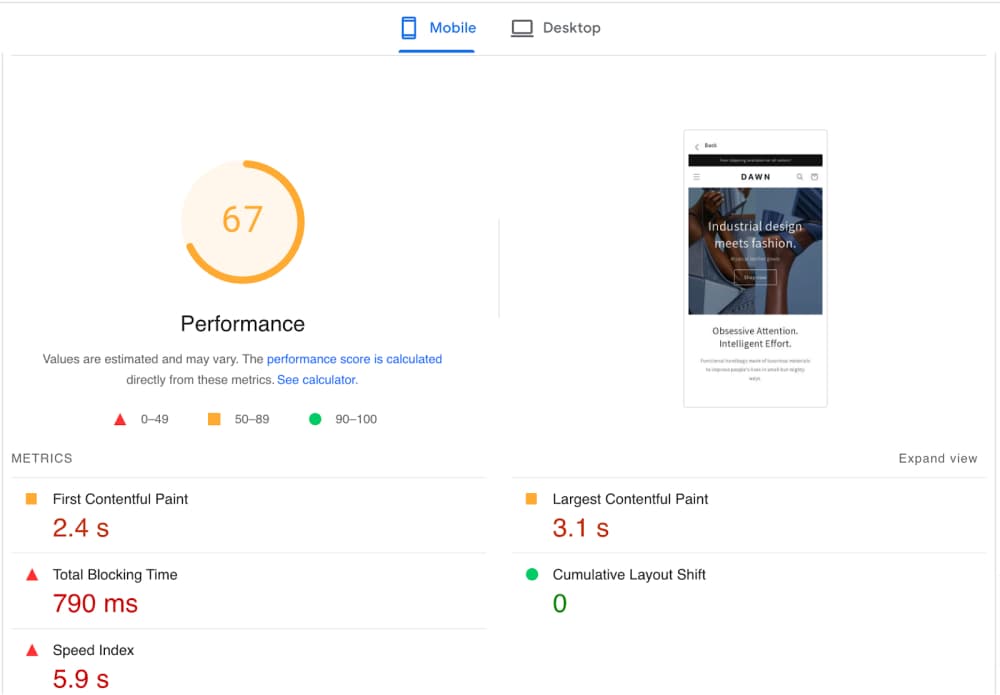 In our theme testing Dawn scored a 67/100 mobile page speed score using Google Lighthouse. That is mid-range for Shopify themes. Research ranking 100 popular Shopify themes found top performers scoring above 95 with average load times below 2.5 seconds. Dawn falls below that threshold.
What this number means in practice depends on your store. Theme code is one factor in page speed, but not the only one. The number of installed apps, image file sizes, and embedded third-party scripts all affect how fast pages actually load. A heavily-customized Dawn store with large images and 10 apps will load slower than a minimal store on a faster theme. If page speed is your top priority, there are faster free Shopify themes worth considering, such as Sense or Craft.
What Type of Stores Is Dawn Theme Best For?
The Dawn Shopify theme suits modern, minimal stores that prioritize clean product presentation over custom layouts. It works best for fashion, food, health, and lifestyle brands with good product photography. Here are the store types where Dawn performs best.
Food Stores
Dawn handles food product pages well. The image-focused layout makes it easy to display product photos prominently, and metafields support ingredients, nutritional information, or origin details without custom coding.
Health and Wellness
The clean, uncluttered design works naturally for supplement brands, skincare lines, and wellness products. The product filtering options are particularly useful for stores with multiple product lines where shoppers need to navigate by category or concern.
Fashion Apparel and Accessories
Dawn's gallery sections and zoom functionality suit apparel well. You can display multiple product shots per item, and the quick-buy feature speeds up checkout for high-volume shopping. The responsive layout means products look correct on mobile, where most fashion shoppers browse.
Halloween Stores
Dawn supports seasonal color and content changes through the theme editor. The sorting and filtering features help shoppers find costumes by size or category during a short seasonal window. Discover the best Halloween stores for 2024 here and get inspired.
Homeware and Decor
Dawn's grid-based collection layout displays home and decor products clearly, with enough image size to show texture and detail. Product metafields allow you to include dimensions, material specifications, and care instructions without cluttering the main description.
To Sum Things Up
Dawn is a solid starting point. It's free, kept current by Shopify, and covers everything a new store needs to launch. The 67/100 mobile speed score and 31% review rating reflect real tradeoffs. The theme is designed for simplicity, and that simplicity creates limits for stores that need more control over their layout or want advanced selling features built in.
For most merchants just starting out, Dawn is the right choice. As your store grows and you have a clearer picture of what your site actually needs, you may find yourself outgrowing it. At that point, using a theme detector tool like Koala Inspector to see what successful stores in your category are running can help narrow down what to switch to.
Written by
Ana Gelevska
eCommerce Content Writer
Ana Gelevska is a content writer with more than five years of experience creating content for eCommerce brands and global clients. She digs into each topic and the people it is for, then turns it into clear, useful articles that Shopify sellers and dropshippers can act on.
Connect on LinkedIn