PPSPY Chrome Extension: What It Tracks, What It Misses (2026)
 By Ana GelevskaJanuary 8, 2024 · Updated June 12, 2026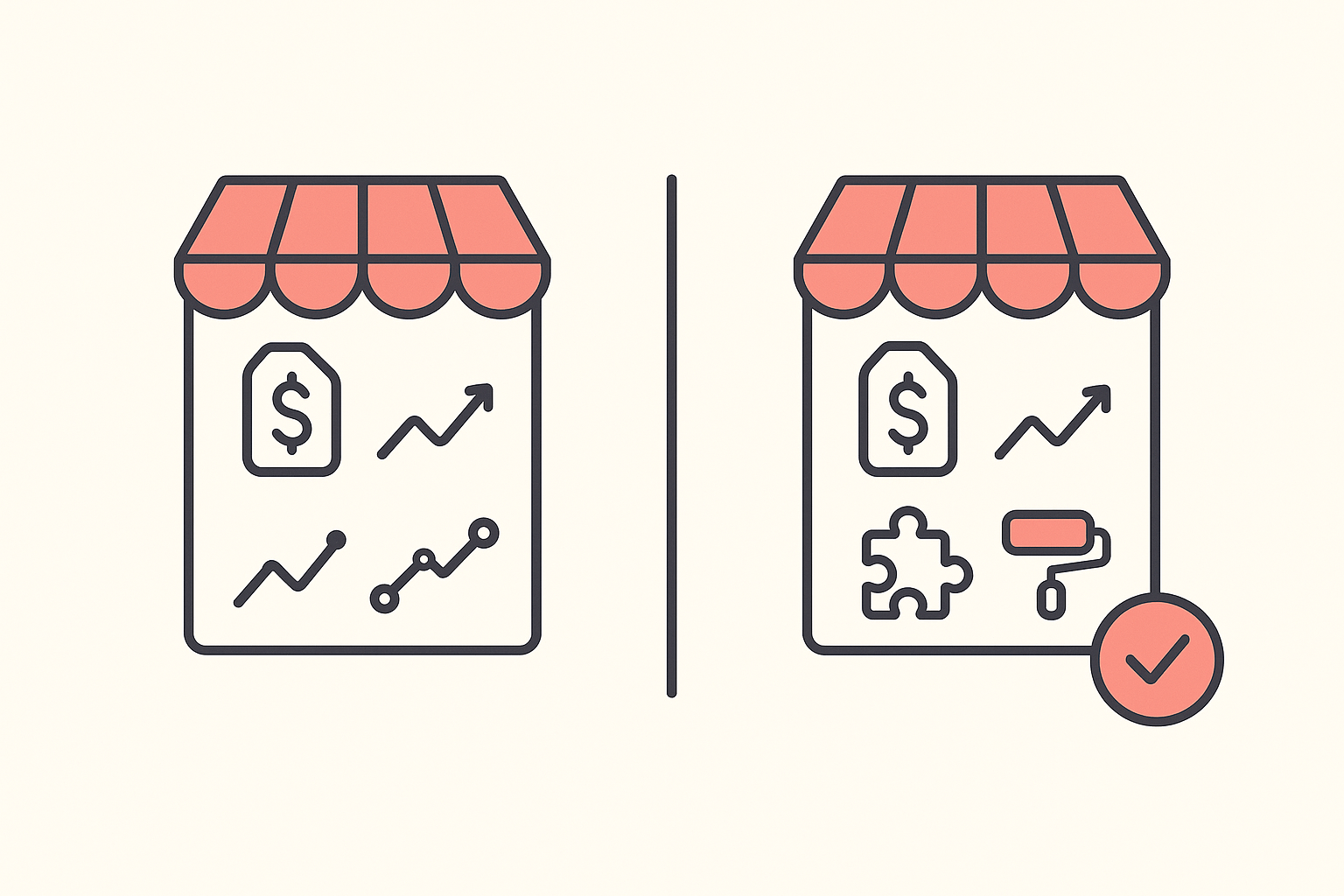
The PPSPY Chrome extension is a Shopify research tool that estimates a competitor's sales and maps out their product catalog. What it does not do is show you the apps or the theme a store runs, which is half of how a successful Shopify store is actually built. If you want sales signals plus a competitor's full tech stack in one free extension, Koala Inspector is the stronger pick, because it detects apps and theme on top of the store and product data PPSPY covers.
This guide walks through what the PPSPY extension tracks, how its pricing tiers break down, where it comes up short, and why the missing app and theme detection is the reason most researchers end up reaching for Koala Inspector instead.
Table of Contents
- Where Koala Inspector beats PPSPY
- What the PPSPY Chrome extension tracks
- PPSPY pricing tiers
- Where PPSPY falls short
- The app and theme detection gap
- Koala Inspector: the better pick
- PPSPY vs Koala Inspector at a glance
- Frequently asked questions
Where Koala Inspector beats PPSPY
Start with the gap, because it decides which tool you should install. When you research a competitor, two questions matter: what are they selling, and how is their store built? PPSPY answers the first. It does not answer the second.
Koala Inspector answers both. On any Shopify store it detects every installed app and the active theme, alongside the product catalog, likely best-sellers, traffic, and ad campaigns. A store's apps tell you how it runs upsells, email, reviews, and bundling. Its theme tells you which storefront it converts on, and whether you can buy the same one. That is the part of a competitor's playbook PPSPY leaves out, and it is the part you cannot reverse-engineer just by looking at their product pages.
Both tools start free. The difference is that with PPSPY the tech-stack picture is missing entirely, while Koala Inspector's Shopify app detector and theme detector are free features, no card required.
What the PPSPY Chrome extension tracks
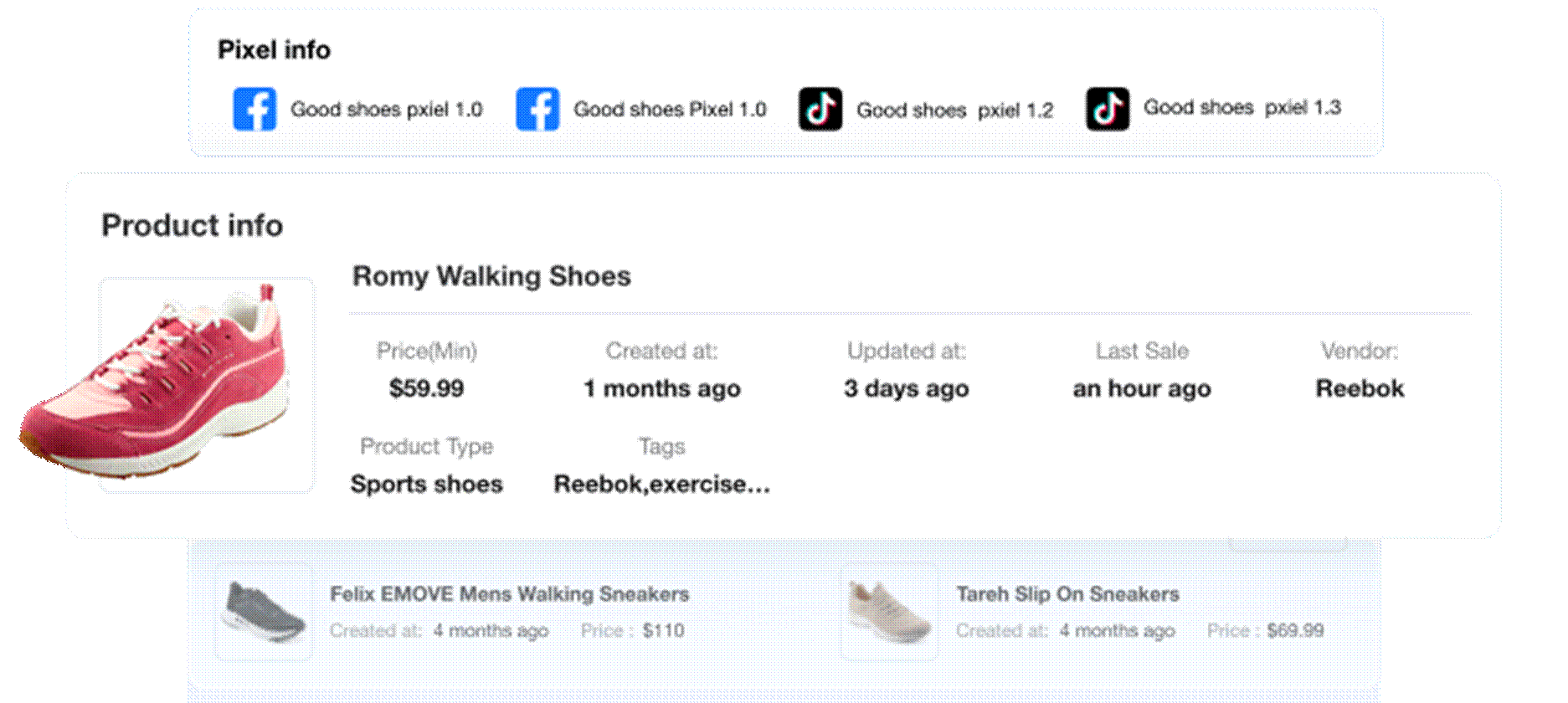
The PPSPY Chrome extension installs from the Chrome Web Store and activates when you open a Shopify store. It centers on four things:
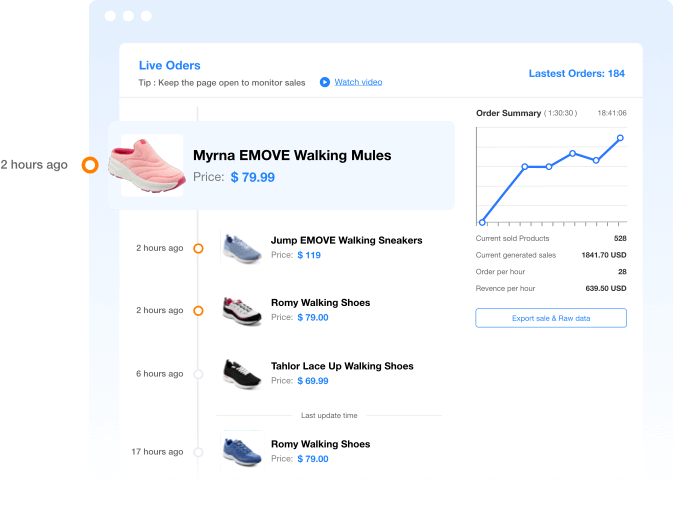
Sales estimates. PPSPY produces sales reports so you can see which products a competitor appears to be moving, and roughly how fast. Like every third-party tracker, these are modeled estimates inferred from public store signals, not figures pulled from the store's private dashboard, so read them as directional.
Store and product analytics. Open a store with the extension and you get its catalog grouped by product type, vendor, or tag, with likely best-sellers and recently added products flagged. This is the core of how people use it to scope a niche.
Product image export. You can download product images in bulk, which is handy when you are building out a research board.
Review export. You can pull customer reviews from a store to gauge how a product is landing before you add it to your own catalog.
That covers the demand side of a competitor: what sells and what they stock. It stops there. PPSPY does not surface the operational side - the apps and theme that turn that demand into conversions.
PPSPY pricing tiers
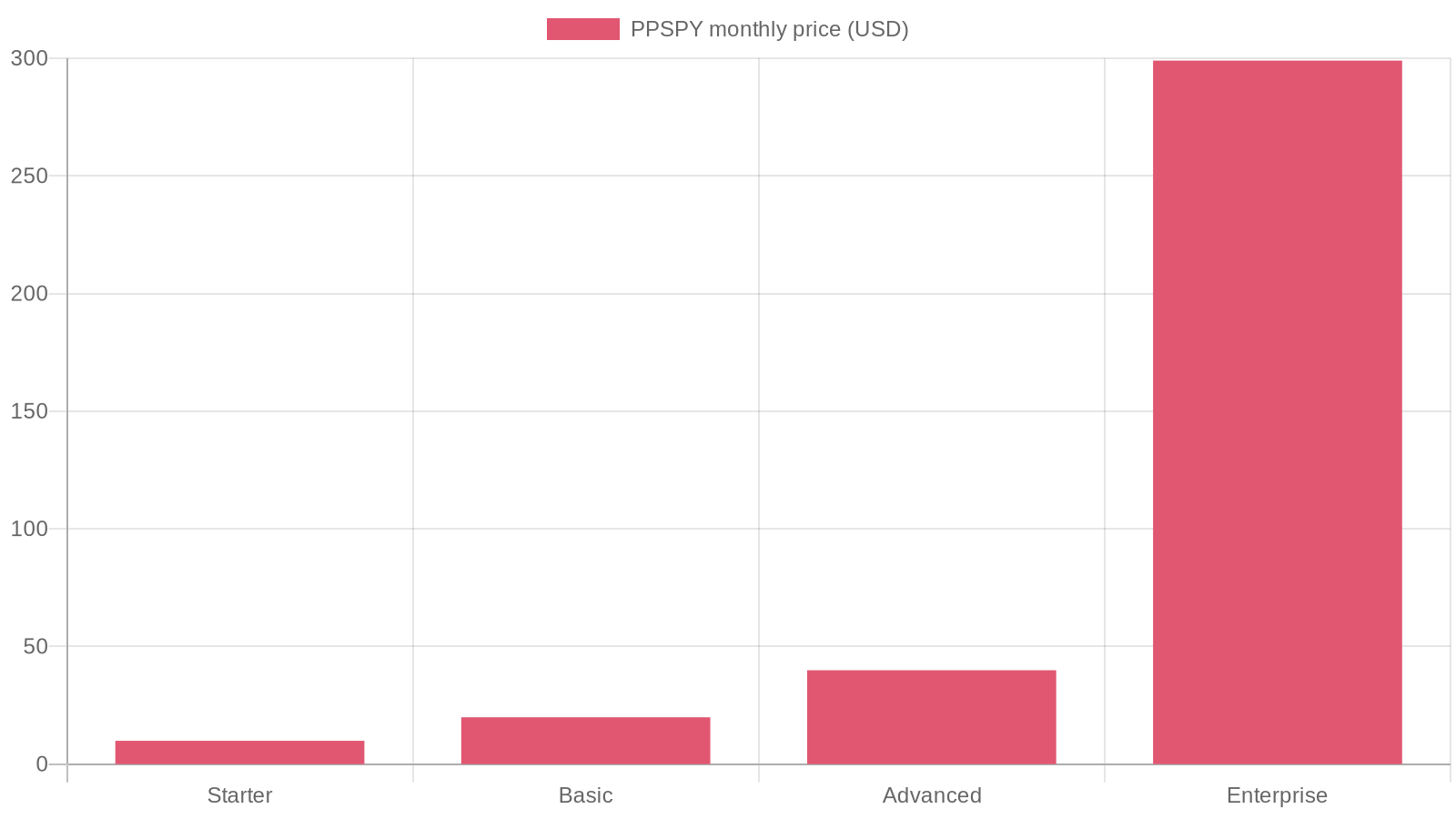
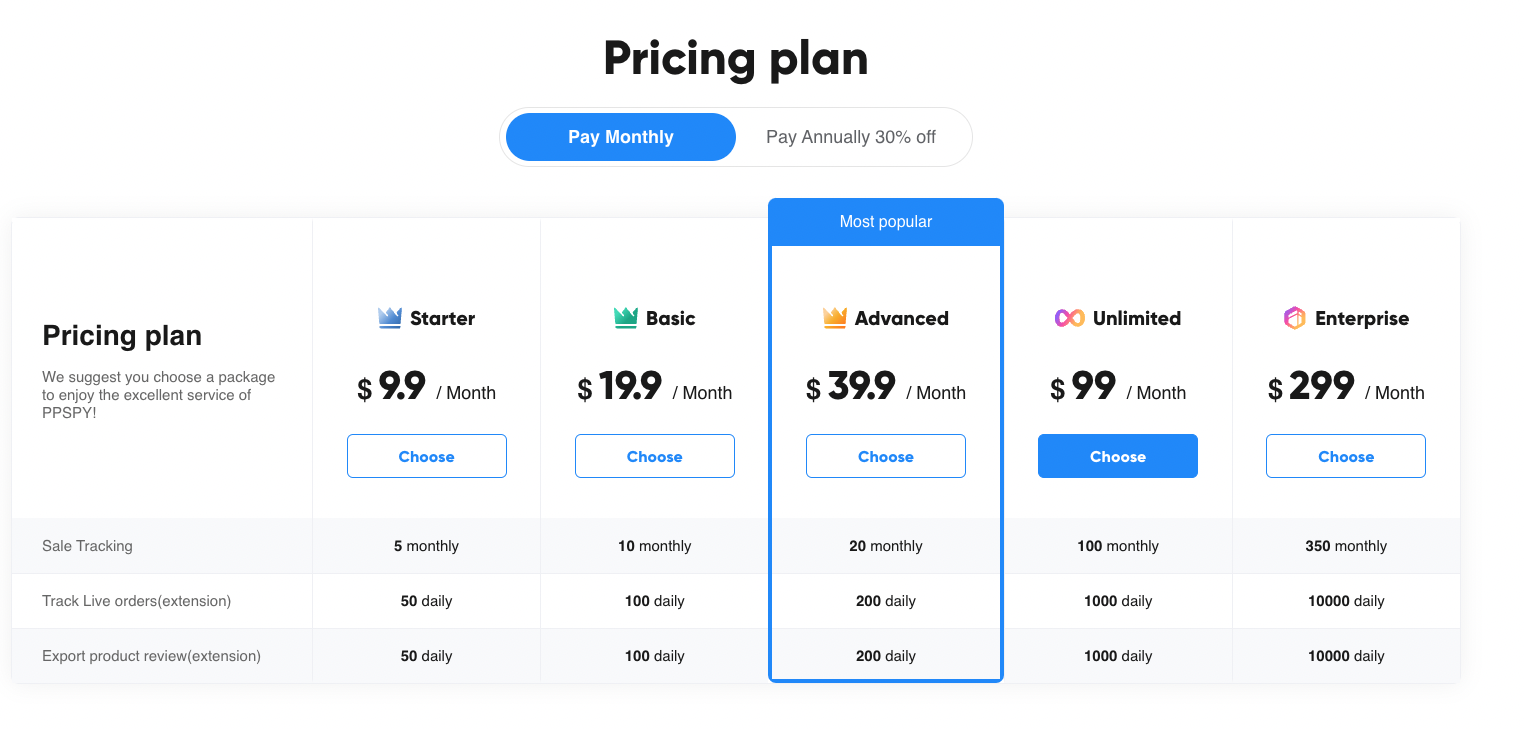
The PPSPY extension is free to install, but sales tracking and higher monitoring limits sit behind five paid tiers. Prices and caps are published on ppspy.com and change over time, so confirm the current numbers there before you subscribe.
- Starter - around $9.90/month, roughly 5 shops with 50 live orders and 50 review exports tracked per day. The entry point if you watch a handful of stores.
- Basic - around $19.90/month, about 10 shops and 100 daily orders.
- Advanced - around $39.90/month, about 20 shops and 200 daily orders and review exports. PPSPY marks this as its most popular tier.
- Unlimited - despite the name, caps still apply: roughly 100 monthly shops and 1,000 daily sales tracked. Enough for most solo sellers.
- Enterprise - around $299/month for larger teams, with up to 350 stores tracked.
For most new or mid-stage stores, the free tier covers basic browsing and the paid plans only earn their keep once you are tracking several stores on an ongoing basis. Worth noting: none of these tiers add app or theme detection, no matter how much you spend. That is not a paywalled feature you can buy your way into. It is simply outside what PPSPY does.
Where PPSPY falls short
PPSPY does its core job without much friction, but three limits are worth knowing before you build a research routine around it.
Shopify only. PPSPY works exclusively on Shopify stores. If a competitor runs on WooCommerce, BigCommerce, or another platform, the extension shows nothing.
Estimates, not exact numbers. The sales figures are modeled from public signals rather than a store's actual reporting, so two trackers can disagree on the same store. Use them to rank and compare, not to quote.
No app or theme detection. This is the big one, and it gets its own section.
The app and theme detection gap
Here is what PPSPY cannot tell you, and why it matters.
A Shopify store's results are not only about which products it picked. They are about how the store is built. The apps a competitor runs reveal how they handle upsells, post-purchase offers, email and SMS capture, reviews, and bundling - the conversion machinery behind the numbers. The theme reveals which storefront they chose, how it is laid out, and whether you can run the same one yourself.
PPSPY shows you the products and the sales estimates, then goes quiet on all of it. You see that a competitor is selling well without seeing the setup that helps them sell. For competitive research, that is a real blind spot: you can copy a product and still lose to a store with a better-converting theme and a smarter app stack.
Filling that gap is exactly what Koala Inspector was built for.
Koala Inspector: the better pick
Koala Inspector is a free Chrome extension for Shopify store research that covers both sides - the demand data PPSPY gives you and the tech stack it does not.
Open it on any Shopify store and you get:
- Every installed app, grouped by type, through its Shopify app detector - free, no tokens.
- The active theme, including paid and custom themes, with a link to that theme in the Shopify theme store - free.
- The full product catalog with likely best-sellers, prices, and variations you can sort and favorite.
- Site traffic - monthly visits, sources, top keywords, demographics, and geography.
- Ad campaigns - the Google and Facebook/Instagram ads a store is running.
- Shop tracking to monitor a competitor over time, logging when they add or remove apps, switch theme, change prices, or add products.
The plan that matters here is the free one. Koala Inspector's Free plan gives you 15 tokens a month with no credit card, and the headline features that PPSPY skips - app detection and theme detection - cost zero tokens. The deeper, data-heavy tools (traffic, ads, tracking) draw from your token balance, and Premium at $22/month adds 220 tokens a month and tracking for up to 50 stores. But to close the exact gap PPSPY leaves open, you do not need to pay anything.
PPSPY vs Koala Inspector at a glance
| Research need | PPSPY | Koala Inspector |
|---|---|---|
| Sales estimates | Yes | Yes |
| Product catalog and best-sellers | Yes | Yes |
| Review export | Yes | CSV export of products, apps, theme |
| Installed apps detection | No | Yes, free |
| Active theme detection | No | Yes, free |
| Site traffic profile | No | Yes |
| Competitor ad campaigns | No | Yes |
| Free tier | Yes (browsing + image export) | Yes (15 tokens/month, no card) |
| Works on non-Shopify stores | No | No |
Both are Shopify-only Chrome extensions, and both start free. The deciding line is the two bold rows: if you want a competitor's apps and theme alongside their sales and products, Koala Inspector is the one tool that shows all of it.
Frequently asked questions
What does the PPSPY extension do? PPSPY is a Chrome extension for Shopify competitor research. It estimates a store's sales, maps its product catalog by type and vendor, flags likely best-sellers and new products, and exports product images and reviews. It works only on Shopify stores and does not detect a store's apps or theme.
Is the PPSPY Chrome extension free? The extension is free to install for basic browsing and product image downloads. Sales tracking and higher store and review limits are paid, starting around $9.90/month and running to $299/month for Enterprise.
Does PPSPY show which apps or theme a Shopify store uses? No. PPSPY covers sales and product data only. To see a competitor's installed apps and active theme you need a different tool - Koala Inspector detects both for free.
What is the best PPSPY alternative? Koala Inspector is the strongest free alternative. It shows a store's apps, theme, products, best-sellers, traffic, and ad campaigns in one extension, and its app and theme detection are free with no card - the gap PPSPY leaves open.
Are PPSPY's sales numbers accurate? Treat them as directional. Like all third-party Shopify trackers, PPSPY models sales from public store signals rather than a store's private dashboard, so the figures are useful for comparing and ranking stores, not for quoting exact revenue.
If your competitor research only needs to know what a store sells, PPSPY's free tier is a reasonable starting point. If you also want to see how that store is built - the apps and theme behind its results - install Koala Inspector and check both sides in one click.
Written by
Ana Gelevska
eCommerce Content Writer
Ana Gelevska is a content writer with more than five years of experience creating content for eCommerce brands and global clients. She digs into each topic and the people it is for, then turns it into clear, useful articles that Shopify sellers and dropshippers can act on.
Connect on LinkedIn