
How to Cancel Your Koala Inspector Subscription
To cancel Koala Inspector Premium, open the extension in Chrome, go to the My Subscription screen, and select Cancel on your plan, then confirm. Do it in three steps:
- Open the Koala Inspector extension by clicking its icon in your Chrome toolbar.
- Open the My Subscription screen in your account, where your plan and renewal date are listed.
- Select Cancel on your Premium plan and confirm. Your renewal is switched off right away.
Billing runs through Paddle on a month-to-month basis, so cancelling stops the next renewal and you will not be charged again. You keep Premium until the end of the current billing period, then move to the free plan. You manage the plan inside the extension, not on this website.
Everything below walks through the exact steps, what happens to your tokens and access after you cancel, when billing stops, and what the free plan still gives you.
Cancel your Premium subscription in three steps
Your plan and billing live inside the Koala Inspector extension, not in a separate web dashboard. The website's manage subscription page points you back to the extension for exactly this reason.
- Open the extension. Click the Koala icon in your Chrome toolbar to open Koala Inspector on your desktop. If it is not pinned, open it from Chrome's extensions menu.
- Go to My Subscription. Open your account and find the My Subscription screen. This is where your current plan, renewal date, and billing history are listed.
- Cancel Premium and confirm. Select Cancel on your Premium plan and confirm. Paddle records the cancellation right away, and your renewal is turned off.
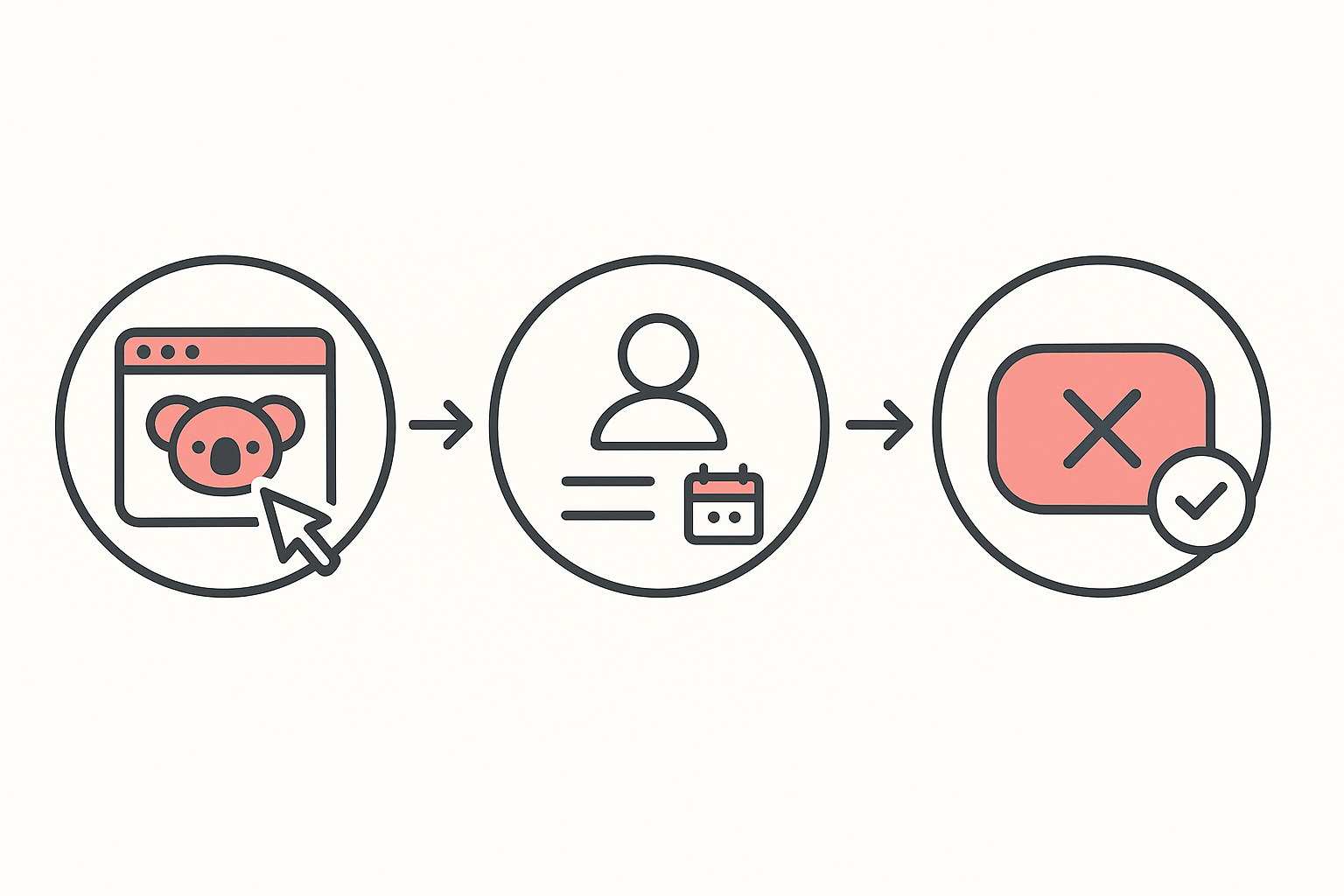
That is the whole process. There is no phone call, no form to fill in, and no waiting period. Premium is month-to-month with no contract, so you can cancel anytime.
What happens to your tokens and access after cancelling
Cancelling does not wipe your account or take away tokens you have already been granted. Here is what changes and what stays:
- Billing stops at the next renewal. You keep Premium for the time you have already paid. Your Premium features stay available through the end of the current billing month, then your account moves to the free plan.
- Tokens you already have are not removed. Cancelling does not revoke tokens already on your balance. Any one-time token packs you bought never expire and stay on your account.
- Your free allocation resets each month. On the free-forever plan you go back to 15 tokens per month, refreshed monthly.
- Your history stays. Your favorites and inspection history remain in the extension.
What the free-forever plan still gives you
You do not lose Koala Inspector when you cancel. The free plan stays active with no credit card required, and it keeps the core research tools:
- Shop analysis of any Shopify store's structure and catalog.
- App detection to see which apps a store runs.
- Theme detection to identify the active theme.
- Product browsing and best-sellers to spot what is selling.
- Favorites and inspection history so your saved stores stay put.
- 15 tokens per month plus limited CSV exports.
Shop tracking and the heavier token-gated features (traffic, ad campaigns, product trends, find retailers, AI shop chat) are the part you step down from. If you only research stores occasionally, the free plan covers a lot on its own. You can compare both tiers on the pricing page and read more about the tool on the Koala Inspector page.
Frequently asked questions
How do I cancel my Koala Inspector subscription?
Open the Koala Inspector extension in Chrome, go to the My Subscription screen in your account, and select Cancel on your Premium plan, then confirm. Billing is handled by Paddle and Premium is month-to-month, so cancelling stops the next renewal. You manage the plan inside the extension, not on the website.
Will I be charged again after I cancel?
No. Once you cancel, the next renewal is turned off and Paddle will not bill you again. Premium has no contract, so there is nothing else to pay. To avoid one more charge, cancel before your renewal date.
Do I keep Premium access until the end of the billing period?
Yes. You keep the time you have already paid for. Cancelling switches off the next renewal, so your Premium features stay available through the end of the current billing month. After that, your account moves to the free-forever plan.
How do I manage my Koala Inspector subscription?
You manage everything, upgrades, cancellation, billing history, and your renewal date, on the My Subscription screen inside the extension. The website's manage subscription page simply sends you back to the extension, because that is where your plan and Paddle billing live.
How do I get a refund for Koala Inspector?
Cancelling on its own does not issue a refund. Payments are processed by Paddle, and Premium is billed month to month, so the simplest path is to cancel before your next renewal date. If you were billed by mistake, email support@koala-apps.io and the team will help.
Can I resubscribe to Koala Inspector later?
Yes. You can re-upgrade to Premium any time from the same My Subscription screen inside the extension. If you were on a paid plan before, the price promise grandfathers your old price for as long as the subscription stays active. The one official place to get or reinstall the tool is the Koala Inspector listing on the Chrome Web Store.