How to Detect Shopify Themes On Any Store
 By Assaf ShalinNovember 9, 2023 · Updated June 16, 2026
Shopify Theme Checker - Try For Free
Short answer: to check what Shopify theme a store uses, open it in Chrome with the free Koala Inspector extension and click the icon. In a few seconds it names the active theme and links to it in the Shopify theme store, even when the theme has been renamed. The slow manual method only works if the store left its original name visible.
You spot a Shopify store with a layout you like. The product grid is clean, the checkout flow is smooth, and the whole thing just works. The natural question is: what theme is that, and can you run it too?
There are two ways to find out: the slow manual way and the fast way, a one-click Chrome extension. This guide covers both, what to do with the answer once you have it, and how a theme checker handles the tricky cases (renamed and custom themes) that defeat a by-hand look.
What Is a Shopify Theme Detector?
A Shopify theme detector reads what a store already shows every visitor and tells you which theme powers it, whether the theme lives in the official Shopify theme store or was sold by a third-party developer.
The complication is that store owners can rename their theme to anything they want. When that happens, a tool that only checks the theme name fails. Koala Inspector gets around this by recognizing a theme from the public signposts it leaves behind, so it can identify the theme even after a rename.
The Manual Way (and Why It Falls Short)
You can try to find a theme by hand. A store sometimes leaves the original theme name visible in its public pages, so a patient look can occasionally turn it up at no cost. In practice it is fiddly and unreliable, and it breaks in exactly the situations that matter most:
- Renamed themes. Merchants often rename a theme after installing it, so anything you find by hand reflects the custom name, not the original. You end up with a label like "Store Theme v2" that tells you nothing about what the store is actually running.
- Custom themes. Some larger stores build or commission a fully custom theme. There is no theme store page to find.
- Heavily modified themes. Even when you identify the base theme, a store with significant custom work may look nothing like the demo.
For anything beyond a lucky guess, a dedicated detector handles these cases properly.
Theme Detector vs the Manual Method
Both routes can name a theme on a good day. The difference shows up the moment a store has done anything non-default, which most stores you actually want to study have. Here is how the two compare on the things that decide whether you get an answer.
| What you need | Manual check by hand | Koala Inspector theme detector |
|---|---|---|
| Time per store | Several minutes of poking around | A few seconds, one click |
| Standard installed theme | Sometimes, if the name is still visible | Yes |
| Renamed theme | Shows the custom label, not the real theme | Names the original theme |
| Custom-built theme | No theme store page to find | Names the app stack and store data instead |
| Heavily customized theme | Hard to tell base theme from changes | Reports the base theme |
| Link to buy the theme | You search for it yourself | Direct link to the Shopify theme store listing |
| Apps running alongside the theme | Not visible by hand | Listed in the same view |
| Cost | Free | Free |
The manual method is fine for a one-off where the store has left its name in plain sight. For repeatable research across competitors, or any store that renamed or customized its theme, the detector is the route that actually returns an answer.
How to Use Koala Inspector for Theme Detection
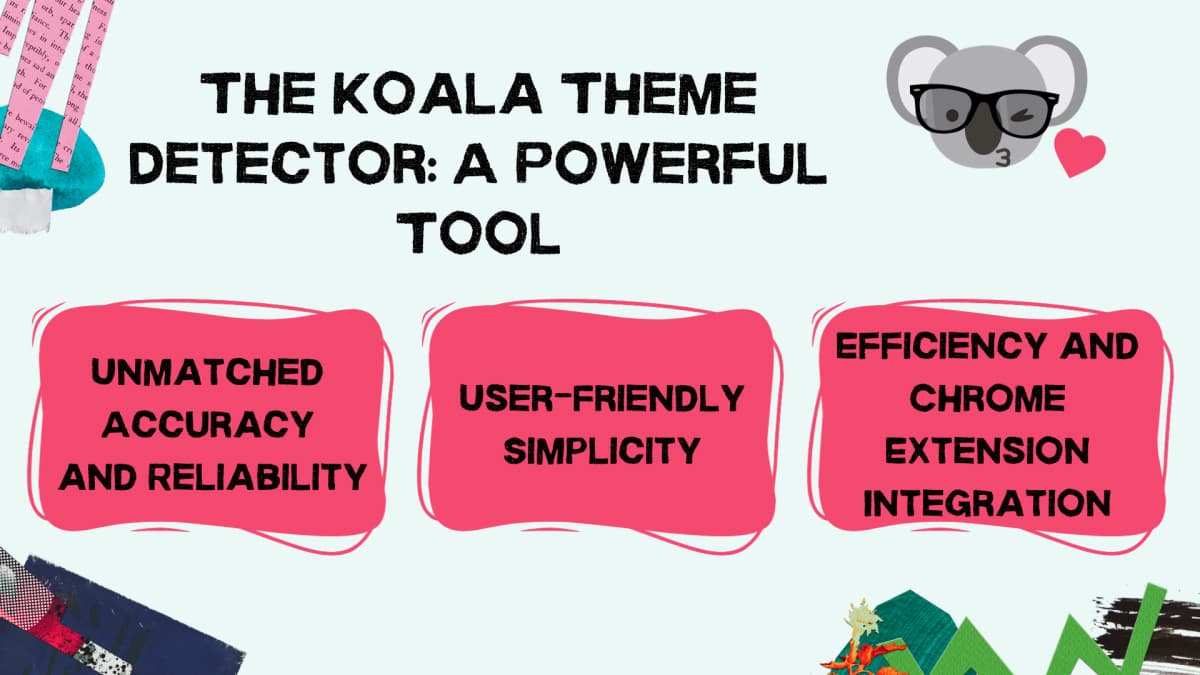
Koala Inspector is a Chrome extension built specifically for Shopify store research. Theme detection is one click.
Step 1: Install the Extension
Search for "Koala Inspector" on the Chrome Web Store and click Add to Chrome. Pin it to your toolbar so it is always visible.
Step 2: Visit the Store
Open Chrome and navigate to any Shopify store you want to inspect. The extension works on any Shopify-powered URL.
Step 3: Click the Koala Icon
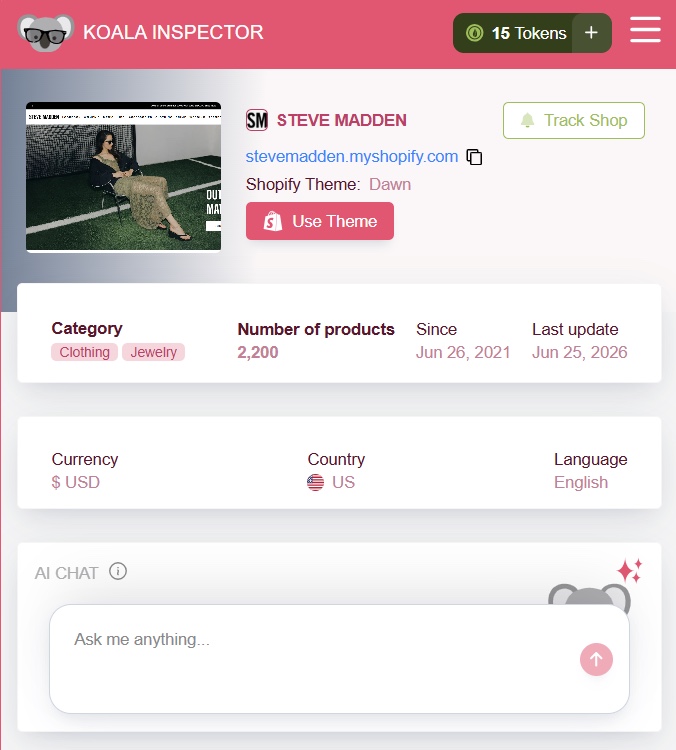
Click the Koala Inspector icon in your toolbar. Within a few seconds you will see the active theme name, a direct link to it in the Shopify theme store (if it is an official or listed theme), and a list of the apps running on the store.
The screenshot below shows what that looks like in practice.
Step 4: Look Up or Download the Theme
If the detected theme is in the Shopify theme store, the extension links directly to it. You can preview it on a test store before buying. If it is a third-party theme, the link goes to the developer's site.
Why Knowing a Competitor's Theme Actually Matters

Finding a theme is not just curiosity. There are a few concrete ways the information is useful.
Speed Is Built Into the Theme
Theme choice affects page load time more than most merchants expect. Independent testing across 100 popular Shopify themes found the average load time across themes is 2.8 seconds, compared to an industry-wide average of 7.7 seconds for Shopify stores overall. The fastest themes (Sunrise, Avon, Kalles) scored 99 out of 100 in that benchmark.
If a competitor's store loads fast and converts well, their theme choice is part of the reason. Knowing the theme tells you whether their speed advantage is replicable.
Customization Starts From the Right Foundation
Shopify's official theme store has over 200 free and paid themes. Third-party marketplaces add thousands more. Browsing all of them blind is slow. Identifying what themes successful stores in your niche run gives you a shortlist of proven options to evaluate.
When you see what Koala Inspector found on a competitor, you also see which apps they are running alongside the theme. A specific page builder or section app often explains design choices that look impossible on the base theme.
Inspiration Without Guesswork
A data crawl of 676,000 Shopify stores found that the free Debut theme was running on over 145,000 of them, Brooklyn on about 38,000, and Minimal on around 33,000. That tells you something: a huge share of stores are running default or near-default themes, which means differentiation through theme selection is genuinely achievable.
When you find a store with a design that stands out, detecting the theme tells you whether it is differentiation from the theme itself or from heavy customization on top of a common base.
What You Can Do Once You Know the Theme
The theme name on its own is trivia. What makes it worth checking is the next move. Once you know what a winning store runs, here is what the answer unlocks.
Clone the winning structure (legally)
Identifying the theme gives you the same starting point a successful competitor began with. You can install the same commercially available theme on a test store, look at how its sections are arranged on a product page, and rebuild your own layout from a proven foundation instead of a blank canvas. You are copying the off-the-shelf product they bought, not their custom code or copy. More on that line in the legal section below.
A practical way to do this: detect the theme, open its demo or preview on a development store, and note which sections the competitor kept and which they dropped or reordered. The gap between the theme demo and the live store is the customization, and that gap is the part worth studying.
Estimate what the build cost
Knowing the theme narrows down the budget behind a store. A free default theme with light changes is a different investment than a premium theme rebuilt with a page builder. Shopify's official theme store runs from free up to a few hundred dollars for premium themes, and third-party marketplace themes sit in a similar band. If the store is clearly running a free theme but looks nothing like the demo, the money went into apps and custom work, not the theme licence, and that tells you where to focus your own spend.
Find the page builder and apps alongside the theme
A theme rarely acts alone. When a product page has a layout the base theme could not produce, a page builder is usually doing the heavy lifting. Koala Inspector lists the theme and the store's installed apps in the same view, so you see the full app stack running next to the theme: the page builder behind those custom sections, the reviews widget, the upsell blocks, the loyalty program. That combined picture is far more useful than the theme name by itself. If you want to go deeper on the app side, see what apps the top Shopify stores actually run and how to read a competitor's stack.
How Accurate Is Theme Detection, and How It Handles Renamed Themes
The honest answer is that accuracy depends on what the store has done to its theme, so it helps to know the three cases up front.
For a standard or lightly modified theme, detection is straightforward and reliable: the theme is reported with a direct link to its Shopify theme store listing. For a renamed theme, the result is still reliable. Merchants commonly rename a theme after installing it, which is exactly where a name-only check fails, and Koala Inspector recognizes the original theme from the public signposts it leaves behind rather than the label the merchant typed in. For a fully custom theme built outside the Shopify theme store, there is no public listing to match, so no detector can name it. What you still get in that case is the store's app stack, traffic data, and product information, which is often the more revealing part of a custom store anyway.
The detector reads only what a store already shows every visitor, modeled from public signals any browser can see. It never touches a store's private admin or dashboard. So if a result says a theme is custom, that is a real finding, not a gap: it means the store invested in a build with no off-the-shelf equivalent to point you at.
What Koala Inspector Shows Beyond the Theme

Theme detection is the entry point. Koala Inspector also surfaces:
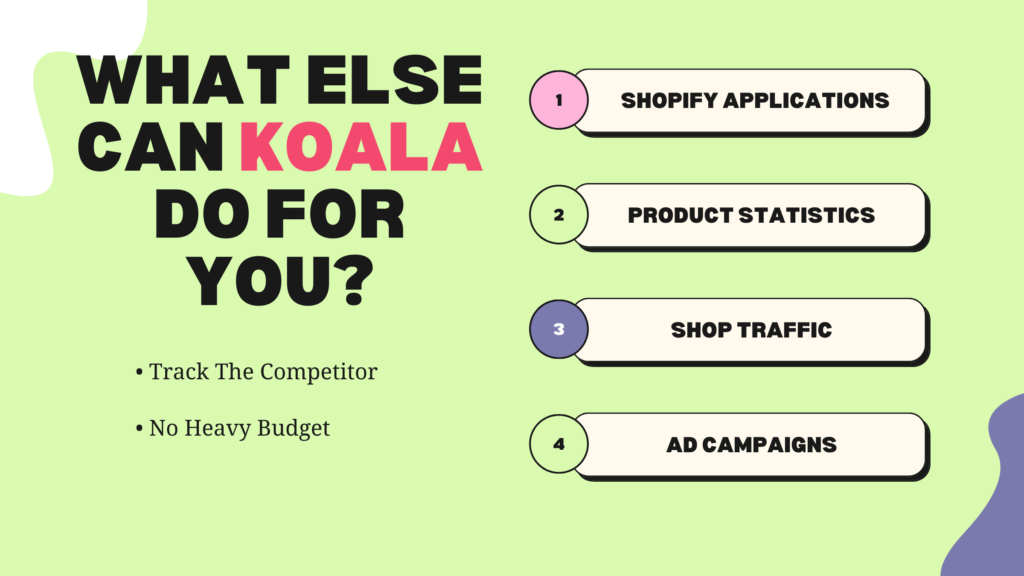
- Shopify Applications - see every third-party app installed on the store, from reviews to upsells to loyalty programs.
- Product Statistics - product count, estimated best-sellers, and average price points at a glance.
- Shop Traffic - traffic estimates broken down by source (search, social, direct) and by country.
- Ad Campaigns - active ad creatives the store is running, so you can see how they are promoting their products.
Handling Customized and Renamed Themes
When the Theme Has Been Renamed
Most basic detectors only read the theme name a store publishes, so a rename throws them off. Koala Inspector goes further: it recognizes a theme from the public signposts it leaves behind, so even a heavily renamed theme still gets identified correctly.
When the Theme Has Been Heavily Customized
Theme customization runs on a spectrum. A merchant might have changed colors and fonts, added a custom section, or rebuilt entire page templates. When customization goes deep, no tool can tell you exactly what the original theme did vs. what was changed. What Koala Inspector can still tell you is the base theme, the apps powering the store, and whether a page builder like Shogun or PageFly is responsible for sections that look unlike the default.
When It Is a Custom Theme
Some stores use a theme built from scratch or purchased outside the Shopify theme store. Koala Inspector will not be able to identify the theme by name, but it will still surface the app stack and store data. Knowing which apps a custom-theme store depends on often tells you more about their stack than the theme name would anyway.
Identifying What Makes Popular Themes Work
Not all popular themes are popular for the same reason. A few characteristics that come up repeatedly in well-ranked Shopify stores:
- Mobile layout quality. Most Shopify traffic is mobile. Themes that handle product images and add-to-cart placement well on small screens consistently perform better.
- Checkout button placement. Themes that put dynamic checkout buttons (the "Buy Now" shortcut) prominently on product pages reduce the steps between browsing and purchase.
- Section flexibility. Shopify 2.0 themes allow sections on any page, not just the homepage. This matters for landing pages and product page customization without needing a page builder.
- Speed defaults. Some themes load aggressively (large feature images, autoplay video, heavy JavaScript). Others ship lean. The base performance of the theme before customization shapes what your store can achieve.
Analyzing a Competitor's Theme Choices
When you find a competitor running a specific theme, it is worth digging into what they have actually done with it. Koala Inspector flags whether a theme has been customized, but the customization itself is visible in the live store. Look at:
- Color and typography settings. Are they using the theme defaults or a custom palette? Default color schemes signal less design investment; custom palettes signal the store has put thought into brand identity.
- Section structure. Count the sections on the homepage. A store using a page builder has more flexibility and usually more investment in the design. That is relevant context for how much of what you are seeing is theme vs. effort.
- App-powered features. If a product page has a reviews widget, a sticky cart bar, or custom upsell blocks, those come from apps, not the theme. Koala Inspector's app list tells you exactly which ones.
Legal and Ethical Use
Detecting a theme tells you the name of a commercially available product, not the store's custom code. Using that information to buy and use the same theme is completely normal. What is not acceptable is copying a store's custom code, design assets, or copy.
Shopify's Terms of Service are clear on intellectual property. Theme detection gives you the name of a starting point, not a shortcut to someone else's work.
Theme Finder vs Theme Spy: a Note on Terminology
People search for the same job under a few different names, and they all mean roughly one thing. A "theme finder" is the same as a theme checker or theme detector: a tool that names the theme a store runs. "Theme spy" is just informal phrasing for the same task, usually with a competitor-research angle. There is no separate category hiding behind the word. Whichever term you arrived on, what you want is a tool that takes a Shopify URL and returns the theme, ideally one that survives a rename and shows the apps alongside it. That is what Koala Inspector does.
System Requirements
Koala Inspector runs in Google Chrome. Install it from the Chrome Web Store, pin it to your toolbar, and it is ready to use on any Shopify store. No account required for basic theme detection.
Frequently Asked Questions
What is a Shopify theme detector? A Shopify theme detector reads what a store already shows every visitor and tells you which theme powers it. It works on any Shopify storefront and reports the active theme name, plus a link to that theme if it is sold in the Shopify theme store. Koala Inspector does this in one click, free, and can still name a theme that has been renamed.
How do I check what Shopify theme a store uses? Open the store in Chrome with the free Koala Inspector extension and click the Koala icon. Within a few seconds it shows the active theme name and a link to it in the Shopify theme store. By hand you can occasionally find the theme if the store left its original name visible, but a rename or a custom build breaks that, which is why a detector is faster and more reliable.
Can you detect a renamed or custom Shopify theme? A renamed theme, yes. Koala Inspector recognizes the original theme from the public signposts it leaves behind, so the custom label a merchant typed in does not throw it off. A fully custom theme built outside the Shopify theme store has no listing to match, so no tool can name it. There you still get the store's app stack, traffic data, and product information.
Is there a free Shopify theme checker? Yes. Koala Inspector checks the theme of any Shopify store for free, with no account needed for basic detection, and it shows the store's installed apps for free too. Deeper store intelligence such as traffic estimates and ad campaigns runs on a token system, but theme detection itself never costs anything.
Why does the manual method fail? It only works when a store publishes its original theme name, and most do not. The moment a merchant renames the theme you get the custom label instead of the real one, and a custom-built theme leaves nothing to read at all. It is slow and easy to get wrong, so it falls down in exactly the cases that matter most: renamed, heavily customized, and custom themes.
Will Shopify 2.0 stores detect differently? No, detection works the same. Koala Inspector also flags whether a store is running on a Shopify 2.0-compatible theme, which is useful to know when evaluating feature support.
Written by
Assaf Shalin
Co-founder & Developer, Koala Apps
Assaf Shalin is a co-founder of Koala Apps and one of the developers behind Koala Inspector. He builds the tools that let Shopify sellers see what is actually working in other stores, from installed apps and themes to best-selling products. On the blog he covers the technical side of store research: how competitor research really works, what public store signals can and cannot tell you, and how to turn them into decisions.
Connect on LinkedIn