How to Drive Traffic to Your Shopify Store by Copying Three Competitors
 By Ana GelevskaSeptember 14, 2026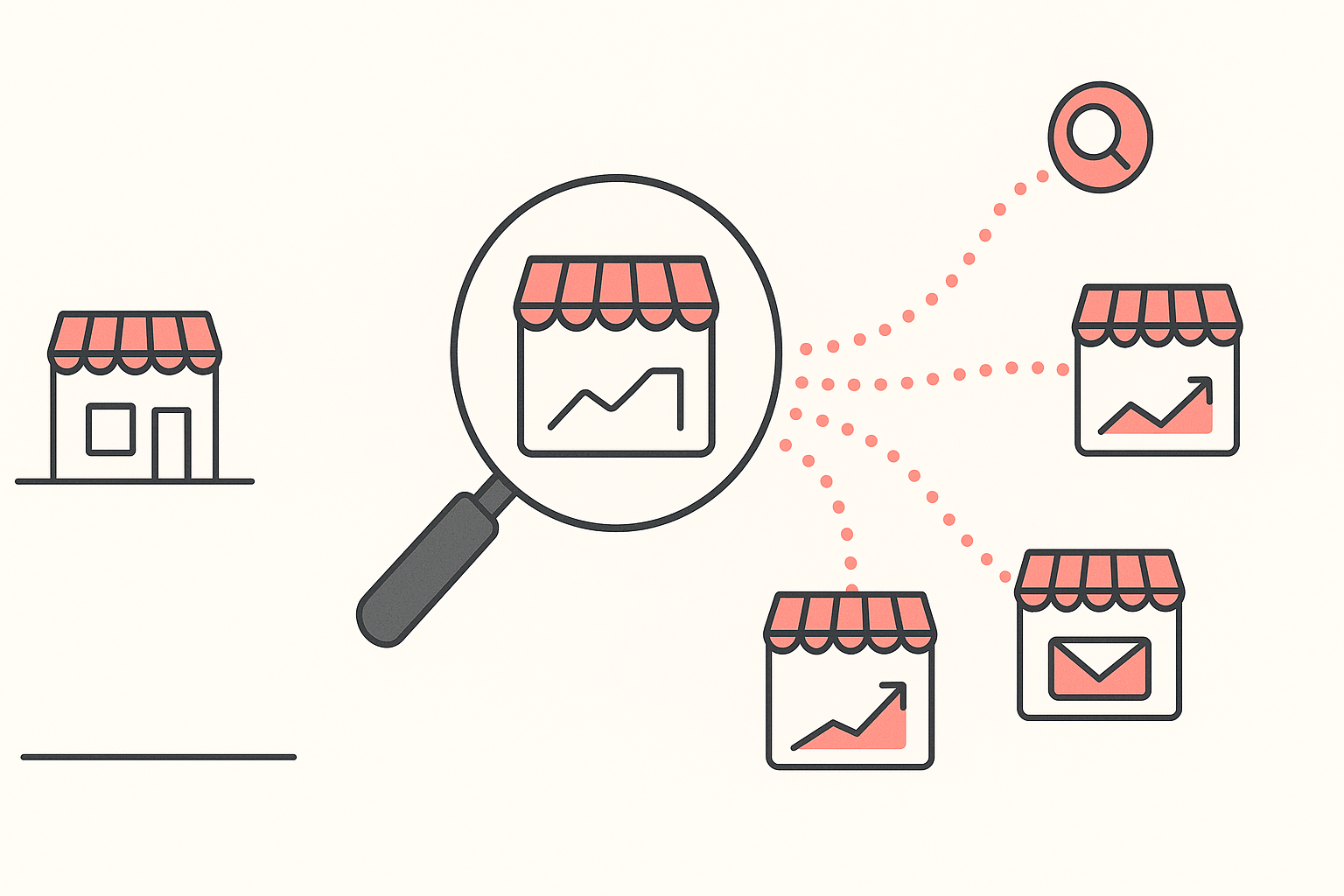
Drive traffic to your Shopify store by copying the channel mix of three competitors already winning your niche. Read where their visitors come from, check whether those channels are paid or earned, then match the two channels that carry the most of their traffic. Build one channel at a time.
That is the whole method, and the rest of this piece is how to run it in an afternoon. The reason it beats a channel checklist is that a checklist gives you fourteen options and no way to rank them for your category. Three competitors give you a ranking that has already been paid for.
The situation this is written for
Your store is live. The theme is finished, the products are up, the domain is connected, and the sessions graph is a flat line near zero.
Merchants describe it in the same plain words every week. One seller three months in posted their store and their numbers to the Shopify Community: around 400 sessions a month, no sales, and an open request for advice on marketing, design, or anything else. Another, running two dropshipping sites, asked the forum to help confirm the root cause because they needed the sites to earn something, "otherwise this is a complete time suck and waste of resources." A third posted four lines: the store is not getting traffic, why is it not working, here is the URL.
Four hundred sessions a month is about thirteen people a day. At a typical store conversion rate that is a sale every week or two on a good month, which is not enough signal to tell you anything about your product, your price or your page. Traffic is the input that makes every other decision measurable, so it goes first.
Why paid-first is where the budget goes
The default move is to open Meta Ads Manager and buy some clicks. It is the only channel that turns money into visitors on the same day, which is exactly why it feels like the answer and exactly why it eats first-store budgets.
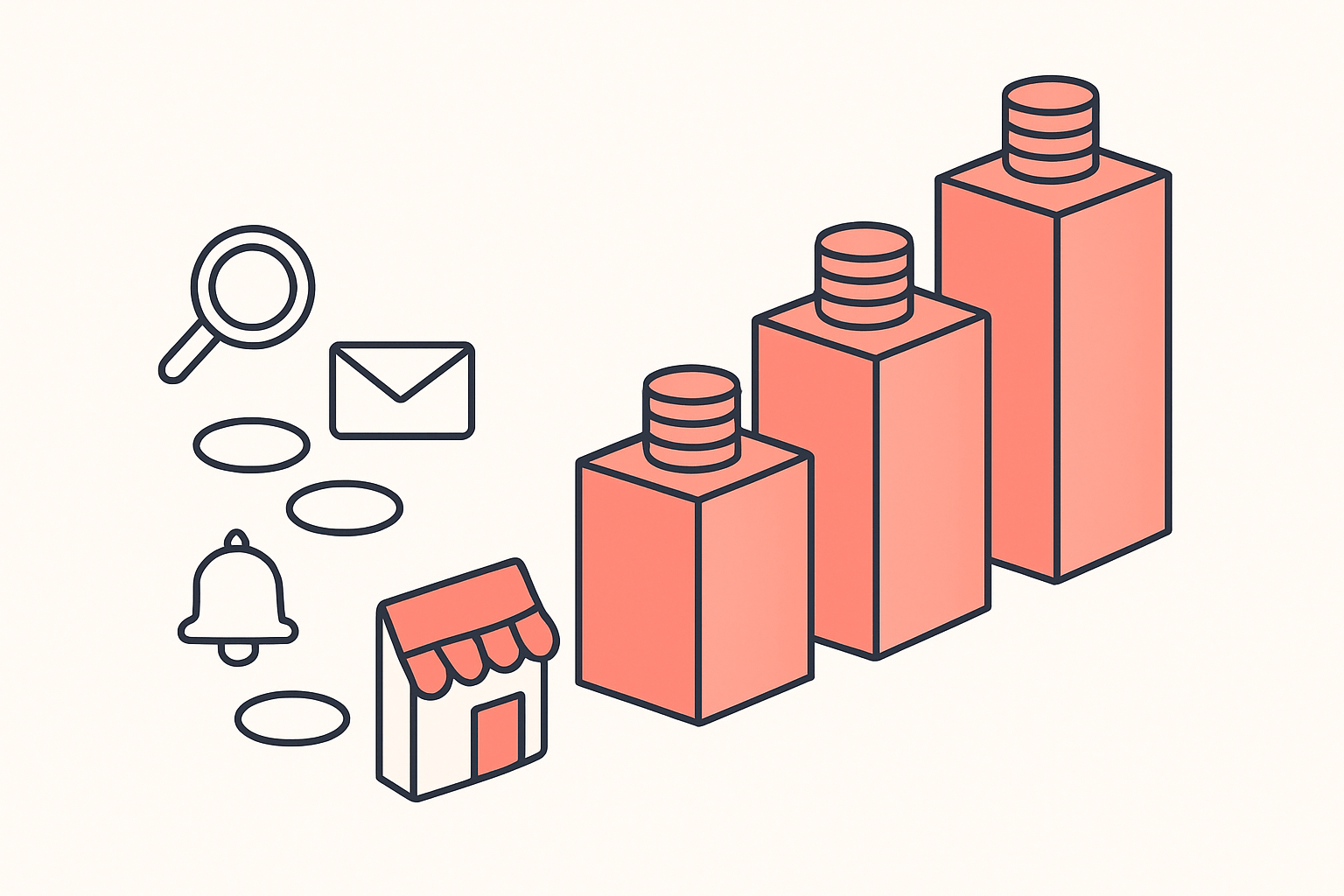
An ad auction price is set by whoever else is bidding, and that price only goes one direction as a category gets crowded. One operator who scaled through three businesses laid out his own cost to acquire a customer at each stage: $2 to $3 on his first dropshipping store, $60 to $70 running a brand's ecommerce division a few years later, and $100 or more on the company he is scaling now. Same operator, same skill, three very different prices, because the auction changed around him.
Merchants feel it as a question about where to put the next hour. A Shopify Community thread opened with exactly that framing, asking whether people are still getting the best results from sponsored ads or leaning on organic traffic "in light of growing ad costs and frequent algorithm adjustments." The same auction pressure works in reverse too: when one very large advertiser paused its US Meta spend in 2025, an agency running multiple accounts reported CPMs falling 15 to 20% in some verticals within weeks. Nothing about those stores improved. The auction just got cheaper.
Paid still belongs in your mix. What it should not be is the first channel you learn, funded by money you need back, on a store with no baseline to compare it against. Work out what a customer can actually cost you before you spend anything, with our customer acquisition cost calculator and the break-even ROAS calculator beside it.
The four-step routine: read three competitors
Here is the part you can do today. Pick three stores that sell what you sell and are visibly ahead of you, then read their channel mix instead of guessing at your own.
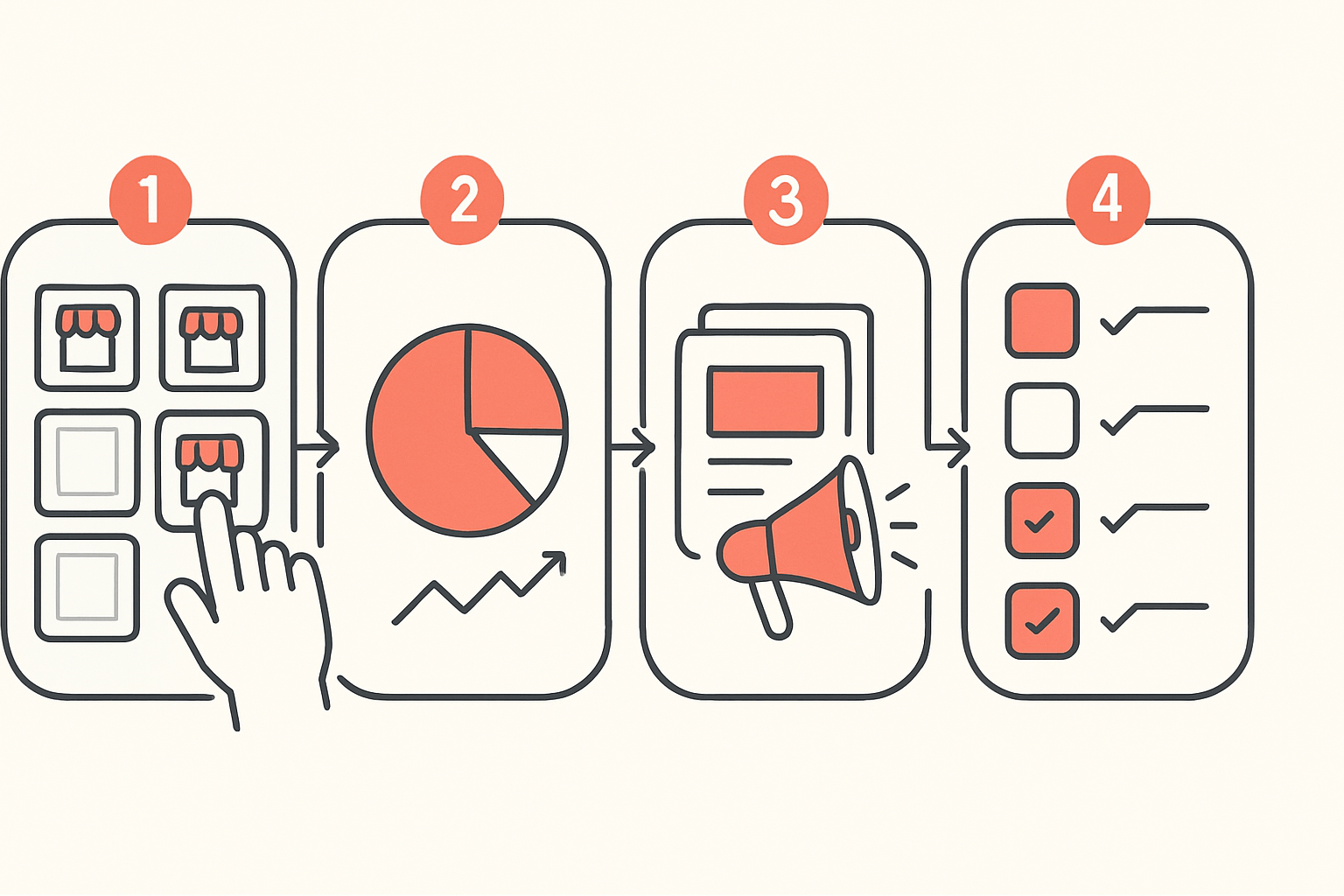
Step 1: pick the three stores
Not the giants. Pick stores one or two sizes above you in the same category, the ones that keep appearing when you search your own product terms, keep showing up in your feed, or sell the same three products you sell. Write the three domains down. If you cannot name three, search your main product term and take the first three independent Shopify stores that are not marketplaces.
Open each one in Chrome with Koala Inspector running. The store overview, the theme, the product catalogue and the installed apps all load without spending a token, so this step is free.
Step 2: read the traffic mix
Open the Site Traffic screen on each of the three. This is the number that decides your whole plan, because it tells you which channels actually send that store visitors and roughly in what proportion.
What to conclude from each figure:
- Traffic sources split (direct, search, referral, social). This is the ranking you are after. A store at 50% search is winning on content and product pages Google likes. A store at 50% social is winning on creative. Those are different jobs and you cannot do both well in month one.
- Top keywords. If search carries the store, the keywords tell you which searches to be in. Brand terms mean their traffic is demand they built elsewhere and you cannot copy it. Product and problem terms mean the door is open.
- Average monthly traffic and the month-over-month trend. A store on a rising trend is running something that is working right now, which makes it a better model than a bigger store that peaked two years ago.
- Geography. Copying the mix of a store that sells into a different country is how you end up optimising for an audience that will never buy from you.
- Engagement: bounce rate, pages per visit, average visit duration. Weak engagement next to strong traffic usually means the store is buying broad, low-intent clicks. Copy the channel, not the targeting.
Traffic and sales figures in Koala Inspector are modeled estimates. Use them to compare these three stores against each other and to spot the shape of the mix, not as exact accounting of anyone's numbers.
Step 3: read the live ads to settle paid or earned
A traffic mix tells you a store gets 40% of its visitors from social. It does not tell you whether they paid for them. That distinction decides whether you can copy the channel on your budget, so check it directly.
Open the Ad Campaigns screen on the same three stores. It splits into Google and Facebook or Instagram tabs, and each campaign card shows the URL, title, description and tags, so you see the offer and the landing page as well as the fact that ads exist.
Read it like this. Heavy social traffic with no live ads is organic reach, which is slow to build and free to copy. Heavy social traffic alongside a wall of live ads is a bought channel, and your version of it needs a budget and a creative process before it sends anyone. Search traffic with live Google ads running on the same terms means you are looking at a paid position, not a ranking. And the landing pages on those cards tell you which offer they think is worth paying to promote, which is usually their best one.
Step 4: read the channel apps
Now check what each store runs to operate the channels that matter. The installed-app list is free to read, and channel apps are the most honest thing on it: nobody pays a monthly fee for an email platform unless email is sending them orders.
Four slots are worth checking on every competitor.
- Email capture and sending. The list they own, and the one channel whose cost does not rise with the auction.
- Push notifications. Cheap repeat visits from people who already came once.
- Reviews. Not a traffic channel by itself, but reviews feed product-page search results and give social ads something to convert with.
- Social feeds. An Instagram or UGC feed on the storefront usually means the social channel is real rather than decorative.
For a sense of what the population looks like, here are the channel apps installed most often across the Shopify stores Koala tracks, read on 14 September 2026.
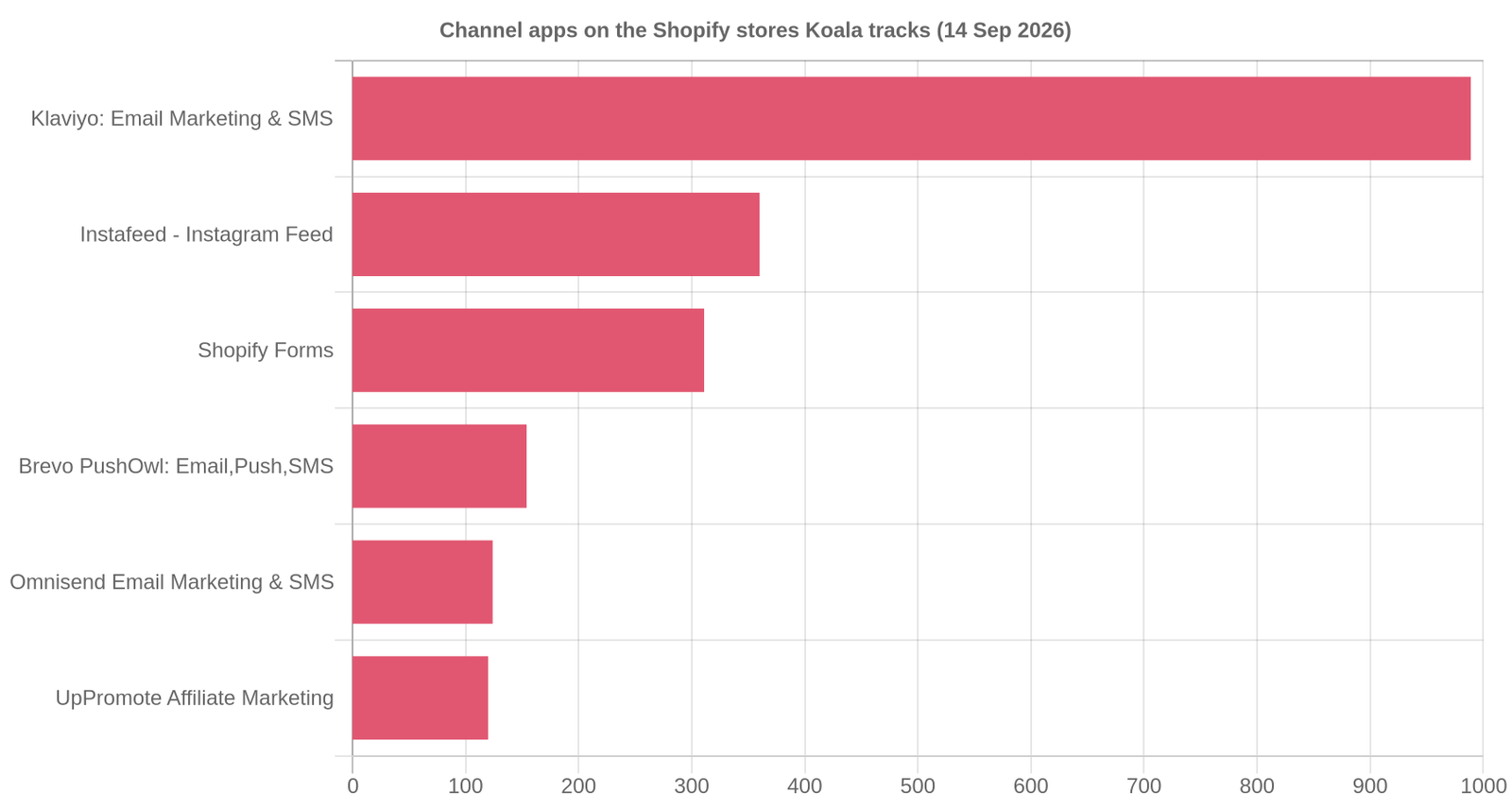
Klaviyo sits on 989 of those stores, an Instagram feed on 360, Shopify Forms on 311, Brevo PushOwl on 154, Omnisend on 124 and UpPromote on 120. Judge.me, the reviews app, is the single most-installed app of any kind at 1,172. Read that as a ranking of jobs rather than a shopping list: the winner is that email capture is close to universal among trading stores, and push, affiliate and social-feed slots are real but far smaller. This covers the stores Koala tracks rather than every store on Shopify, so use it as direction and confirm the pattern inside your own three.
What the whole routine costs. Site Traffic is 3 tokens per store and Ad Campaigns is 2, so three competitors comes to 15 tokens. The free plan gives you 15 tokens a month with no card, and the store overview, app detection, theme detection and product browsing never cost a token at all. The routine fits inside the free tier exactly once a month, which is the right frequency for most niches anyway.
A worked example
Take iluumi.com.au, a store in Koala's tracked set. Read on 14 September 2026 it was running 60 live Facebook and Instagram ads and no Google ads at all, the highest live Meta ad count of any store in that day's snapshot.
That single pair of numbers is a strategy, spelled out. Sixty concurrent creatives means the store is testing at volume, and testing at volume means the winners are found rather than guessed. Zero Google ads means nobody there believes this product is bought by people typing it into a search box. So the demand is being created in a feed, not captured off a query.
If that were your category, the read is straightforward. Google Ads is the wrong first channel no matter how comfortable it feels, because the store furthest ahead of you is not bidding there. Your first month of work is creative volume on Meta, and your realistic version of "sixty" is four or five angles filmed once and cut into variants. And you would want to know what those sixty ads say before you write your first one, which the campaign cards show you directly. There is more on that read in our guide to Koala Inspector for ad tracking.
Run the same read on your three and you get the same kind of sentence for your own niche. Sometimes it comes back the other way: a store with no Meta ads and a search-heavy mix is telling you to write, not to film.
The channels, with what each one actually costs you
Once your three competitors have named the two channels that matter, this table is for sequencing them. Time to first visitor is the honest lag before the channel sends anyone at all, which is the number most plans get wrong.
| Channel | Time to first visitor | What it costs | What it needs from you |
|---|---|---|---|
| Meta ads (Facebook, Instagram) | Same day | Per click, at a price the auction sets | Creative volume and a budget you can lose while testing |
| Google Search ads | Same day | Per click, highest where intent is highest | Existing search demand for the thing you sell |
| Google Shopping | Days, after feed approval | Per click | A clean product feed and correct product data |
| Organic search (SEO) | Weeks to months | Time, or a writer | Pages that answer real searches, and patience |
| Days to weeks | Time | Product photography worth saving | |
| TikTok or Reels organic | Same day, wildly uneven | Time | Filming consistently, not once |
| Immediate, once you have a list | Cents per send | Capture on the storefront from day one | |
| Push notifications | Immediate, once opted in | Very low | Traffic already arriving to opt in |
| Affiliates and creators | Weeks | Commission on sales only | Outreach, and a margin that survives it |
Two rows deserve the fine print. Organic search is the slowest and the only one Google will confirm for you: its own SEO documentation says some changes take effect in a few hours while others could take several months, and advises waiting a few weeks before judging whether a change helped. Email looks like the cheapest row because it is, but it is the one channel that cannot start on its own. It needs traffic from another row first, which is why the capture form goes up in week one even though the channel pays out later.
Week one, week two, week four
Week one: read, and start capturing
Run the four-step routine on your three competitors and write the answer as one sentence: "stores like mine get traffic mainly from X, and they pay for it / they do not." Then put an email capture form on the storefront before you send a single visitor, so nothing you spend from here is spent twice. Connect your own analytics too, so that in three weeks you can compare your mix to theirs on the same axes.
Week two: build the top channel only
Take the channel that carried the largest share of your competitors' traffic and do only that one. If it is search, publish three pages that answer three specific things people ask before buying your product. If it is social creative, film four angles and cut each into three variants. If it is paid, start below the number that scares you and treat the first spend as tuition, not revenue. One channel gets a fair test; three channels at once get three inconclusive ones.
Week four: judge it, then add the second
Look at your own traffic sources report. You are checking whether the channel you picked shows up at all, not whether it is profitable yet. If it is sending visitors, keep going and add the second channel from your competitors' mix. If it is flat, re-read your three competitors before you change anything, because the usual reason a copied channel produces nothing is that it was carrying their brand demand rather than new discovery. Then run the competitor read again at the end of the month. New ads and new apps appearing on their stores are the earliest signal you get that the mix is shifting.
Read the mix before you buy the traffic
Every hour you spend on the wrong channel costs the same as an hour on the right one, and the difference between them is knowable in an afternoon. The Site Traffic screen is where it becomes knowable: which sources send a store visitors, in what proportion, from where, and whether the trend is up.
Install Koala Inspector free and run the read on your three competitors before you spend anything. Store analysis, app detection, theme detection and product browsing cost nothing, the free plan includes enough tokens for one full three-store read a month, and browsing a storefront looks like ordinary traffic to its owner.
What sellers say about Koala Inspector
Verified reviews from the Chrome Web Store.
“Great tool for competitor research and customer support is really quick!”
 Aiswarya S
“great app for ecommerce, there are a lot of useful information. Friendly customer service!”
 Lavender Yuzu
“Excellent tool for Shopify research! simple, accurate, and packed with insights. Highly recommend it.”
 Data Analysis
Once the visitors start arriving, the next question changes. Traffic but no sales covers the four places the money leaks after the click, and monitoring a competitor's traffic turns this one-off read into something you watch over time.
Driving Shopify traffic: FAQ
The questions store owners ask while they are working out where their visitors should come from.
am i eligible for the offer after i transfer the development stores?+
Development store offers are set by Shopify and by whichever promotion the partner attached to the transfer, so the eligibility answer lives in your Partner Dashboard rather than in any blog post. Open the store's record there, check the plan and promotion fields after the transfer completes, and ask Shopify Partner Support in writing if the fields disagree with what you were told. Do that before you plan any traffic spend, because a store that quietly rolls onto full price changes what a month of ads or content is actually costing you.
can i use my own domain name with shopify?+
Yes. You can buy a domain inside Shopify, connect one you already own from another registrar, or transfer it in so renewals and DNS sit in the same admin. Do it before you send any traffic. Every channel in this guide compounds on the domain it points at, so links, shares and search results earned on a myshopify.com address are equity you hand back the day you move. A shopper who clicks through to a bare myshopify.com URL also gets a jolt of doubt at the moment you are asking for trust.
should i find a chinese dropshipping agent for my ebay store?+
An agent is a fulfilment decision, not a traffic decision, and it only pays off once you have steady repeat orders on one product. Below that volume you are adding a relationship to manage for shipping times you could get from a standard supplier. eBay also has its own listing rules on delivery estimates and dropshipping from another retailer, so read those first. If your problem is that nobody is visiting your Shopify store, an agent changes nothing about it. Fix the channel mix first, then negotiate on volume you can prove.
Can you make 10k a month on Shopify?+
Yes, and the arithmetic tells you what it takes rather than whether it is possible. At a $60 average order value, $10,000 a month is 167 orders. At a 1% conversion rate that needs roughly 16,700 sessions a month, and at 2% it needs 8,350. So the traffic bill halves when conversion doubles. Work out your own three numbers, sessions, conversion rate and average order value, then decide which one is furthest below where it should be. This guide is for the stores whose weak number is sessions.
are shopify point of sale payments secure?+
Shopify POS runs card payments through Shopify Payments on Shopify's own PCI-compliant infrastructure and certified card readers, the same processing stack as the online checkout, so card data is not stored on your phone or tablet. Check Shopify's current POS documentation for the compliance detail that applies to your region and hardware. For traffic, the more useful part of POS is the customer list it builds: in-person buyers who opt in become an email or SMS audience you own, which is the cheapest repeat traffic any store gets.
which shopify preorder app do you use for partial payments & deposits?+
Pick it the same way you pick anything else in your stack: look at what stores already selling preorders in your category run, rather than at a roundup. Open three of them with a store analyzer and read their installed apps, because the preorder tool that handles deposits properly in your currency and payment gateway will show up on more than one of them. Then confirm on the app's Shopify App Store listing that it supports partial payments and deposits on your plan, since that specific capability is often the paid tier rather than the free one.
Sources
- Shopify Community, No sales after 3 months, looking for advice - a merchant three months in at around 400 sessions a month with no sales.
- Shopify Community, I am not getting very high traffic to either of my domains - two dropshipping sites and the "complete time suck" line quoted above.
- Shopify Community, Store is not getting traffic - the four-line version of the same question.
- Shopify Community, With rising ad costs, are you leaning more toward organic or paid traffic? - merchants weighing paid against organic under growing ad costs.
- Reddit, an operator's cost to acquire a customer across three businesses - $2 to $3, then $60 to $70, then $100 or more.
- Reddit, CPMs falling after a very large advertiser paused US Meta spend - an agency reporting a 15 to 20% drop in some verticals.
- Google Search Central, SEO Starter Guide - some changes take a few hours, others several months, and wait a few weeks before judging one.
- Koala's own store data, read on 14 September 2026 - iluumi.com.au running 60 live Facebook and Instagram ads and no Google ads; Klaviyo installed on 989 tracked stores, an Instagram feed on 360, Shopify Forms on 311, Brevo PushOwl on 154, Omnisend on 124, UpPromote on 120 and Judge.me on 1,172. These figures cover the Shopify stores Koala tracks rather than the whole platform.
- Koala Inspector, Chrome Web Store reviews - the two quoted reviews.
Written by
Ana Gelevska
eCommerce Content Writer
Ana Gelevska is a content writer with more than five years of experience creating content for eCommerce brands and global clients. She digs into each topic and the people it is for, then turns it into clear, useful articles that Shopify sellers and dropshippers can act on.
Connect on LinkedIn