How to Find a Competitor's Supplier (What You Can Actually Learn From Their Store)
 By Ana GelevskaJune 23, 2026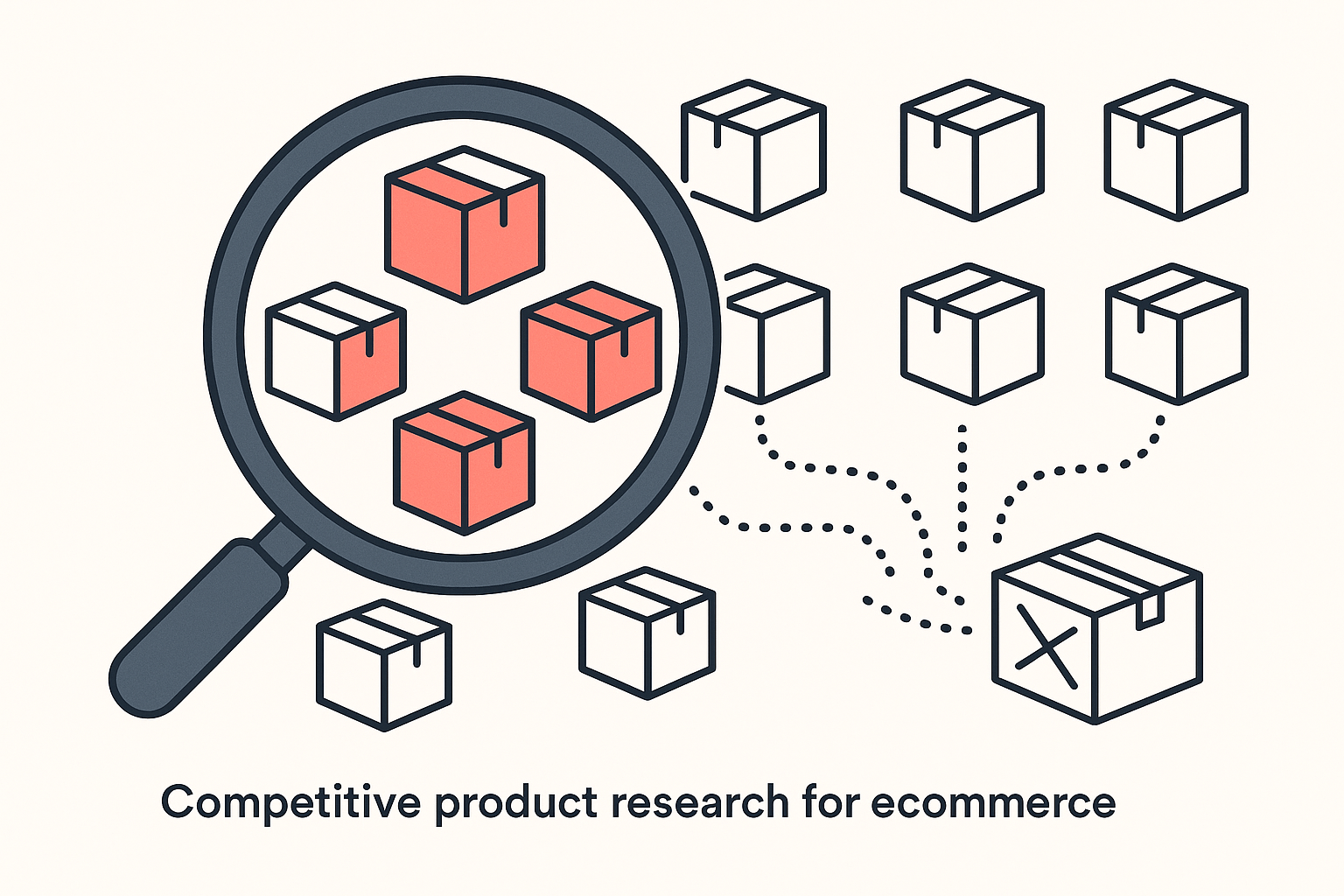
There is no public button that prints a competitor's supplier name and factory address. Sellers who promise one are usually selling you something. What you can do is read a competitor's store closely enough that sourcing comparable products becomes straightforward: the items they sell, which ones actually move, how they price them, and the small signals that point to a product type or a supplier category. From there you find a supplier of your own, often a better one.
This guide walks through what a Shopify competitor's store really exposes, how to read the signals that point to where a product comes from, and how to use Koala Inspector to surface a store's products and best sellers as your starting point. We will be straight about the limits too: this is competitive product research, not a magic supplier lookup.
Table of contents
- What a competitor's store actually tells you
- Step 1: read their catalog and best sellers
- Step 2: read the signals that point to a supplier
- Step 3: source comparable products with Find Suppliers
- How to vet the supplier you find
- FAQ
What a competitor's store actually tells you
Start by separating what is public from what is private. A competitor's private dashboard, the actual purchase orders, the contact they email, the per-unit cost they negotiated, none of that is visible to you. Trying to find the exact supplier behind a product is often a dead end, and the time you spend chasing it is time not spent selling.
What is public is more useful than people assume. Every storefront shows you the full product range, the prices, the product titles and descriptions, the images, and usually enough structure to tell which products the store is built around. Read together, those things tell you the product type, the rough quality tier, the price band, and whether the catalog looks like generic dropship stock or something more custom. That is most of what you need to go and source a comparable product.
The goal shifts once you accept the limit. You are not hunting for one secret name. You are reading a working store to answer three questions: what are they selling, which of it sells, and what kind of supplier could fulfil the same thing for me. Answer those and the original supplier stops mattering, because you can match the product and frequently beat the offer.
Step 1: read their catalog and best sellers
The first job is to see the whole catalog, not just the homepage. A homepage is a merchandising choice. The products a store features are the ones it wants you to see, which is rarely the same as the products carrying its revenue. To source intelligently you want the full list and a read on which items actually move.
Koala Inspector is a free-to-start Chrome extension built to read Shopify stores. Open any storefront with it running and it surfaces the store's full product catalog, its likely best sellers, prices, and newest additions in one panel, drawn from the public data the store already exposes. You are not trusting a "best selling" sort the owner can switch off; you get a ranked read of the catalog in seconds.
Here is the workflow:
- Install the extension. Add Koala Inspector from the Chrome Web Store. It runs in your browser with nothing to configure.
- Open the competitor's store. Navigate to any public Shopify storefront and the extension activates on the page.
- Pull the full catalog and best sellers. The panel lists every product and surfaces the likely best sellers, so you can see the items worth sourcing rather than the ones picked for the homepage.
- Note the prices and newest products. The price band tells you the market the store is targeting. The newest additions tell you where the operator sees opportunity next, which is a strong cue for what to source.
The point of this step is focus. Instead of sourcing comparable versions of forty random products, you start from the handful that a real store with real traffic is actually selling. That alone separates this from guessing. For a deeper walkthrough of just this part, see our guide on finding any Shopify store's best sellers.
Step 2: read the signals that point to a supplier
Once you know which products matter, the store leaks signals about where those products come from and what kind of supplier sits behind them. None of these names a factory outright, but together they narrow the field fast.
- Generic versus branded product photos. Stock photos shared across several unrelated stores, or images on a plain white background with no custom styling, usually mean a widely available dropship product sourced from a marketplace. Custom lifestyle photography points to a store that has invested in branding, and possibly a private-label or agent relationship.
- Product titles and descriptions. Catalog-style titles, odd phrasing, or descriptions that read like they were copied wholesale are a giveaway for off-the-shelf marketplace products. That tells you the same item is almost certainly available to you from the same kind of source.
- Price band. A very low price suggests a cheap generic supplier and a margin play on ads. A premium price on the same product type suggests either better sourcing, custom packaging, or pure brand markup, each of which changes how you would compete.
- Shipping and processing times. The store's shipping policy hints at where fulfilment happens. Long windows often mean overseas dropshipping; fast domestic delivery points to a local supplier or held stock. Shipping pages are also where stores quietly tell you their real lead times, and those rarely match the marketing promise on the product page, so check the policy before you assume a competitor's delivery times are something you can match.
- The apps and theme they run. A store's tech stack hints at how it operates. Sourcing or fulfilment apps in particular point to the kind of supply chain behind the catalog. Koala Inspector lists the installed apps and the active theme for free alongside the products, so you can read the build at the same time you read the catalog.
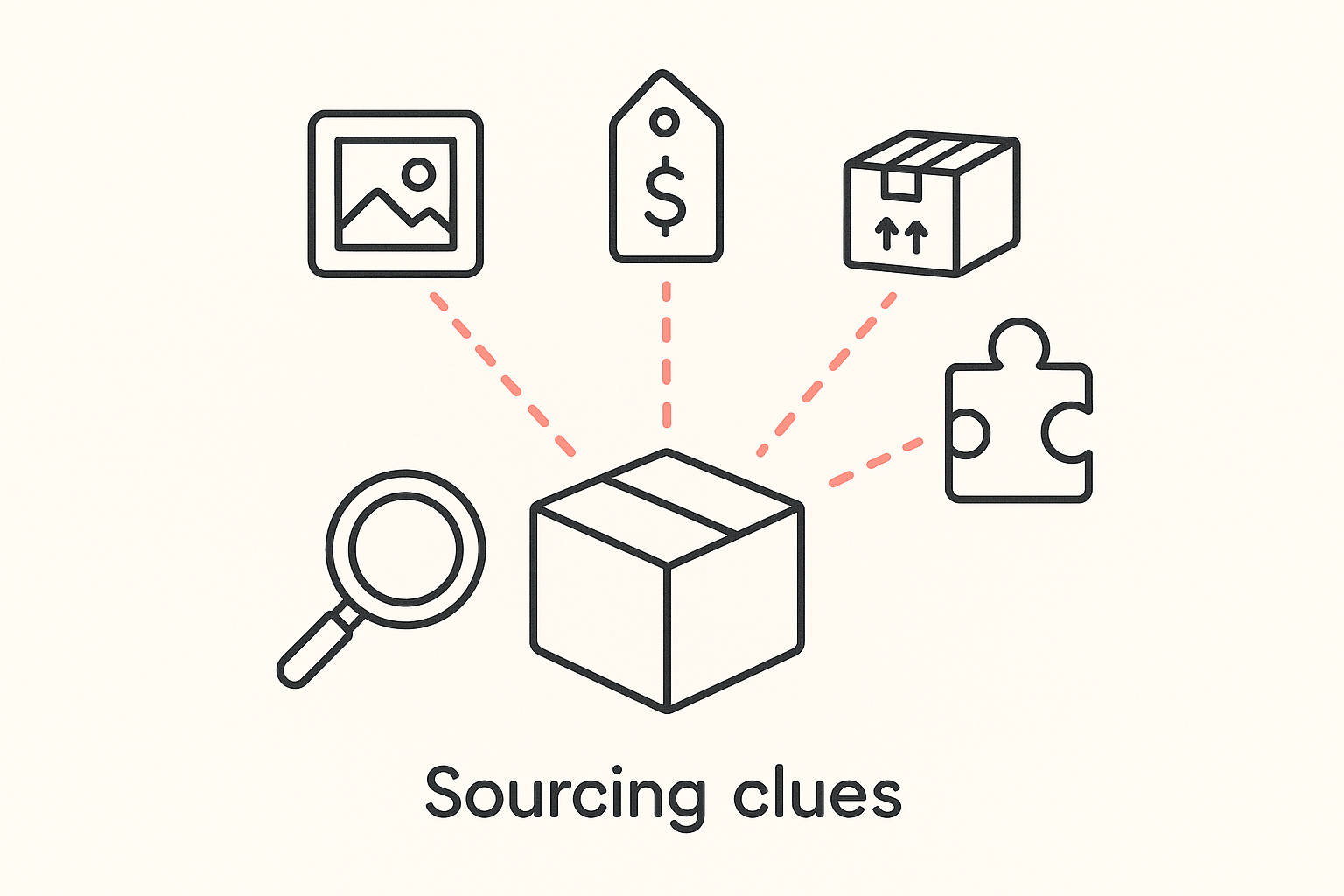
Read these as a cluster, not in isolation. A single signal can mislead, but generic photos plus a copied description plus a low price plus a three-week shipping window is a clear profile: a commodity product you can source from the same broad category of supplier, usually with room to do it better.
Step 3: source comparable products with Find Suppliers
With a shortlist of products and a read on their type, you can go find a supplier. You are not trying to copy their exact contract; you are sourcing a comparable product on terms you control.
The most direct way to do this is Koala Inspector's Find Suppliers. With the extension open on a store, click Find Suppliers on a product, or right-click anywhere on a Shopify product page and choose "Find suppliers for product", and you get the suppliers selling that same item, from Alibaba, AliExpress and CJ Dropshipping to Amazon, Walmart, eBay and Etsy. It is purpose-built for exactly this job: instead of eyeballing a photo and hoping, you get the answer in one click, without leaving the store you are researching.
The results are split into exact matches and similar products, each with a match score, so you can tell the real item from a lookalike at a glance. Every supplier card shows its rating and review count where available, an estimated delivery time, and your landed cost per unit: item price plus a shipping estimate plus import duty, delivered to the country you sell into (29 are covered). Set the price you plan to charge and each card shows your estimated profit per unit and margin. Sort by Highest Profit or Fastest Shipping, filter out anything below your minimum margin, and open the supplier with View Store.
That makes it the fastest route from "a competitor sells this" to "here is where I can source it, and here is what I would make," and a quick way to sanity-check a supposed winning product: a long list of exact matches at tightly bunched delivered prices means it is already resold everywhere. To be clear about the limit: it finds suppliers selling the same product, which is your route to sourcing it; it does not reveal a competitor's private supplier contract, because no public tool honestly can.
Comparing a few of those listings is where the real edge appears. The same product often sells at very different landed costs depending on the supplier and shipping origin, so the price you see on a competitor's store is not the price you have to pay to stock it. Pull two or three options, weigh the unit cost against shipping time and reliability, and you are sourcing from a position of knowledge rather than copying blind.
How to vet the supplier you find
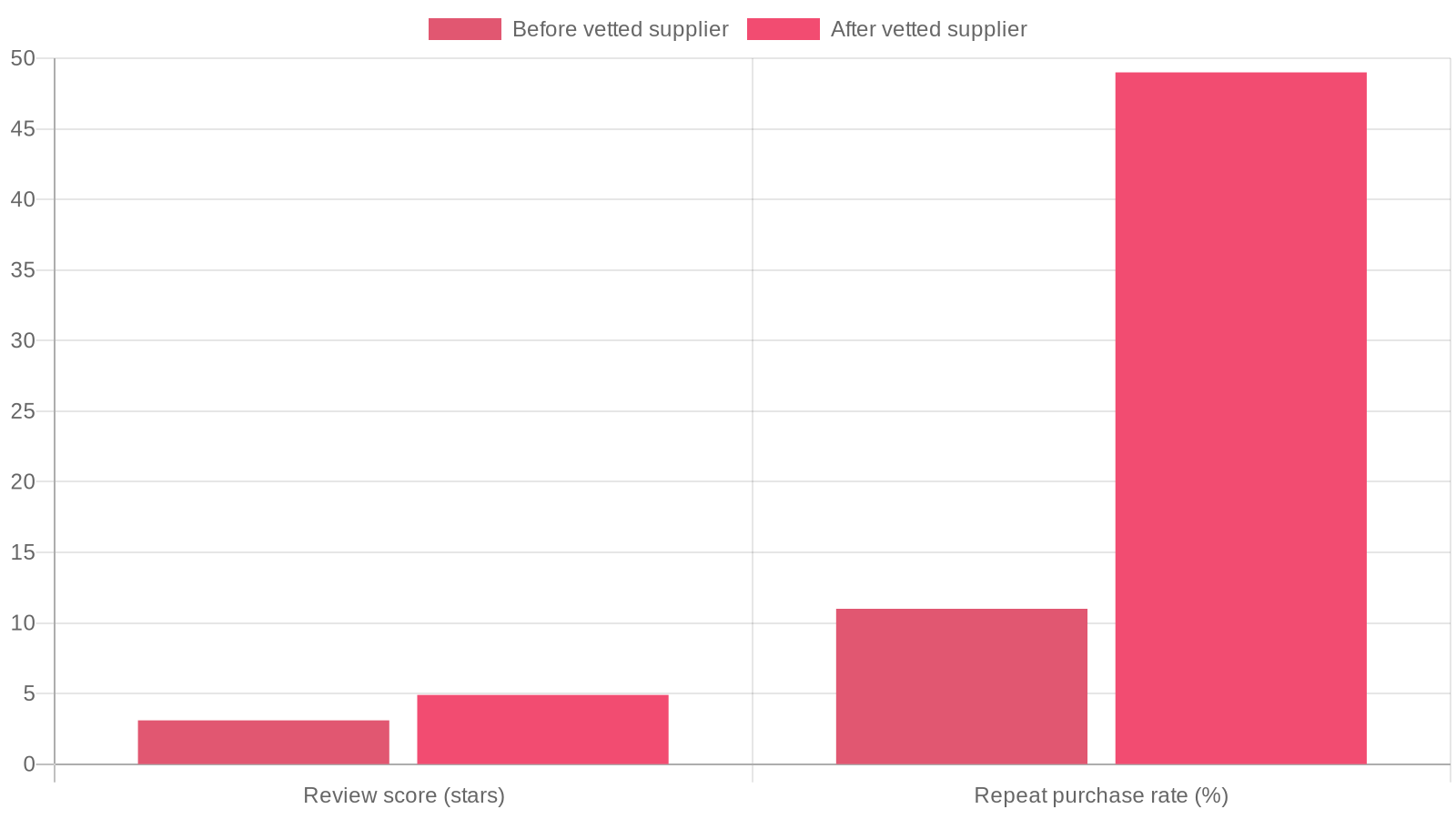
Finding a supplier is the easy half. The half that decides whether your store survives is whether that supplier is any good, because the supplier you choose directly affects your reviews, your retention, and your brand reputation. One pet-niche store that switched from inconsistent overseas suppliers to a vetted source saw its review score climb from 3.1 to 4.9 stars within 45 days, and its repeat purchase rate move from 11% to 49% (Spocket case study). The product was similar; the sourcing decision was the difference.
Before you commit, check a supplier against the basics that reliable ones tend to share:
- Consistent shipping with tracking. Predictable delivery windows and real tracking numbers, not a vague "7 to 30 days."
- Quality that matches the photos. Order a sample. The product in hand should match the listing images and description, not feel cheaper.
- Responsive communication. A supplier that answers questions quickly before you buy is one that will answer when something goes wrong after.
- Transparent pricing. Clear unit and shipping costs with no surprise fees that quietly eat your margin.
- A fair returns policy and a real reputation. Positive reviews and a track record you can verify, plus a sane way to handle defects and refunds.
It is also worth not depending on a single source. Working with more than one supplier reduces the risk of one account or one factory taking your store down with it. Read a competitor to find the product; vet hard to find the supplier worth keeping.
Ready to read your first competitor?
The fastest way to start is to open a competitor's store and see what they actually sell. Install Koala Inspector for free, open any Shopify store, and surface its catalog, best sellers, prices, and the apps it runs in the next five minutes. The free plan is enough to research stores today, and the Premium plan adds depth when you want to source at volume. For the wider competitor-research playbook, see our guide on how to spy on Shopify competitors.
FAQ
Can you find out exactly who a competitor's supplier is? Usually not, and any tool that claims to is overpromising. A supplier relationship is private. What you can do is read the competitor's public store to identify the product, its type, and its price band, then run Koala Inspector's Find Suppliers on it to see the suppliers selling that same product, with your landed cost and estimated profit per unit from each. That gets you a supplier of your own for a comparable product, which is what actually matters.
How do I find reliable suppliers? Start from a real product you have validated, not a supplier directory you browse cold. Once you know the product, find several suppliers that sell it and judge them on the same basics: consistent shipping with tracking, quality that matches a sample order, responsive communication, transparent pricing, and a verifiable reputation. Order samples before you commit, and use more than one supplier so a single account problem cannot take your store offline.
Does Koala Inspector show a store's supplier? No, and it does not claim to. Koala Inspector surfaces a Shopify store's public information: its products, likely best sellers, prices, newest items, estimated traffic and sales, plus the apps and theme it runs. Its Find Suppliers feature finds suppliers selling the same product, with your landed cost and estimated profit per unit, which is your route to sourcing, but it does not reveal a competitor's private supplier contract.
Is researching a competitor's products allowed? Yes. You are reading public information that any visitor to a storefront can see, organized into a clearer view. Looking at what competitors sell and how they price it is normal competitive research, the same as walking a rival's shop floor offline. Sourcing your own comparable product from your own supplier is just running a business.
Written by
Ana Gelevska
eCommerce Content Writer
Ana Gelevska is a content writer with more than five years of experience creating content for eCommerce brands and global clients. She digs into each topic and the people it is for, then turns it into clear, useful articles that Shopify sellers and dropshippers can act on.
Connect on LinkedIn