MyShopify: The Complete Guide
 By Ana GelevskaJuly 4, 2023 · Updated June 4, 2026
When you create a Shopify account, you get a URL that looks something like yourstore.myshopify.com. New store owners often wonder what that "myshopify" part means, whether it affects how customers see their store, and whether they actually need to change it. This guide covers all of that, plus what the subdomain is actually used for behind the scenes.
What is MyShopify?
MyShopify (storename.myshopify.com) is the default subdomain Shopify assigns to every store at signup. It is permanent and tied to your account for its lifetime. Even if you later connect a custom domain like www.yourstore.com, the myshopify.com address stays active in the background.
That background role matters more than most guides let on. Shopify uses your myshopify.com URL as the stable identifier for your store in several places:
- Admin login: You sign in at
yourstore.myshopify.com/admin - API calls: Every Shopify API request references the myshopify.com hostname, not your custom domain
- App connections: Third-party apps that integrate with your store via OAuth use the myshopify.com address as the identifier
- Password-protected storefronts: Before you launch publicly, Shopify serves a preview page at the myshopify.com URL
So even if you never share the myshopify.com URL with a customer, it is always there and always needed.
What is the difference between Shopify and MyShopify?
Shopify is the platform. MyShopify is your store's permanent subdomain on that platform. The distinction is subtle but worth understanding.
When you sign up, Shopify creates:
- A merchant account (with billing, staff, settings)
- A store instance (your products, orders, theme)
- A myshopify.com subdomain (the address for that store instance)
You can have multiple stores under one Shopify account, and each gets its own unique myshopify.com subdomain. That subdomain cannot be changed after you pick it, which is why choosing a good store name at signup matters. The name you pick becomes your permanent myshopify.com handle.
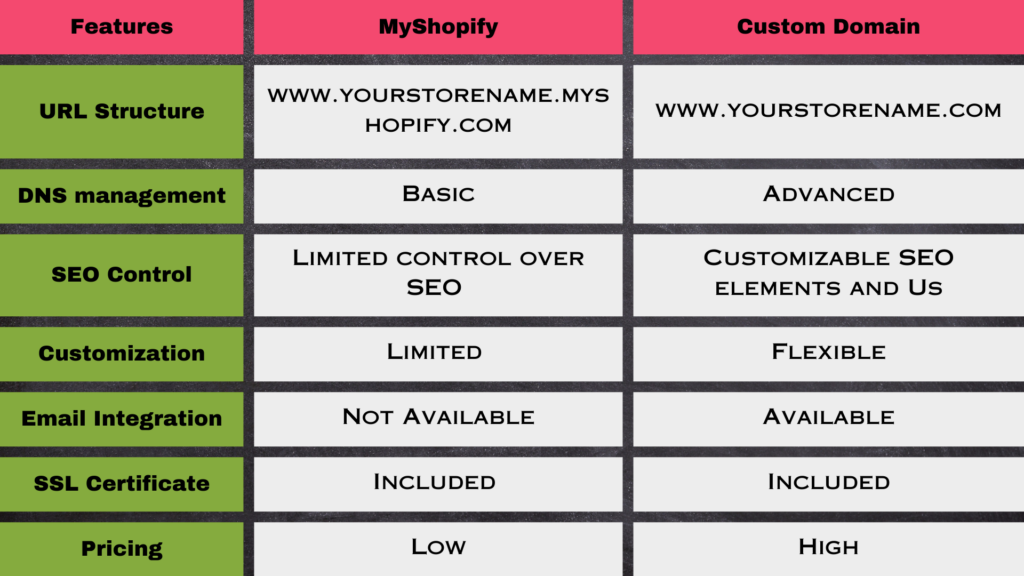
| Shopify | MyShopify subdomain | |
|---|---|---|
| What it is | The e-commerce platform | Your store's permanent identifier |
| Who controls it | Shopify (the company) | Assigned at signup, tied to your store forever |
| Customer-facing | No (the platform itself is invisible) | Yes, if you don't connect a custom domain |
| Used in API calls | No | Yes, always |
Why does myshopify.com appear to customers?
If you have not connected a custom domain to your Shopify store, customers who visit your store see a URL like yourstore.myshopify.com. Shopify uses this as the live storefront address by default.
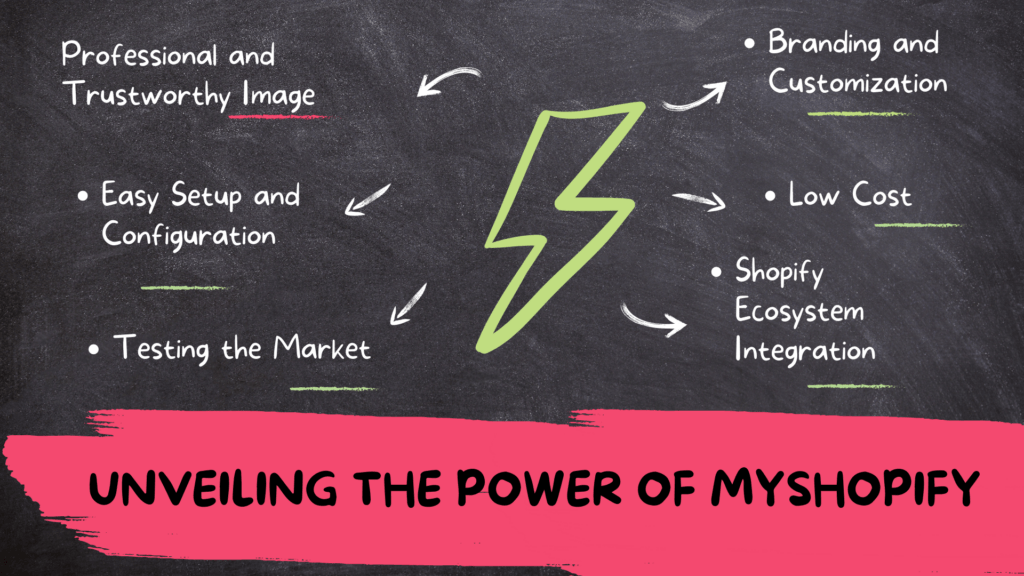
This is fine for testing and early-stage stores. Many merchants run on the myshopify.com subdomain for weeks or months before buying a custom domain. Shopify's infrastructure handles SSL, CDN delivery via Fastly, and Level 1 PCI compliance on the myshopify.com subdomain the same as it does on custom domains. There is no technical difference in how the store functions.
The practical difference is in perception. Some customers recognize myshopify.com as a Shopify store and find it reassuring. Others, particularly in B2B or premium product categories, may expect a branded domain and find the subdomain less professional.
Advantages of keeping the MyShopify subdomain
No domain cost or registration required
A custom domain typically costs $10-15 per year for a .com, plus whatever registrar fees apply. For stores still testing product-market fit, keeping the free myshopify.com subdomain saves that cost while you validate demand.
Instant HTTPS and hosting
Shopify's myshopify.com subdomain comes with SSL automatically configured. You don't manage certificates, renew them, or deal with DNS propagation delays. Shopify handles hosting on its global CDN infrastructure, including protection against traffic spikes.
Good enough for early traction
Many successful Shopify stores ran on myshopify.com URLs during their first few months. Getting your first customers and proving your store concept is more valuable than having a branded domain before you know if the product sells.
Useful for staging and testing
Even after connecting a custom domain, some merchants use the myshopify.com URL as a backdoor to access their store admin or test theme changes before pushing them live.
Low-effort seasonal stores
If you are running a pop-up or seasonal store, the myshopify.com subdomain means zero domain management. You can set up, sell for a season, and pause or close without worrying about domain renewals.
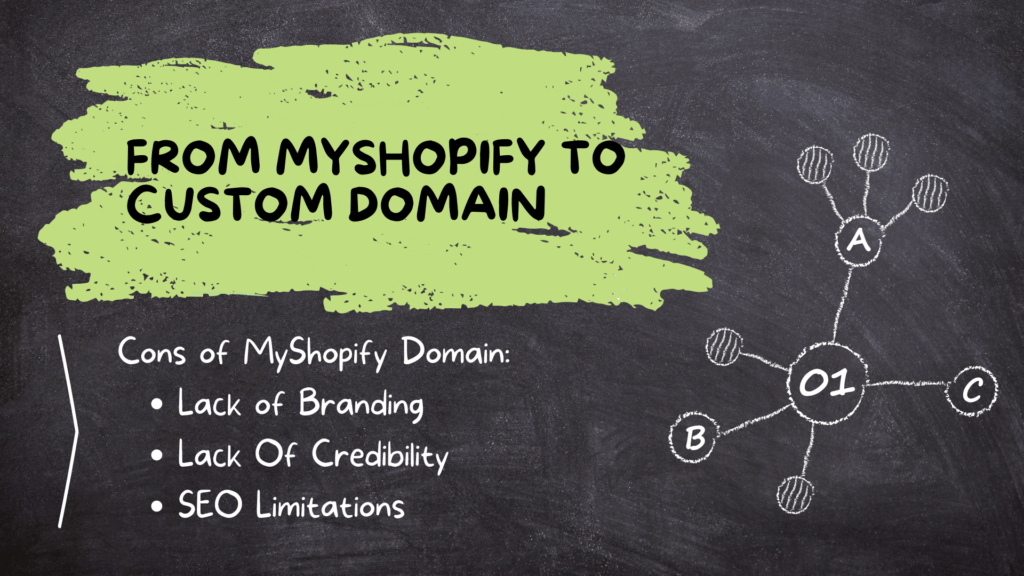
Cons of using the MyShopify subdomain as your main URL
Weaker brand identity
A URL that includes "myshopify" tells customers they are at a Shopify store, not necessarily at your brand. For new visitors who found you through an ad or social post, the domain is often the first thing they notice before the page loads. If building a recognizable brand is a priority, a custom domain gets you there faster.
Harder to build branded email
You cannot create a professional email address (like hello@yourstore.com) using the myshopify.com subdomain. That matters if you want email communications to reinforce your brand rather than come from a Gmail or similar address.
SEO equity stays tied to myshopify.com
If you build backlinks and organic rankings on your myshopify.com URL and later switch to a custom domain, you need to set up 301 redirects to transfer that equity. Shopify handles this reasonably well when you connect a custom domain, but any delay or misconfiguration can cost ranking positions.
No control over the subdomain name
You chose your store name at signup, but you cannot change the myshopify.com portion itself. If your business pivots and your store name no longer fits, you are stuck with the original handle in the myshopify.com URL.
From MyShopify to a custom domain
Most growing stores eventually connect a custom domain. The process in Shopify is straightforward:
You can either buy a domain directly through Shopify (Settings > Domains > Buy new domain) or register one with a separate registrar like Spaceship, Namecheap or GoDaddy and connect it. Spaceship lists a .com at $8.88 for the first year and $9.98 a year to renew, plus a $0.20 ICANN fee (checked 25 September 2026), with free domain privacy on nearly all its domains. Shopify provides step-by-step instructions for pointing your registrar's DNS to Shopify's servers.
Once connected:
- Shopify automatically 301-redirects all myshopify.com traffic to your custom domain
- Your admin login still works at the myshopify.com address (that never changes)
- SSL is provisioned for your custom domain automatically, usually within a few minutes
- If you bought the domain through Shopify, you own it outright and can transfer it away if you ever leave the platform
One thing worth knowing: all domain purchases through Shopify are non-refundable, and new domains can take up to 48 hours to fully propagate. Buy the domain before you need it for a launch deadline.
How to buy a custom Shopify domain
- Go to your Shopify admin and click Settings
- Click Domains, then Buy new domain
- Enter the domain name you want and choose an extension (.com, .co, .net, etc.)
- Review the available options and their annual prices
- Click Buy next to your preferred domain
- Enter payment details and review the registration agreement
- Decide whether to enable auto-renewal
- Confirm the purchase and complete email verification
MyShopify vs. custom domain: which should you use?
The honest answer depends on where your store is in its lifecycle.
Use myshopify.com when:
- You are still testing whether your products sell
- You are building a seasonal or temporary store
- Budget is tight and domain cost matters right now
- You want zero DNS or domain management overhead
Switch to a custom domain when:
- You have confirmed product-market fit and are investing in growth
- Your store represents a brand you want customers to remember
- You need professional email addresses that match your domain
- You are building backlinks and want that SEO equity on your brand's domain
There is no urgency to switch before you are ready. Plenty of Shopify merchants run on the myshopify.com subdomain for their first several months without it meaningfully hurting conversions. The pressure to upgrade is more real in categories where trust signals matter more (higher-priced items, B2B, subscription products) than in categories where buyers decide fast.
SEO considerations for the MyShopify subdomain
The myshopify.com subdomain is a subdomain of shopify.com. Google treats subdomains as distinct from the root domain in most cases, so your SEO authority builds on myshopify.com, not on shopify.com's domain authority. That is different from, say, a subfolder of shopify.com.
If you are actively building SEO on a myshopify.com URL, treat it like any other domain: build backlinks to it, submit the sitemap to Google Search Console, and verify ownership. Shopify provides a sitemap automatically at yourstore.myshopify.com/sitemap.xml.
When you eventually connect a custom domain, Shopify's automatic 301 redirect from myshopify.com to your custom domain passes link equity forward. The transition is cleaner than many platform migrations.
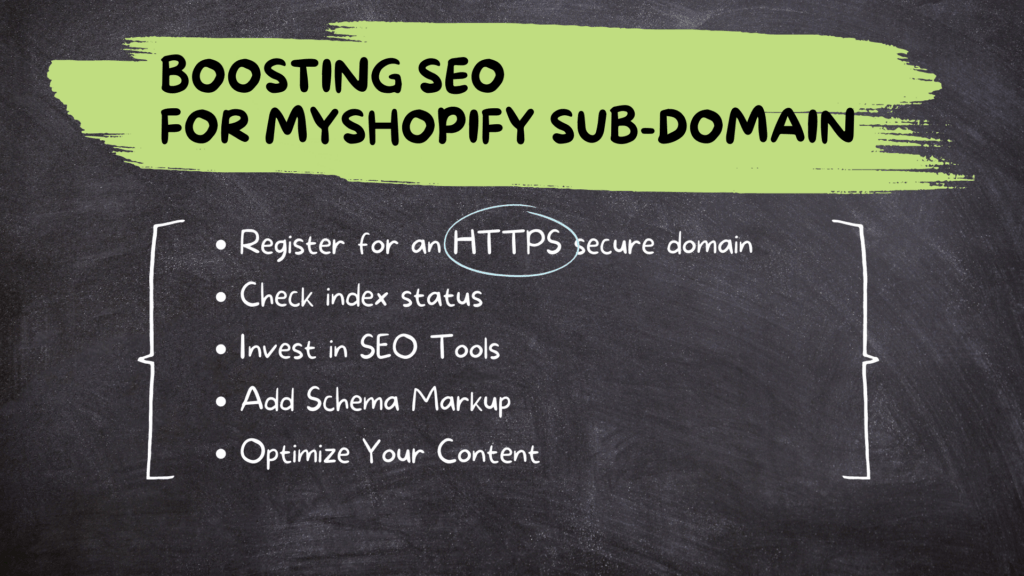
A few practical SEO steps that apply regardless of which domain you use:
- Submit your sitemap to Google Search Console once your store is live
- Remove the password on your storefront (password-protected stores cannot be indexed)
- Write specific product and collection descriptions rather than leaving Shopify's default placeholder text
- Use alt text on product images so Google can understand what you are selling from visual content
Is myshopify.com legit?
This question comes up often from first-time shoppers who land on a storename.myshopify.com URL and are unsure if it is a legitimate site. The answer is yes. The myshopify.com domain belongs to Shopify, which processes over $1.1 trillion in total merchant sales and maintains Level 1 PCI compliance for payment security. A store on myshopify.com is just as secure as one on a custom domain, as far as payment processing and data handling go.
What varies is the store itself. A myshopify.com URL tells you the store runs on Shopify; it says nothing about the quality of the merchant. As with any online purchase, standard buyer caution applies: check reviews, look at return policy, and verify contact information before ordering from an unfamiliar seller.
How to find a store's MyShopify address
Every Shopify store has a myshopify.com URL, even if they show a custom domain to customers. If you want to find the underlying myshopify.com address for a store (for competitive research, or just to understand who is running on Shopify), a fast way is to use a browser extension like Koala Inspector. It surfaces the myshopify.com subdomain for any Shopify store you visit, along with the theme they are using, installed apps, and product information.
Common questions about MyShopify
Can I change my myshopify.com URL? No. The myshopify.com subdomain is set at account creation and cannot be changed. You can connect a custom domain that customers see, but the myshopify.com address is permanent.
Does myshopify.com affect my store's speed? No. Shopify hosts all stores (custom domain or myshopify.com subdomain) on the same global CDN infrastructure. The domain itself does not change how fast your store loads.
Do I need to keep paying for myshopify.com? The myshopify.com subdomain is included in every Shopify plan. You do not pay extra for it. Shopify's plans start at $39/month (Basic), and the subdomain is available on all of them.
Will switching to a custom domain break my existing links or rankings? Shopify automatically sets up a 301 redirect from your myshopify.com URL to your new custom domain. Bookmarks and inbound links pointing to myshopify.com will be forwarded automatically.
Can I use myshopify.com for email? No. Shopify does not provide email hosting. If you want a branded email address matching your domain, you would need to set one up through Google Workspace, Microsoft 365, or a similar service after connecting a custom domain.
Written by
Ana Gelevska
eCommerce Content Writer
Ana Gelevska is a content writer with more than five years of experience creating content for eCommerce brands and global clients. She digs into each topic and the people it is for, then turns it into clear, useful articles that Shopify sellers and dropshippers can act on.
Connect on LinkedIn