Mastering Automated Dropshipping: The Complete Guide to Streamlining Your E-Commerce Store
 By Ana GelevskaJune 13, 2025 · Updated June 4, 2026
Dropshipping businesses hit a wall when manual processes can't keep up with order volume. Processing each order by hand, checking inventory levels, updating prices, and managing customer emails becomes a full-time job that prevents actual business growth. Automation handles these repetitive tasks, giving store owners time to focus on finding profitable products and scaling their operations. This guide covers everything you need to know to get started with automated dropshipping. 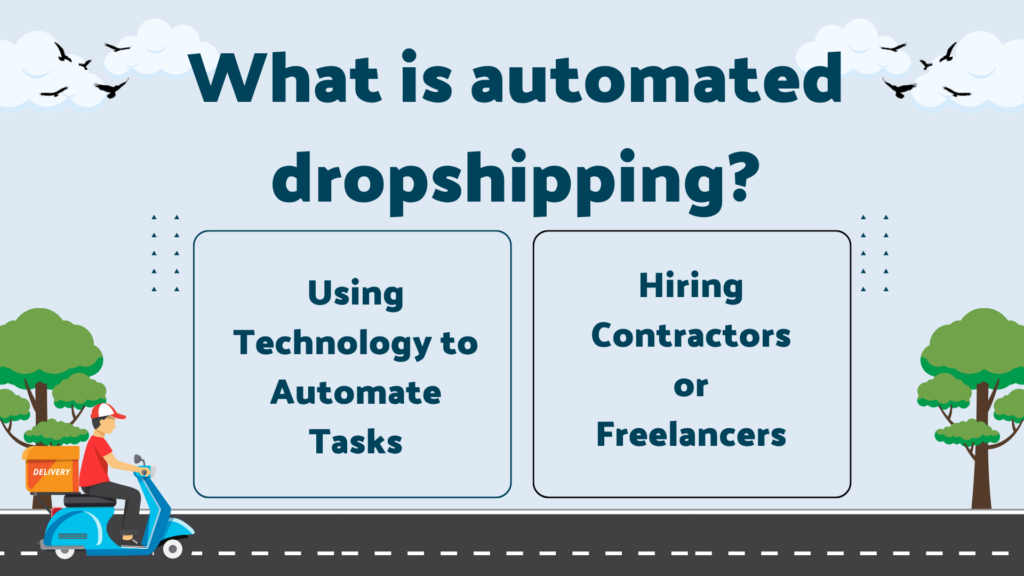
What is Automated Dropshipping?
Automated dropshipping is a system where software handles the operational tasks: product imports, order fulfillment, inventory syncing, pricing updates, and tracking notifications. Store owners connect their Shopify store to automation tools that run these processes without manual input.
Here's the practical picture: you pick a niche, build your product catalog, and configure your automation setup. When an order comes in, the software purchases the product from your supplier and sends them the shipping address. The supplier ships directly to your customer. Your job shifts from processing orders to choosing products and growing your brand.
That said, automation covers more than just software. Hiring a freelancer to handle supplier communication or digital marketing is also a form of automation, just a human one. The best-run stores typically combine both approaches: tools handle repeatable tasks, people handle judgment calls.
It's also worth being specific about what software automation actually does well. It excels at anything rule-based: "if an order comes in, send it to the supplier," "if stock drops below 5 units, mark the product unavailable," "if a customer hasn't received tracking info after 24 hours, send an email." It doesn't replace the strategic work of finding the right products or choosing which markets to enter.
Common Tasks You Can Automate
Several business processes drain time without adding real value to your operation.
Order processing - Every order follows the same pattern: receive payment, verify details, contact supplier, track fulfillment. This sequence is identical for order 1 and order 1,000. Manual processing at volume becomes the main bottleneck in the business.
Inventory management - When a supplier runs out of stock, you need to know immediately. Selling a product you can't fulfill creates a refund, a support ticket, and a damaged customer relationship. Automated inventory syncing catches those changes the moment they happen.
Price monitoring - Supplier costs change. Competitors adjust prices. Promotional windows open and close. Manually tracking this across hundreds of products is unrealistic. Pricing automation applies your margin rules automatically when costs shift.
Customer communication - Order confirmations, shipping notifications, delivery updates, and review requests all follow predictable triggers. Customers expect these messages quickly. Sending them manually is time-consuming; sending them inconsistently looks unprofessional.
Product importing - Copy-pasting product titles, descriptions, images, and categories from supplier catalogs into your store is one of the biggest time sinks for new store owners. Bulk import tools can bring in a full product category in minutes.
Marketing - Abandoned cart emails, post-purchase sequences, and review requests are high-return automations with low ongoing effort once they're configured. A cart abandonment email triggered a couple of hours after abandonment can recover sales that would otherwise disappear.
Types Of Automation In Dropshipping
Automation in dropshipping takes three forms, and the most effective stores use all three together.
1. Using Technology to Automate Tasks
Software handles the repeatable, rule-based work: importing products, syncing inventory, routing orders, sending emails. This is the most scalable form of automation because once the rules are set, they apply to every order without additional effort. Tools like AutoDS, DSers, and Spocket connect directly to your Shopify store and handle the supplier communication layer automatically.
2. Hiring Contractors or Freelancers for Automated Dropshipping
Some tasks don't lend themselves well to software. Supplier relationship management, ad creative production, customer complaint resolution, and content writing all require judgment and flexibility. Hiring a contractor or freelancer who specializes in one of these areas gets the work done without you learning the skill yourself.
This is particularly useful when your business hits a volume where one area becomes a bottleneck. If you're spending six hours a week on customer service, hiring a part-time VA for that work frees up your time for higher-impact decisions. The task still gets done, just without your direct involvement.
3. Using AI
Artificial intelligence is changing how dropshipping stores operate in ways that weren't possible a few years ago. The main areas where AI adds real value:
Product research - AI-powered tools can scan large catalogs and identify products gaining traction before they saturate. This is useful for finding opportunities earlier than competitors who rely on manual browsing.
Customer service - AI chatbots handle common questions (order status, return policies, product details) around the clock. They won't replace human support for complex issues, but they can resolve a significant percentage of tickets without human involvement.
Ad optimization - AI tools analyze ad performance across audiences and creatives, making incremental adjustments to allocate budget toward what's working. This is most useful once you have enough data for the models to learn from.
Demand forecasting - Machine learning tools can flag when a product's velocity is changing, helping you make restock or deprioritization decisions earlier.
The practical approach is to combine all three. Software covers the repeatable backend work, contractors handle specialized judgment tasks, and AI tools provide analysis and pattern recognition at a scale that's hard to replicate manually.
How is Automated Dropshipping different from regular dropshipping?
Traditional dropshipping works the same way in principle, but everything runs through manual steps. You receive an order, log into your supplier's portal, enter the customer's address, place the order, copy the tracking number, and paste it into your store. Then you do the same for the next order. And the next.
At low volume, this is manageable. At 50 or 100 daily orders, it becomes the only thing you do. The margin for error also increases: wrong addresses, missed orders, out-of-stock products that weren't flagged, tracking numbers that never got sent to customers.
Automated dropshipping removes these steps from your daily workflow. Orders route to suppliers automatically. Inventory updates run continuously in the background. Customer emails send based on order triggers rather than manual composition. When you're not online, the store still processes orders correctly.
This is why dropshipping has stayed a viable business model well into 2026. The automation layer makes it possible to run a store with real order volume without a full operations team. The business owner's role shifts from "person who processes orders" to "person who chooses products, sets pricing strategy, and drives traffic." Those are different jobs, and the second one is more valuable. 
Benefits of Dropshipping Automation
Automation delivers specific, measurable benefits rather than vague improvements.
Time Savings and Reduced Manual Work
The most direct benefit is hours back in your week. An order that took five to ten minutes to process manually, including supplier login, address entry, and confirmation copy, happens in seconds with automation. Multiplied across daily orders, this is the difference between running a store and being buried in it.
Fewer Errors in Order Processing
Manual data entry creates mistakes. Wrong shipping addresses, incorrect product variants, transposed order numbers. Automation transfers data directly between systems, so the address your customer typed into your checkout is the same address the supplier receives. No transcription step means no transcription errors.
Faster Order Fulfillment
Manual processing creates delays when you're unavailable, offline, or simply behind on a busy day. Automated systems process orders immediately when they come in, which matters when your customers expect to receive shipping confirmation quickly.
Better Customer Experience
Customers receive consistent, timely messages at each stage of their order. This builds confidence in the purchase, reduces inbound support questions about order status, and leaves a better impression than stores that send delayed or inconsistent updates.
Scalability for Growth
Automation breaks the link between order volume and operational effort. The systems handling 20 daily orders run the same process for 200 without requiring more of your time. This is what makes growth possible without proportionally growing your team. 
Is Automated Dropshipping right for me?
Automation pays off more at some stages than others. If you're still testing products and haven't found consistent sellers, investing heavily in automation tools is premature. Get the product-market fit first, then optimize the operations layer.
Automated dropshipping makes sense if:
- You're already processing orders daily and the manual steps are taking several hours.
- You've had fulfillment errors (wrong items shipped, tracking never sent, sold-out products not caught) that hurt your reviews or required refunds.
- You want to run more than one store without a proportional increase in your time commitment.
- You're spending significant time on tasks someone else could handle, such as social media posting, email campaigns, or product research.
It's less urgent if:
- You're in early testing mode with a handful of weekly orders.
- You haven't identified a reliable supplier relationship yet.
- Your main bottleneck is traffic, not operations.
The right starting point is to audit where your time actually goes. Then automate the most repetitive category first, measure the time saved, and expand from there.
How can I start Automated Dropshipping?
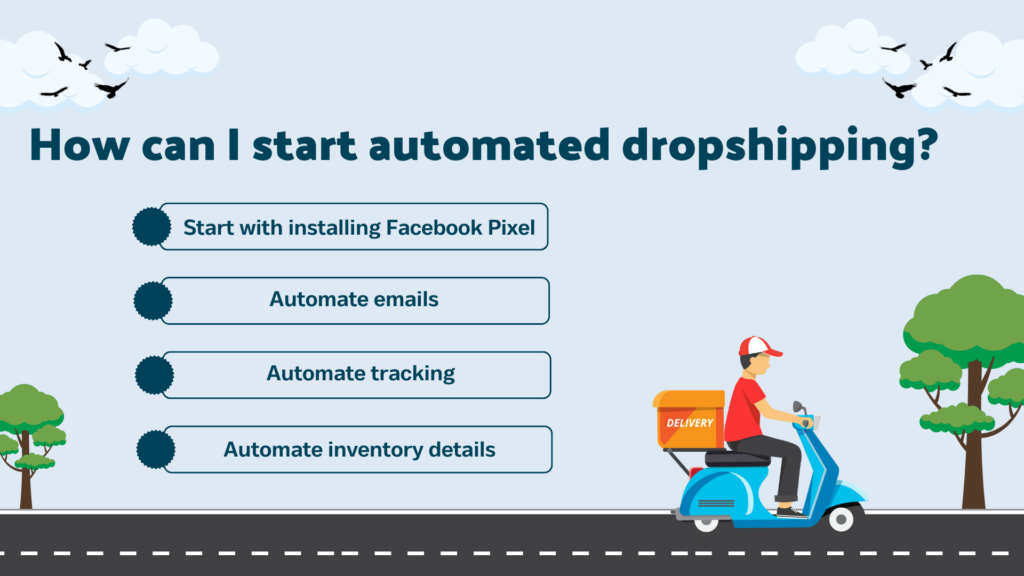
Here's a practical starting sequence that lets you build automation incrementally rather than setting everything up at once.
Start with installing Facebook Pixel
Facebook Pixel is a piece of code that tracks customer actions on your Shopify store: page views, add-to-cart events, purchases, time on site. Installing it is the foundation for running effective paid ads, because it gives Facebook the data it needs to find customers who behave like your buyers. This is also the starting point for automated retargeting, where ads show automatically to visitors who didn't convert on their first visit. Setting it up at the beginning means you're building an audience from day one.
Automate emails
Shopify includes email automation in its core settings. Go to Settings, then Notifications, and you'll find around 20 triggers you can configure, including order confirmations, cancellations, refunds, and abandoned checkouts. These are free to use and require no third-party tool. For more sophisticated sequences, including post-purchase flows and review requests, tools like Klaviyo and Omnisend connect directly to Shopify and give you more control over timing, content, and segmentation.
Automate tracking for Automated Dropshipping
Tracking visibility is one of the most common sources of customer support inquiries. Automating it reduces that load. Create a branded tracking page that updates automatically as the supplier provides status changes. This gives customers a place to check their order without contacting you, and it looks more professional than forwarding raw carrier tracking links.
Automate inventory details
Configure your automation tool to sync inventory levels with your supplier's catalog continuously. The specific behavior to set up: mark products as unavailable immediately when a supplier runs out of stock, and restore them automatically when inventory returns. Add low-stock alerts for your best-selling products so you can make sourcing decisions before customers encounter unavailability.
Faster checkout Process
Create the easiest and most efficient way for customers to select a product and checkout. You can streamline the checkout process using our Skip to checkout Shopify app, to maximise your profits and reduce churn.
What are some tools available for automated dropshipping?
Here are the main tools available for different parts of the automation stack. 
AutoDS - Automated Dropshipping
AutoDS is an all-in-one dropshipping platform with over 87,000 active users. It handles product research, bulk importing, automatic order processing, and 24/7 price and stock monitoring. The platform connects to suppliers across the US, EU, and China, giving you access to a wide catalog from a single interface. AutoDS is a strong fit for sellers who want most of the automation layer handled in one tool rather than stitched together from separate apps.
Spark Shipping
Spark Shipping connects sellers with suppliers and handles the data layer: full product catalog syncing, stock quantity updates, automatic order routing to the best available supplier, and tracking updates from vendors. It's built for sellers managing multiple suppliers who need reliable data flow between their store and their supplier network without manual intervention.
Etail Solutions
Etail Solutions is aimed at D2C sellers with higher order volume who need order routing optimization. The platform focuses on finding the most cost-effective shipping solution for each order and managing fulfillment across multiple channels. Features include centralized inventory management, sales channel integration, and shipping cost optimization across carrier options.
Dropified for Automated Dropshipping
Dropified handles product research, importing from AliExpress and eBay, and end-to-end order automation. It includes a Profit Dashboard for tracking margins and allows importing existing product reviews to build social proof for new listings. The tool is well-suited for sellers who want to combine product research and order automation in one place.
DSers
DSers is the official AliExpress partner for order processing and supports bulk order placement with a single click. It includes multiple-store management, so you can handle inventory and orders across different Shopify stores from one account. DSers is the most practical choice if AliExpress is your primary supplier and you're processing high order volume.
Spocket
Spocket connects stores with suppliers based in the US and EU, which means shorter shipping windows (typically 2-7 days domestically) compared to AliExpress-focused tools. Around 80% of Spocket's catalog comes from US and EU suppliers. It integrates with Shopify, WooCommerce, BigCommerce, and Wix, and includes branded invoicing on paid plans. Free to try without a credit card.
HubSpot Marketing Automation
HubSpot Marketing Automation covers the marketing side of the automation stack: email sequences, lead management, landing pages, A/B testing, SEO, and social media scheduling. It's a broad platform used across industries. For dropshipping specifically, it's most useful once you have a consistent traffic source and want to build out customer lifecycle marketing beyond what Shopify's built-in tools offer.
Moosend for Automated Dropshipping
Moosend focuses specifically on email marketing automation. Its drag-and-drop automation editor requires no coding, and the platform includes advanced segmentation, website tracking, and email performance reporting. For sellers who want a dedicated email tool rather than bundling it into a broader platform, Moosend is a cost-competitive option with strong automation capabilities.
ApiDrop
ApiDrop simplifies the store setup and syncing process with a five-step onboarding flow. It lets you import products by category or full search results pages, which speeds up catalog building when you're adding products from a new supplier category.
Koala Inspector
If you're starting with automated dropshipping, Koala Inspector belongs in your toolkit. It's free to use, with Premium at $22/month, and it gives you competitive intelligence that informs which products and strategies are worth automating. The Shopify theme detector identifies what themes competitors are running. The app detector reveals which tools their stores use, including their automation stack. And the full store view gives you data on competitors' catalogs and positioning that you can use to inform your own product selection.
More than 250,000 users rely on Koala Inspector for this kind of visibility. Download it before you start building your product catalog, not after.
Key Features of Dropshipping Automation Tools
When comparing automation tools, these are the capabilities that matter most.
Automated Order Fulfillment
The core feature to look for: does the tool route orders to the supplier automatically, with no manual step required? The best tools also handle exceptions, flagging orders that couldn't be processed automatically for manual review rather than silently failing.
Inventory Syncing and Stock Level Alerts
Look for continuous syncing rather than scheduled syncing. Scheduled syncing (every few hours) creates windows where you can sell out-of-stock products. Continuous or near-real-time syncing closes that gap. Alerts for low stock on your top sellers give you time to decide whether to restock or substitute.
Price Monitoring and Auto-Updates
Pricing automation applies your margin rules when supplier costs change. The better tools let you set tiered rules: maintain a minimum 30% margin, cap prices at a certain ceiling relative to competitors, apply different rules during promotional periods. This keeps pricing consistent without requiring daily manual checks.
Bulk Product Import and Listing
Time-to-catalog matters most when you're launching or expanding. Look for tools that import product data, images, and descriptions in one step rather than requiring you to clean up raw supplier data afterward.
Customer Notification and Tracking Emails
Automated emails that trigger on order events (order placed, shipped, delivered, review request) handle a large portion of customer communication without manual effort. Verify that the tool integrates with your email platform and that the triggers are configurable.
Integration with Ecommerce Platforms (Shopify, WooCommerce)
Native integration is more reliable than middleware connections. Data syncs in real time and broken connections are easier to diagnose when the tool is built specifically for your platform. Most tools in this list have direct Shopify apps; check specifically for the platform you're on.
Can I fully automate a dropshipping business?
Most of the operational layer can be automated, but not all of it. Order processing, inventory updates, pricing, and customer notifications can run without manual input once configured. What still requires human judgment: supplier vetting, handling returns and disputes, managing quality issues, and making product selection decisions. Full automation of those tasks isn't practical, and attempting it without oversight creates customer service problems that are harder to fix. The realistic goal is automating the predictable work so you spend your time on the decisions that actually require you.
Is automation expensive for beginners?
Basic automation tools start at around $20-50 per month. For a store doing consistent order volume, a tool in that range typically saves several hours of manual work per week. The return on investment is positive quickly when the time saved translates to more orders or better product decisions.
Start with the area where you spend the most time manually. For most beginners, that's order processing. Set up one tool that handles it well, run it for a few weeks, then assess whether the next bottleneck is worth addressing with another tool or by hiring help.
What tasks should I automate first?
Automate inventory syncing and order fulfillment before anything else. These are the areas where manual errors hurt most: selling out-of-stock products leads to refunds and negative reviews; slow order routing leads to late deliveries. Getting those two processes running reliably changes the store from fragile to stable. Once the operational layer is solid, automated customer emails are the next highest-return addition, particularly abandoned cart recovery and post-purchase sequences.
Conclusion
Automated dropshipping isn't about removing yourself from the business. It's about removing yourself from the tasks that don't require your judgment, so you can spend more time on the work that does. Set up reliable automation for order processing, inventory, and customer communication, then use the time it returns to find better products and build more traffic.
Start with Koala Inspector to understand what competitors in your niche are selling and how their stores are set up. That competitive context is the foundation for choosing which products to automate around.
Written by
Ana Gelevska
eCommerce Content Writer
Ana Gelevska is a content writer with more than five years of experience creating content for eCommerce brands and global clients. She digs into each topic and the people it is for, then turns it into clear, useful articles that Shopify sellers and dropshippers can act on.
Connect on LinkedIn