How to Get Shopify App Discounts with Koala Inspector
 By Assaf ShalinJuly 22, 2021 · Updated June 5, 2026
Running a Shopify store means paying for a stack of apps, and those monthly fees pile up. Shopify reports that over 85 percent of merchants use third-party apps to run their store, and most of those apps have a paid tier. Koala Inspector has partnered with several top Shopify apps to give you discounted access to tools you'd be paying full price for anyway. Here's how the App Discounts feature works and what you can save on.
What Is the App Discounts Feature?
The App Discounts feature is built directly into Koala Inspector. Instead of hunting for promo codes or waiting for a sale, you can browse partner deals inside the extension and sign up through a special link or coupon code that automatically applies the discount. The deals cover apps across several store functions: page building, email and SMS marketing, and order automation for dropshipping.
The goal is straightforward - reduce your monthly tool spend without cutting corners on what your store actually needs.
Where these apps actually earn their fee
The partner apps cover the parts of running a store that are slow to do by hand.
Page building is the obvious one. A custom landing page or product page normally means hiring a developer or licensing a page builder, and builders like PageFly let you drop in sections, forms, and custom elements visually instead of editing theme code.
Marketing apps matter for a different reason: winning back a visitor who already came to your store is cheaper than buying a new one. Email and SMS tools pull from your Shopify customer data to run abandoned-cart reminders, post-purchase flows, and re-engagement sends on a schedule you set once.
For dropshippers, the bottleneck is order processing. Automation apps route orders to suppliers, update stock, and sync prices, which barely registers at ten orders a day and becomes the whole job at a few hundred. That is the point where paying for automation costs less than the hours it replaces.
What Shopify App Discounts Are Available?
Our partner deals cover tools across these categories. Here's a look at what's currently available through the App Discounts section:
PageFly Landing Page Builder - PageFly lets you build SEO-optimized product pages and landing pages using a drag-and-drop editor. Useful if you want more control over page layout than Shopify's default theme editor provides.
Firepush Email and SMS Marketing - Firepush connects to your Shopify store data and handles automated retargeting through email, SMS, and push notifications. Setup takes a few minutes and campaigns can run on autopilot after that.
AutoDS - AutoDS automates the supplier side of dropshipping: order routing, pricing updates, stock sync, and more. A good fit if you're managing a large product catalog or scaling order volume.
Specific discount amounts and whether you need a code or just the partner link are listed under each app inside Koala Inspector.
How to Use the App Discounts Feature
Step 1: Open any Shopify store in Chrome.
Step 2: Click "App Discounts" in the left navigation bar inside Koala Inspector.
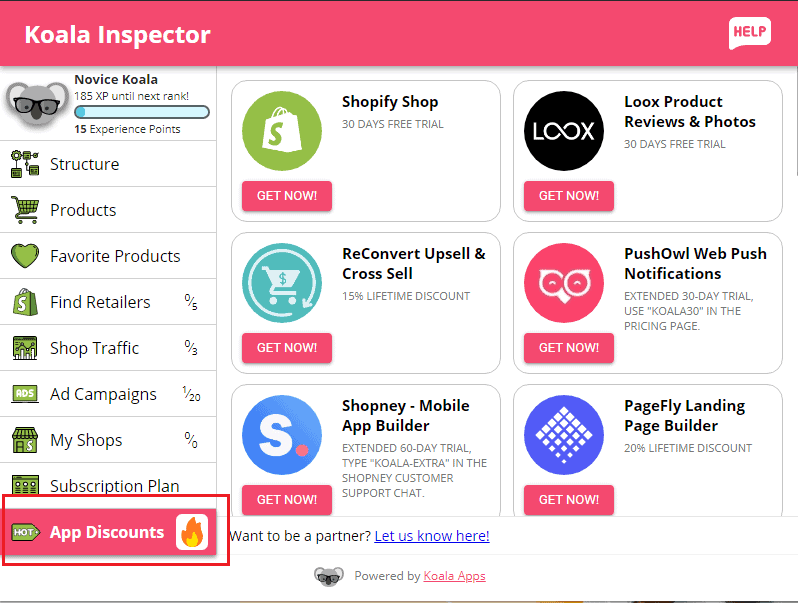
Step 3: Browse the partner apps to find the ones you need.
Step 4: Click "Get Now" under the app you want.
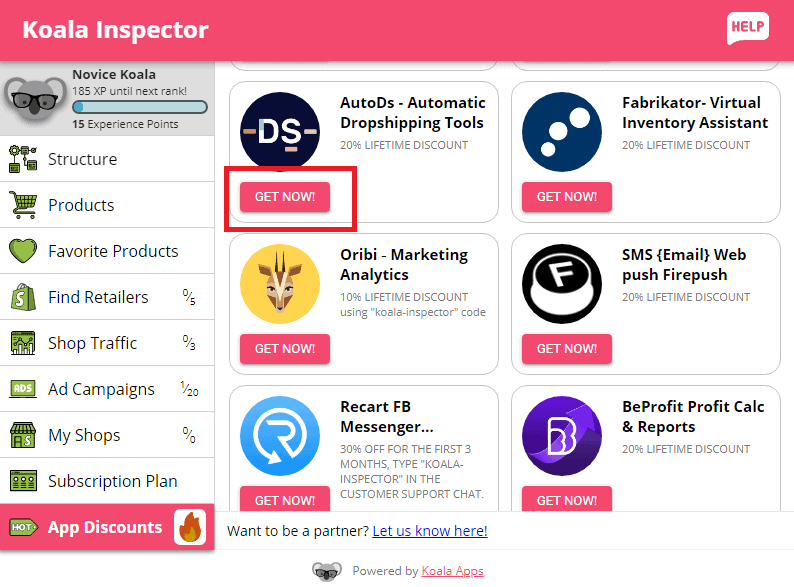
Step 5: Follow the instructions on the app's landing page to sign up.
Step 6: Some apps apply the discount automatically through the partner link. Others require a coupon code - if a code is needed, it will be listed under the app name inside Koala Inspector.
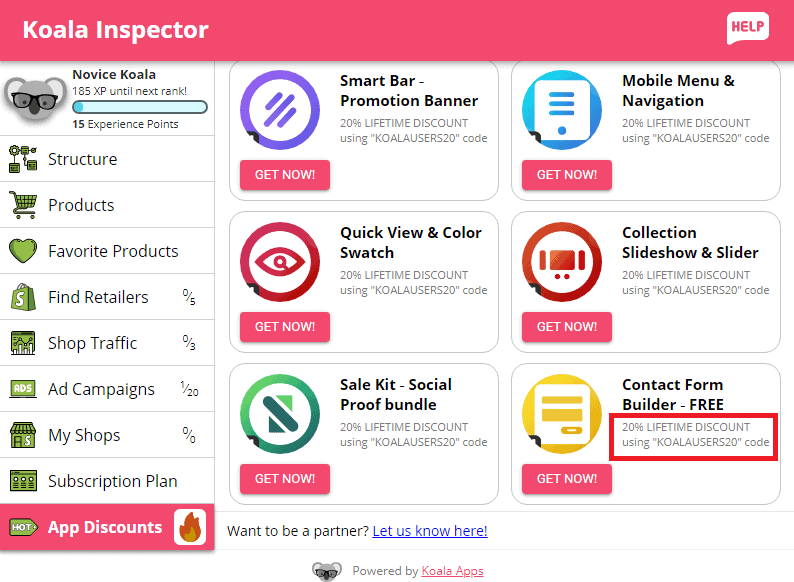
That's the full process. The discounts are applied at signup, so there's no need to contact support or negotiate pricing separately.
Written by
Assaf Shalin
Co-founder & Developer, Koala Apps
Assaf Shalin is a co-founder of Koala Apps and one of the developers behind Koala Inspector. He builds the tools that let Shopify sellers see what is actually working in other stores, from installed apps and themes to best-selling products. On the blog he covers the technical side of store research: how competitor research really works, what public store signals can and cannot tell you, and how to turn them into decisions.
Connect on LinkedIn