10 Ways To Grow With The Commerce Inspector
 By Ana GelevskaNovember 11, 2021 · Updated June 17, 2026
What is a Commerce Inspector?
A Commerce Inspector is a Chrome extension that shows you what is behind any Shopify store, drawn from the public signals any visitor's browser can already see: the products it sells and which are best-sellers, the apps and theme it runs, where its traffic comes from, and the ads it is running. Koala Inspector is a free Commerce Inspector. You browse a store the way a shopper would, click the icon in your toolbar, and a panel opens with that store's products, apps, theme, traffic, and ad activity in one place.
Running a Shopify store without knowing what is working for your competitors means guessing. A Commerce Inspector gives you the data to make product, ad, and sourcing decisions on evidence instead. Koala Inspector is named among the best Shopify spy and research tools by PageFly and on the Shopify blog, and it is the free pick in a category where most tools are paid subscriptions.
Here is what it does and how to get the most out of each feature.
Commerce Inspector vs the paid tools: why free works for most people
"Commerce Inspector" started as the name of one of the original Shopify spy tools, and there are paid Commerce Inspector extensions on the Chrome Web Store today, some climbing into hundreds of dollars a month at their higher tiers. Koala Inspector does the same core research (store structure, apps, theme, products, best-sellers, traffic, and ads) on a plan that is free forever with no credit card. You get 15 tokens a month for the deeper, data-heavy features, and the store overview, app detection, theme detection, and product browsing never cost a token at all. If you research stores now and then, the free plan is usually all you need. For the wider field, see our Shopify spy tools guide and the full Commerce Inspector review.
Install and use Koala Inspector in 2 steps
Step 1: Install the Koala Inspector Chrome extension from the Chrome Web Store. 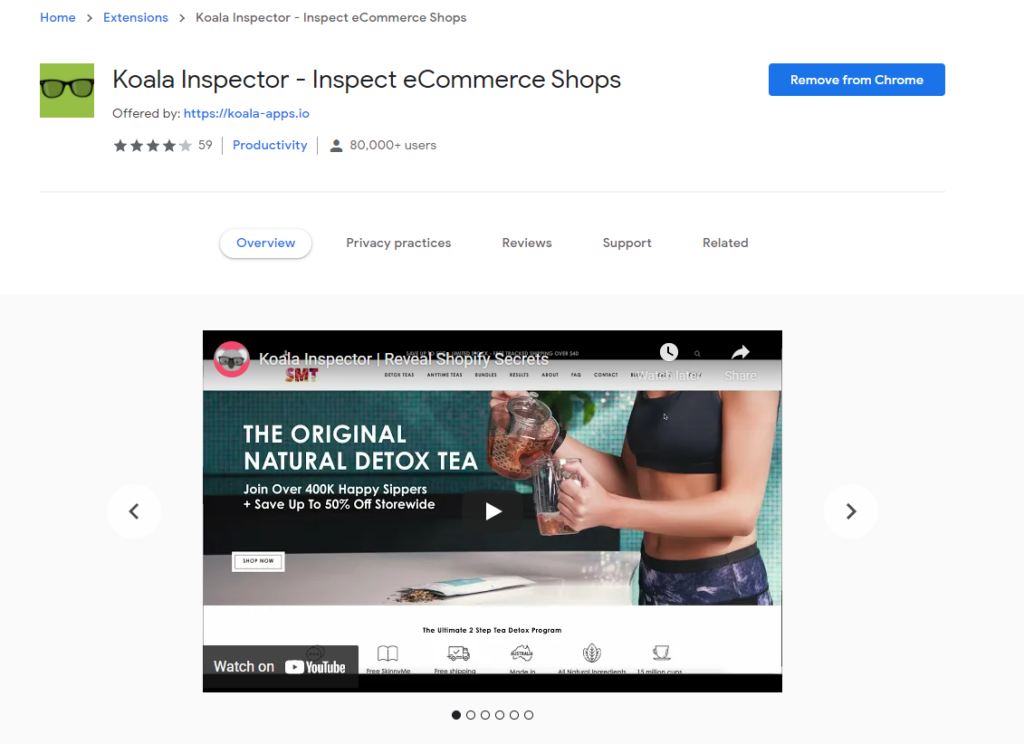
Step 2: Open the Shopify store you want to research, click "Track Shop", and start using the features. 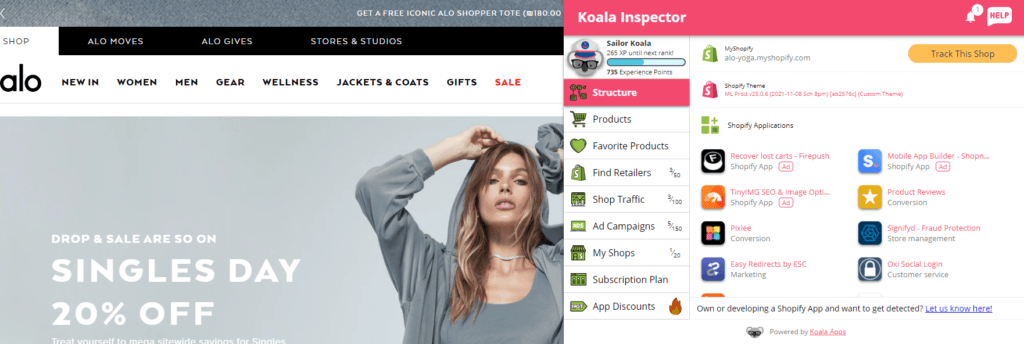
10 features a Commerce Inspector gives you
1. Track any Shopify store
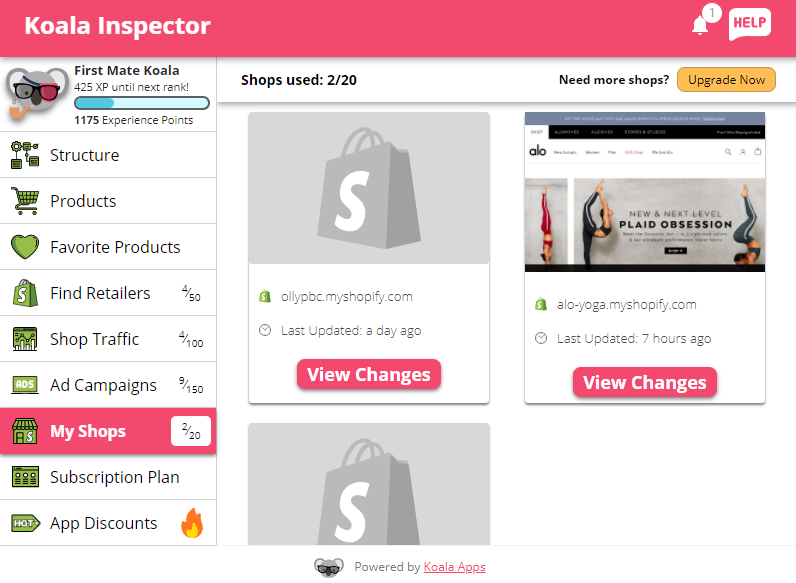 Tracking a shop gives you fast updates whenever a competitor changes their product lineup, pricing, or ad strategy. You can track any Shopify store and get details on traffic sources, ad campaigns, apps, and more. Turn on email notifications so you don't miss a product change.
2. Structure
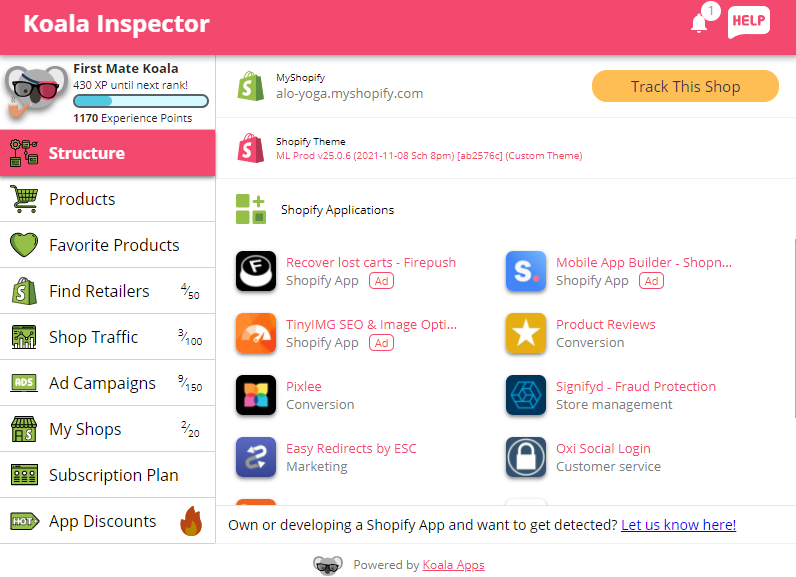 The structure tab shows you which Shopify apps and themes other stores are using. If a top competitor's store converts well, this tells you exactly what is running under the hood so you can benchmark your own setup against it.
3. Product insights and statistics
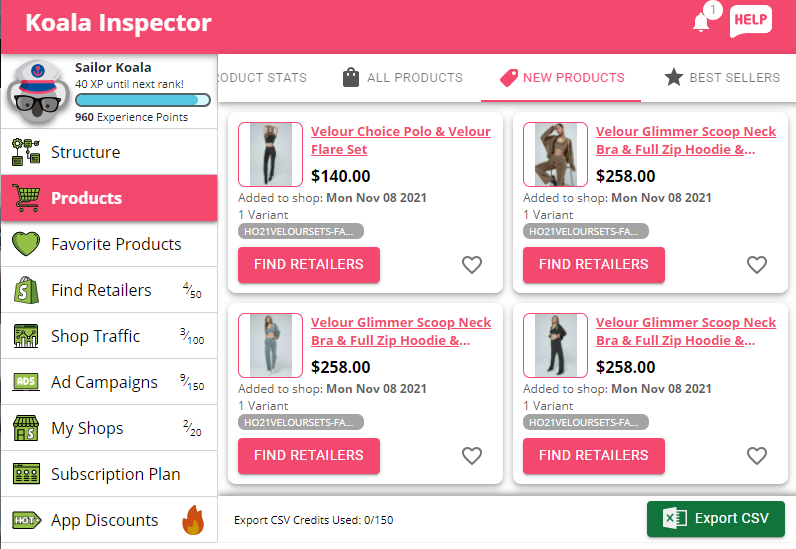 Stop guessing which products to carry. The product insights tab shows you what is new and best-selling in any Shopify store, along with the highest, lowest, and average price across those products. You can see when a product was first listed, when it was last updated, and how many products the store is selling. Use this to build a niche around what is already moving.
4. Ad campaigns
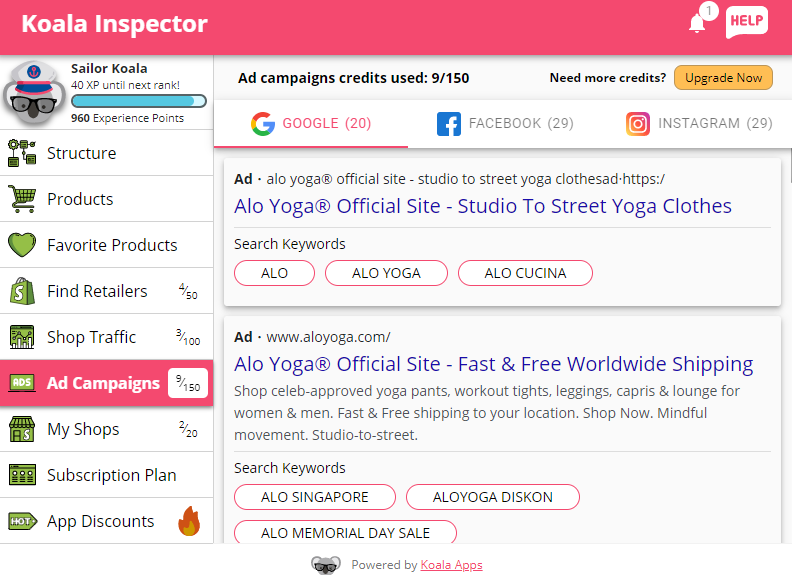 Paid ads are one of the biggest budget drains for new store owners. Koala Inspector lets you see the Google and Facebook or Instagram ads a competitor is running, so you can study what is working before you spend your own money on creative.
5. App discounts
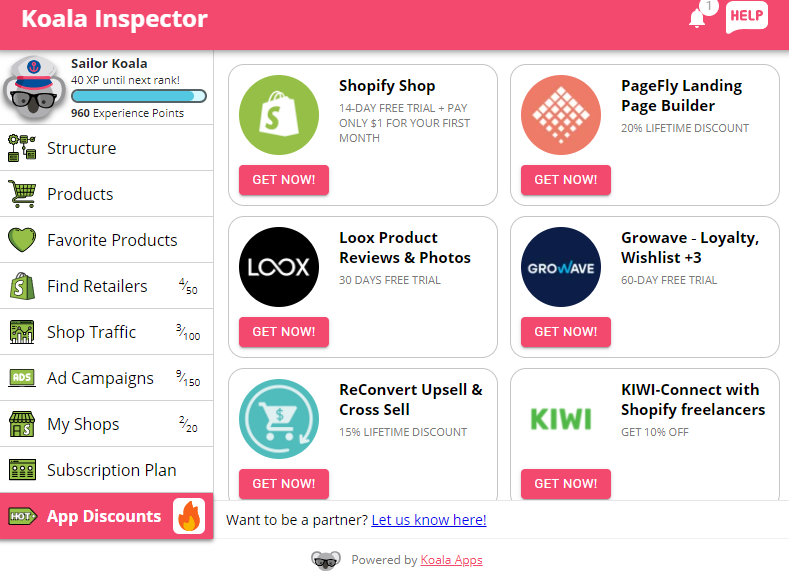 Koala has partnered with a set of Shopify apps to give users discounts on tools that are genuinely useful for running a store. If you are already using the Inspector to see which apps your competitors rely on, this is a fast way to pick them up at a lower price.
6. Shop traffic
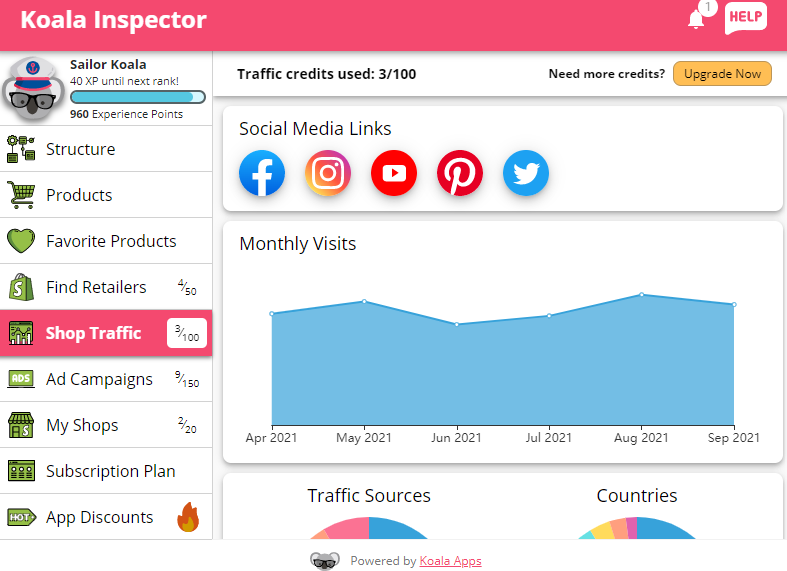 The shop traffic tab shows a competitor's estimated monthly visits, which countries drive their traffic, and which social channels they are active on. Checking this regularly tells you where a store is investing its acquisition budget and which channels are worth testing for your own store.
7. Favorite products
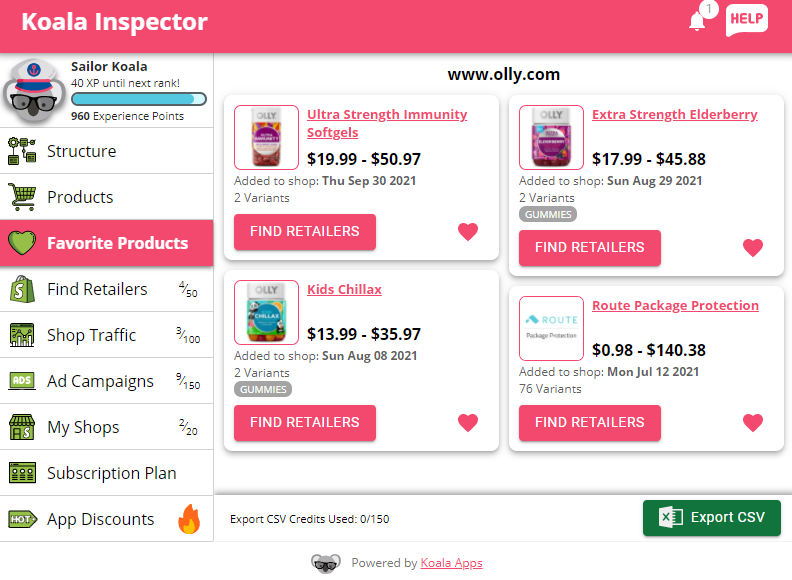 Build a shortlist of best-selling and new release products from any Shopify store and keep them in one place. When you have made your picks, export the CSV file and import it straight into your store.
8. Find suppliers
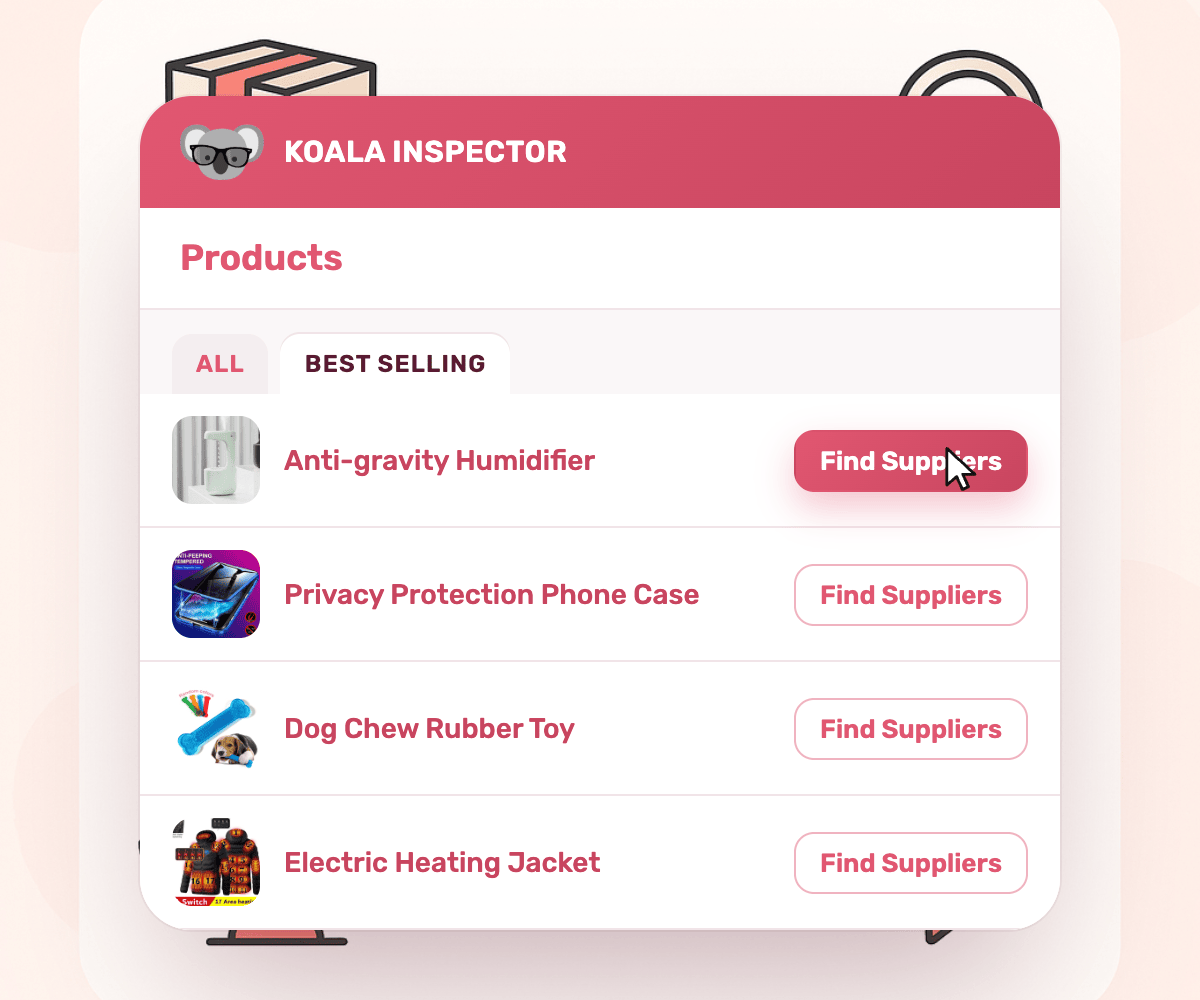 Click Find Suppliers on any product, or right-click its image, and the Inspector lists the suppliers selling that exact item. Each one shows a match score, the landed cost delivered to your customers' country (item, shipping and import duty), the delivery time and your estimated profit per unit. This saves a lot of time when you are sourcing a product, pricing it before launch, or checking whether it is already oversaturated by seeing how many exact matches are on sale.
9. Export CSV
 Moving products to your store takes three steps: export the CSV from Koala Inspector, save the file, then import it through your Shopify admin. Each file includes product name, price range, and best-seller status, so your inventory stays aligned with what is trending without manual data entry.
10. Upgrade when you need more
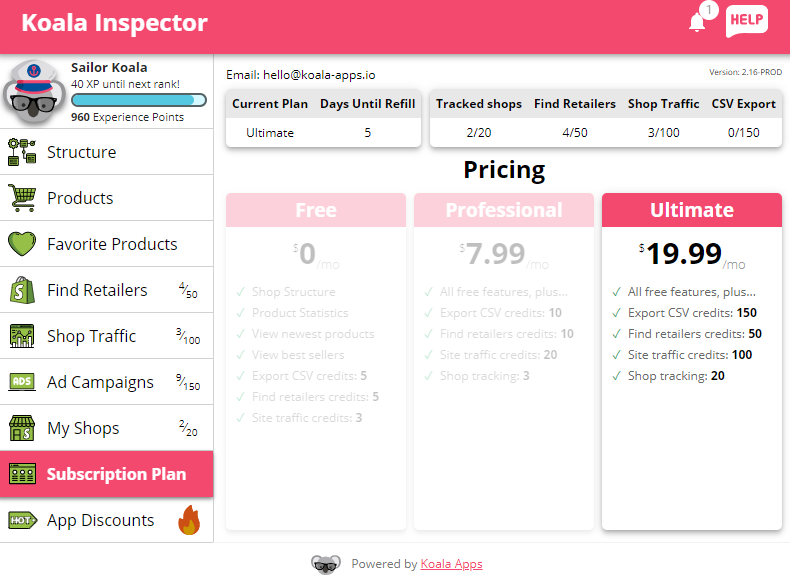 Koala Inspector keeps pricing simple. The Free plan gives you 15 tokens a month and the core store analysis. Premium at $22/month gets you 220 tokens, tracking for up to 50 Shopify stores, and priority support. If you need more tokens for a heavy research month, one-time token packs are available: 10 for $3.99, 25 for $6.99, or 100 for $11.99, and pack tokens never expire. Full details are on the pricing page.
Pros of a Commerce Inspector
- See the Google and Facebook ads a competitor is running
- Get insight on the apps competitors install
- Spot competitor product launches early
- Check product statistics and price ranges
- Find suppliers for any product, with landed cost and profit per unit
- Surface a store's best-selling products
- Estimate a store's traffic and top channels
Cons of a Commerce Inspector
- The free plan gives a limited number of tokens, which caps how many deeper checks you can run
- Even on the paid plan, monthly tokens put a ceiling on research volume
- Email notifications for store changes can pile up if you track many shops at once
The free plan is a solid starting point. If you want to track competitors on an ongoing basis and dig deeper into their data, the upgrade is worth the cost.
Commerce Inspector FAQ
What is a Commerce Inspector?
A Commerce Inspector is a Chrome extension that reveals a Shopify store's details from the public signals any visitor's browser can already see: its products and best-sellers, the apps and theme it runs, its traffic, and the ads it is running. Koala Inspector is a free Commerce Inspector you run from your browser toolbar.
Is the Commerce Inspector free?
Koala Inspector is free to install and use. The free plan includes the store overview, app detection, theme detection, product browsing, and best-sellers, plus 15 tokens a month for deeper features like traffic, ads, and CSV exports. Premium is $22 a month for 220 tokens and tracking up to 50 stores.
How do I track a Shopify store?
Open the store in Chrome, click the Koala Inspector icon, then click "Track Shop". Koala re-checks the store over time and logs changes like added or removed products, price changes, theme changes, and new apps, so you see what a competitor changes without checking by hand. Shop tracking is a Premium feature. For a full walkthrough of every screen, read how to use Koala Inspector.
Final comments
Online retail keeps getting more crowded, and standing out on instinct alone gets harder every year. A Commerce Inspector gives you a data layer for product, ad, and traffic decisions instead of guesswork. New store or established one, knowing what works for the stores ahead of you is one of the fastest ways to close the gap. When you are ready, add Koala Inspector and start with the store you most want to beat.
Written by
Ana Gelevska
eCommerce Content Writer
Ana Gelevska is a content writer with more than five years of experience creating content for eCommerce brands and global clients. She digs into each topic and the people it is for, then turns it into clear, useful articles that Shopify sellers and dropshippers can act on.
Connect on LinkedIn